1. Open JFlash, select Create new Project, and click Start J-Flash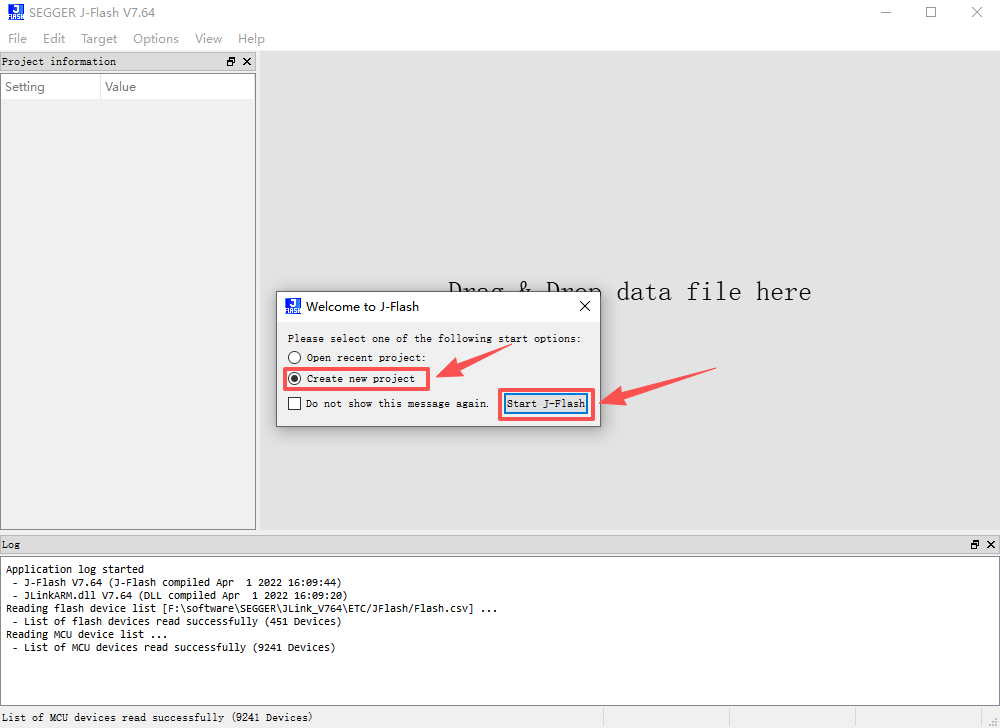 2. Click…
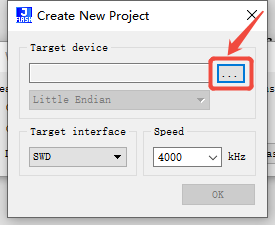 3. In the position shown in the image, enter the GD32 microcontroller model. For example, GD32F350G8, and click OK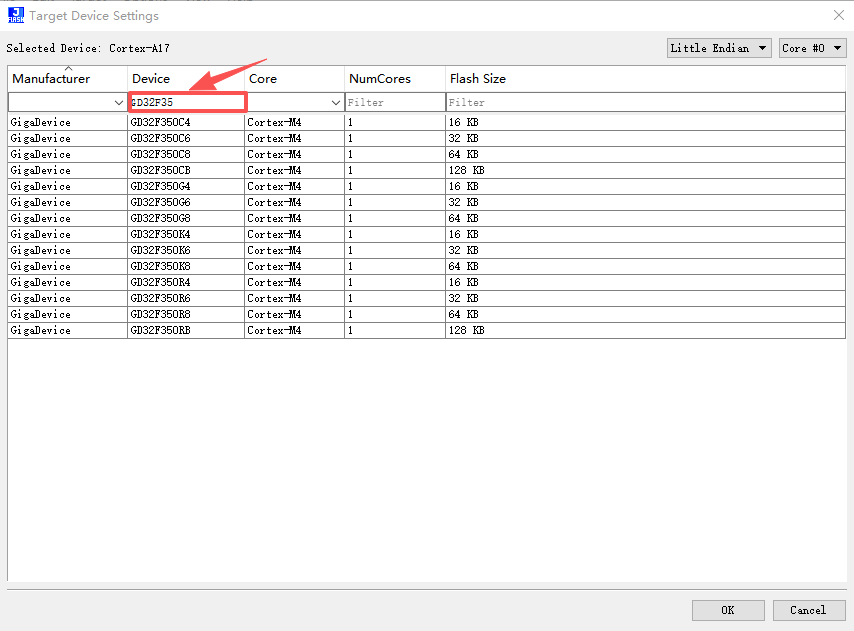
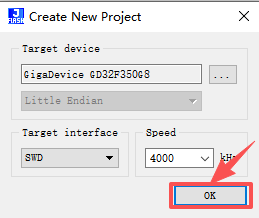
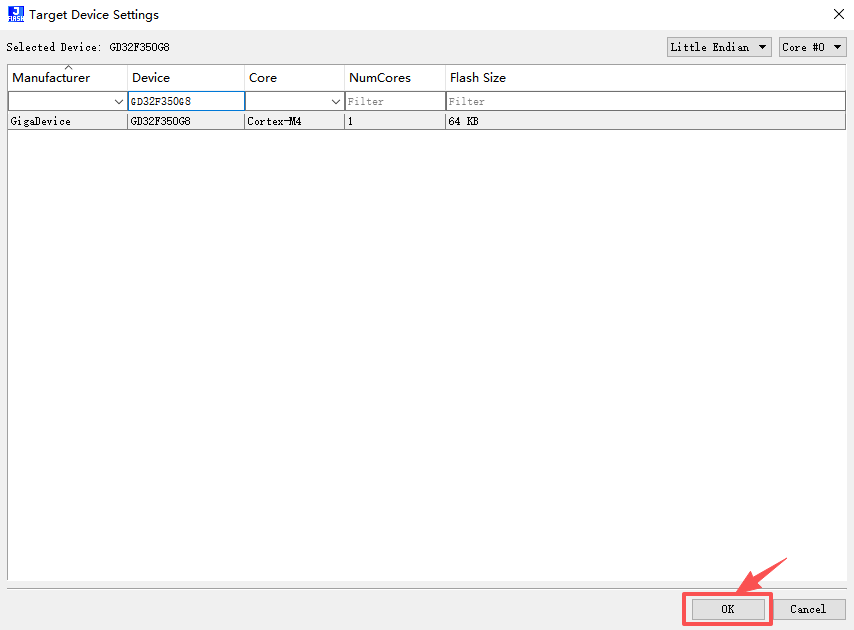 4. Click OK
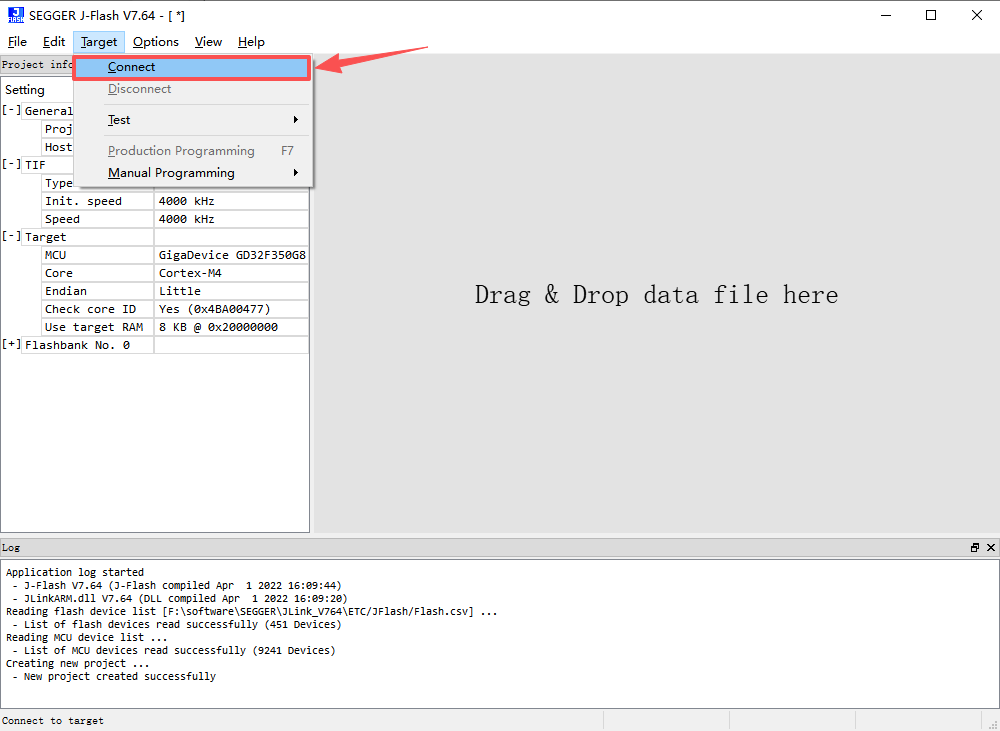
 5. Click Target -> Connect. This allows you to check if JLINK and GD32 are connected properly.
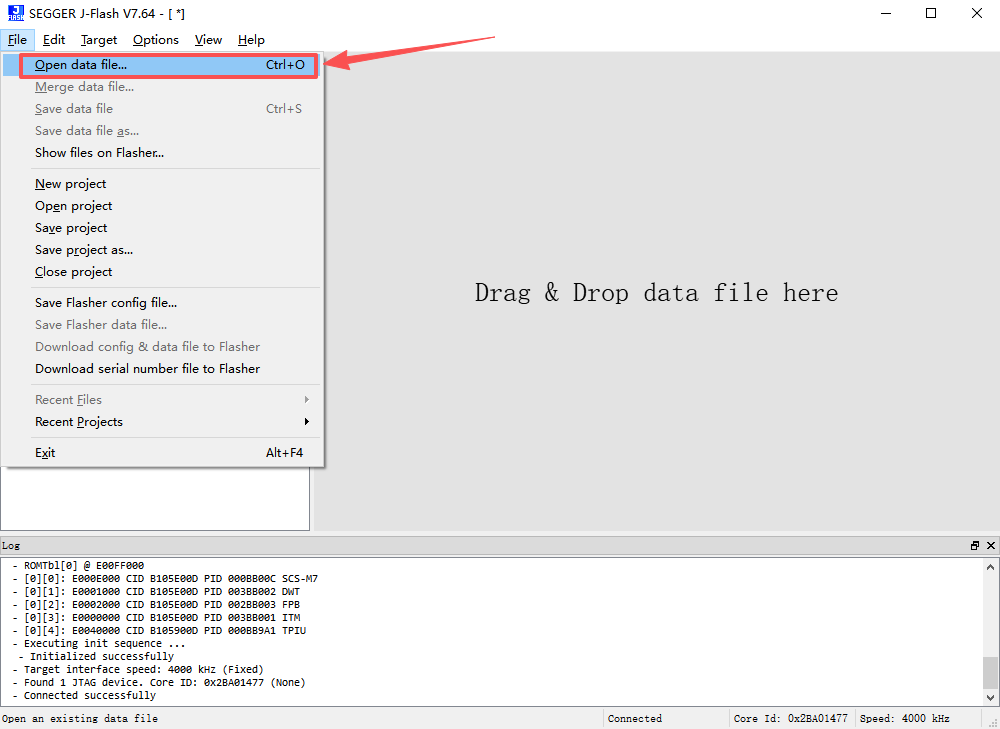
 6. Click File -> Open data file…, and open the program to be programmed.
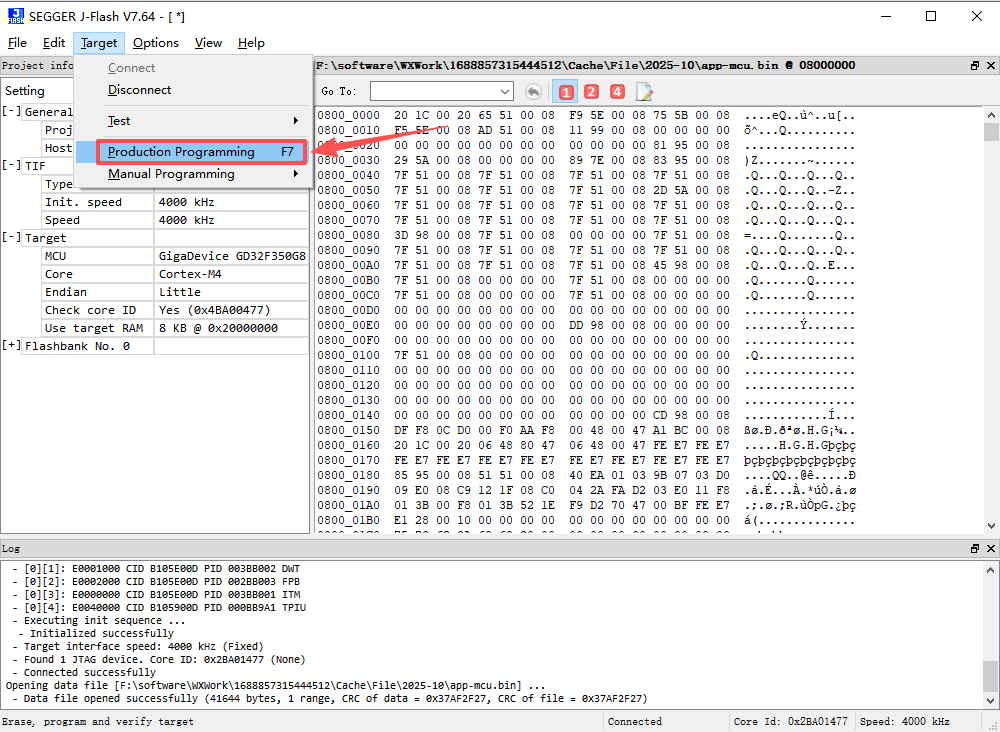
 7. Click Target -> Production Programming to download the program.
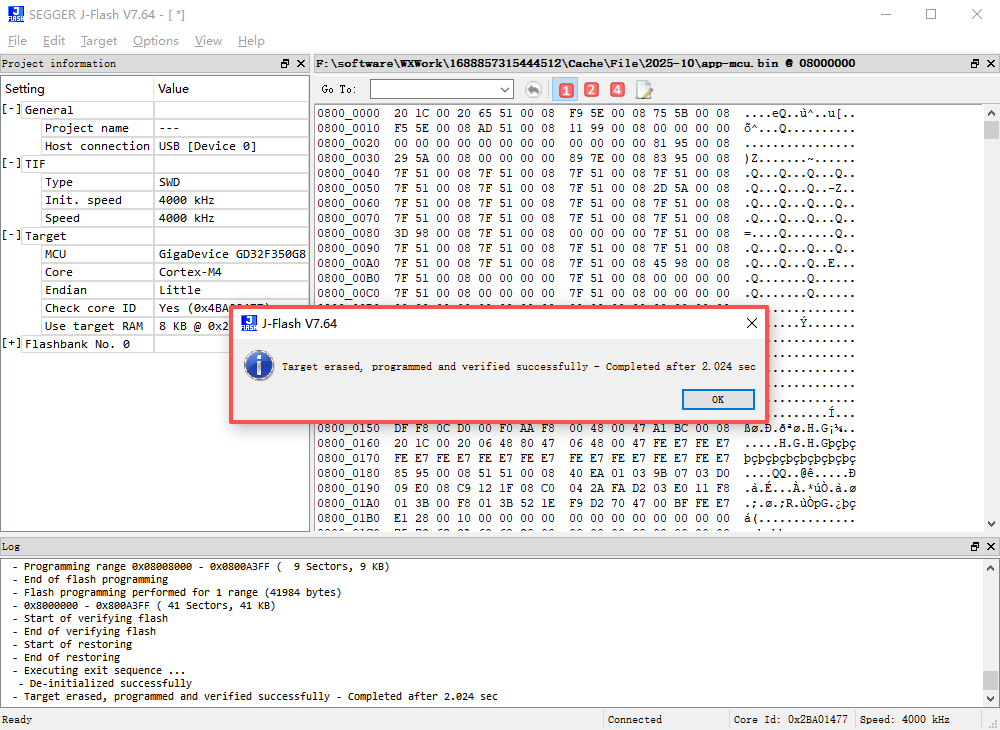
 8. Once the programming is complete, a prompt will appear. Click OK to finish.