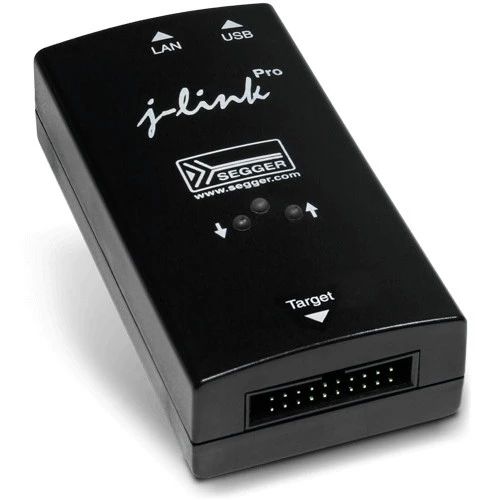
Programming GD32 with JLink and JFlash

Programming GD32 with JLink and JFlash

1. Open JFlash, select Create new Project, and click Start J-Flash2. Click…3. In the position shown in the image, enter the GD32 microcontroller model. For example, GD32F350G8, and click OK4. Click OK5. Click Target -> Connect. This allows you to check if JLINK and GD32 are connected properly.6. Click File -> Open data file…, and … Read more
Jlink Usage Tips Series Tutorial Index

Jlink Usage Tips Series Tutorial Index

Jlink Usage Tips Series Articles: Below are the links to each article; click directly to read. Jlink Usage Tips for Merging Programming Files Jlink Usage Tips for Programming SPI Flash Memory Chips Jlink Usage Tips for Virtual Serial Port Functionality Jlink Usage Tips for Reading the Program Inside STM32 Jlink Usage Tips for Downloading HEX … Read more

Jlink Tips for Reading STM32 Internal Programs

Jlink Tips for Reading STM32 Internal Programs

Introduction This article introduces how to use JFlash to read the microcontroller’s program. Learning to read microcontroller program files is not intended for cracking someone else’s program but to understand the principles of cracking, thus better protecting your own program from being cracked. I hope everyone can respect others’ labor results. Downloading and Installing JFlash … Read more

JLink Tips for Downloading HEX Files to Microcontrollers

JLink Tips for Downloading HEX Files to Microcontrollers

Introduction This article introduces how to use SEGGER’s official software JFlash for program downloading, supporting Hex and Bin files. Downloading and Installing JFlash First, install the JFlash software. After installation, the JLink driver will be installed by default, which includes the following tools: JFlash, primarily used for program downloading and reading. JFlashLite, a mini version … Read more

JLink Tips for Downloading HEX Files to Microcontrollers

JLink Tips for Downloading HEX Files to Microcontrollers

Introduction The previous article introduced how to use Keil to download an individual Hex file to a microcontroller. This article explains how to use SEGGER’s official software JFlash for program downloading, supporting both Hex and Bin files. JFlash Download and Installation First, install the JFlash software. Upon completion, the JLink driver will be installed by … Read more

How to Set Address Range for Custom JLink Download Algorithm?

How to Set Address Range for Custom JLink Download Algorithm?

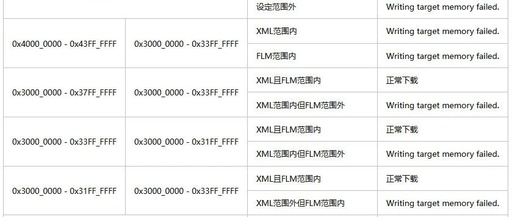
Hello everyone, I am Pi Zi Heng, a serious technical guy. Today, I will share with you the JLink command line and JFlash’s recognition of the address range for download algorithms. Recently, I customized a SEGGER download algorithm for a client using the RT1170 and an Infineon MirrorBit type 64MB Flash. After completing it, I … Read more