JLink Tips Series Tutorial
Introduction
Most people who play with microcontrollers know that JLink can flash Hex files as an ARM emulator debugger, but not many know that it can also flash SPI Flash. This article will introduce how to use JLink to write or read SPI Flash memory. Among the tools included in the JLink software, there is a tool called JFlashSPI, which is used for writing and reading SPI memory.
Preparation
-
Flash chip for programming or reading: Any SPI protocol Flash can be used, such as W25Q128.
-
JFlashSPI software tool: Located in the installation directory of the Jlink series software
-
JLink V9 emulator
-
File to be written: For example, GBK font file, UNIGBK.BIN
Hardware Connection
JLink has integrated SPI protocol, and some interfaces are used as SPI multiplexing functions. The specific hardware connection is shown in the figure below:
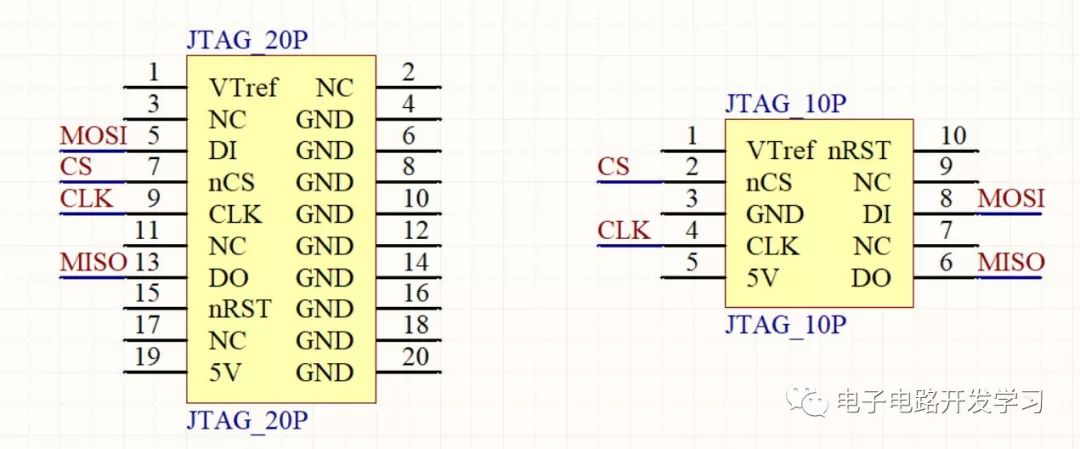
For the 20P standard JTAG interface
| Pin Number | Name | Input/Output | Connection to SPI Flash |
|---|---|---|---|
| 5 | DI | Input | Connect to the MOSI pin of SPI Flash |
| 7 | nCS | Output | Connect to the CS pin of SPI Flash |
| 9 | CLK | Output | Connect to the CLK pin of SPI Flash |
| 13 | DO | Output | Connect to the MISO pin of SPI Flash |
For the 10P JTAG interface
| Pin Number | Name | Input/Output | Connection to SPI Flash |
|---|---|---|---|
| 2 | nCS | Output | Connect to the CS pin of SPI Flash |
| 4 | CLK | Output | Connect to the CLK pin of SPI Flash |
| 6 | DO | Output | Connect to the MISO pin of SPI Flash |
| 8 | DI | Input | Connect to the MOSI pin of SPI Flash |
One point to note here is that the authentic JLink emulator has pin 1 as an input pin, which is provided with an external reference level. However, since most JLink emulators are now learning (dao) versions, pin 1 is not an input but an output of 3.3v, so it can be used directly to power the SPI Flash.
1. Open
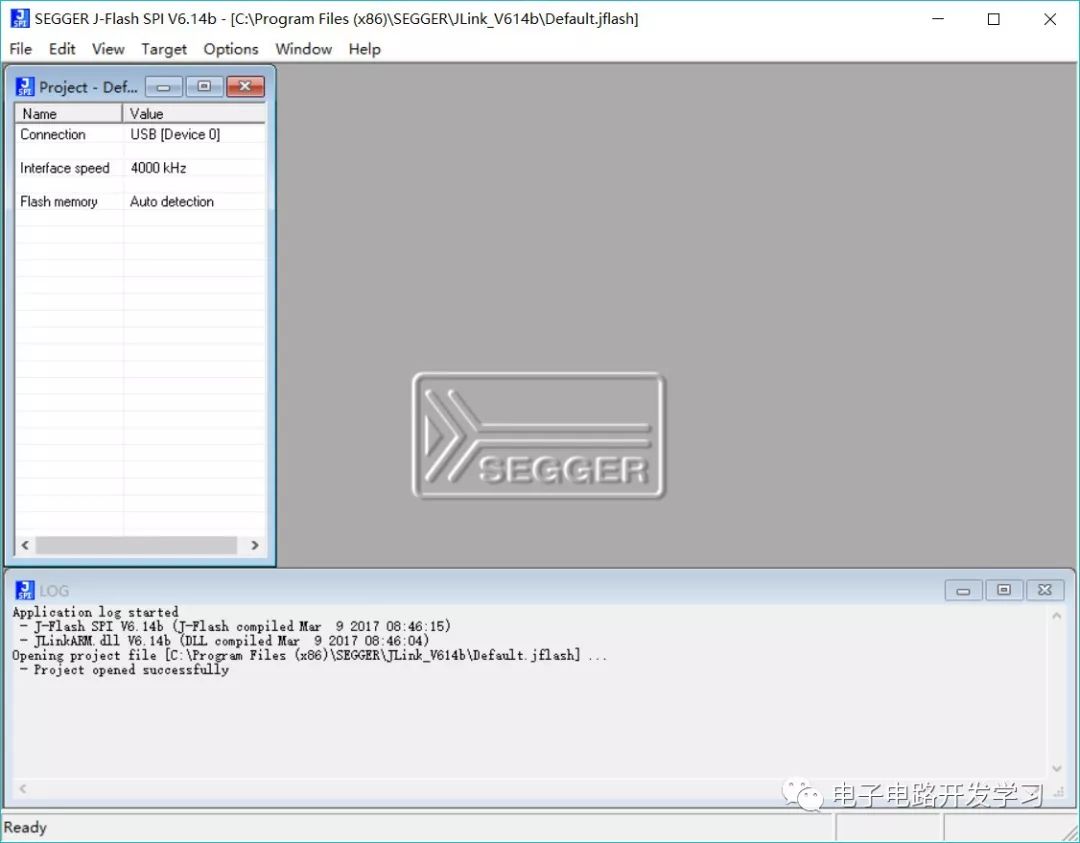
There are two tools, one is JFlashSPI.exe which is a graphical tool, and the other is JFlashSPI_CL.exe which is a command line tool. Here we will focus on the graphical tool JFlashSPI. Open the installation directory of the Jlink software and double-click to open JFlashSPI; the interface is not much different from the previously introduced JFlash.
2. Connect SPI Flash Chip
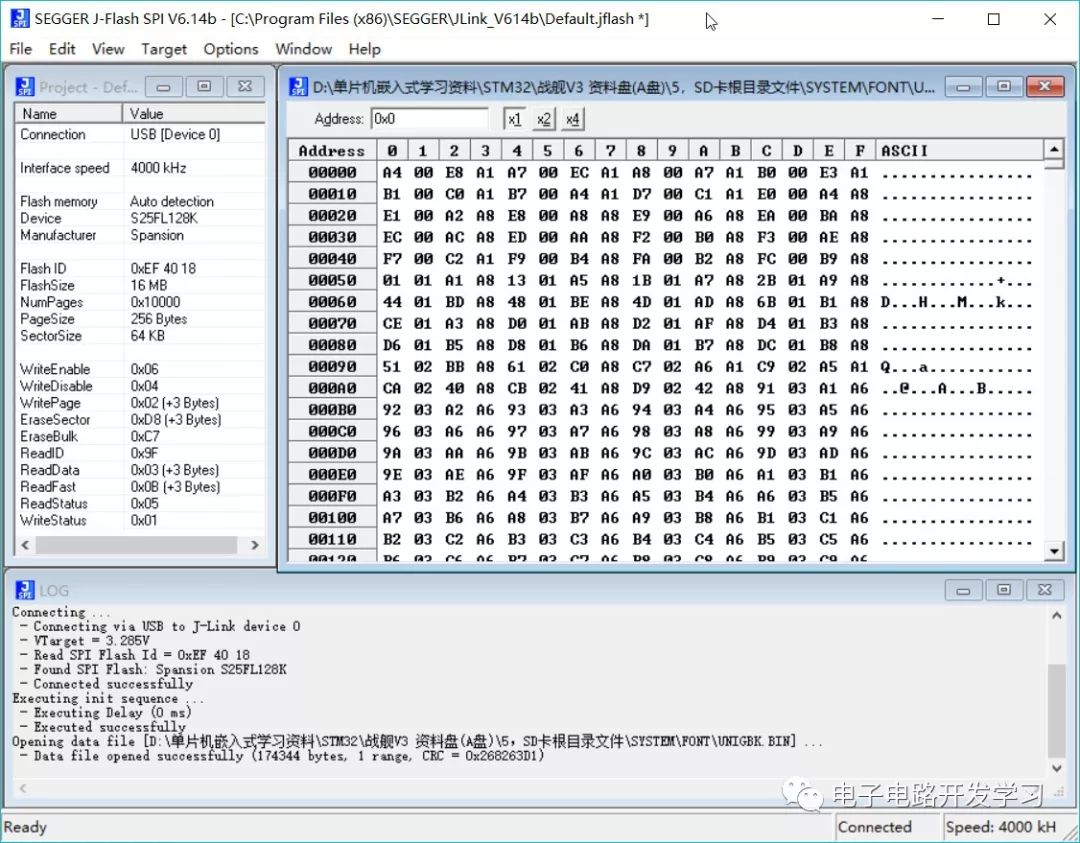
Click Target->Connect. If the connection is successful, connection information will be output at the bottom, showing the model, manufacturer, Flash ID, and other information of the Flash chip.
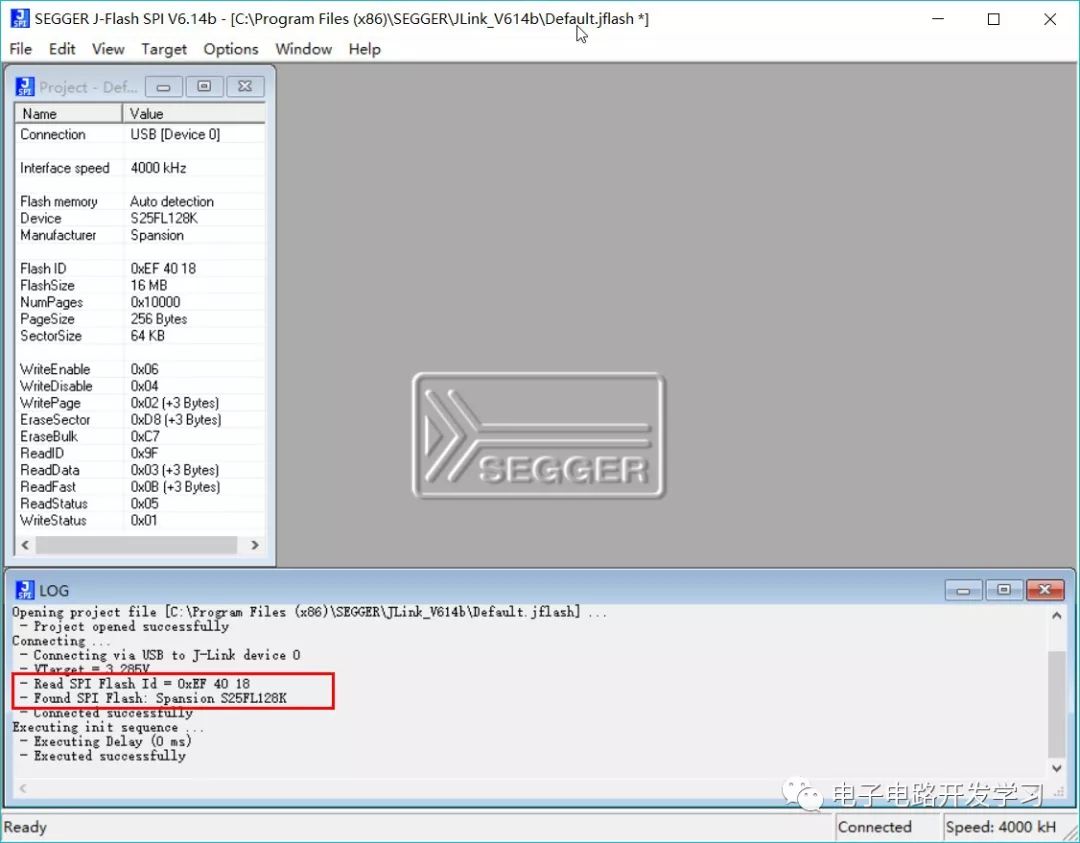
For this Flash chip, it is clearly printed as Winbond W25Q128, but here it reads as Spansion S25FL128K. Could it be a counterfeit chip?
3. Open Program File
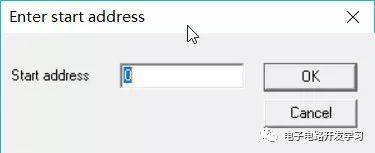
Click File->Open data file to open the font file to be flashed. It supports multiple file formats. Since the selected Bin file does not have a starting address, manually input the starting address for flashing, which can be set to 0. For an explanation of the file formats for flashing, you can refer to a previous article: What Are the Differences Between BIN, HEX, AXF, and ELF File Formats
4. Download
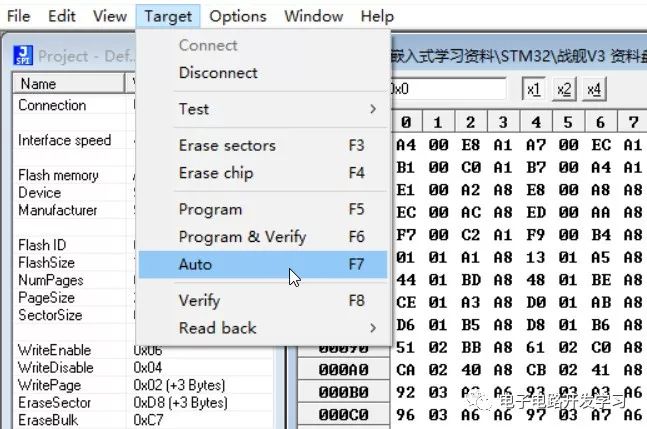
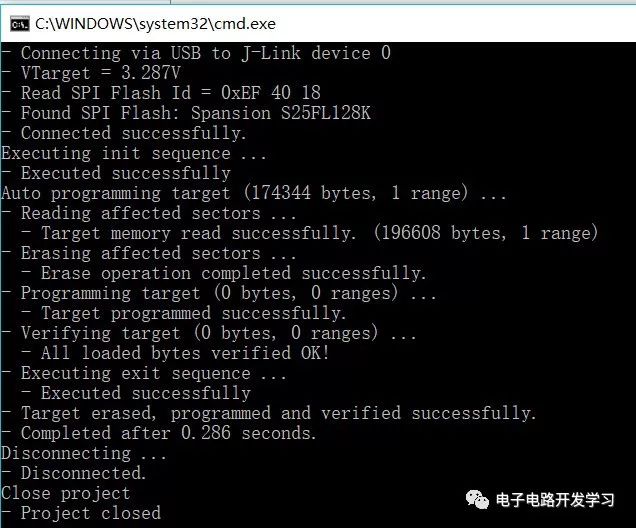
Click Target->Auto to download the program to the Flash chip.
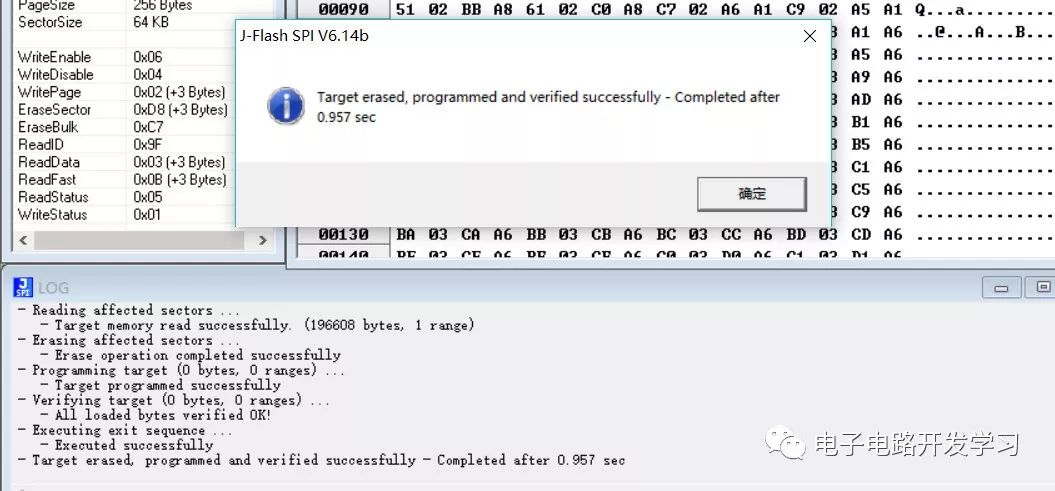
After the download is complete, a success message will be displayed in the bottom window, showing that the flashing speed is quite fast; the 170KB font file took less than 1 second.
5. Reading Program Files
Similar to reading and writing microcontroller programs, it also supports reading SPI Flash chip programs. To respect the labor of others, this introduction is for learning purposes only and should not be used for commercial cracking purposes.
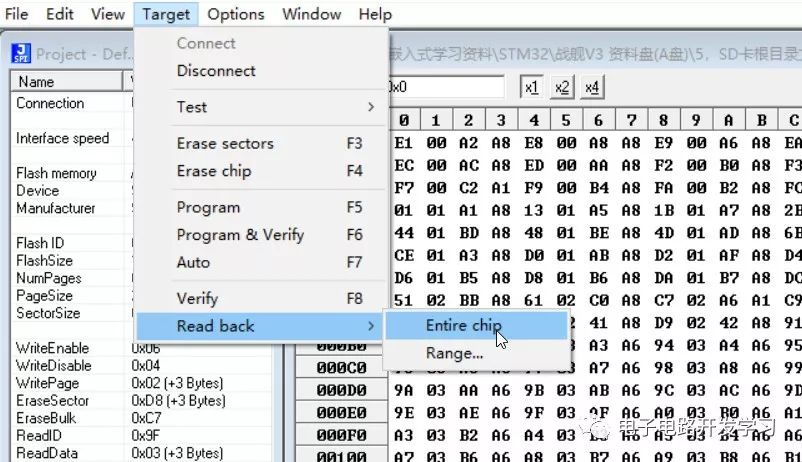
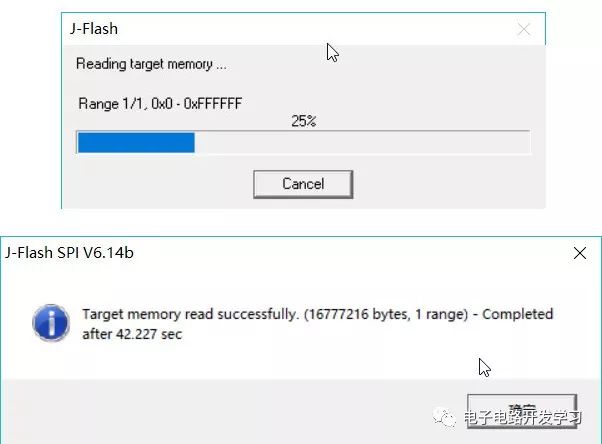
It can be seen that compared to downloading, the reading and writing speed is significantly slower because the entire 16M storage area is being read, so the time will be relatively longer.
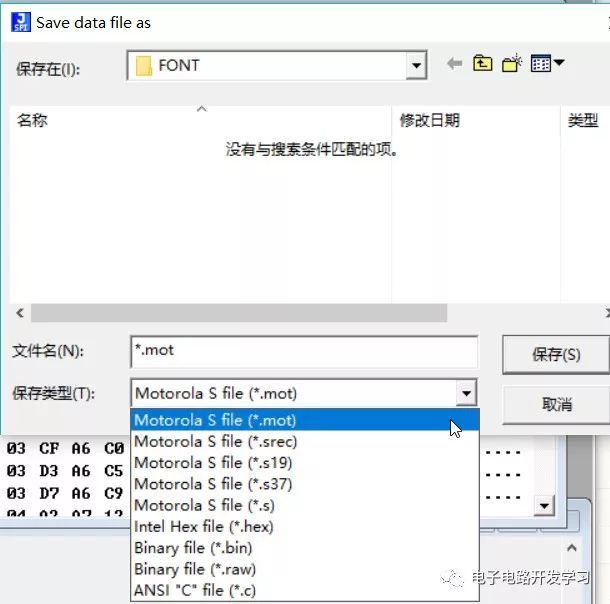
6. Saving Program Files
After the program file is read, you can choose to save the file to the local directory, with the format selectable as needed.
7. Using the Command Line Tool
JFlashSPI_CL.exe is the command line tool for JFlashSPI, which allows reading and writing Flash through command input. Here is a brief introduction to the flashing function.
Run in the terminal: <span>./</span><span>JFlashSPI_CL</span><span>.</span><span>exe</span>
You will see some help information, mainly instructions:
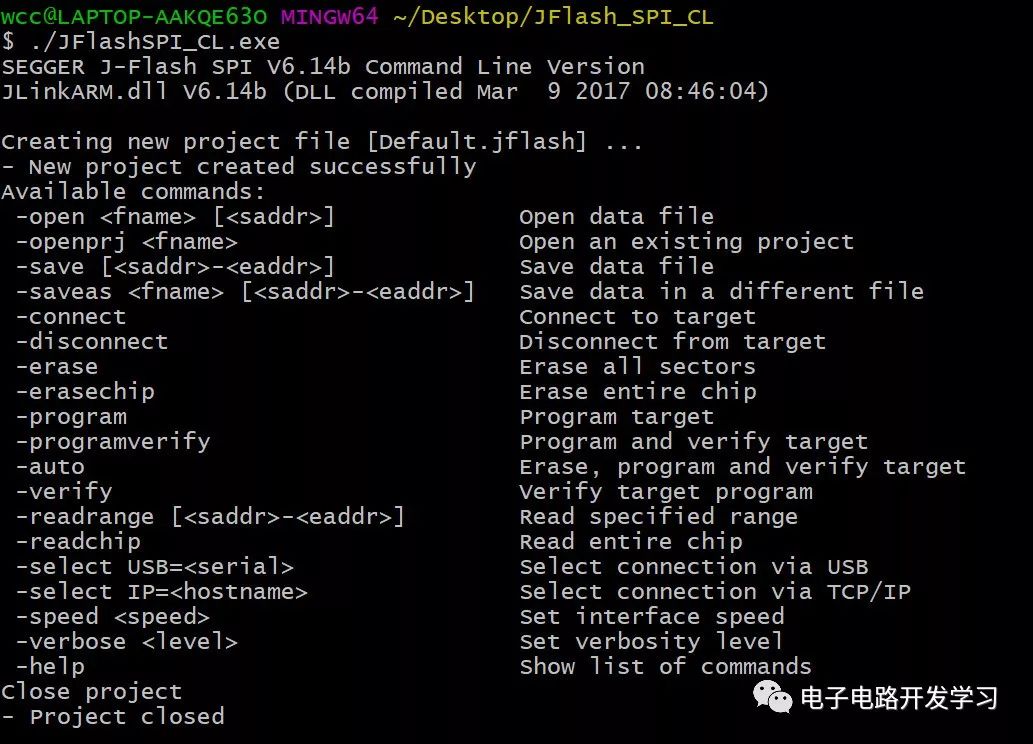
You can see -connect to connect, -open to open the flashing file, -auto for flashing. If you are flashing, these three commands are sufficient. First, copy the file to be flashed to the same directory as JFlashSPI_CL.exe, and input the command:
./JFlashSPI_CL.exe -open UNIGBK.BIN 0 -connect -autoYou can see that the flashing was successful.
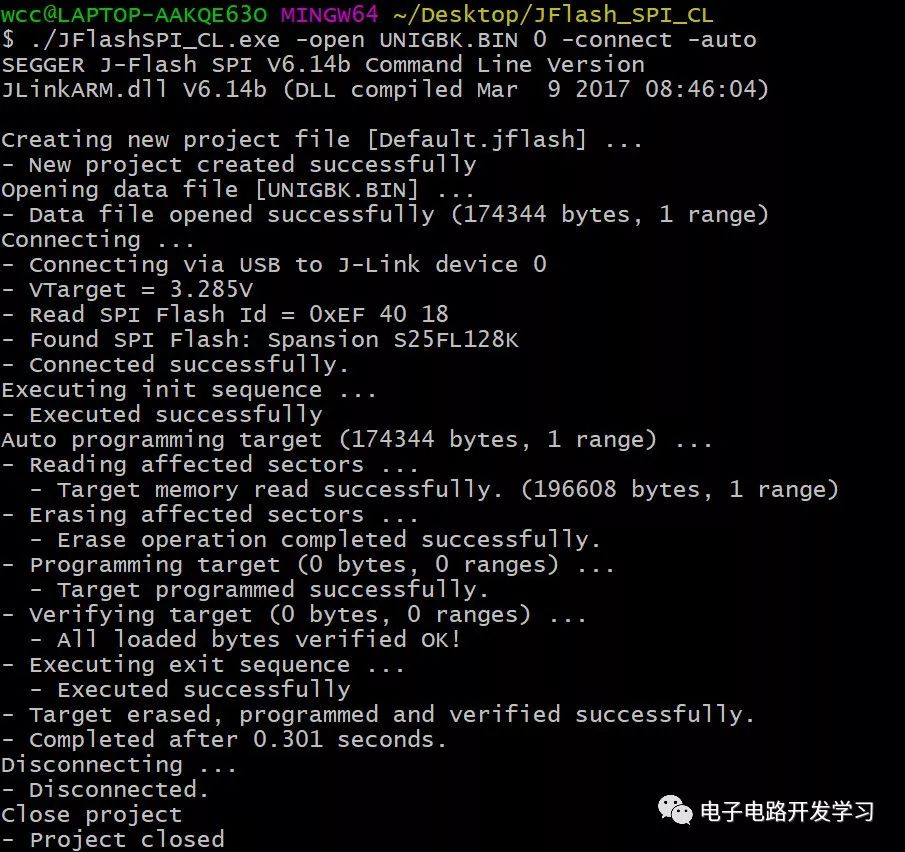
For convenience, we can write the above command into a batch processing command and run it directly by double-clicking.
Create a download.bat file, open it with Notepad, and enter the following content:
JFlashSPI_CL.exe -open UNIGBK.BIN 0 -connect -auto
echo Program flashing completed!
pause
Then place this bat file and the font file to be flashed in the same folder. Double-click to run it directly, which is much more convenient, isn’t it?
Supported Chip List
There are hundreds of supported Flash chips, such as Atmel’s AT25 series, and the domestic GD25Q series, etc. Basically, most common SPI protocol Flash chips are supported. For the specific chip list, you can check the official SEGGER website: https://www.segger.com/products/debug-probes/j-link/technology/cpus-and-devices/supported-spi-flashes/
Speed Description
For different models of Flash chips, the maximum writing speed of the Jlink programmer varies. Please refer to:
| Flash Device | Programming Speed | Flash Device | Programming Speed |
|---|---|---|---|
| ISSI IS25LP128 | 500 KB/s | Micron N25Q128A | 270 KB/s |
| ISSI IS25LD040 | 100 KB/s | Micron M25P10 | 160 KB/s |
| ISSI IS25LQ080 | 340 KB/s | Micron M25PX16 | 230 KB/s |
| ISSI IS25CD010 | 100 KB/s | Micron M45PE10 | 230 KB/s |
| ISSI IS25CQ032 | 190 KB/s | Micron M25PE4 | 215 KB/s |
| Macronix MX25L3235E | 285 KB/s | Spansion S25FL128 | 410 KB/s |
| Macronix MX66L1G45G | 430 KB/s | Spansion S25FL116K | 265 KB/s |
| Macronix MX66L51235F | 315 KB/s | Winbond W25Q128FV | 340 KB/s |
References:
https://www.segger.com/products/debug-probes/j-link/tools/j-flash-spi/
Download JLink Software
JLinkWindowsV614b software download link: Reply “JLINK” in the public account background to obtain the download link for JLinkWindowsV614b.exe
JLink tips series articles:
-
JLink Tips Series Tutorial
-
JLink Tips for Reading STM32 Internal Programs
-
JLink Tips for J-Scope Virtual Oscilloscope Function
-
JLink Tips for Downloading HEX Files to Microcontrollers