Introduction
The previous article introduced how to use Keil to download an individual Hex file to a microcontroller. This article explains how to use SEGGER’s official software JFlash for program downloading, supporting both Hex and Bin files.
JFlash Download and Installation
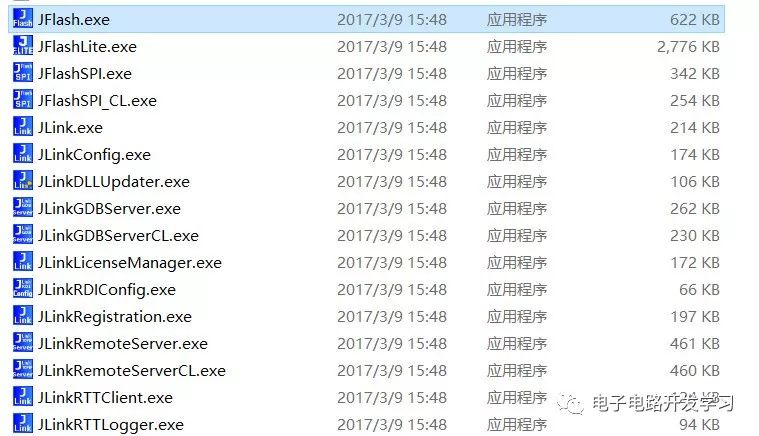
First, install the JFlash software. Upon completion, the JLink driver will be installed by default, which includes the following tools:
-
JFlash, primarily used for program downloading and reading.
-
JFlashLite, a mini version of JFlash.
-
JFlashSPI, used for downloading programs to SPI memory, such as W25Q128.
-
JLinkGDBServer, for third-party debuggers. For example, when setting up an STM32 development environment with Eclipse, the GDB Server is needed for debugging.
-
JLink Command, a command operation window for executing commands such as connecting, erasing, downloading, and running.
Software Preparation
-
Jlink software
-
Hex or Bin file
-
Jlink debugger, such as Jlink V9
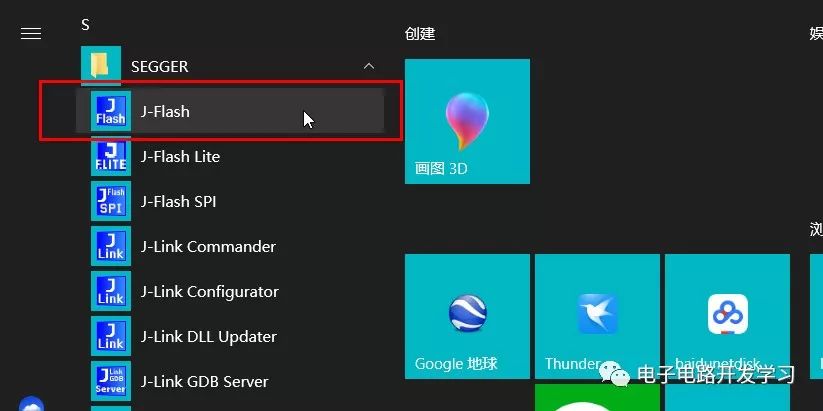
1. Open JFlash
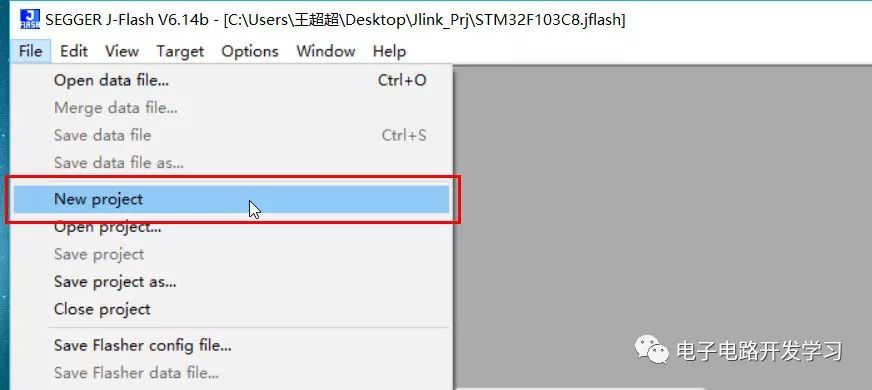
2. Create a New Project
Click File->NewProject
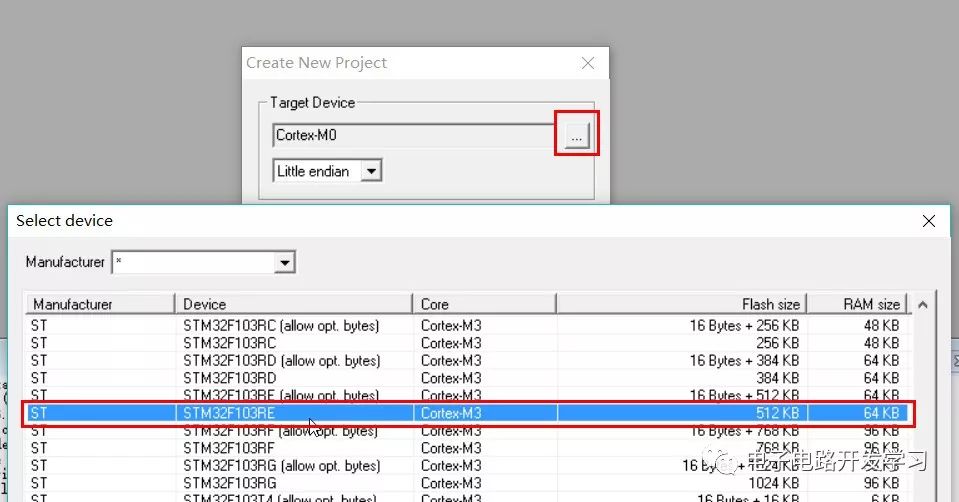
3. Select Chip Model
This supports many ARM Cortex core chips. Select the corresponding chip; here I choose the STM32F103RE series.
4. Connect the Chip
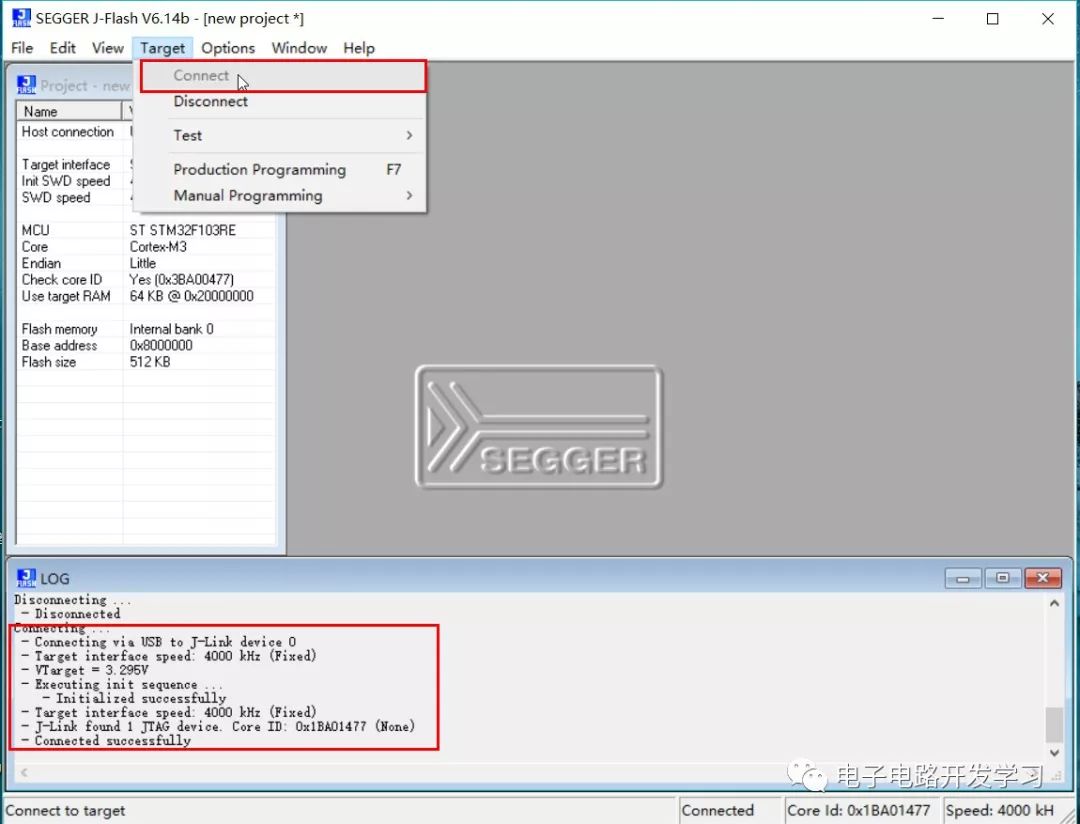
If SWD mode is selected, connect the SWDIO, SWCLK, and GND lines. Once connected, click Target->Connect. If the connection is successful, a success message will appear in the LOG window below.
5. Open the Flash File
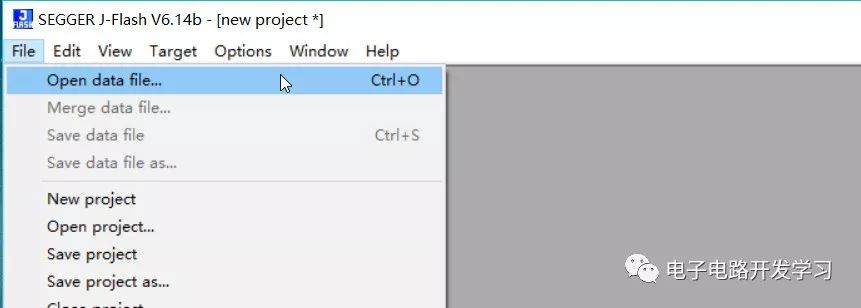
JLink supports various file types including Hex and Bin.
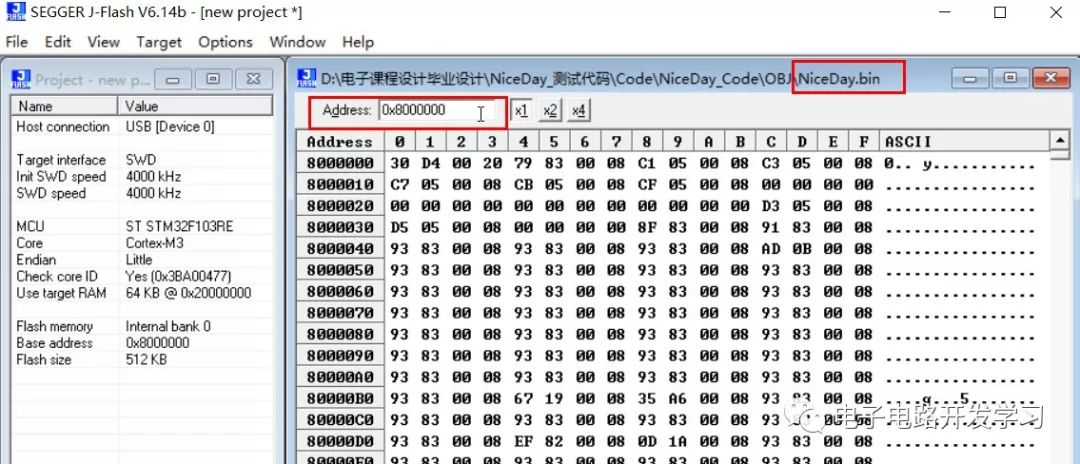
If a Bin file is selected, you also need to specify the starting address for flashing, as Bin files do not contain the flashing address, while Hex files do. For more details, refer to the previous article: What are the differences between BIN, HEX, AXF, and ELF file formats.
6. Start Flashing
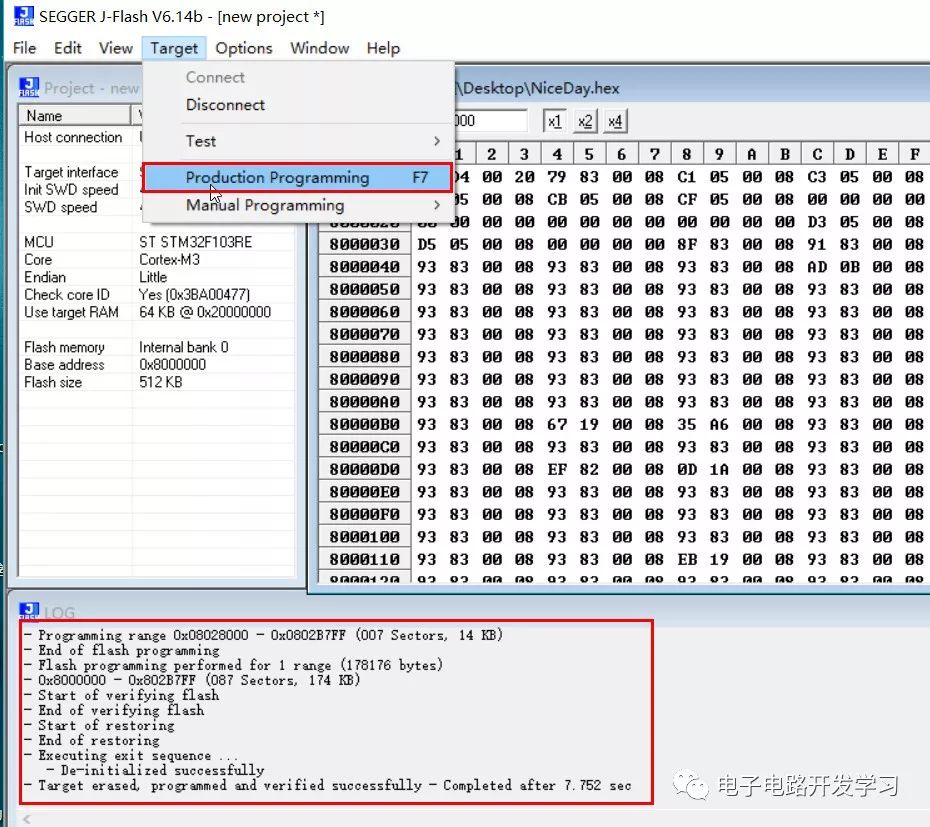
After opening the Hex file, click Target->Production Programming, or use the shortcut key F7. Wait for a few seconds, and the program will be downloaded. After a successful download, a success message will appear in the bottom window.
7. Start Running
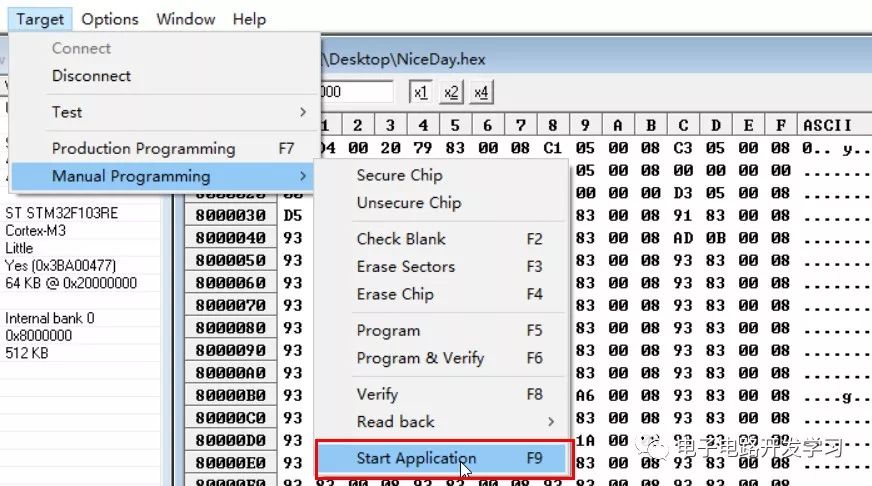
After successful flashing, the program does not run automatically. Click Target->Manual Programming->Start Application or press the shortcut key F9 to start the program running, or you can press the reset button to run the program.
8. Configure Project for Automatic Running
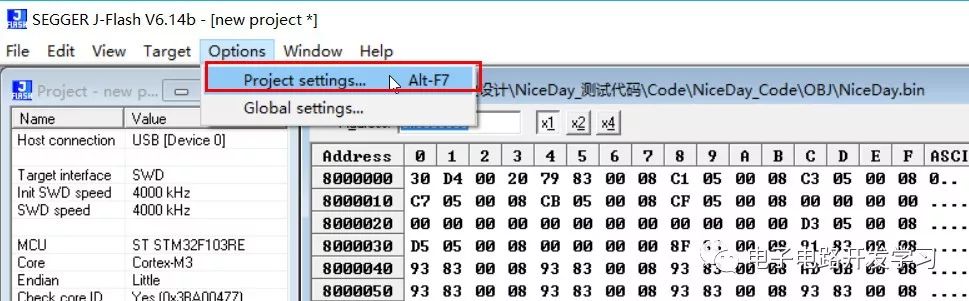
If you want the program to run automatically after each download without needing a reset, you can use the automatic run option in the project configuration. Open Option->Project Setting, switch to the Production option, and check Start Application to enable automatic running of the program.
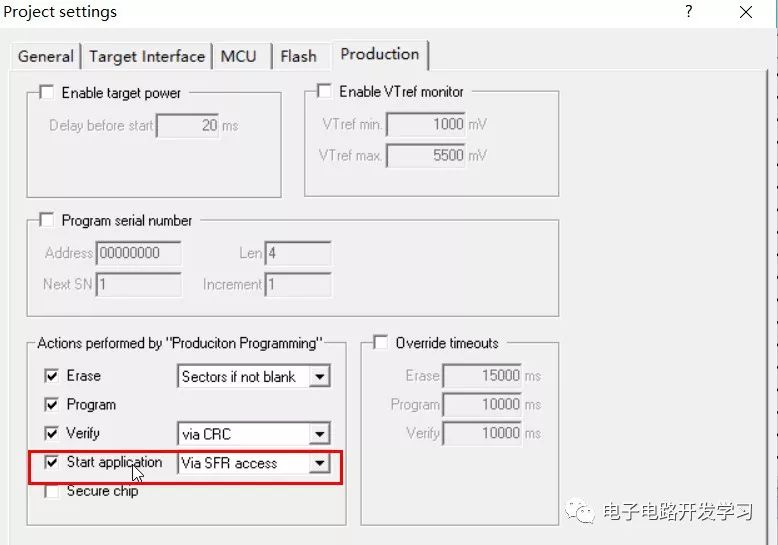
You can save the current project configuration as a file, such as STM32F103RE.jflash, so that next time you need to download, you can just open this project.
Download JLink Software
Reply “JLINK” in the public account backend to obtain the download link for JLink_Windows_V614b.exe.

Selected Historical Articles:
-
Jlink Tips for J-Scope Virtual Oscilloscope Function
-
Open Source Solution for Baidu Smart Bracelet (including source code, schematic, APP, communication protocol, etc.)
-
How to Generate Bin Format Files in Keil-MDK Development Environment
-
Two Methods for Converting ELF Format to HEX Format Files
-
Two HC-05 Bluetooth Modules Binding to Form a Wireless Serial Port Module
Welcome to follow my personal blog: http://www.wangchaochao.top or scan the WeChat code to follow my public account