Introduction
Jlink can download Hex files to microcontrollers and can also read the program files from unencrypted microcontrollers. This article introduces how to use JFlash to read the microcontroller’s program. Learning how to read microcontroller program files is not to crack someone else’s program, but to understand the principles of cracking, thus better protecting your own programs from being cracked. I hope everyone can respect the labor results of others.
Downloading and Installing JFlash
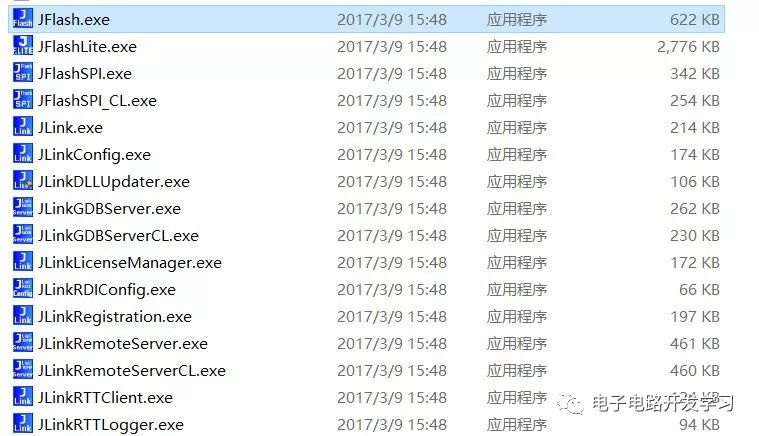
First, install the JFlash software. After installation, the JLink driver program will be installed by default, which mainly includes the following tools:
-
JFlash, mainly used for program downloading and reading.
-
JFlashLite, a mini version of JFlash
-
JFlashSPI, used for downloading programs to SPI memory, such as W25Q128.
-
JLinkGDBServer, used for third-party software debuggers. For example, when setting up the STM32 development environment with Eclipse, GDB Server is required for debugging.
-
JLink Command, command operation window for executing commands such as connect, erase, download, run, etc.
Software Preparation
-
Jlink software, J-Flash
-
Jlink debugger, such as Jlink V9
-
Microcontroller development board, such as STM32F103RET6
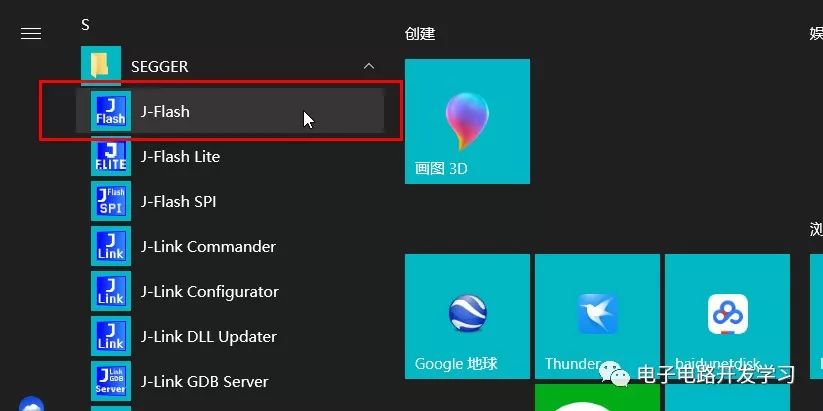
1. Open JFlash
2. Create a New Project
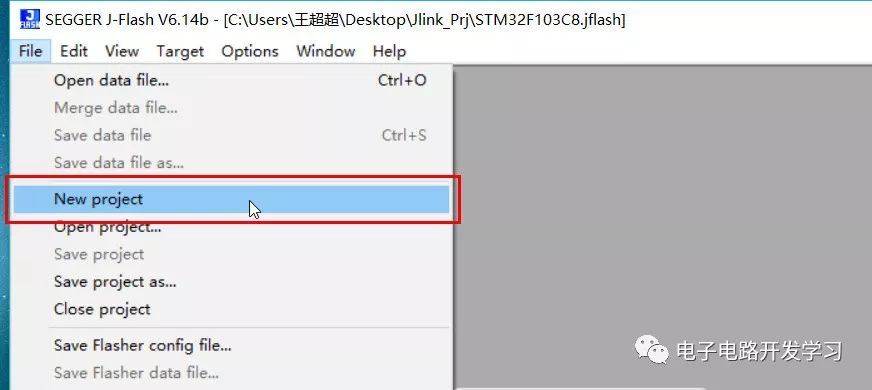
Click File->NewProject
3. Select the Chip Model
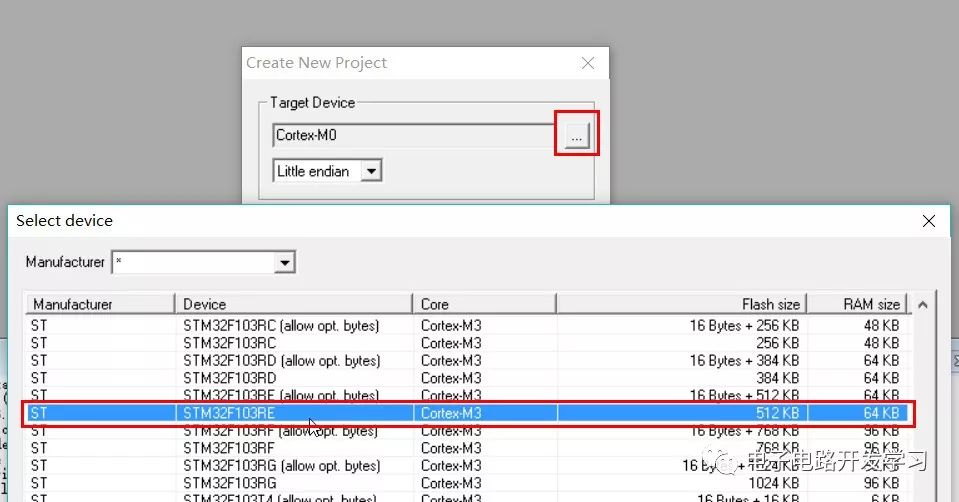
Many ARM Cortex core chips are supported here. Select the chip model corresponding to the microcontroller you want to read. I choose the STM32F103RE series here.
4. Connect the Chip
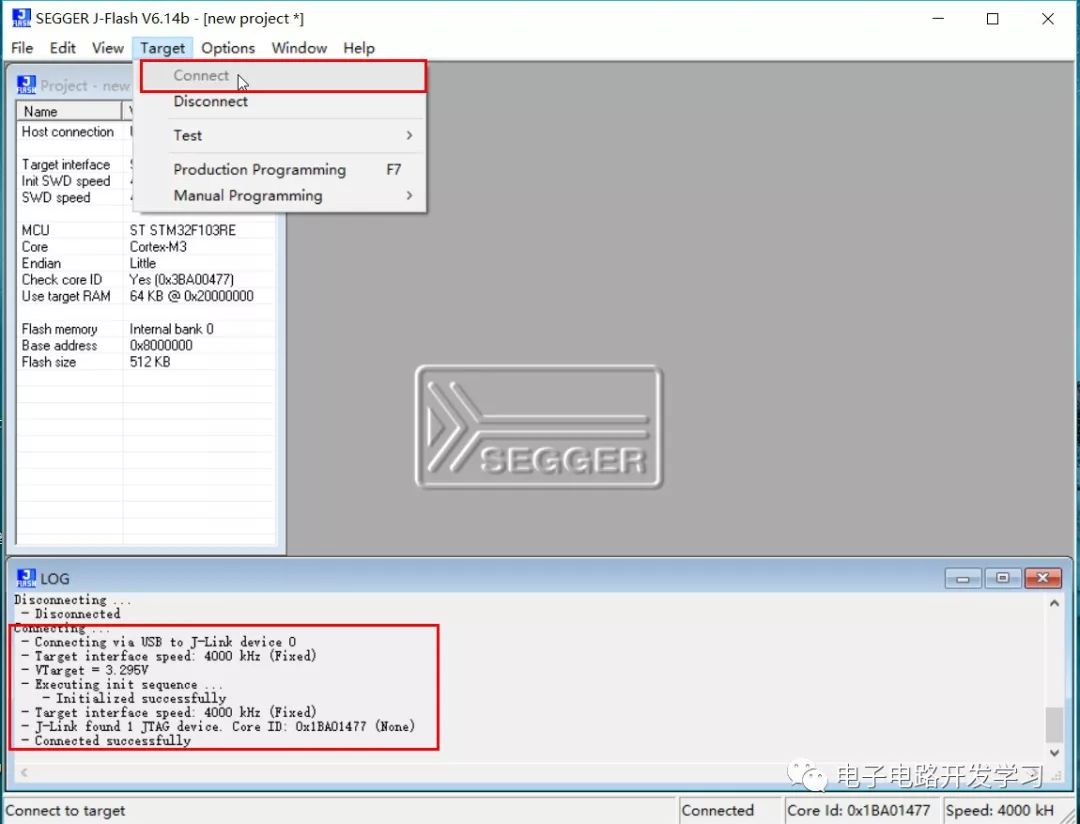
If SWD mode is selected, connect the three lines SWDIO, SWCLK, and GND. After connecting, click Target->Connect. If the connection is successful, a success message will be displayed in the LOG window below.
5. Read the Program Inside the Microcontroller
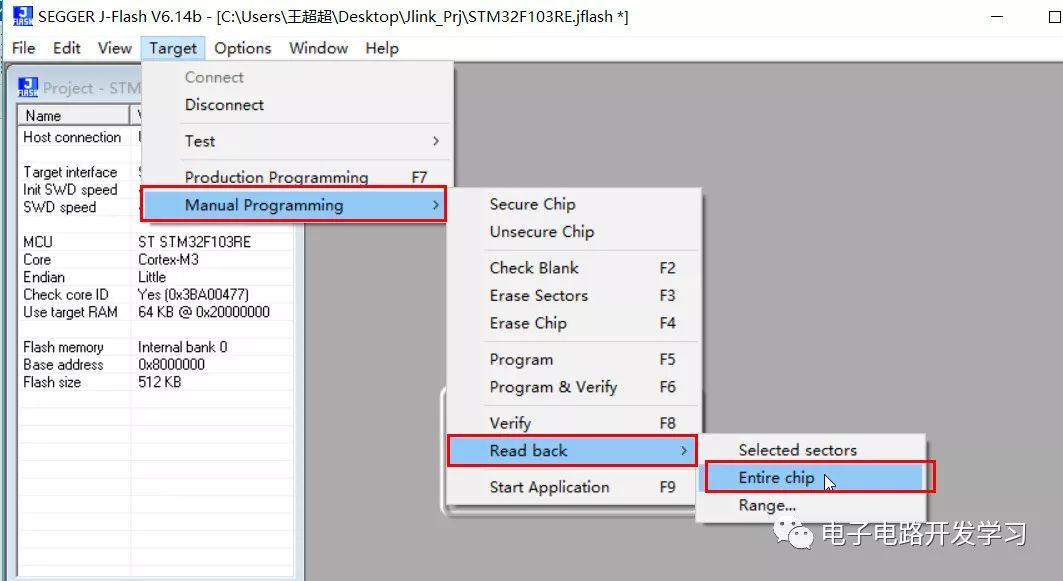
Here comes the key part! Select Target->Manual Programming ->Read Back. There are three options for reading different Flash address ranges.
-
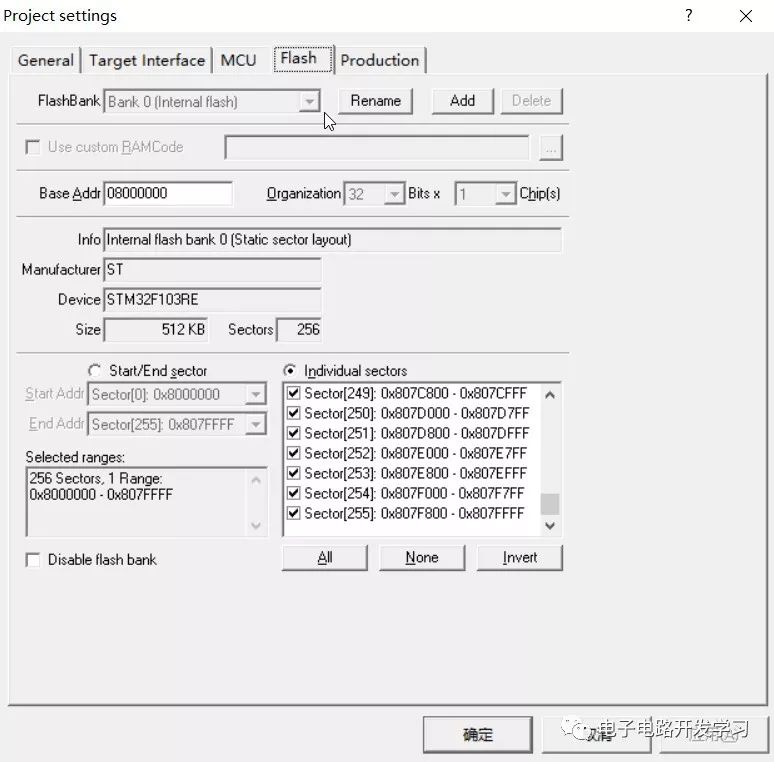
Selected sectors
The selected sectors can be viewed in the project configuration options Project settings->Flash.
-
Entire chip
This option reads the entire Flash area, which is generally selected to read the entire Flash area program.
-
Range
Manually specify the Flash address range to read.
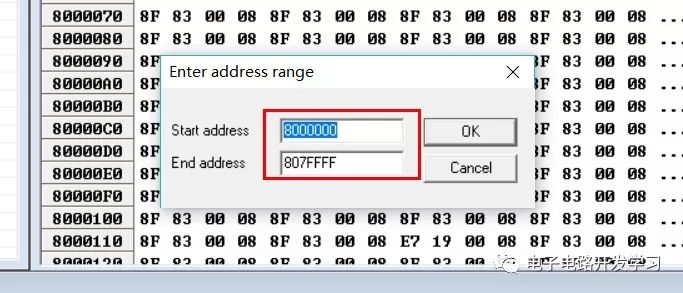
Here we can choose the Entire chip option to read the entire Flash area, address range: 0x8000000~0x807FFFF.
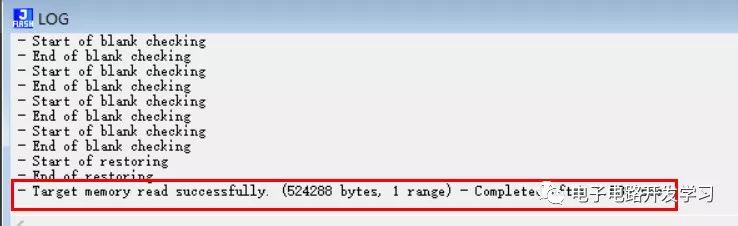
After a few seconds, you will see a success message displayed in the bottom window.
6. Save the Read Program
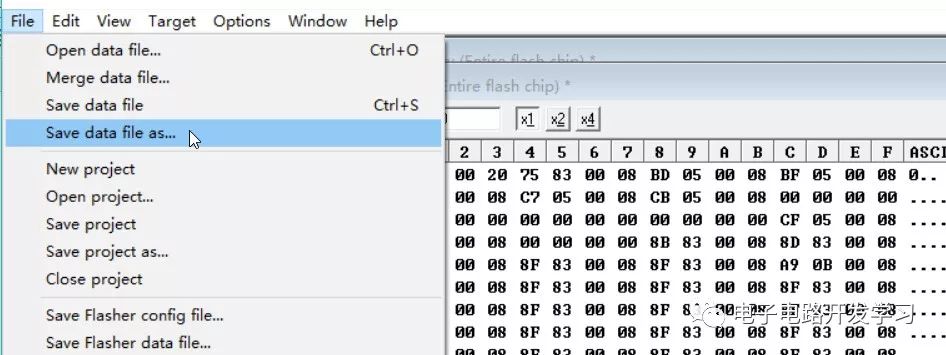
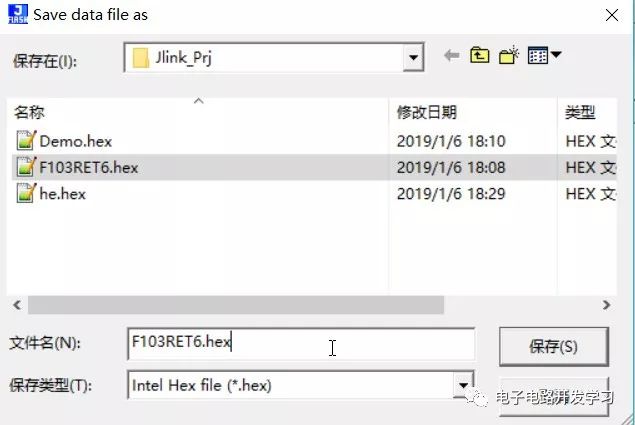
Select File->Save data file or Save data file as. Choose the save type as needed, it is recommended to choose Hex format, which already contains address information.
7. Program Verification
How to verify that the program read is correct? It’s simple, just reprogram it and see if the operation is the same as before.
For specific operation methods, refer to the previous article in the Jlink series: Jlink Tips for Downloading HEX Files to Microcontrollers.
Conclusion
Since we can easily read the microcontroller’s program, how should we protect our own program? Clearly, we can set the read protection feature for Flash, which is commonly referred to as the “encryption” feature, to prevent illegal access to Flash. This encryption is for the entire Flash area. If the read protection feature is set, the program can only be loaded and run normally from RAM and cannot be read out through the debugger, making it difficult for others to crack it. Haha!
How to achieve this?
Here are a few library functions related to Flash protection operations:
FLASH_Unlock();   // Unlock Flash
FLASH_ReadOutProtection(DISABLE);  // Disable Flash read protection
FLASH_ReadOutProtection(ENABLE);   // Enable Flash read protection
This function is in the firmware library stm32f10x_flash.h. To use this feature, you need to add this library file first.
Setting read protection:
void Set_Protect(void)
{
    if(FLASH_GetReadOutProtectionStatus() != SET)
    {
        FLASH_Unlock();
        FLASH_ReadOutProtection(ENABLE);
        FLASH_Lock();
    }
}
Note:
-
Once read protection is enabled, the program cannot be read or written, such as using JLink to read the program or re-downloading the program.
-
Therefore, before downloading the program, you need to call internally to disable read protection. After disabling read protection, the Flash will be automatically cleared.
-
Additionally, once the SetProtect() function is called to enable read protection, the OffProtect() function cannot be called again to disable read protection; you need to power cycle to disable read protection.
To disable read protection, call the disable protection function when a certain valid data is received via the serial port or a button is pressed:
void Off_Protect(void)
{
    if(FLASH_GetReadOutProtectionStatus() != RESET)
    {
        FLASH_Unlock();
        FLASH_ReadOutProtection(DISABLE);
        FLASH_Lock();
    }
}
The program can be implemented as follows:
int main(void)
{
    /* User code */
    if(KEY == 0)        // Button pressed
    {
        Off_Protect();
    }
    else
    {
        Set_Protect();
    }
    /* User code */
    while(1)
    {
    /* User code */
    }
}
JLinkWindowsV614b software download
Reply “JLINK” in the WeChat public account backend to get the JLinkWindowsV614b.exe download link.