The relationship between JLINK firmware, JLINK drivers, and JLINK hardware versions, as well as methods for firmware upgrades.
Beginners often get confused about these issues, so let’s briefly discuss them.1. JLINK Hardware VersionFirst, let’s talk about the JLINK hardware versions, which include V7, V8, and V9. This should not be a problem for everyone. How can you check which hardware version your JLINK is? You can use J-Link Commander; mine is version V8: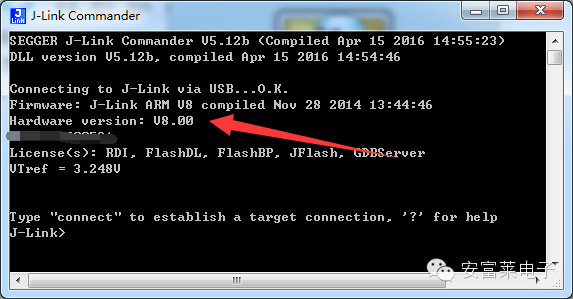 Alternatively, you can also check it in the options of MDK:
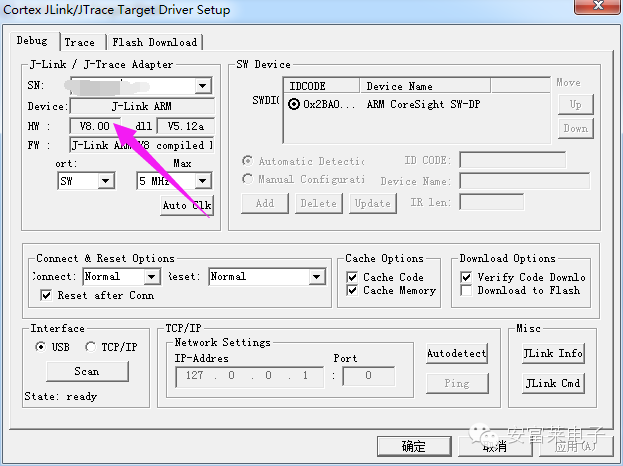 2. JLINK FirmwareEach hardware version, V7, V8, and V9, has its own firmware code, which is the program code inside the JLINK.The official also provides firmware upgrades, but beginners should differentiate between firmware upgrades and JLINK driver upgrades; not every time the JLINK computer driver is upgraded does the firmware need to be upgraded. There are several versions of the firmware program. So how do we check the firmware version of our JLINK and upgrade it? You can use J-Link Commander.
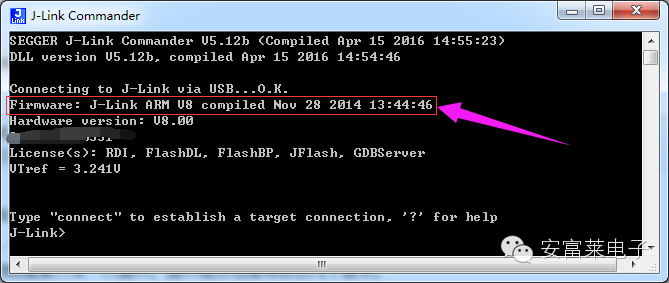 Or you can also check it in the options of MDK:
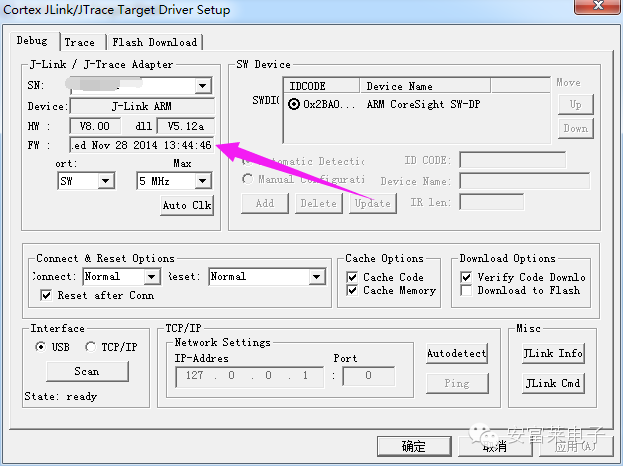 Firmware upgrades can be performed using the built-in small software J-Link Configurator in the JLINK driver.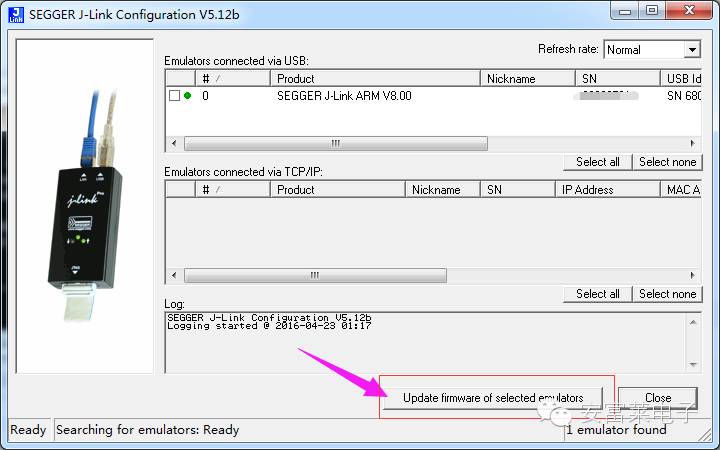
3. JLINK DriverThe JLINK driver refers to the driver code here: http://bbs.armfly.com/read.php?tid=9512Different drivers correspond to different DLLs, and users can view this in the options of MDK. The DLL version displayed here in MDK is the JLINK driver version included in the MDK installation package: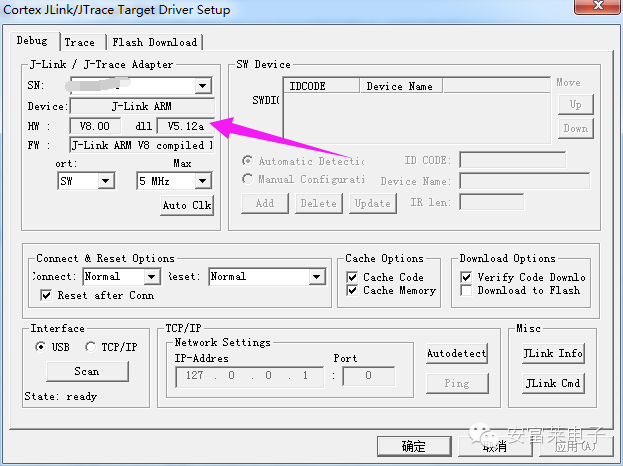 It does not mean that if you install the latest version of the JLINK driver, the driver in the MDK installation package will also be updated. Users need to call this small software, or at the end of the JLINK driver installation, this small software J-Link DLL Updater will pop up:
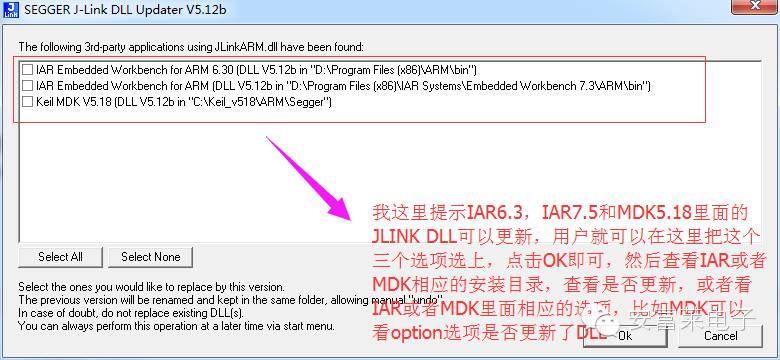 ===================================If the firmware version of the user’s JLINK is lower than the firmware version in the MDK installation package, when using MDK to download or debug programs, it will prompt to upgrade the firmware, and this method of upgrading firmware is also acceptable.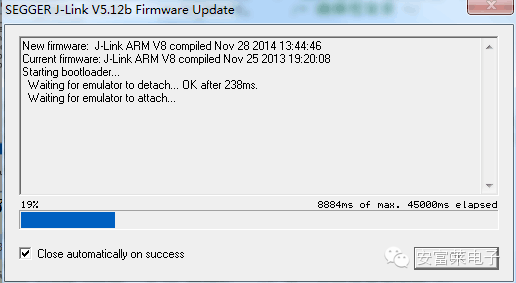
【Past Highlights】
【0】F429 Driver TFT Bare Screen LTDC Timing Configuration Instructions (Taking V6’s 7-inch Driver as an Example)
【1】ARM has gone all out to accelerate the mbed OS IoT market, releasing a complete wearable device solution, including CAD drawings, schematics, BOM, and source code.
【2】SEGGER released an emWin project that can run on Cortex-A8 (TI’s AM335X Starter Kit).
【3】Embedded Microprocessor Benchmark Consortium (EEMBC) released low-power rankings for microcontrollers.
【4】【Anfu Lai New Products】433M Wireless Control Double-Sided LED Dot Matrix Display, Software Customizable
【5】STM32-V5 Development Board Network Disk Information Upgraded to V7.7 Version (Update Date 2016-01-13)
↓ClickRead OriginalSee More↓