
Limited Time Offer | 5 Essential Books for Electricians
(ClickBlueText, Free Materials↑↑)
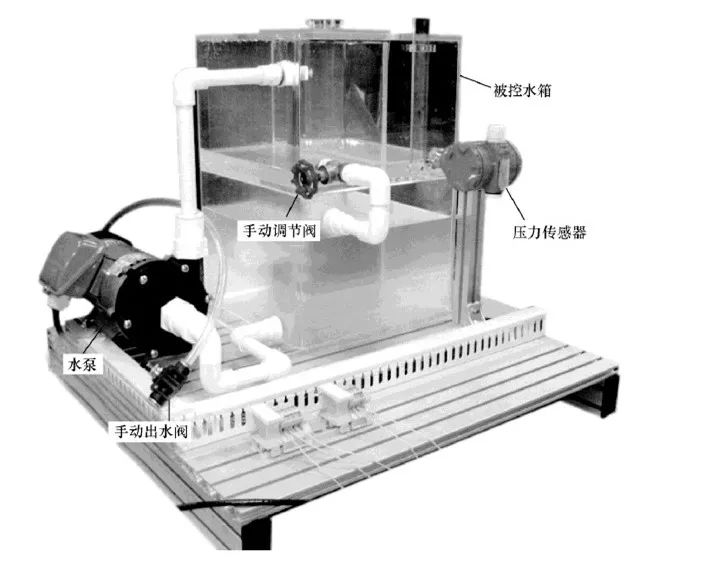
Today, I will mainly share a practical case involving a water level control project with PLC, inverter, and touch screen. Let’s take a look at the entire process, which you can save for future reference! ● Project Description ● EM235 Module ● Project Implementation ● Touch Screen Monitoring 1. Project Description1. Project Control RequirementsThe water tank supplies water to external users, with fluctuating water usage. Water is pumped into the tank, and we need to maintain a constant water level control within the range of 0-200mm (the maximum value can be determined by the height of the tank). For example, if the set water level is 100mm, regardless of the outflow rate, the inflow must be adjusted to keep the water level at 100mm. If the outflow is low, the inflow should also be controlled to be low; if the outflow is high, the inflow should be controlled to be high.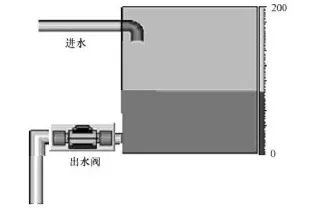 2. Control StrategySince the liquid level height is proportional to the pressure at the bottom of the tank, a pressure sensor can be used to detect the pressure at the bottom of the tank to determine the liquid level height. The PD algorithm is used for automatic adjustment of the water level. The signal from the pressure sensor, which detects the water level, is sent to the PLC as a 4-20mA signal. The PLC performs PID calculations on the deviation between the set value and the detected value, and the calculation result is used to adjust the speed of the water pump motor to control the inflow. The speed of the water pump motor can be adjusted using an inverter. 3. Component Selection1) Selection of PLC and its modules. The PLC can be the S7-200 CPU224. To receive the analog signal from the pressure sensor and adjust the water pump motor speed, an EM235 analog input/output module is selected. 2) Selection of inverter. To adjust the inflow, the Siemens G110 inverter is chosen. 3) Selection of touch screen. The Siemens TP170B Human-Machine Interface touch screen is selected. 4) Equipment for the water tank, as shown in the figure below.
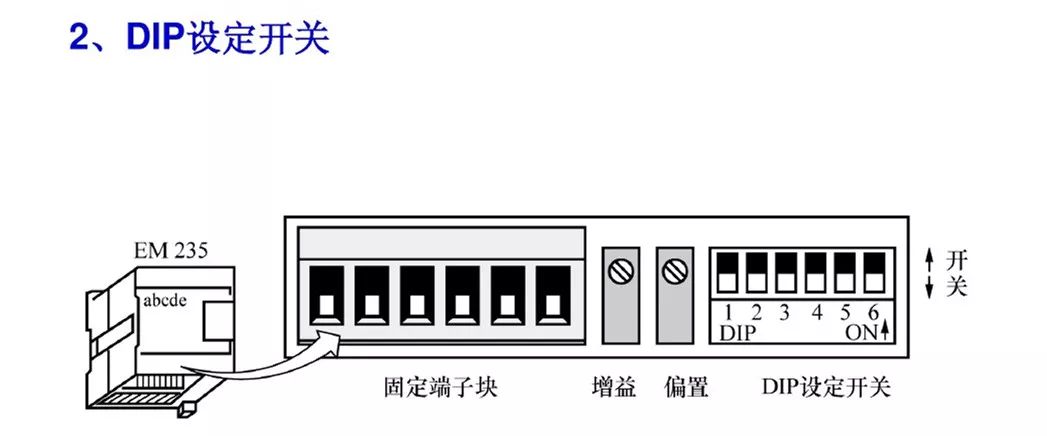
 2. EM235 ModuleWiring and terminals of EM235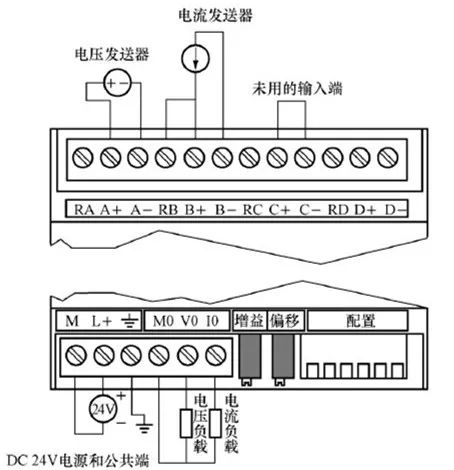
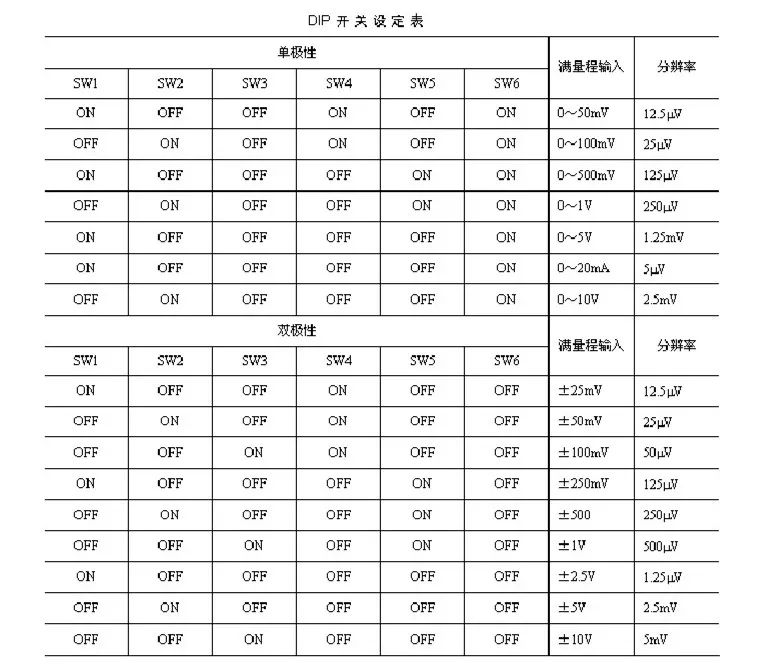
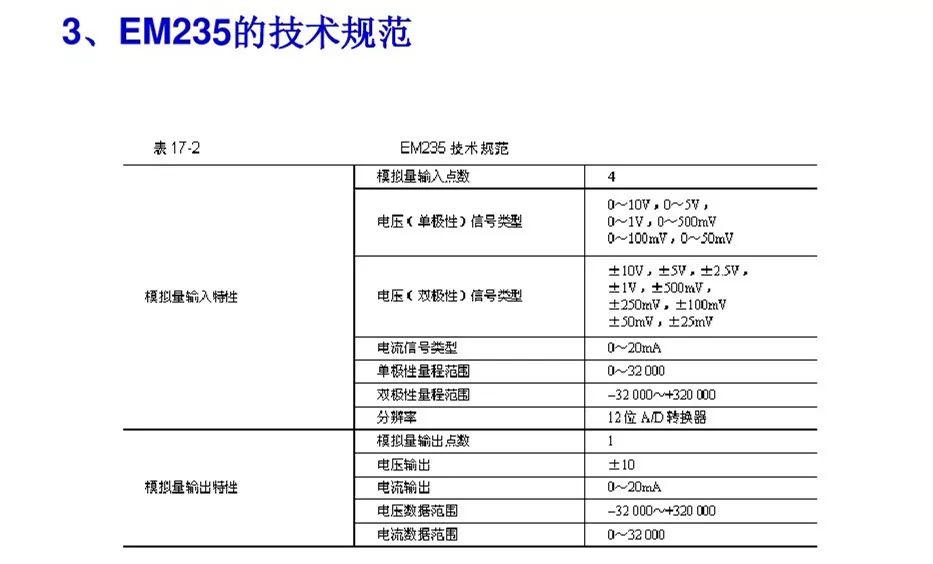 3. Project Implementation 1. PLC IO Allocation and Circuit DiagramPLC IO AllocationStart Button, 10.0;Stop Button, 10.1;Q0.0, controls the operation of the water pump motor.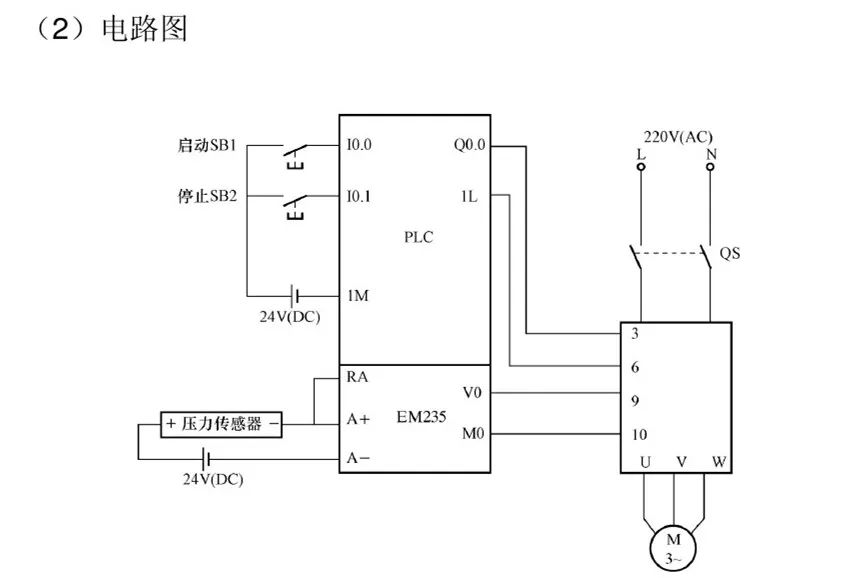
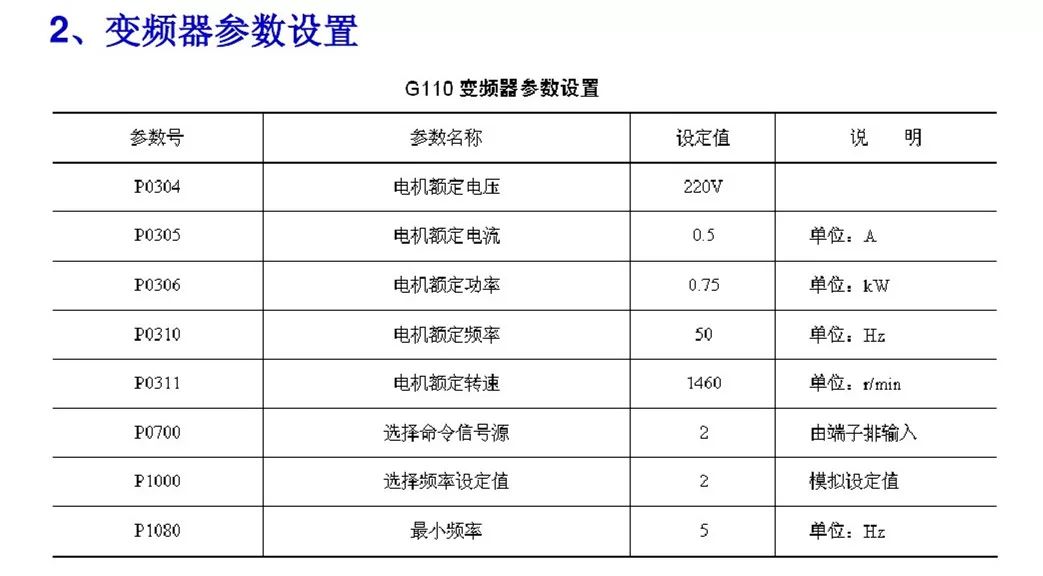
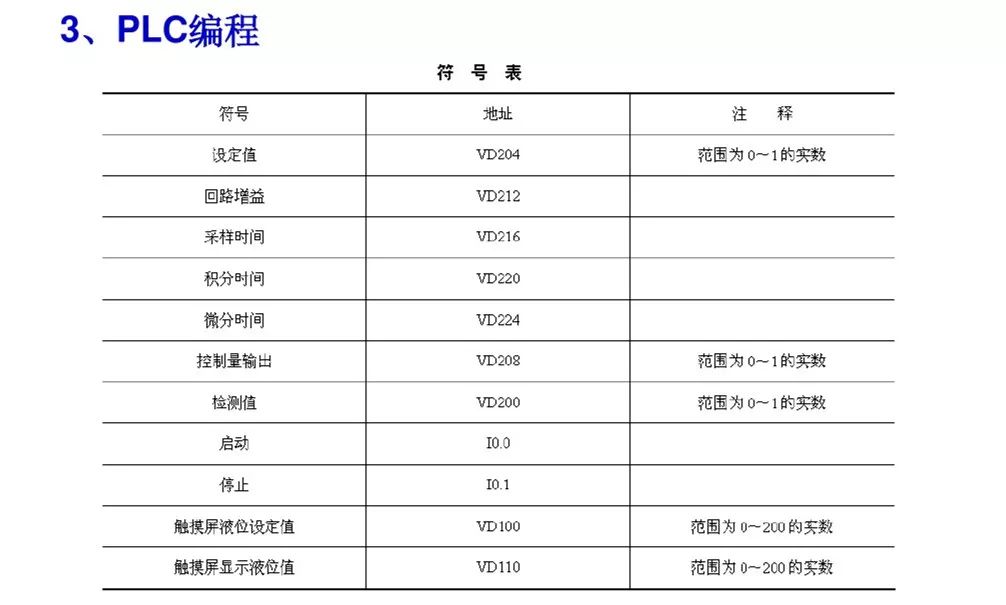
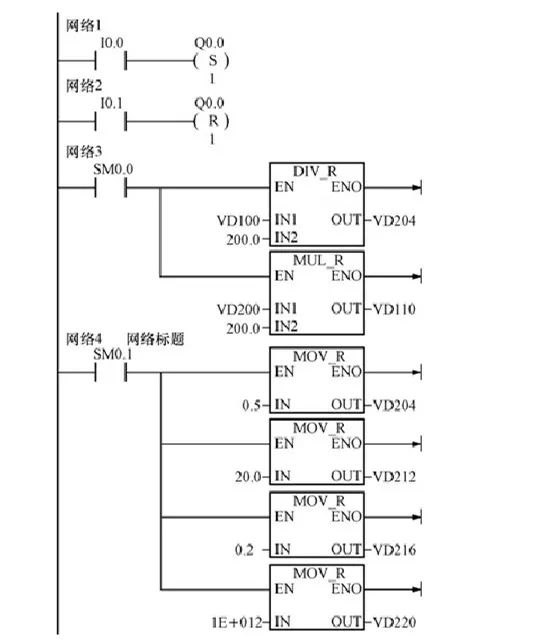
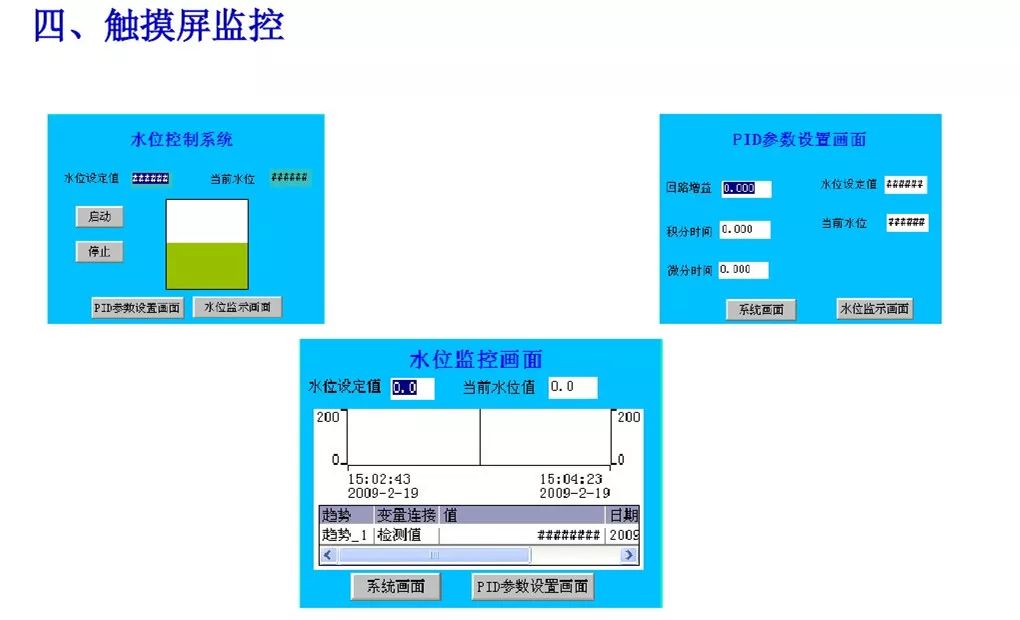
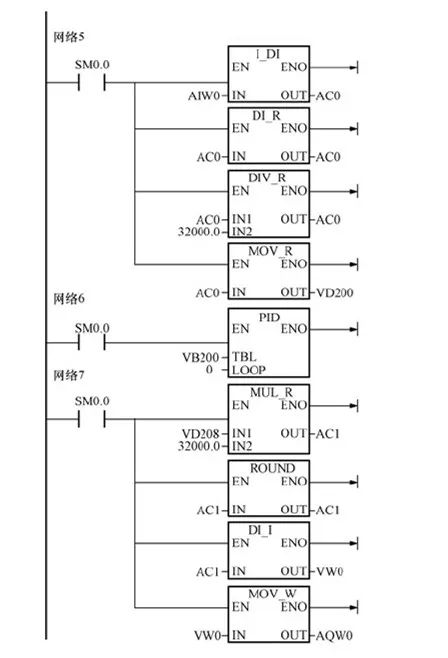 4. Touch Screen Monitoring
 Click the top right corner to share!
Source: Internet
Excellent Articles:
30 Electrical Engineering Mnemonics, Memorizing Them All Makes You a Senior Electrical Engineer!
These Fatal Mistakes Are Common Among Electricians!
Electrical Wiring + Correct Direction of Wire Number Tubes = Good Wiring Habits! Do You Have Them?
This Might Be the Most Comprehensive Electrical Equipment Fault Diagnosis Method You Have Seen

Materials Acquisition:

Click to Acquire | 22G Power Engineering Materials
Click to Acquire | 18G Motor Materials Collection
Click to Acquire | "PLC Zero to Expert" Video Teaching
Click to Acquire | 9 Essential Reference Books for 2019 Registered Electrical Engineer Exam

Click to See More