S7-200 and Weintek Touch Screen Communication Setup
1. S7-200 Communication Setup
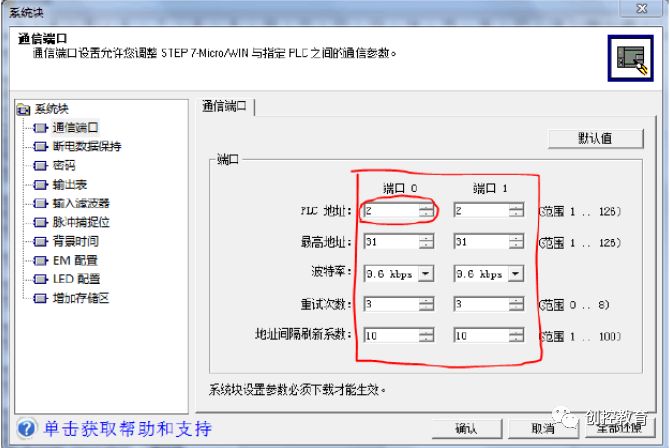
① Set the system block and the PLC address
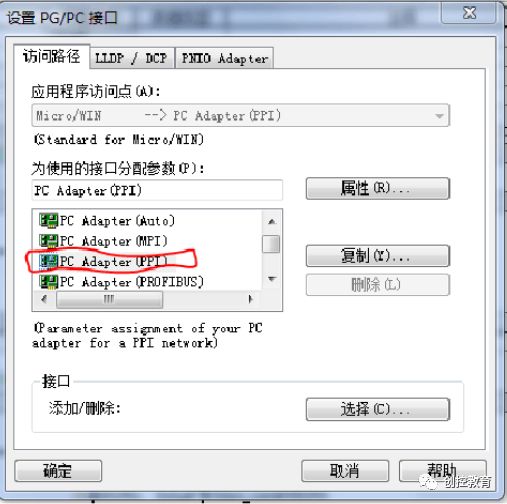
② Set the PG/PC interface
③ About the 6ES7 972-0BC20-0XA0 driver issue (Refer to the installation issues of the PC Adapter USB on Windows 7)
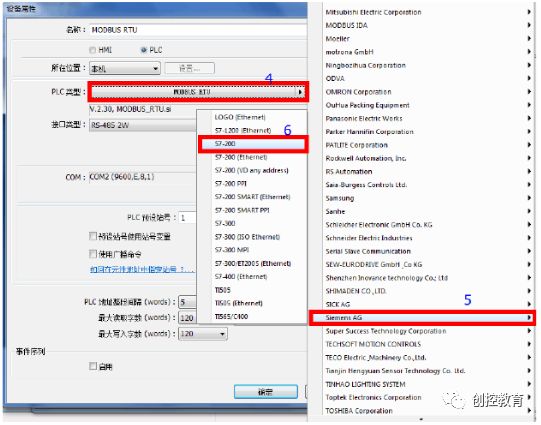
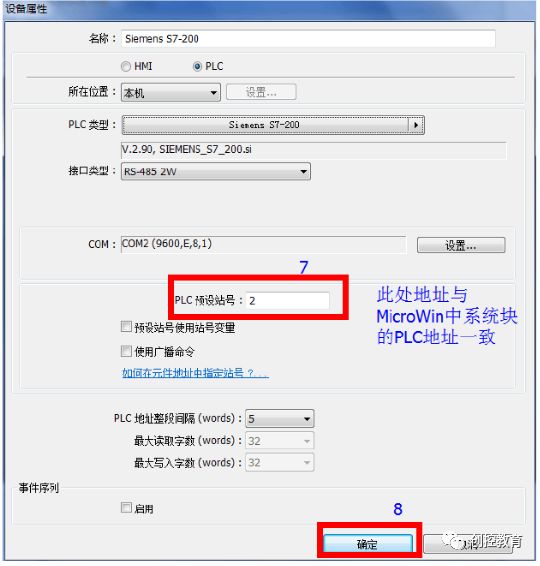
2. Weintek Touch Screen Setup
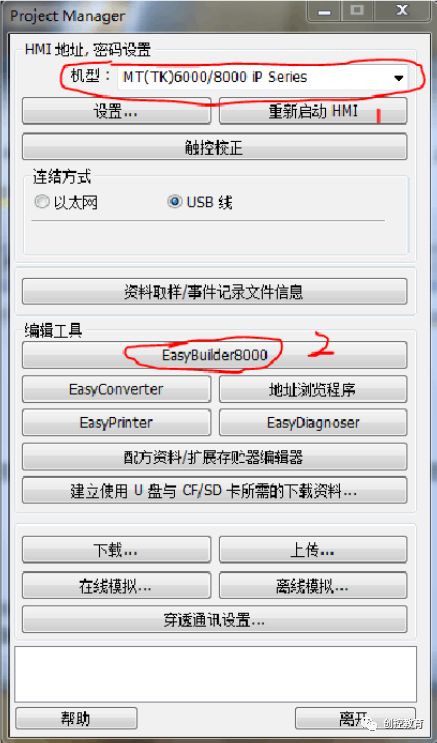
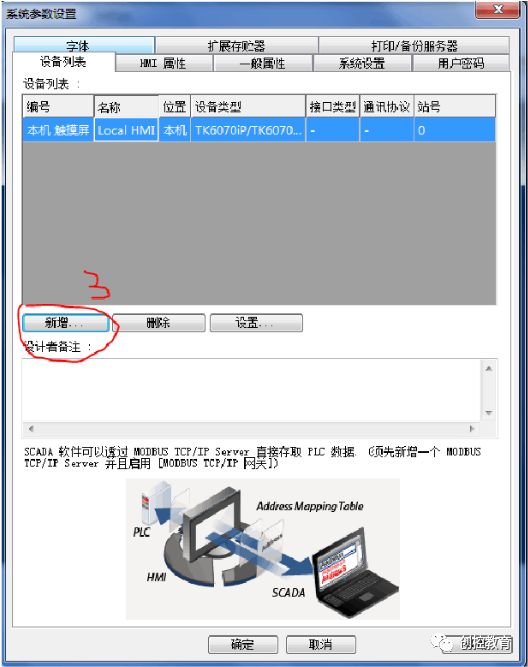
(Content sourced from the internet, copyright belongs to the original author)
Disclaimer: If copyright issues arise, please contact for removal! No individuals or organizations bear related legal responsibilities.
Recommended Reading:
Last week’s public class video replay [Siemens G120C Inverter PROFINET Communication (PKW message explanation)]
Why is it hard for engineers to find girlfriends? Let’s see if you fall into this category.
Latest industrial control programming software downloads (real-time updates)
Junior industrial control personnel vs. senior industrial control personnel
What is it like to date an electrical engineer?
Public class video on Siemens S7-300/400 STL language indirect addressing (16-bit pointer, 32-bit pointer)
How is working in industrial control? Is it easy? Does it pay well? Unified answers!