When selecting mobile phones or TVs on e-commerce platforms, one often gets confused by the parameters of “OLED screen” and “LCD screen”—some screens display deep colors with clarity, while others are clearer in sunlight; some are budget-friendly and durable, while others emphasize extreme picture quality. What are the hidden secrets behind these two mainstream display technologies? Today, we will use simple language to help you understand their differences and selection logic.
• LCD: What is a “window with blinds”?JUE YUAN TI
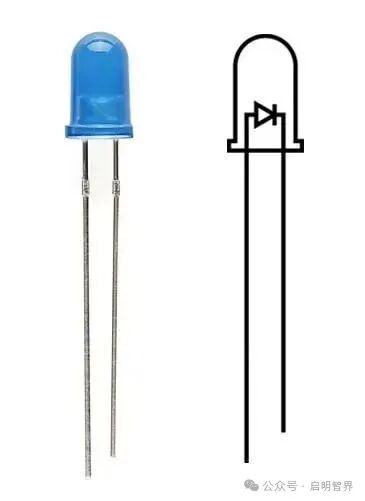
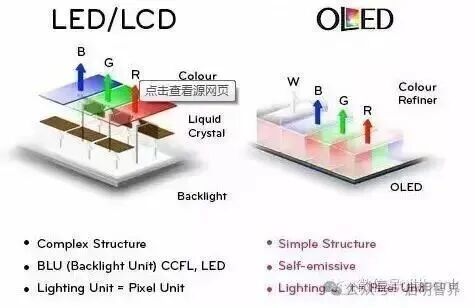
The logic of light emission in LCD (Liquid Crystal Display) is quite simple, relying on a combination of “backlight + liquid crystal control of light.” The bottom layer of its screen hides a row of LED light beads (backlight layer), which emit uniform white light when powered on. As the light travels upward, it passes through a layer of liquid crystal molecules—this layer acts like countless tiny “blinds,” controlling the amount of light that passes through by changing their arrangement angles. Finally, the light passes through color filters, breaking down into red, green, and blue colors, which combine to form the various images we see.
 【壹】
【壹】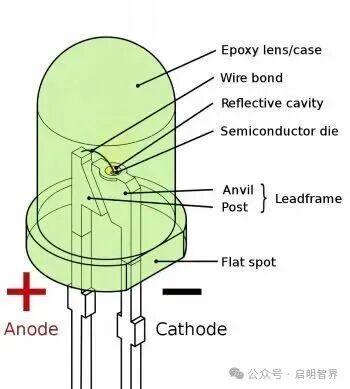 【贰】
【贰】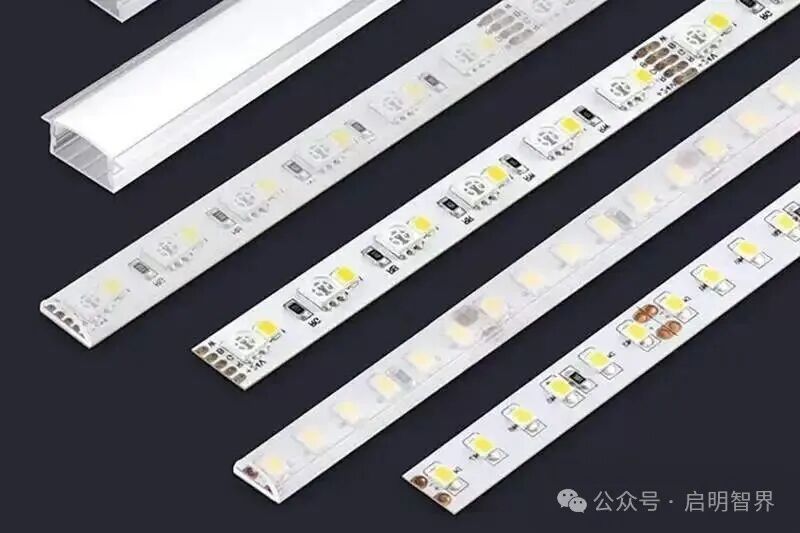 【叁】
【叁】
For example, an LCD screen is like a room with blinds; the backlight layer is the sunlight outside, and the liquid crystal molecules are the blinds. To brighten the image, you open the “blinds”; to darken the image, you close the slats. However, no matter how you close them, a small amount of light will always leak in, which is also why LCD screens struggle to present pure black.
•OLED: What is “countless small colored lights”?DAO TI
OLED (Organic Light Emitting Diode) is completely different; it does not require a backlight layer, as each pixel is an independent “organic light-emitting diode”—simply put, each pixel can emit light and turn off by itself. Different materials of pixel points emit red, green, and blue light directly when powered, and by adjusting the brightness of each pixel, delicate images can be formed.
 Most metals
This is like a panel filled with countless small colored lights; to display black, you simply turn off the corresponding colored lights; to display vibrant colors, you turn on the corresponding colored lights. Because there is no backlight interference, the black areas of OLED can achieve “complete non-emission of light,” which is key to its transparent picture quality.
Core Differences: There are no absolute advantages or disadvantages, only suitable scenarios
DIAN YA
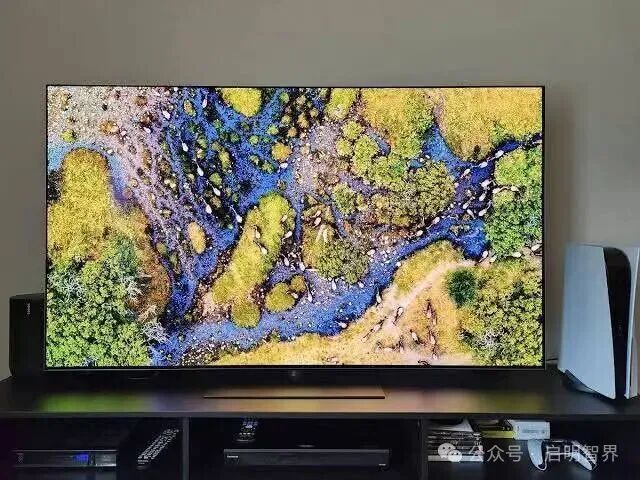
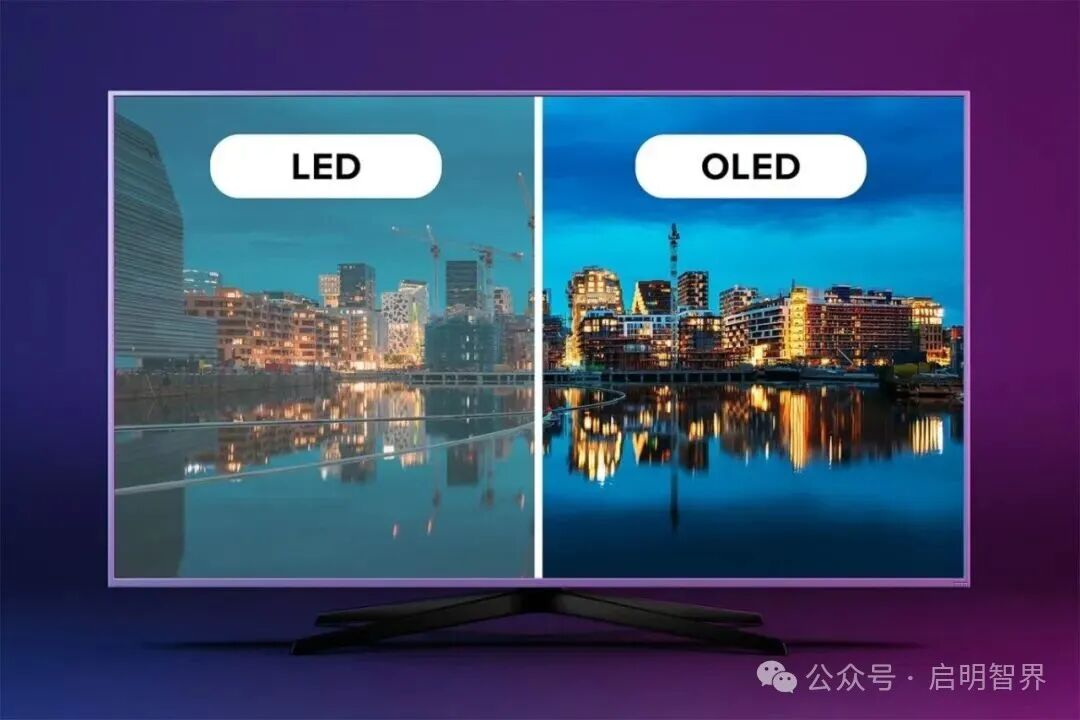
1. Picture quality experience: OLED excels in detail, while LCD shines in brightness.
2. Practicality: LCD is durable and worry-free, while OLED requires careful maintenance.
 • Application scenarios: Choosing the right screen for different needs is cost-effectiveDIAN LIU
Choose LCD, suitable for:
– Students and budget-conscious individuals: For budget phones and affordable tablets, LCD is durable and reasonably priced, sufficient for daily streaming and studying;
– Frequent outdoor users: For those who often use their phones or tablets in sunlight (such as outdoor work or during sports), LCD’s high brightness is more practical;
– Long-term static display needs: For example, office computers and monitoring screens, LCD has no burn-in risk, long lifespan, and is worry-free and durable.
Choose OLED, suitable for:
– Audiovisual enthusiasts: For those who enjoy watching movies and series, OLED’s pure black display and high contrast can restore cinema-level picture quality with more delicate colors;
– Gamers: Especially for competitive and fast-paced games, OLED’s low motion blur can enhance operational response speed, providing a smoother experience;
– Those seeking a high-end experience: For those looking to purchase foldable phones, high-end TVs, or have extreme requirements for picture quality, OLED is the first choice.
Common Misconceptions01
“Is OLED always better than LCD?”— Not necessarily! If used frequently outdoors or on a limited budget, LCD may be more practical; OLED’s advantages lie in picture quality, but it comes with a higher price and usage considerations.
02
“Is OLED burn-in unavoidable?”— It can be avoided with proper use! Avoid displaying the same image for long periods (such as leaving desktop icons on for hours), adjust the screen brightness to 50%-70%, and regularly change wallpapers to significantly reduce burn-in risk.
03
“Are all LCDs low-end screens?”— Wrong! High-end LCDs (such as IPS hard screens, Mini LED backlit LCDs) have accurate colors and uniform brightness, suitable for professional photo editing, video editing, and even some high-end TVs use Mini LED backlit LCDs, balancing cost-effectiveness and picture quality.
In fact, there is no absolute “who is better” between OLED and LCD, only “who is more suitable for you.” For students’ daily learning and office work, a high-brightness LCD screen is sufficient and worry-free; for audiovisual and gaming enthusiasts seeking an ultimate experience, OLED can provide a more stunning visual effect.
The advancement of technology is never about “replacement” but rather “complementation.” Whether it’s the durability and cost-effectiveness of LCD or the extreme picture quality of OLED, the ultimate goal is to make our visual experience more comfortable and aligned with our needs. Next time you choose a device, don’t get confused by parameters; making a choice based on your usage scenario is the wisest decision.
 END
END
Editors: Yang Jinhang, Fu Jia
Reviewers: Zhao Yuzheng
Guiding Teacher: Feng Cuidi