51 Microcontroller – LCD1602
1. 1602 LCD Read/Write Timing
(1) Read Status
RS=L, R/W=H, E=H. (Release the bus after checking if busy)
(2) Read Data
RS=H, R/W=H, E=H.
(3) Write Command
RS=L, R/W=L, D0~D7=Instruction Code, E=High Pulse
(4) Write Data
RS=H, R/W=L, D0~D7=Data, E=High Pulse
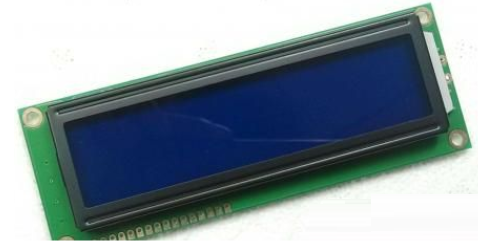
2. LCD Display Driver File
#include
#define LCD1602_DB P0
sbit LCD1602_RS = P1 ^ 0;
sbit LCD1602_RW = P1 ^ 1;
sbit LCD1602_E = P1 ^ 5;
/* Wait for the LCD to be ready */
void LcdWaitReady()
{
unsigned char sta;
LCD1602_DB = 0xFF;
LCD1602_RS = 0;
LCD1602_RW = 1;
do
{
LCD1602_E = 1;
sta = LCD1602_DB; // Read status byte
LCD1602_E = 0;
}
while (sta & 0x80); // bit7 equals 1 indicates the LCD is busy, repeat checking until it equals 0
}
/* Write a byte command to LCD1602, cmd – the command value to be written */
void LcdWriteCmd(unsigned char cmd)
{
LcdWaitReady();
LCD1602_RS = 0;
LCD1602_RW = 0;
LCD1602_DB = cmd;
LCD1602_E = 1;
LCD1602_E = 0;
}
/* Write a byte of data to LCD1602, dat – the data value to be written */
void LcdWriteDat(unsigned char dat)
{
LcdWaitReady();
LCD1602_RS = 1;
LCD1602_RW = 0;
LCD1602_DB = dat;
LCD1602_E = 1;
LCD1602_E = 0;
}
/* Set display RAM starting address, i.e., cursor position, (x,y) – corresponds to character coordinates on the screen */
void LcdSetCursor(unsigned char x, unsigned char y)
{
unsigned char addr;
if (y == 0) // Calculate display RAM address from input screen coordinates
{
addr = 0x00 + x; // First row character address starts from 0x00
}
else
{
addr = 0x40 + x; // Second row character address starts from 0x40
}
LcdWriteCmd(addr | 0x80); // Set RAM address
}
/* Display string on the LCD, (x,y) – corresponds to starting coordinates on the screen, str – string pointer */
void LcdShowStr(unsigned char x, unsigned char y, unsigned char *str)
{
LcdSetCursor(x, y); // Set starting address
while (*str != ‘\0’) // Continuously write string data until the termination character is detected
{
LcdWriteDat(*str++);
}
}
/* Initialize 1602 LCD */
void InitLcd1602()
{
LcdWriteCmd(0x38); // 16*2 display, 5*7 dot matrix, 8-bit data interface
LcdWriteCmd(0x0C); // Display on, cursor off
LcdWriteCmd(0x06); // Characters do not move, address automatically +1
LcdWriteCmd(0x01); // Clear screen
}


To help everyone learn better, Changxue Electronics has specially added a public account for microcontrollers and EDA, pushing relevant knowledge daily, hoping to assist your studies!