Click the “Technical Training” above and select “Pin to Top”
Over 110,000 industrial control professionals follow this WeChat platform: technical sharing, learning exchange, and industrial control videos
Recently, a student asked how to modify the timer settings in the S7-300 PLC. The data type for the timer setting value is in S5TIME format, but when creating a variable on the touch screen, there is no option for S5TIME format. They were unsure how to enable modification of this timer setting on the touch screen.
In fact, there are many ways to achieve this functionality. We will illustrate with a simple example of a motor that starts and then stops after a delay. Here, we will use two simple methods to implement it.
(1) Based on the S5TIME format, use conversion and logical operation instructions to achieve the functionality.
The S5TIME format is shown in the figure below:
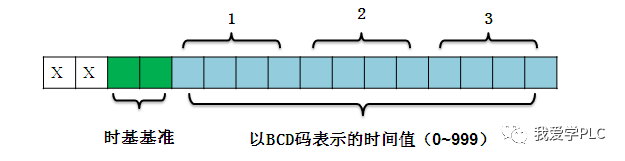
Time base reference : 00 means 10ms, 01 means 100ms, 10 means 1s, 11 means 10s. The maximum input timer value can be: 9990s or 2H_46M_30S
After understanding the S5TIME format, we only need to create an integer variable on the touch screen. In the PLC, we convert it to BCD code using the I_BCD instruction, and then determine the time base; the result will be a number of S5TIME data type.
Depending on the touch screen used, for simulation convenience, we will take Siemens touch screens as an example for demonstration.
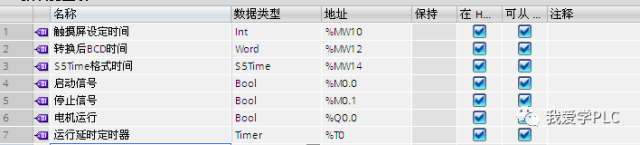
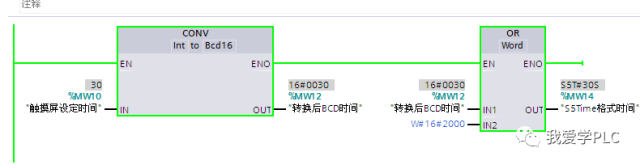
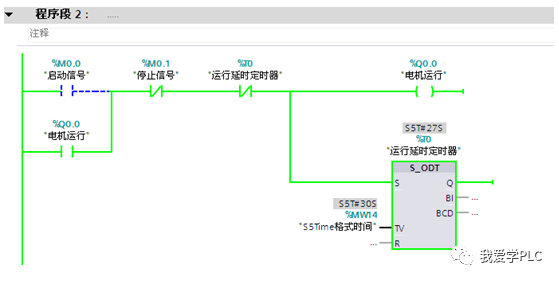
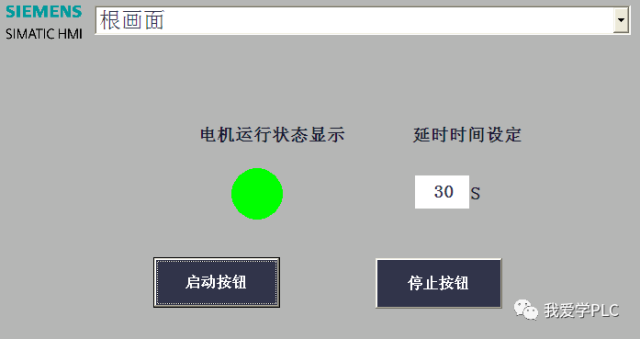
(2) Implement using accumulation and comparison methods, allowing the timer to count in 1s increments, then record the number of times the timer is activated, and compare it with the set time to achieve the functionality.
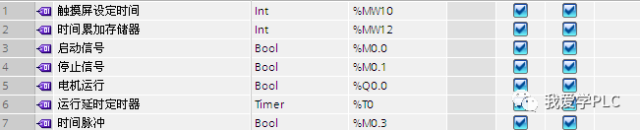
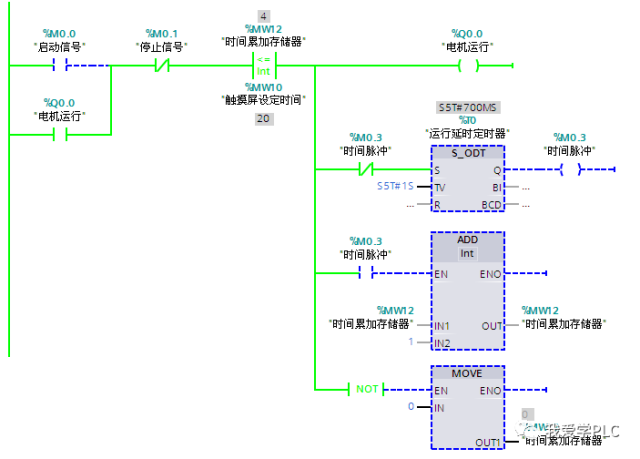
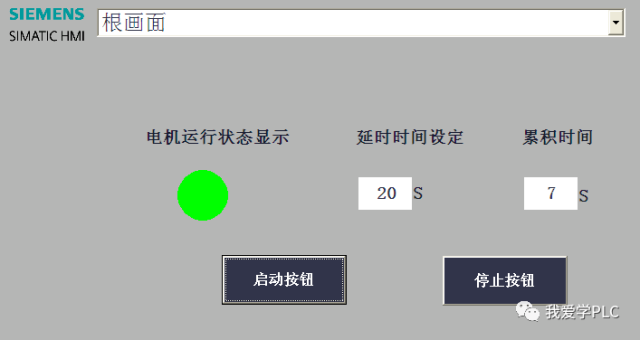
Of course, you can also convert IECtime format to S5TIME format. This method is for learning reference only. Please correct any inaccuracies, thank you!!!
Author: Zeng Xin (Senior Lecturer at Technical Training Network)
Source: I Love Learning PLC
This article has been authorized by the author; please contact the author for reprints.

Welcome everyone to observe and learn!
Related original technical articles:
Siemens S7-200 Series PLC MODBUS Communication Function (1)
Siemens S7-200 Series PLC MODBUS Communication Function (2)
Application of Variable Pointers in Siemens Touch Screens
Original | Comprehensive Guide to Siemens 300 Software Installation Errors
Click to read the original text for PLC Learning Tutorial
↓↓↓