
Introduction:
With the rapid development of technology, touch screen technology has penetrated various fields, including industrial automation. Touch screens, with their intuitive and easy-to-use features, are changing the traditional operation methods of PLCs, particularly having a profound impact on the output points of PLCs.In our factory, the PLC brand we use is Omron, connected to a Weintek touch screen. When an output point malfunctions, I don’t have to rely on a computer to adjust the output point. So how can I complete this operation on the touch screen? Electrician A proposed an interesting idea, but it clearly does not stand up to scrutiny. He mentioned that if external wiring can ensure correct changes, then it might be worth considering replacing it with an Omron screen that has a programmer. Of course, this still requires modifying the program. If the price of the new and old screens is acceptable, this is also a feasible solution.Another approach is, if big data statistics show that only 2-3 output points need adjustment, one could consider using a new PLC and embedding processing in the program, as well as specifying outputs on the screen. Additionally, if prepared in advance, 2-3 points could be treated as 1 point. Finally, he suggested identifying the cause of point failures, whether it is a design issue or a usage problem, and addressing it directly to solve the problem fundamentally.
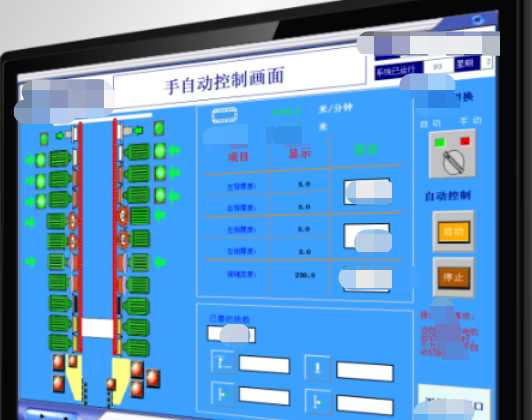
Electrician B provided a more practical suggestion. For issues with one or two points, a selection button can be added on the screen. When the button is not pressed, output from point one; when pressed, output from point two. However, this is only an emergency measure, and the root cause of the problem still needs to be resolved, specifically why the output points are prone to damage, whether due to capacity issues or peripheral circuit device problems. Electrician C emphasized the urgency of addressing the issue of burnt output points. For the original poster’s idea, he suggested using comparison instructions or offset outputs in the program. By entering comparison values or offset values on the screen, all points can be switched. Electrician D provided specific solutions for Omron PLCs. He pointed out that for the CP1E series PLC, output point selection can be achieved by setting values D0~D2. For example, the value determines the position of the output. The system interface can intuitively set the output points. However, it is important to note that the values must not be repeated, or a dual coil problem will occur. Although most of Omron’s series can achieve this function, there may be differences in models like CP1H and CJ.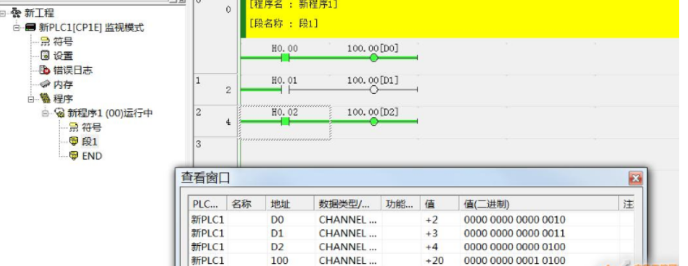
In traditional PLC systems, operators need to control device operations through buttons or knobs. This method is not only inefficient but also prone to errors. The introduction of touch screen technology allows operators to perform operations directly on the screen, greatly enhancing convenience and accuracy.
The touch screen can display the PLC’s output status in real-time, allowing operators to intuitively understand the operating conditions of the equipment. At the same time, through the touch screen, operators can directly modify the PLC’s output points, enabling remote control of the equipment. This not only improves the operational efficiency of the equipment but also reduces maintenance costs.
Furthermore, touch screens provide rich graphical interfaces, making PLC programming and debugging much simpler. Through a graphical programming interface, engineers can visually see the program’s operational flow, allowing for quick problem identification and resolution.
However, the application of touch screens in PLCs also brings some challenges. For example, how to ensure the stability and reliability of the touch screen to prevent abnormal device operations due to touch screen failures. Additionally, how to achieve seamless integration between the touch screen and PLC is also a problem that needs to be solved.

PLC and Touch Screen Software PackageLong press to scan【QR code below】to get it Scan to learn PLC courses for free