Step 1: Preparation
1. Software: Install the latest version of TIA Portal (Totally Integrated Automation Portal), which is essential.
2. Inventory: List all your S7-300 modules (CPU, input/output modules, etc.).
3. Selection:
S7-1500: This is the authentic upgrade of S7-300, with strong performance and comprehensive functions, making it the first choice. Choose the corresponding S7-1500 CPU based on your original CPU performance (e.g., 315-2PN/DP corresponds to 1515-2PN).
S7-1200: More affordable, suitable for small systems, but with weaker functions and performance compared to 1500.
4. Find corresponding modules: For each S7-300 module, find the new corresponding model in the product catalog of S7-1200/1500.
Step 2: Porting the Program
1. Using the porting tool: In TIA Portal, there is a dedicated “Project Porting” function.
2. Operation: Open this function, select your old S7-300 project file, and then specify a new S7-1500/1200 CPU as the target.
3. Automatic conversion: The software will automatically convert most of the programs and hardware configurations.
Step 3: Modify Errors
After the porting is complete, a report will be generated. Be sure to review it carefully! The main types that need manual modification are:
Communication: For example, the configuration of PROFIBUS DP may need adjustments.
Special Functions: The most typical is PID control. Blocks like FB41 in S7-300 need to be replaced with new “PID_Compact” process objects in S7-1500, requiring re-connection of parameters.
System Blocks: Some S7-300 specific instructions need to be replaced with new instructions for S7-1200/1500.
Step 4: Wiring and Testing
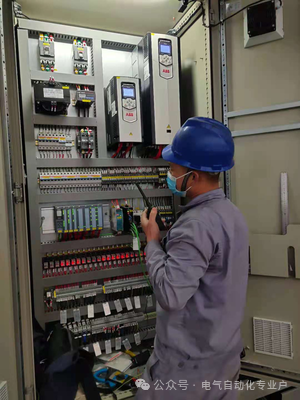
1. Hardware: Install the new S7-1200/1500 modules in the control cabinet, connect the wiring and power supply properly.
2. Download: Connect the computer to the PLC via Ethernet cable and download the modified new program.
3. Debugging: Test all input and output signals and automation functions one by one to ensure they are functioning correctly.
Key Reminders:
You must have the old source program file (.s7p); if you only have a backup, the workload will be enormous.
PID and communication are the main areas that require modifications, so pay special attention.
The experience improvement after upgrading to S7-1500 is the most significant, highly recommended.