At the end of this article, there are 55 practical case materials
Introduction: In previous articles, we wrote about manual, alarm, manual-automatic mode switching, and initialization programs for a three-station rotary feeding device. This article will continue to explore the important part of this project, which is the automated control program. The automated control program is mainly divided into three stations, and we will go through each station one by one. Today, we will start with the unloading station!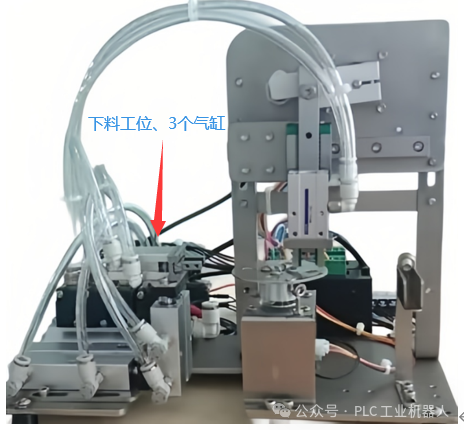
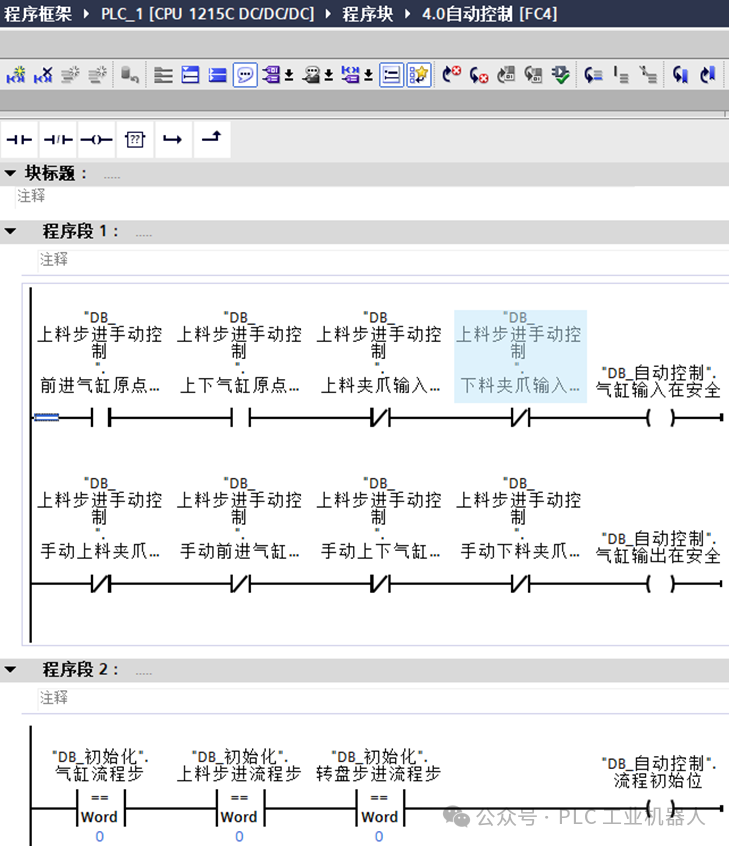
Program segment1 checks whether all components of the device are in a safe position: it checks whether the forward and vertical cylinders are at the origin position and whether both grippers are in the open state. For safety reasons, the outputs must also be checked; only when none of the four cylinder output points have any output can it be considered safe. Therefore, we have established safety conditions for both inputs and outputs here.
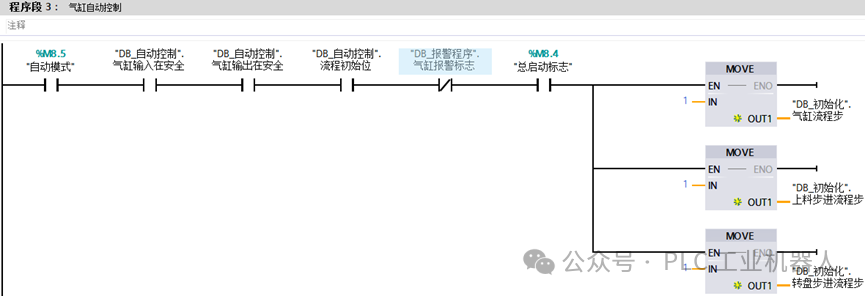
Program segment2 checks whether3 stations are all in a stop state, and program segment3 starts to control the actions of the three stations when the “main start flag” is activated. It assigns the initial step of the three stations to1 to begin the process.
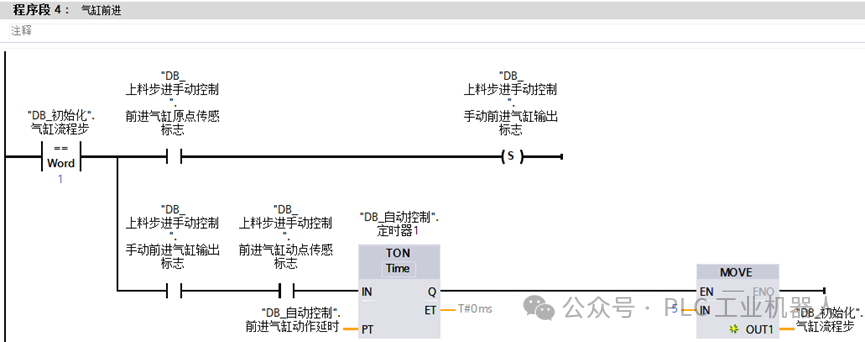
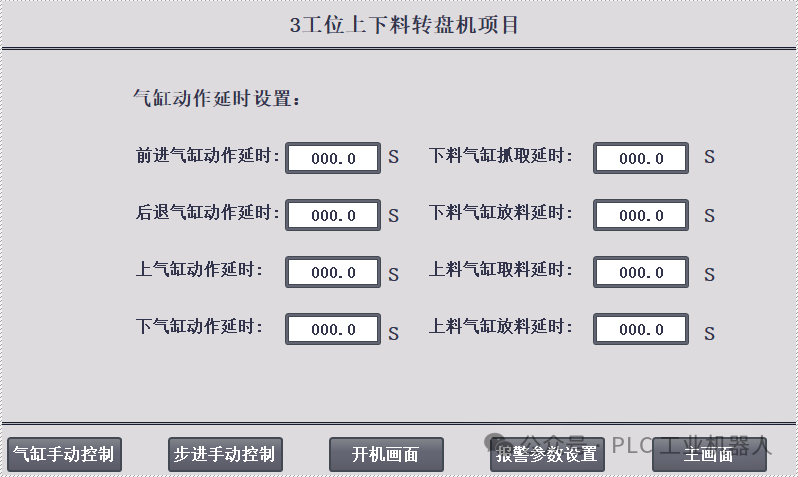
Program segment4 is for the unloading station’s “forward cylinder” moving forward. When the forward cylinder’s motion sensor is triggered, a delay starts, with the timing set by the touchscreen. Once the time is up, it moves to step5.
When the cylinder reaches its position, the gripper cylinder is open, and then the gripper closes to grasp the material. When the gripper cylinder’s sensor is triggered, a delay starts, and after the time is reached, it moves to step10.
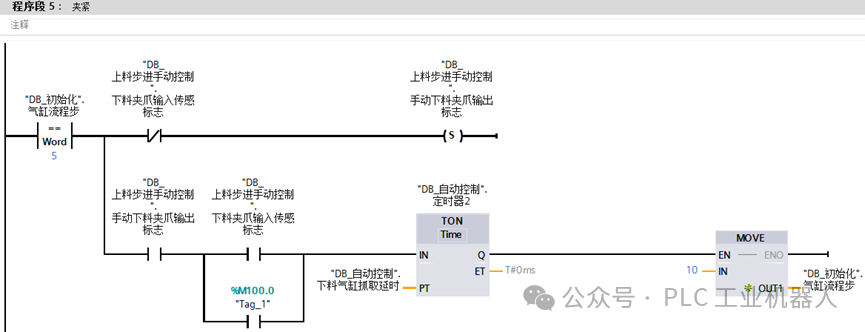
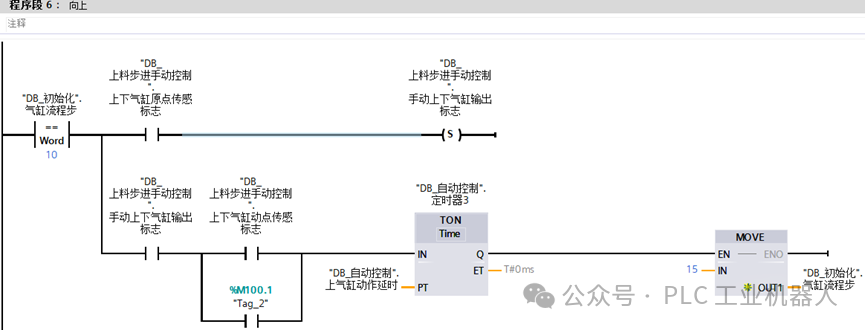
After the gripper cylinder completes its action, the vertical cylinders need to grip and lift the material. Once the sensor is triggered, a delay starts, and it moves to step15.
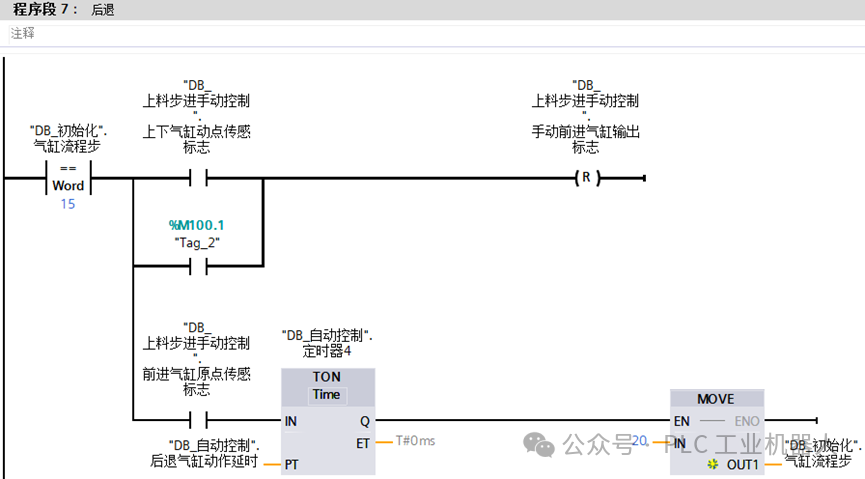
The cylinder then retracts, and when the vertical cylinder’s motion sensor is triggered, it resets the forward cylinder to allow it to retract.
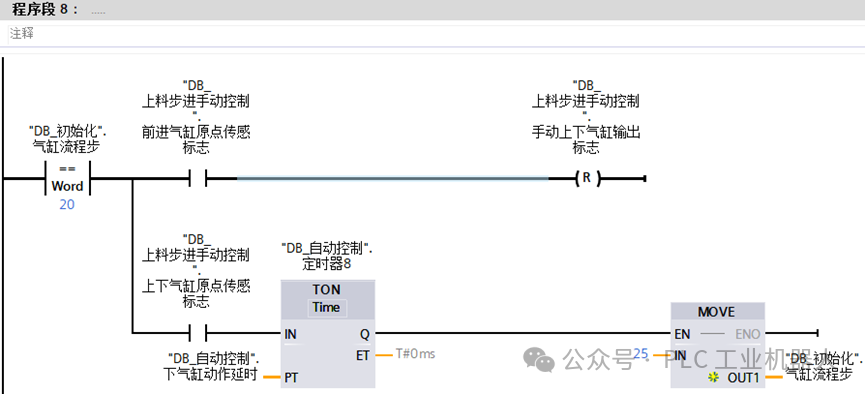
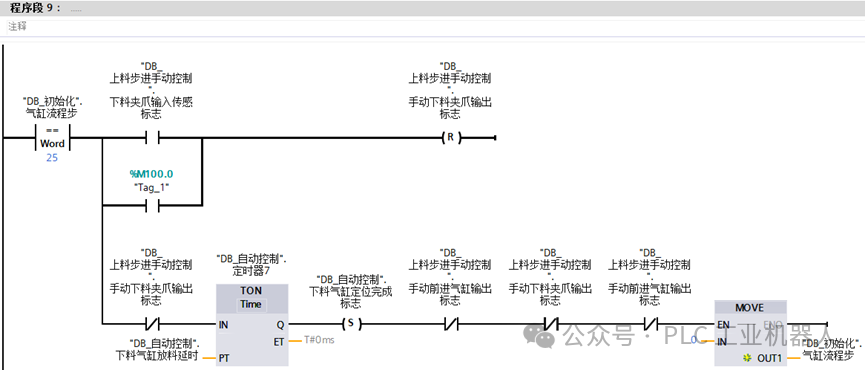
Program segments8 and9 are for resetting the vertical cylinders and the gripper cylinder, allowing the material to drop. After the entire action process is completed, a flag “unloading cylinder positioning completed” is set to notify other stations to perform other actions. At the same time, the step sequence is set to0 for easy restarting next time.
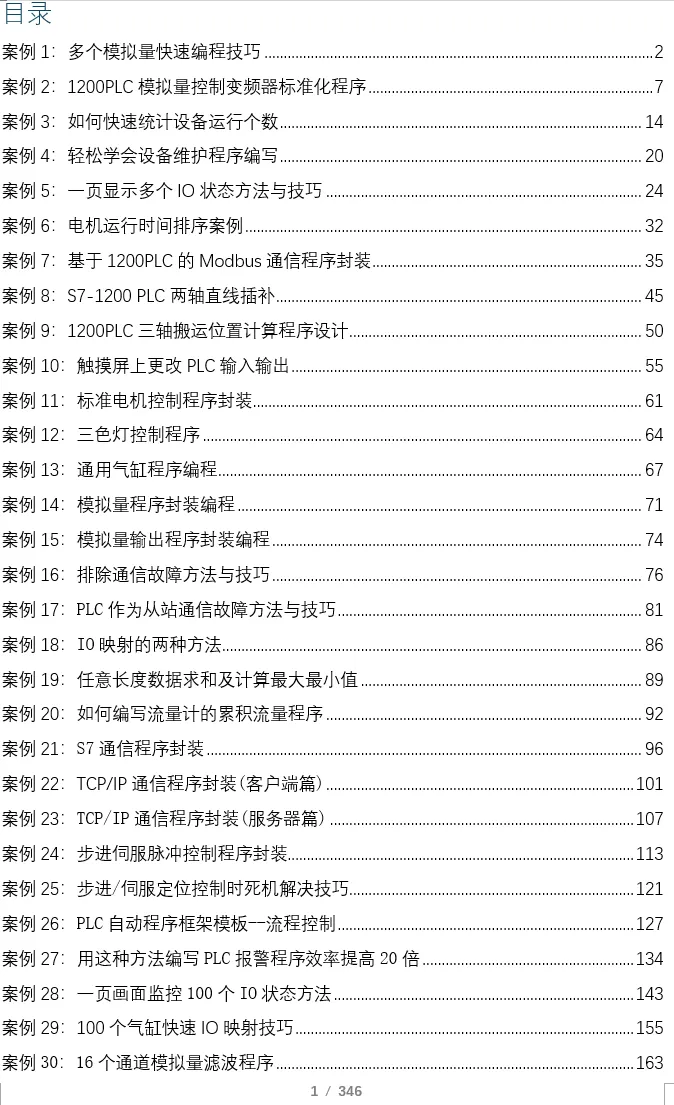
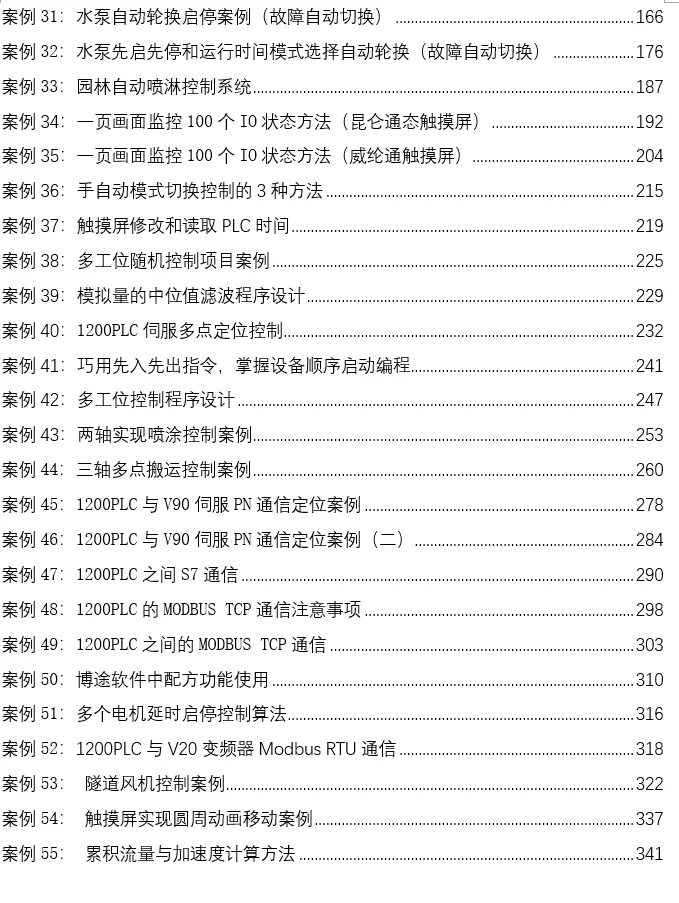
 Recently, many friends have requested case books, saying that reading articles on mobile phones is not very convenient. I took the time to organize all 55 practical cases, which are quite typical, including cylinder control programs, alarm programs, program frameworks, motion control program encapsulation, analog control of frequency converters, communication, and other practical cases.If you need them, you can add me on WeChat: biao467524527. If you can’t add me, you can send me a private message.
Previous Recommendations
Learn the essential questions for 1200/1500 PLC programming!!
Once learned, PROFINET communication is really super simple!!
Methods and techniques for communication between 1200/1500 PLC and V90 servo
How to quickly configure hardware and distributed IO using TIA Portal software
How to implement encryption functions on Siemens touch screens?
Can’t adjust PID? This guide will help you solve everything! Limited time deletion!!!
[Nanny-level communication case]: S7 communication between 1200 PLC and 200 SMART
How to communicate with 485 devices without a serial port on 1200 PLC
Nanny-level S7 communication case, including troubleshooting communication failures!!
Open up PLC programming ideas and enhance programming thinking through 3 cases!
Dynamic color change of water tank liquid level on touch screen
How to quickly convert between FC and FB program blocks?
How to monitor the PLC connection status on the touch screen
Methods and techniques for automatic rotation programming of two motors
Automatic polling case for multi-slave Modbus RTU communication
Quickly bookmark: Siemens full series software and manuals (including touch screens, PLCs, frequency converters, drives, etc.)
When learning 1200 PLC programming, you must have encountered these issues!
Learn TCP/IP communication program writing through one case