 Search WeChat
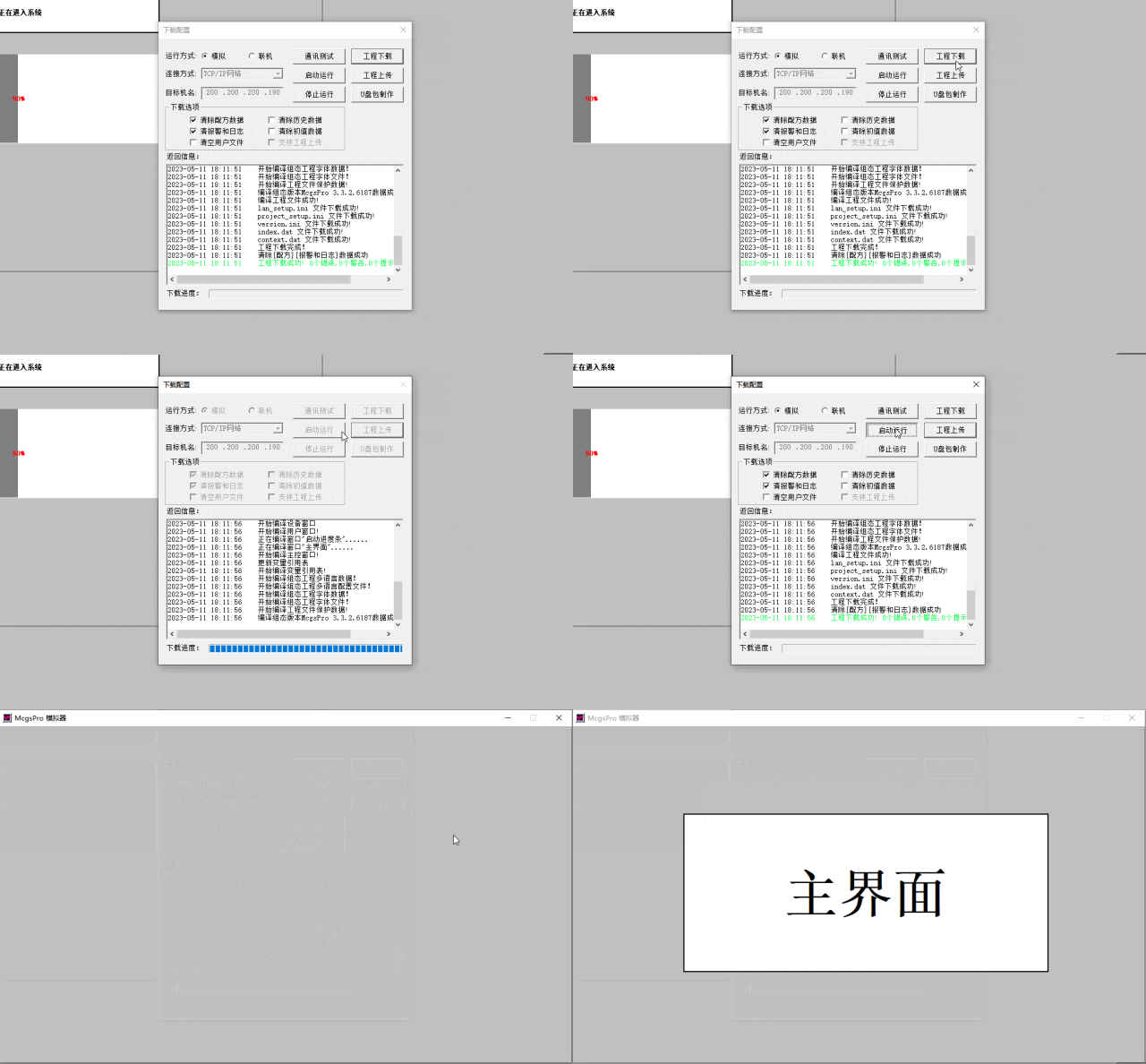
 Technical TrainingStep 1Create a new window and set it as the startup window;
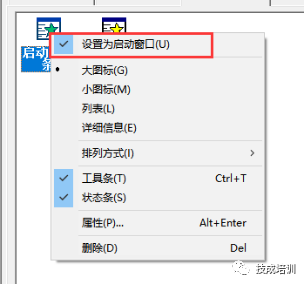
Step 2Add a percentage fill component to the startup window interface;
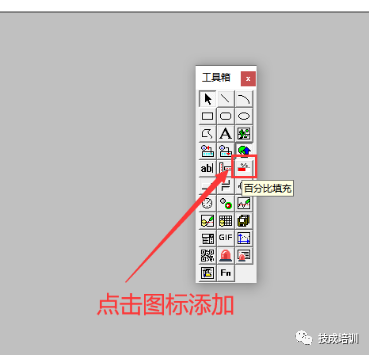
Step 3Drag and place, then double-click the component to set parameters;
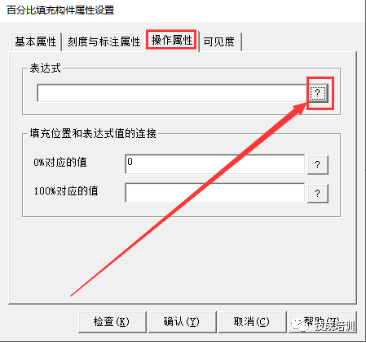
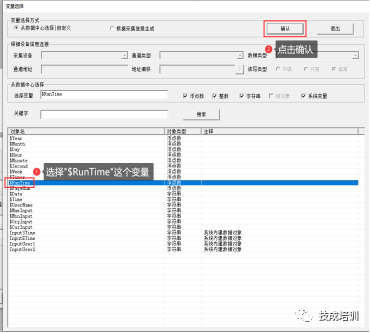
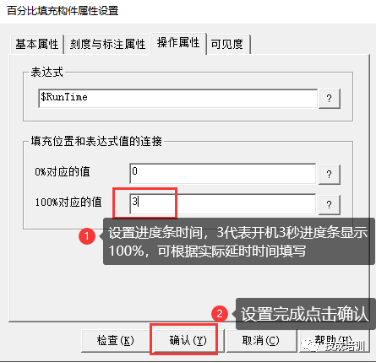
Step 4Double-click an empty area to open the window editing script;
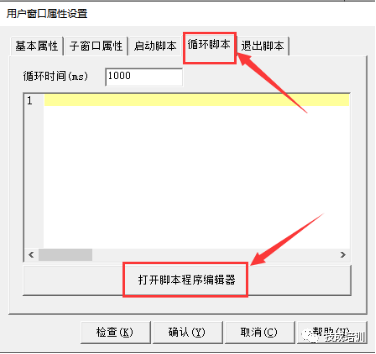
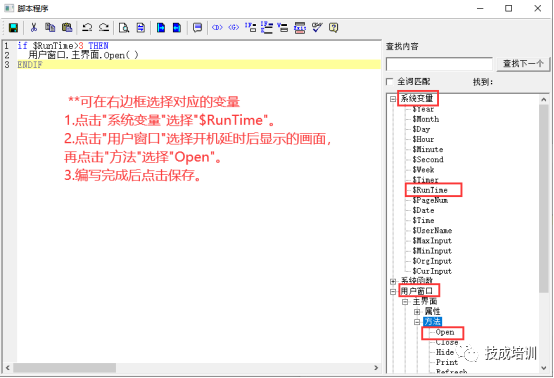
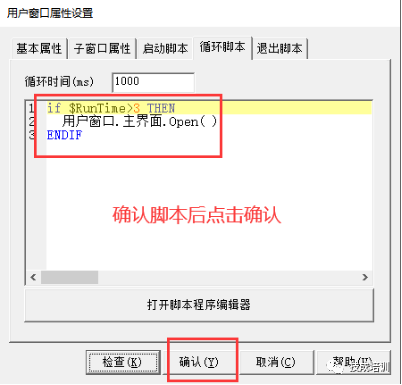
After setting is complete, the boot will display a 3-second progress bar before switching to the main interface
Article source:Original from Technical Training Network, Author:Fan Tengkai;Unauthorized reproduction is prohibited; violators will be prosecuted!
HISTORY/Previous Recommendations
Complete question bank for the 2022 Electrician Junior Exam (includes answers)
3 must-have tools for electricians, easily accessible with WeChat!
[Collection] The “Path” of a veteran electrician with ten years of experience, the secret to earning over ten thousand a month!
Five major electrical drawing software (CAD, Eplan, CADe_simu…), which one do you pick?
Latest electrical CAD drawing software, with super detailed installation tutorial!
Latest electrical drawing software EPLAN, with super detailed installation tutorial!
Common problems for beginners using S7-200 SMART programming software (including download link)
Comprehensive electrical calculation EXCEL sheets, automatically generated! No need to rely on others for electrical calculations!
Bluetooth headphones, introductory books for electricians/PLC are freely given away? Come and claim your electrical gifts!
Basic skills in PLC programming: Ladder diagrams and control circuits (includes 1164 practical cases for Mitsubishi PLC)
If you still can’t understand electrical diagrams? Basics of electrical diagram reading, simulation software available, quickly get started with theory and practice!
12 free electrician video courses, 10GB software/eBook resources, and 30 days of free electrician live classes are being given away!
Don’t forget to like and watch!
 Click “Read the Original Article” to learn PLC/electrician courses for free.