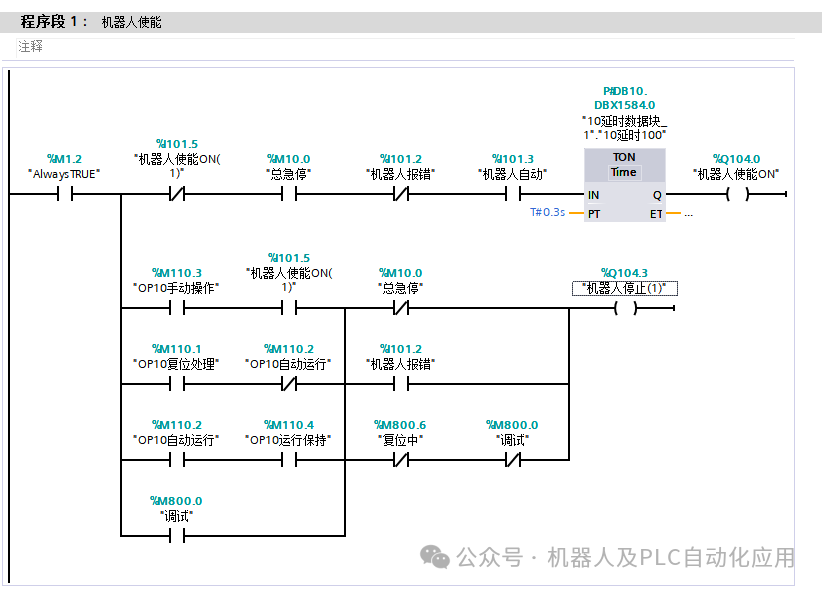
The robot enable control program.
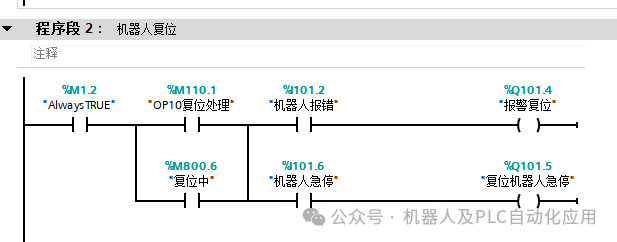
 The reset program is used to reset errors and emergency stops.
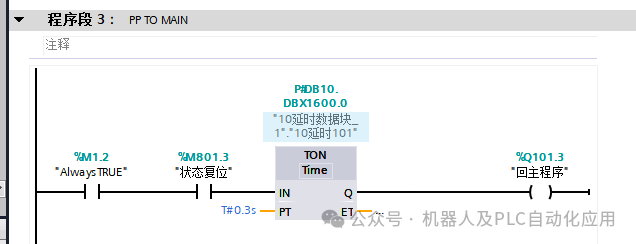
 PP TO MAIN The program is used to return the robot’s program to the MAIN main program.
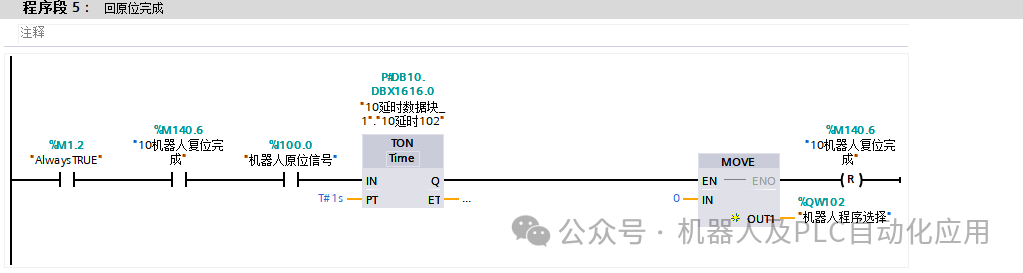
 The return to original position program is defined as 5, which means calling program 5.
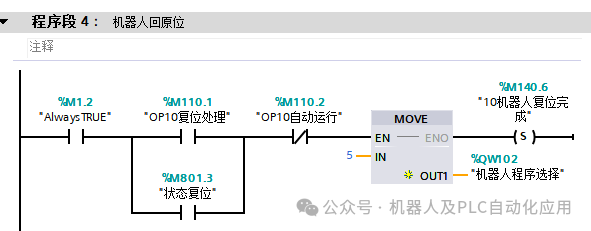 The return to original position program is executed after program 5 is completed to call for a reset.
 AUTO ONThe program is to keep the robot’s internal program running in a loop under automatic conditions.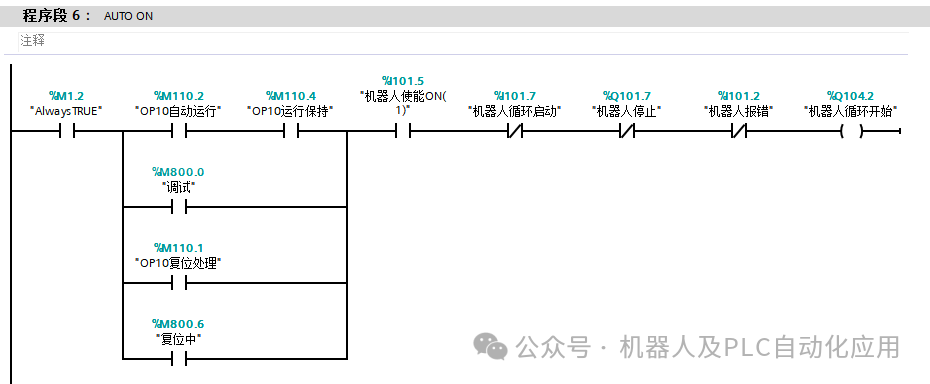
| ABB robot partial program |
| The program can be edited in the teach pendant or in the RobotStudio software. It requires commands such as MOVE L, MOVE J, SET, RES, WAIT, IF, TEST, etc., and the position points and I/O points need to be set up for easy editing. |
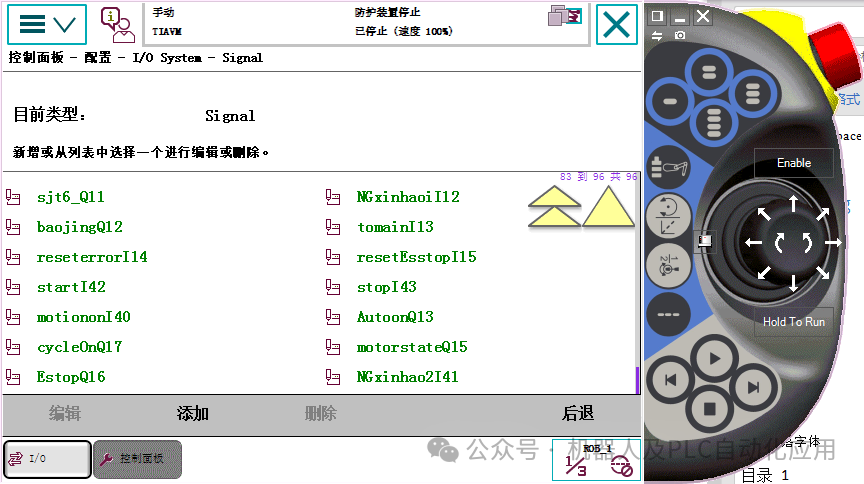
(1) Teach Pendant:The following three images show the configured I/O signal points.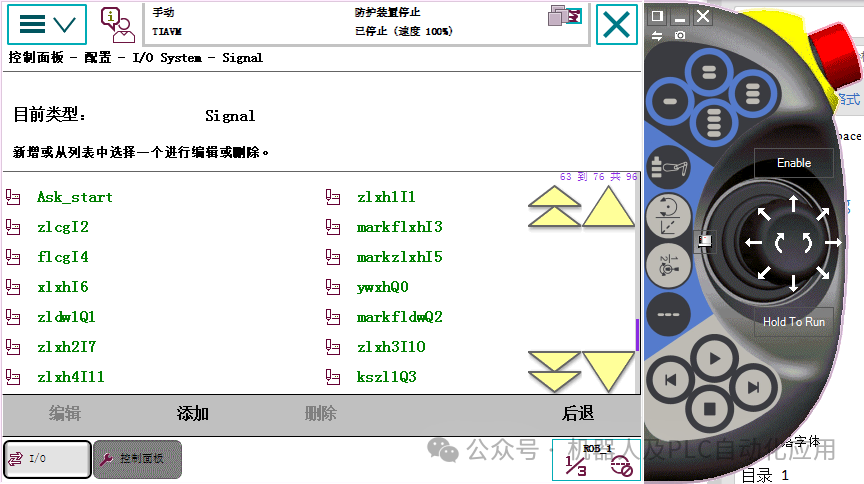
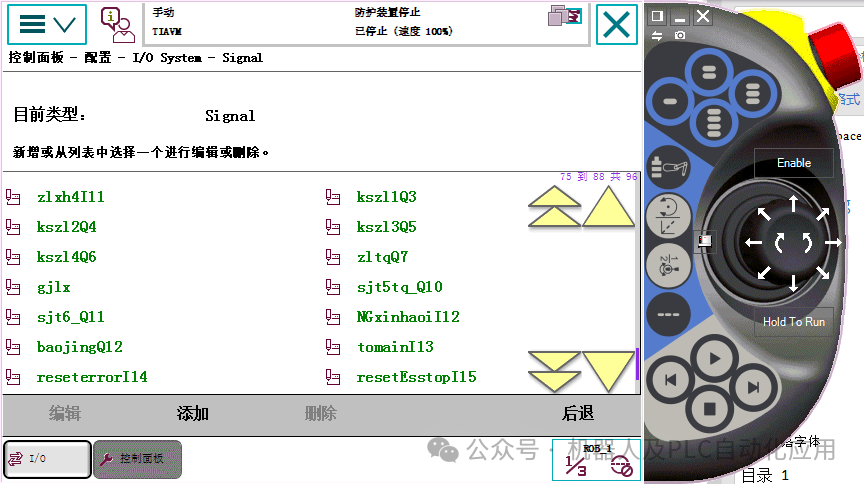
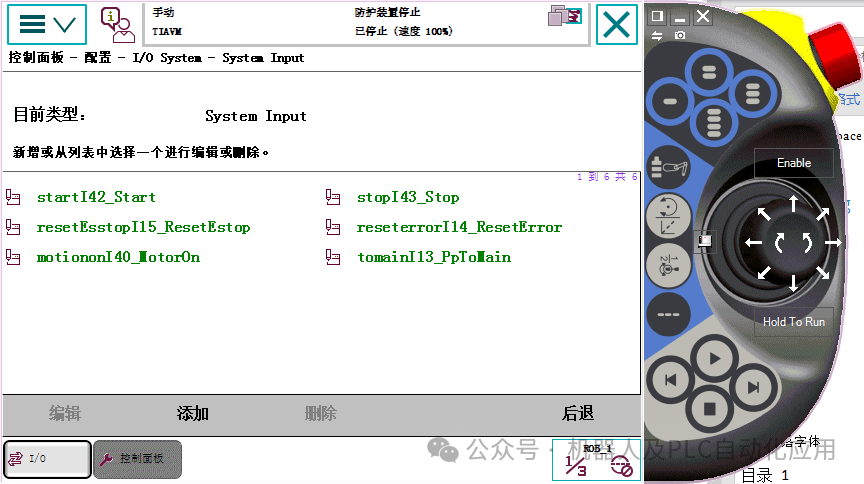
 The following image shows the configured system’s input points.
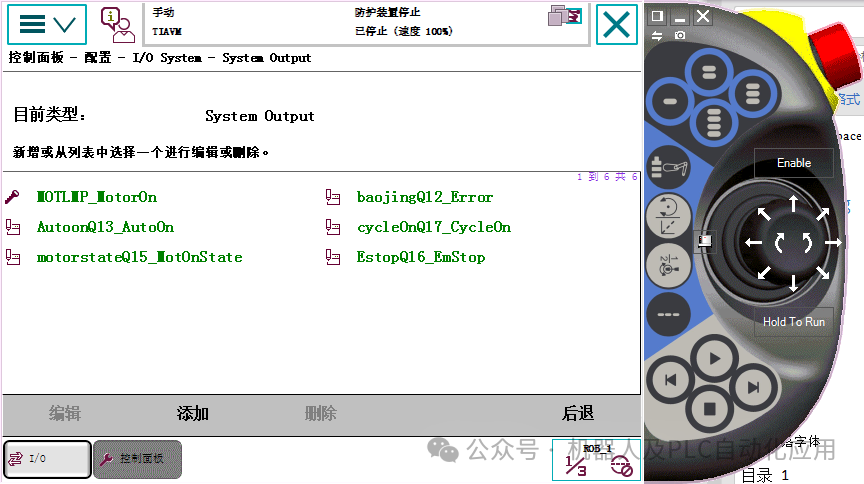
 The following image shows the configured system’s output points.
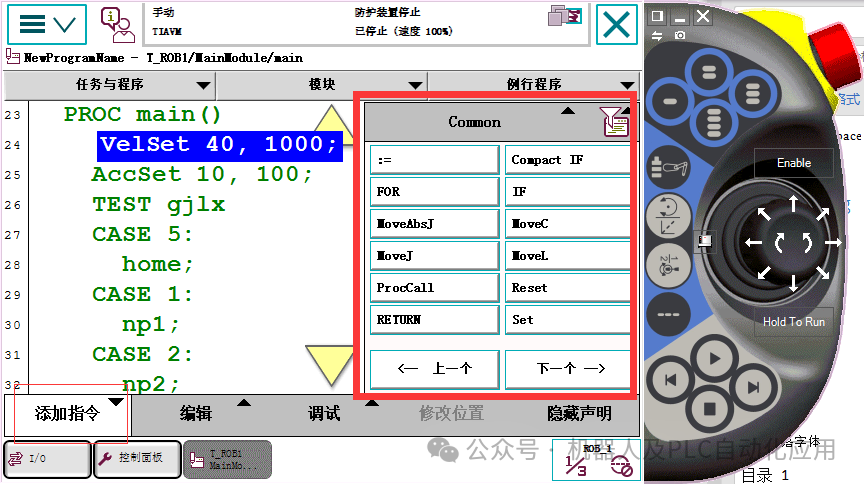
 In the command addition interface, you can add the required commands.
 This has added 7 subprograms, all called by the MAIN main program.
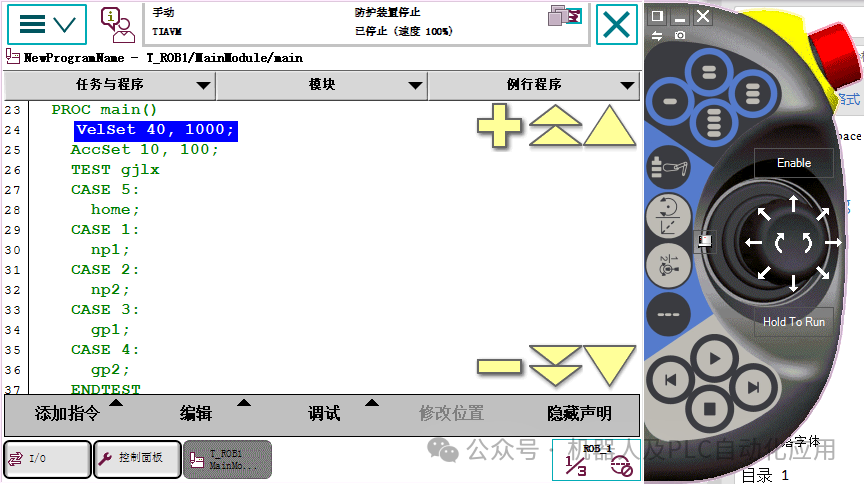
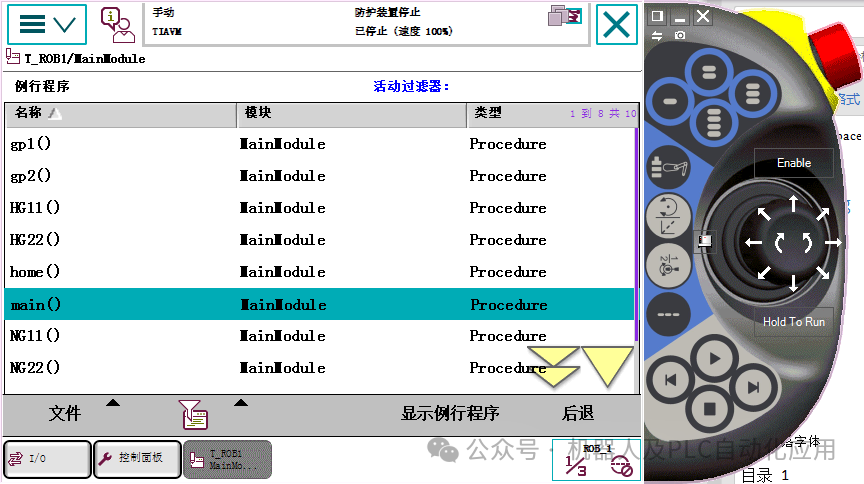 The following image indicates that when the value of the point gjlx equals the corresponding number below, the corresponding program is called.
 The following image is a motion program, mainly waiting for the start signal, then moving to the origin, giving the original position signal, and continuing to move to the position of P_sjt6_np, then performing the reset, and after receiving the next step signal, proceeding with the action. Finally, it determines if the value of NGxinhaoI41 equals 1 to jump to the NG22 program; if not, it jumps to the HG22 program.
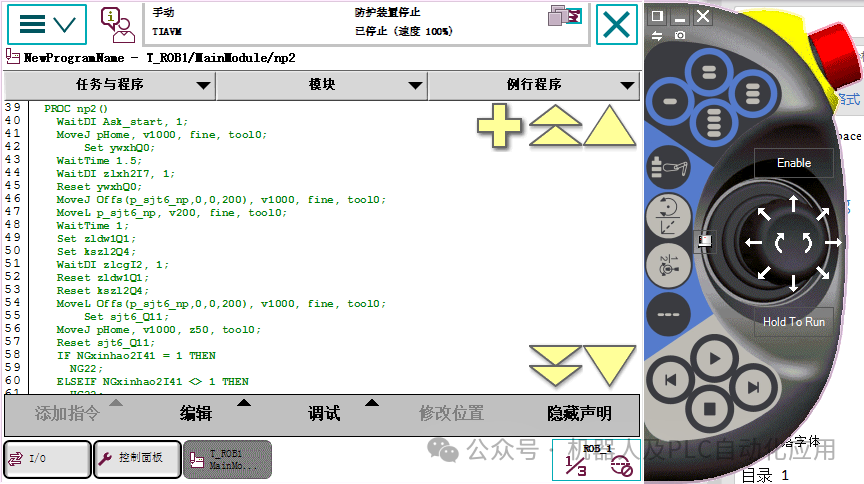 The above is an example edited in the teach pendant.(2) RobotStudio:The following is a program edited using RobotStudio which is basically the same as the teach pendant editing, using commands for writing. As long as you write the first few letters of the command, you can select the complete command. The teach pendant can edit the detailed parts of the program, while the computer software can edit the logical framework.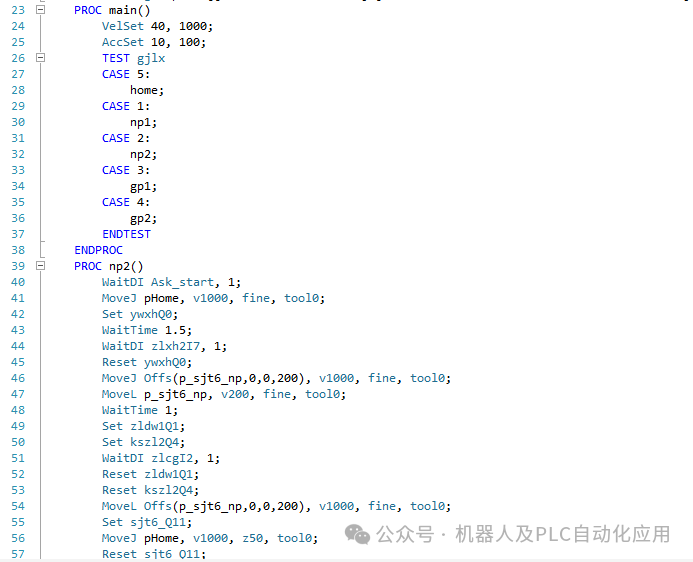
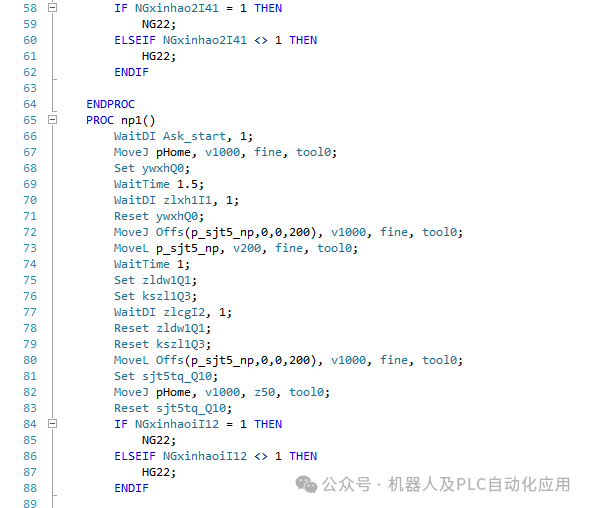
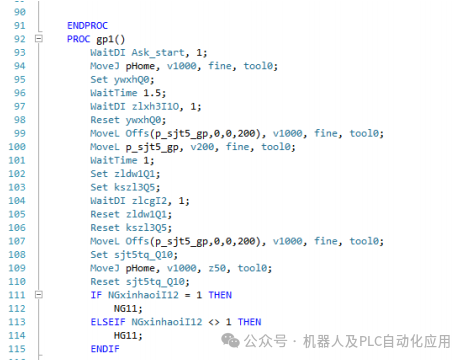
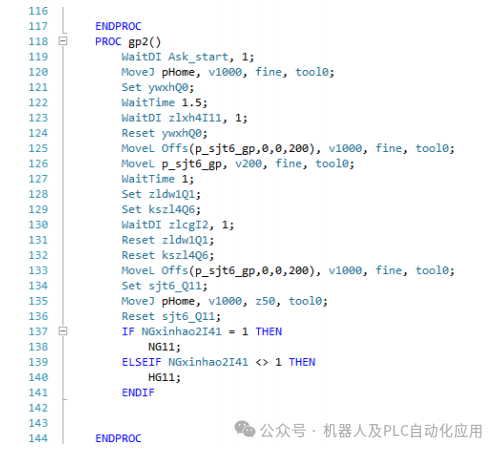
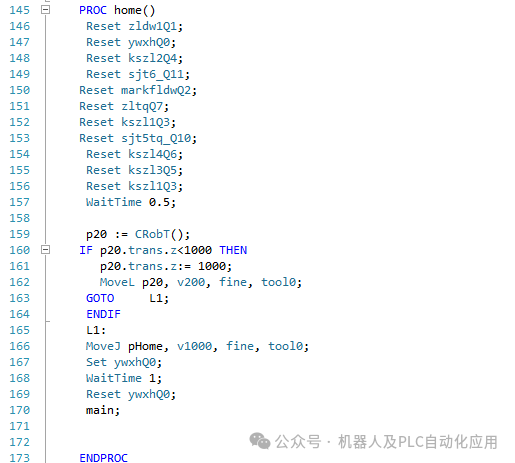
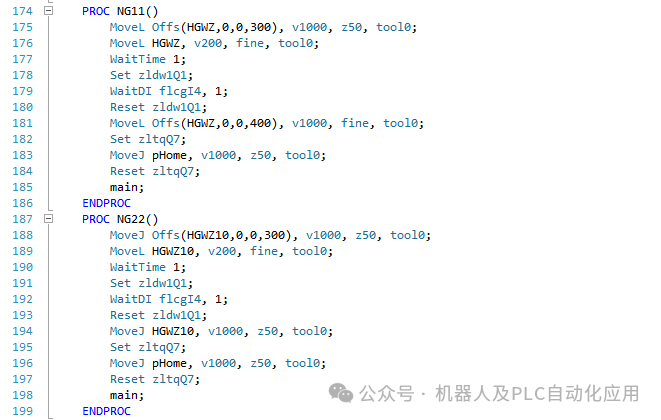
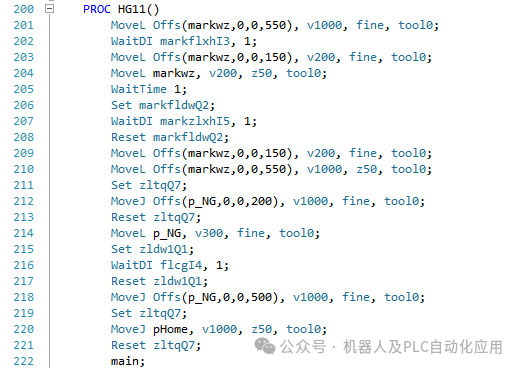
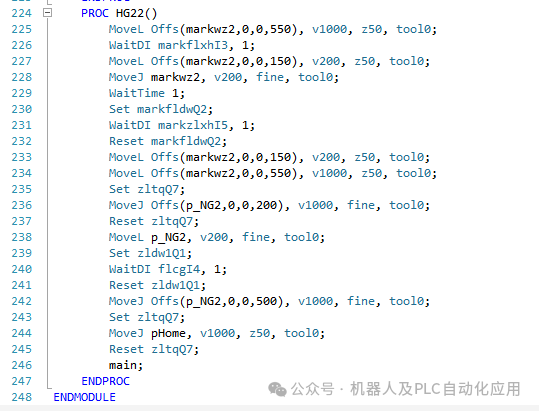 This part of the robot program for the PLC is applicable to most robot debugging and is a general-purpose program. The robot program needs to be edited according to on-site requirements, but the I/O point configuration and settings are general. When controlling the robot, pay attention to any interference positions; if there are any, take care. During programming, you can edit part of it, take a step to test, and ensure the logic is smooth.