
[Name]: Multisim 14.0
[Size]: 685 MB
[Language]: Simplified Chinese
[Installation Environment]: Win7/Win8/Win10
[64-bit Download Link]:
pan.baidu.com/s/1cEagwbvYKvrl6edr70DRCA
[Extraction Code]:gnuc
Multisim is an industry-leading SPICE simulation standard environment, divided into professional and educational versions. It has been widely recognized by teachers, researchers, and engineers both domestically and internationally, becoming a top-tier advanced SPICE simulation standard environment. Multisim has many unique features, such as a WYSIWYG design environment, an interactive simulation interface, dynamic component displays, 3D effect simulation circuits, virtual instruments, analysis functions, and graphical display windows. It is an important foundation for circuit teaching solutions, allowing users to improve student skills through practical operations such as design, prototyping, and electronic circuit testing. Additionally, using Multisim design methods in engineering can reduce prototype iteration times and help users optimize printed circuit board (PCB) designs more timely during the design process.
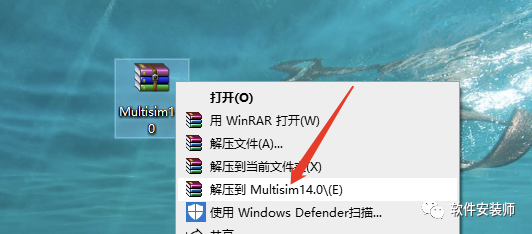
1. Select the [Multisim 14.0] compressed package, right-click and choose [Extract to Multisim 14.0].
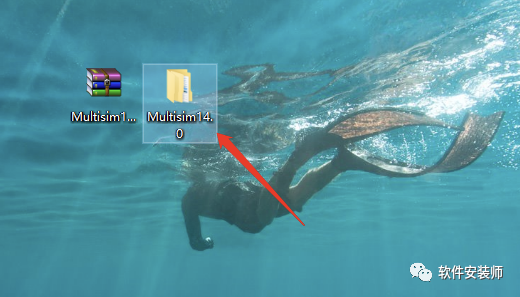
2. Double-click to open the extracted [Multisim 14.0] folder.
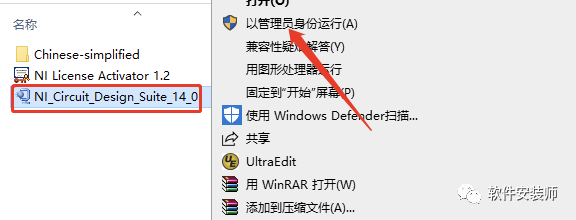
3. In the [Multisim 14.0] folder, find [NI_Circuit_Design_Suite_14_0], right-click and choose [Run as Administrator].
4. Click [OK].
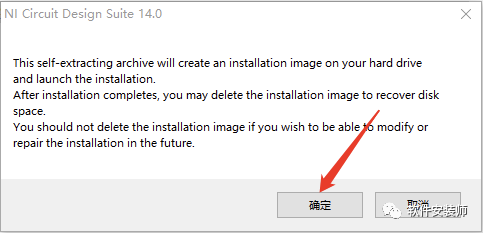
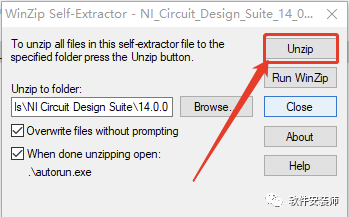
5. Click [Unzip].
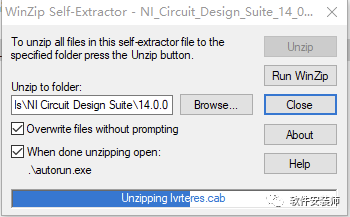
6. Wait for about a minute.
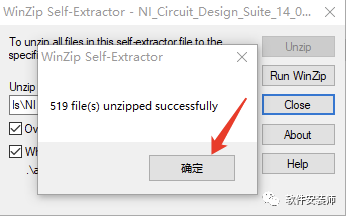
7. Click [OK].
8. Click [Install NI Circuit Design Suite 14.0].
9. Fill in [FullName] and [Organization] with any name, then click [Next].
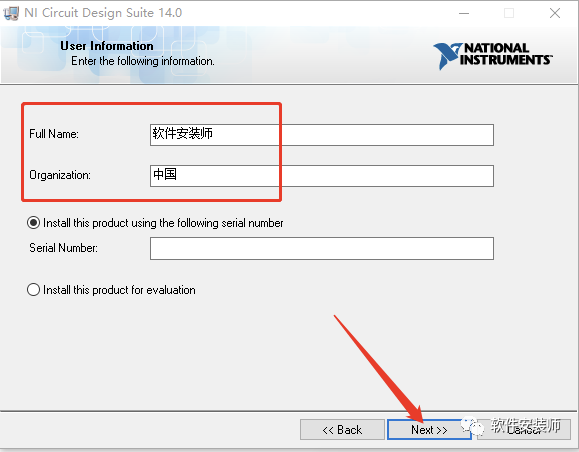
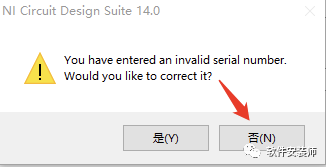
10. Click [No].
11. Click [Browse] to change the installation directory of the software. It is recommended to install it on a disk other than C, you can create a [Multisim14.0] folder on D or another disk, and then click [Next].
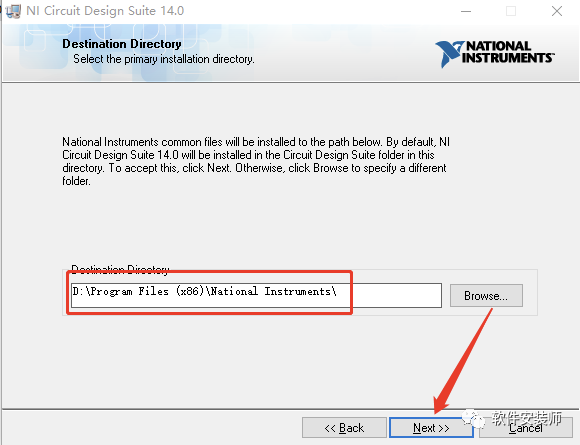
12. Click [Next].
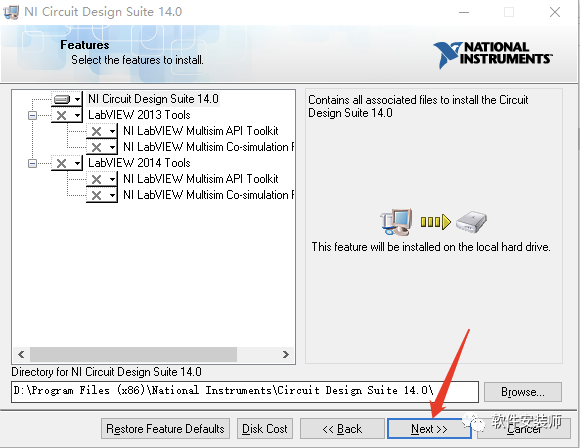
13. Click [Next].
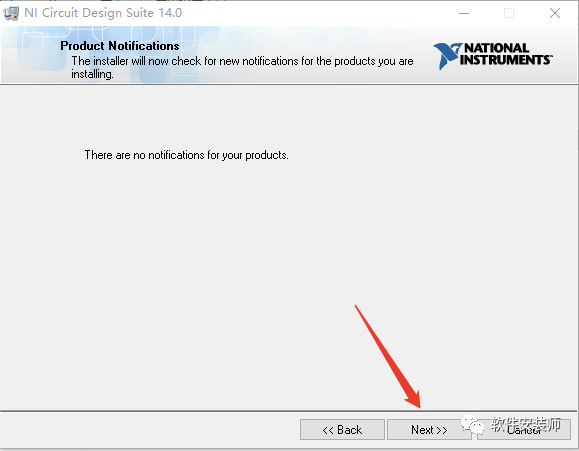
14. Click [Next].
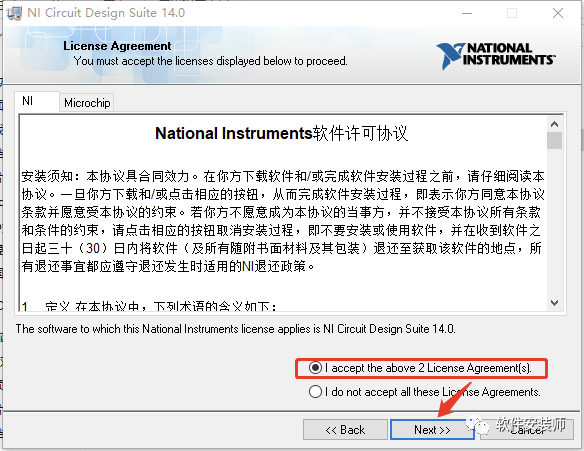
15. Select [I accept the above 2 License Agreement(s).], then click [Next].
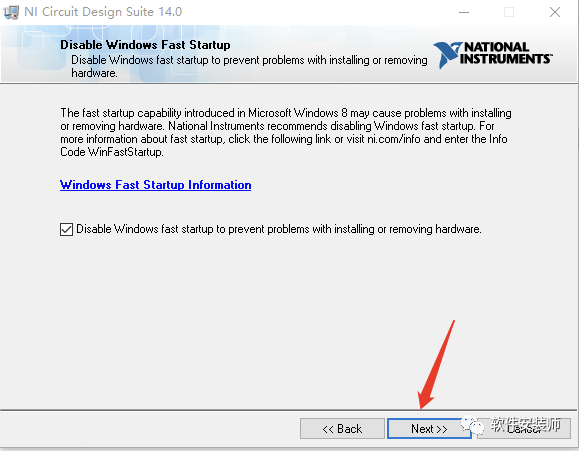
16. Click [Next].
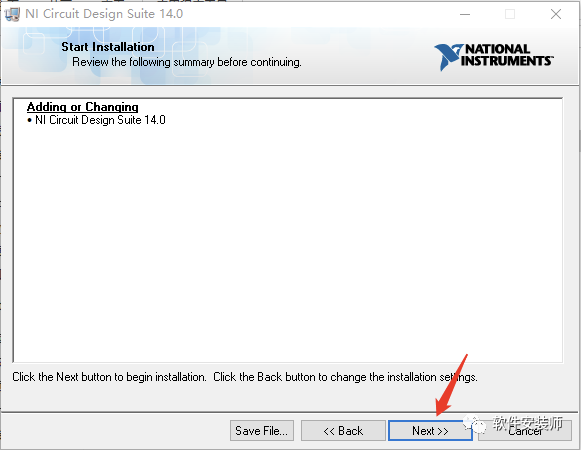
17. Software installation in progress (takes about 10 minutes).
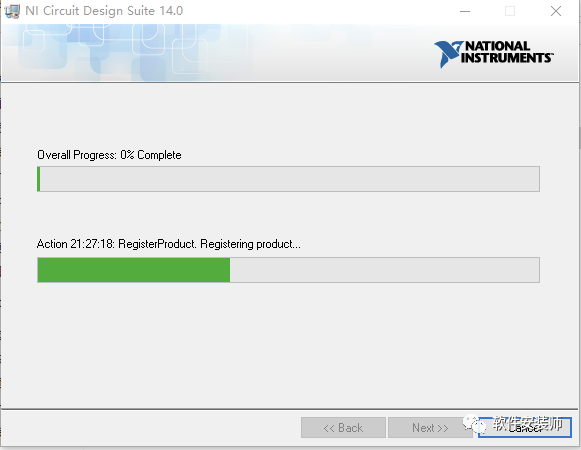
18. Click [Next].
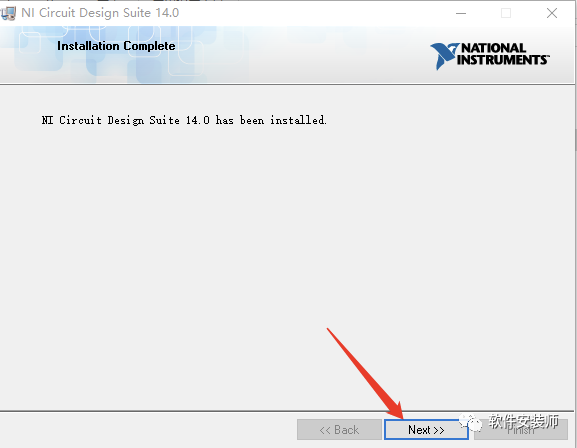
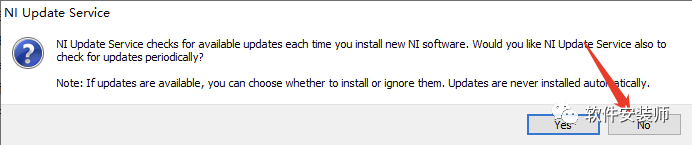
19. Click [No].
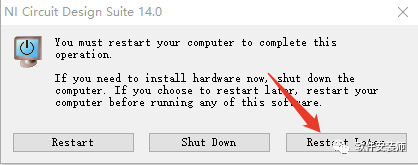
20. Click [Restart Later].
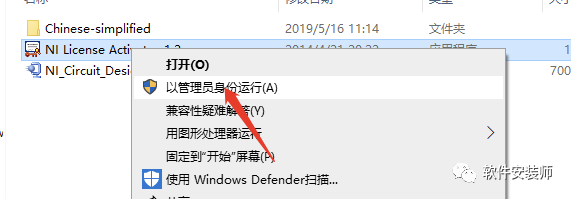
21. In the initially extracted [Multisim 14.0] folder, find [NILicense Activator 1.2], right-click and choose [Run as Administrator].
22. Right-click [Base Edition], then left-click [Activate].
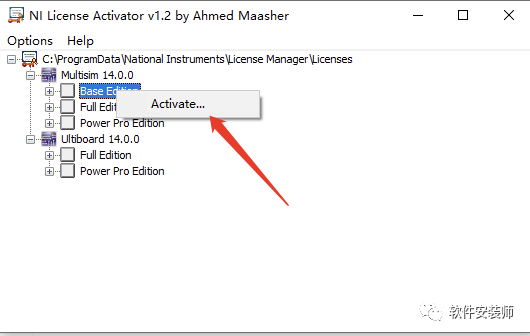
23. Right-click [Full Edition], then left-click [Activate].
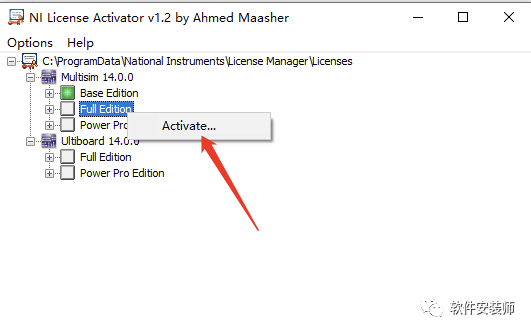
24. Right-click [Power Pro Edition], then left-click [Activate].
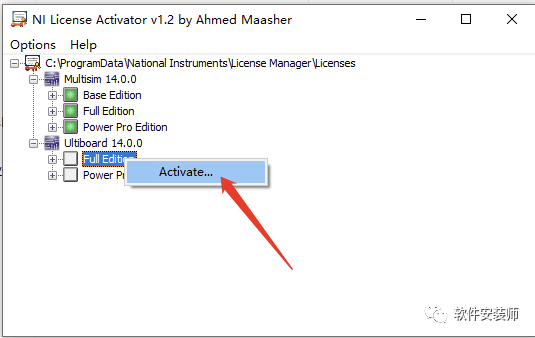
25. Right-click [Full Edition], then left-click [Activate].
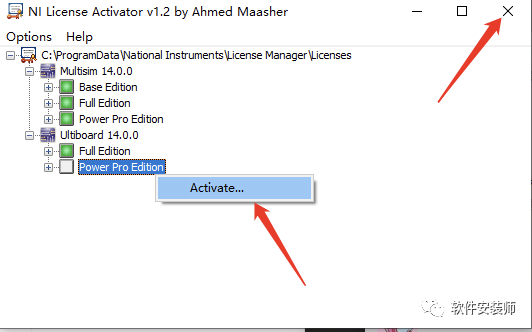
26. Right-click [Power Pro Edition], then left-click [Activate].
27. Close [NI License Activator 1.2].
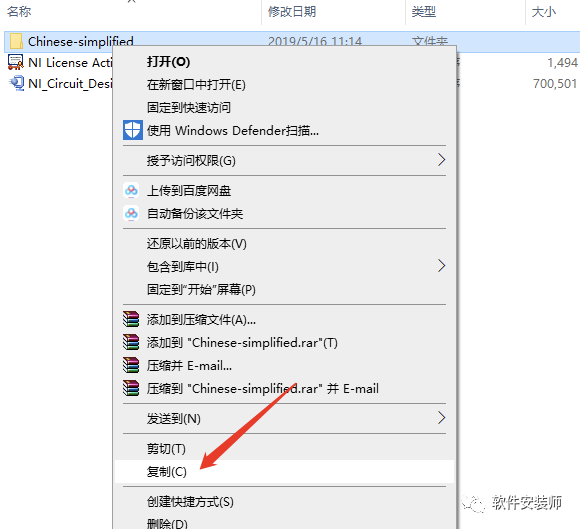
28. In the initially extracted [Multisim 14.0] folder, find the [Chinese-simplified] folder, right-click, and choose [Copy].
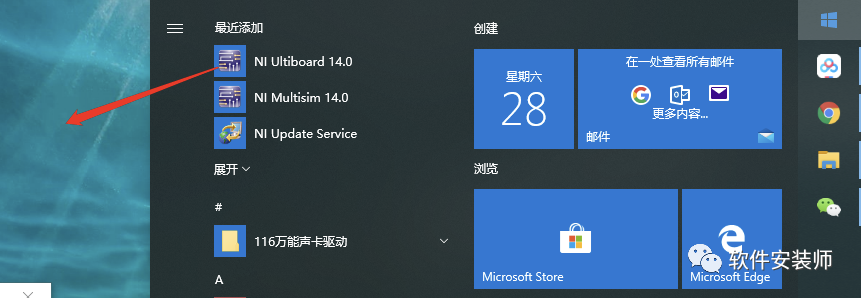
29. In the Start menu under [National Instruments], find [Multisim 14.0], drag it to the desktop to create a shortcut.
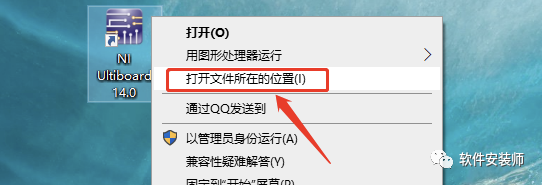
30. Right-click the shortcut and select [Open file location].
31. Find the [stringfiles] folder and double-click to open it.
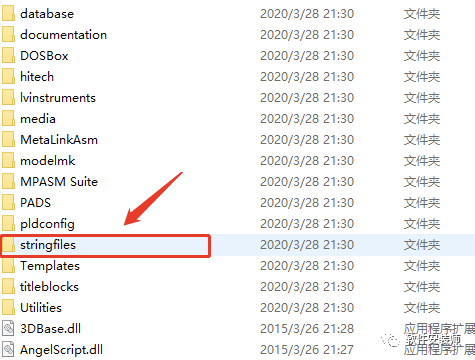
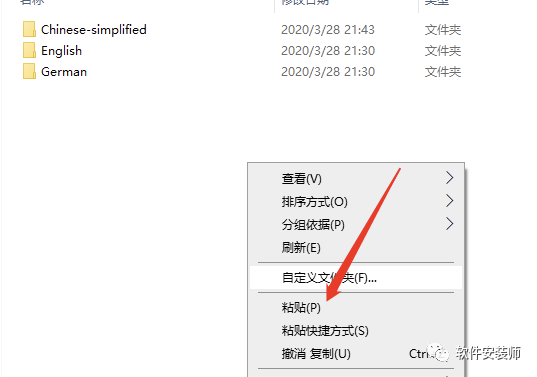
32. Right-click in any blank space, select [Paste], and paste the copied [Chinese-simplified] folder into the [stringfiles] folder.
33. Double-click to open [Multisim 14.0] on the desktop.

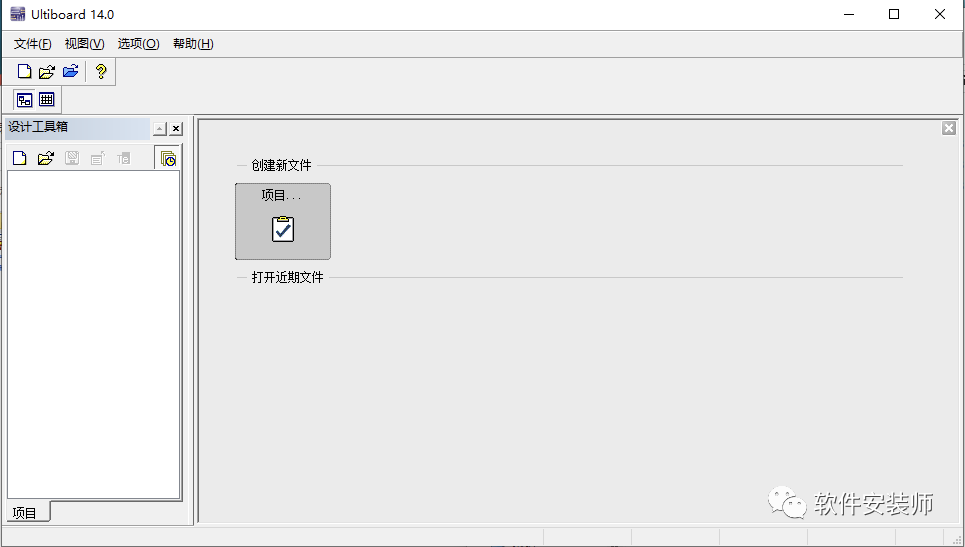
34. Installation complete, open the software, the software running interface is as follows.

Welcome to follow the public account: Software Installer
Providing various software installation packages and tutorials for free,
Software updates and upgrades; and providing software installation technical support,
Online assistance services.
If you want your friends to easily install cracked software like you, or need help,
please share this public account with your friends.