📂 Download Keil C51 Installation Package
Please copy the following link and open it in your browser to access the download page:
🔗 Download Link:https://pan.xunlei.com/s/VOY4nJfWvsyshX5kktn9DnfdA1?pwd=kti6#
Extraction Code:kti6 (It is more convenient to use Thunder to open after copying)
💡 Brief Overview of Keil C51 Installation Guide
-
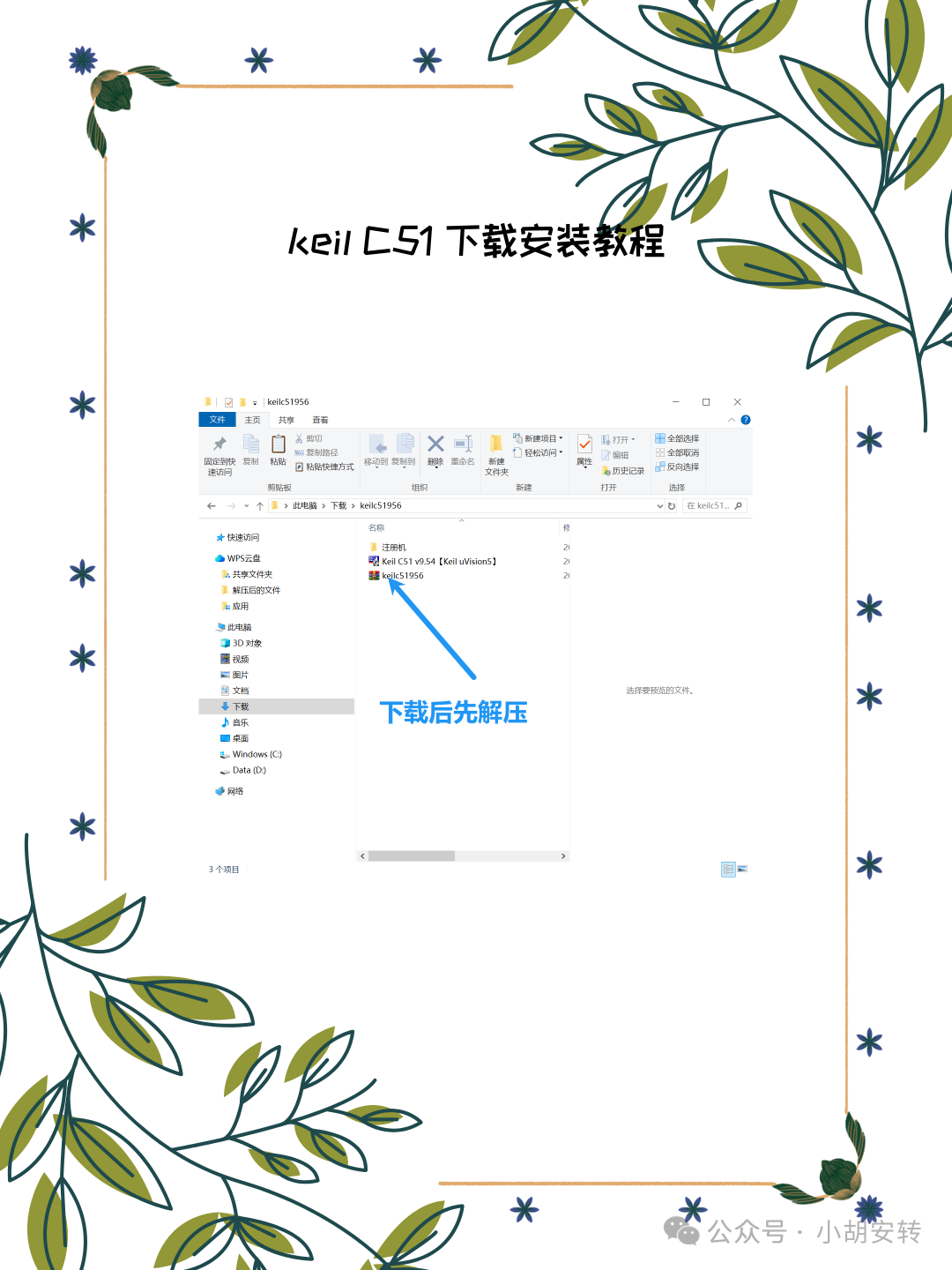
Extract the Resource Package: Extract the downloaded compressed package to the desktop or another location.
-
Run the Installer:
-
Double-click
<span>C51V961.EXE</span>to start the installation.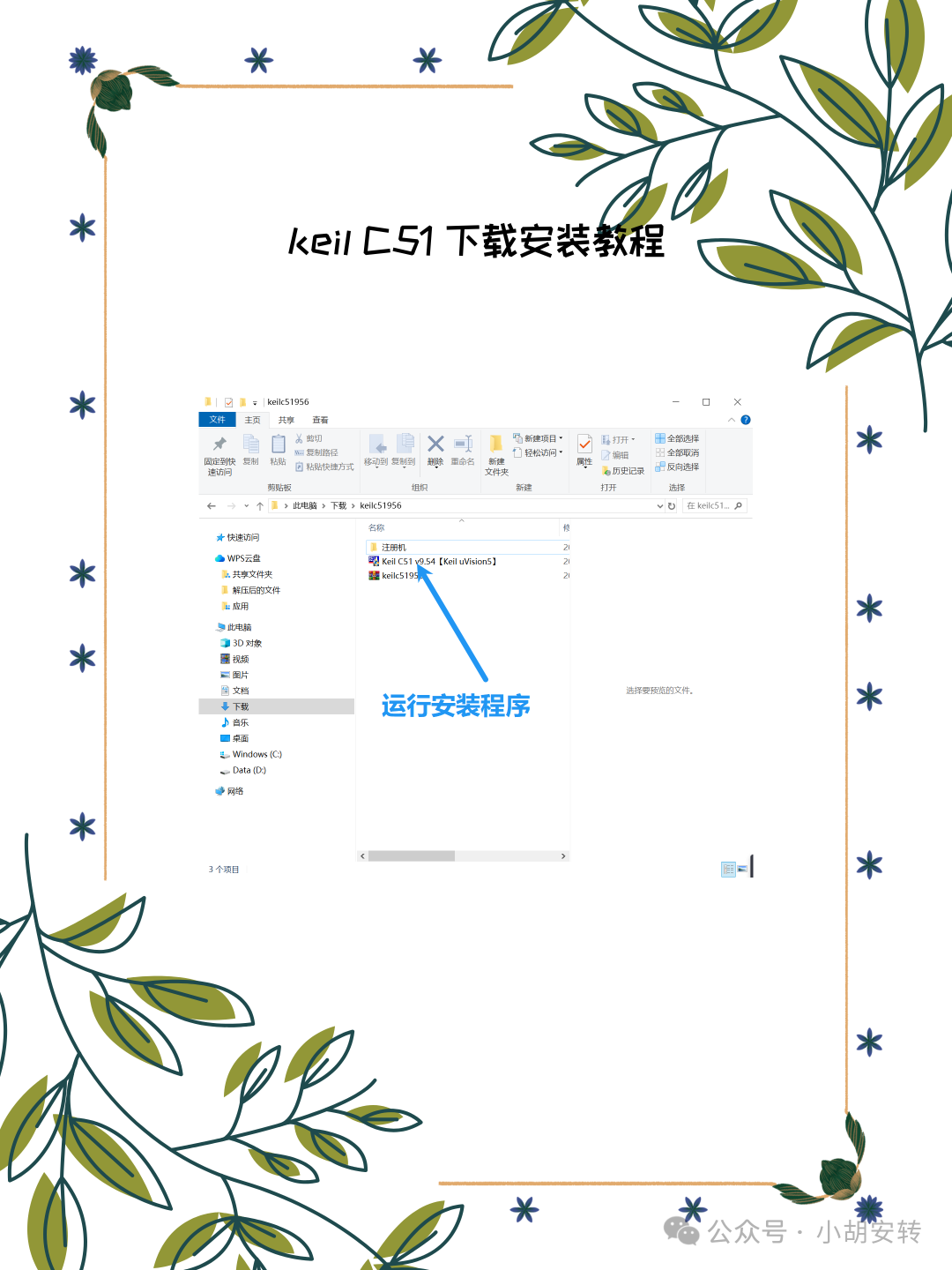
-
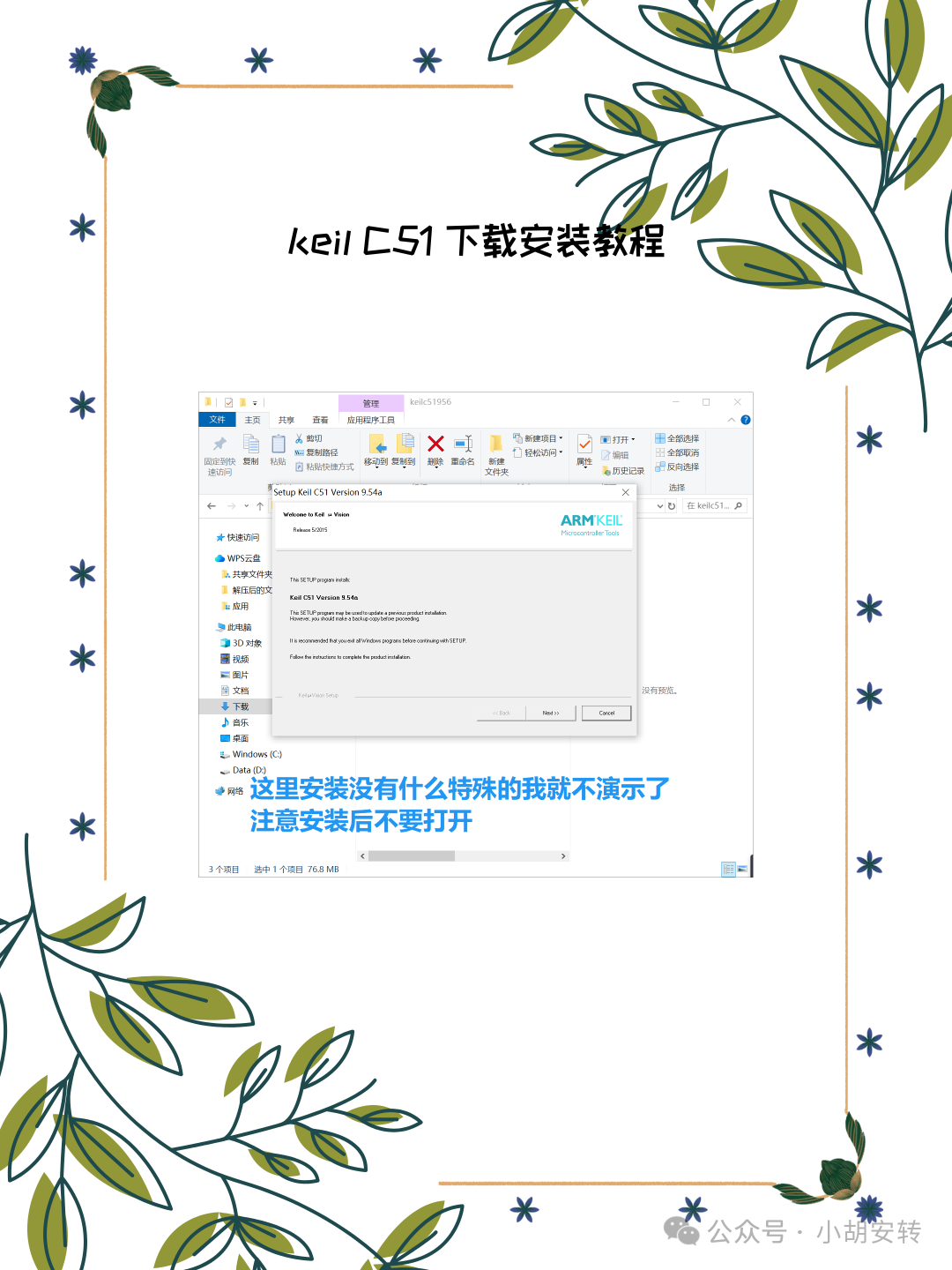
Click Next.
-
Check I agree to the terms of this agreement, then click Next.
-
Select the installation path, it is recommended to choose a path without Chinese characters, such as
<span>D:\Keil\C51</span>, then click Next. -
Fill in user information (can be filled in arbitrarily), then click Next.
-
Wait for the installation to complete, then click Finish.
3. Crack Registration
-
Run Keil as Administrator:
-
Right-click the
<span>Keil uVision5</span>icon on the desktop, and select Run as Administrator.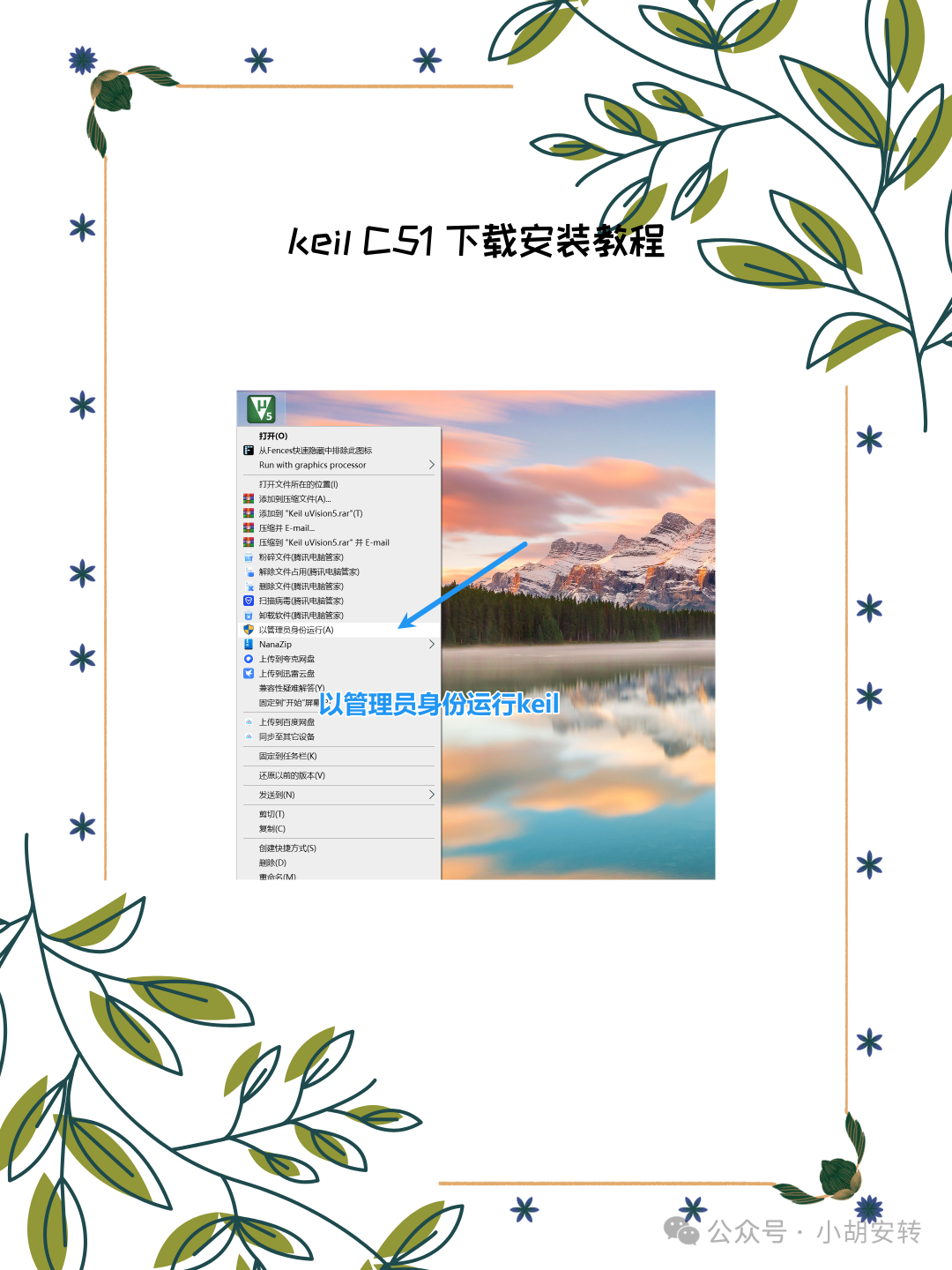
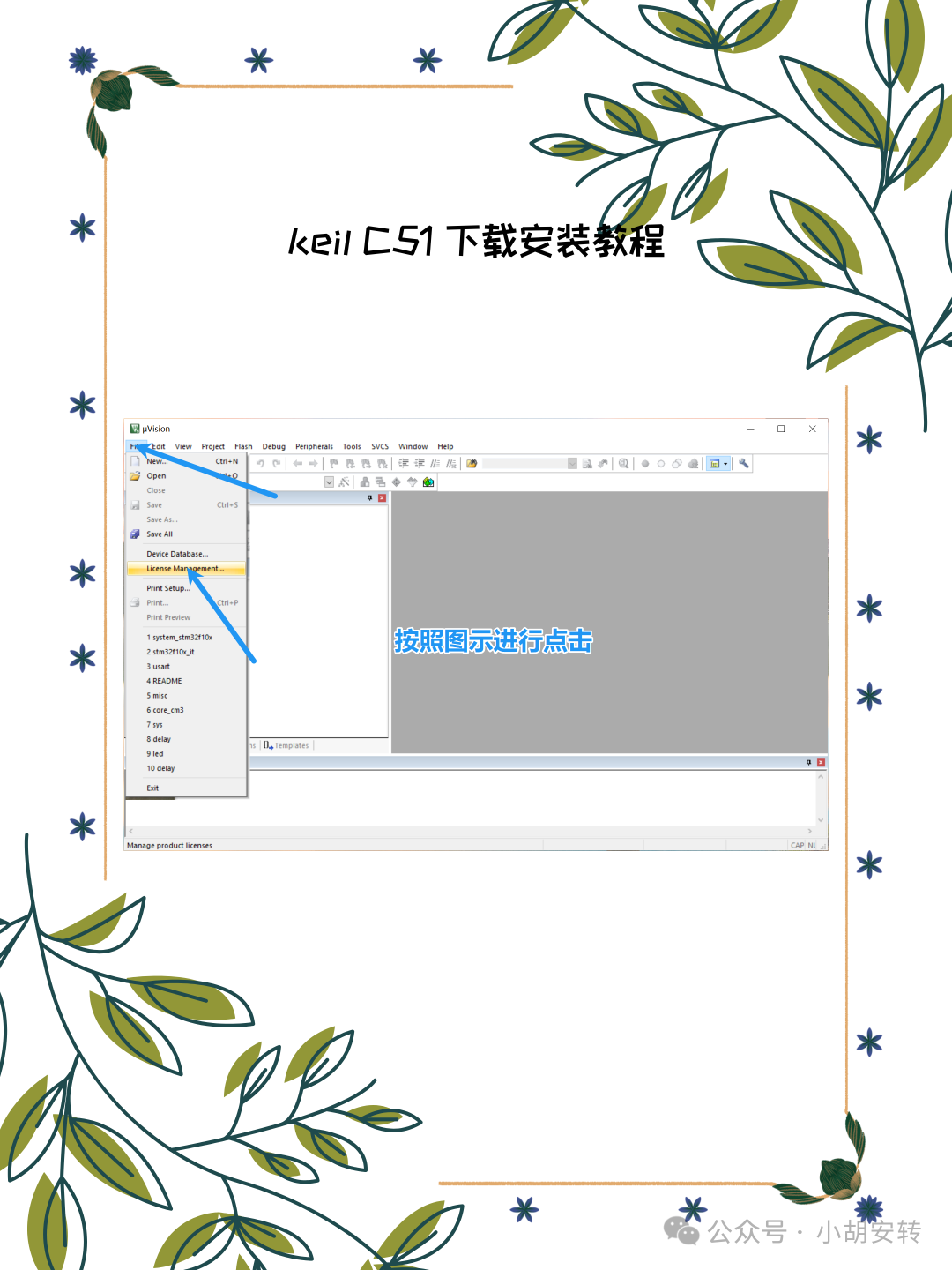
Obtain CID:
-
In Keil, click on the menu bar File → License Management.
-
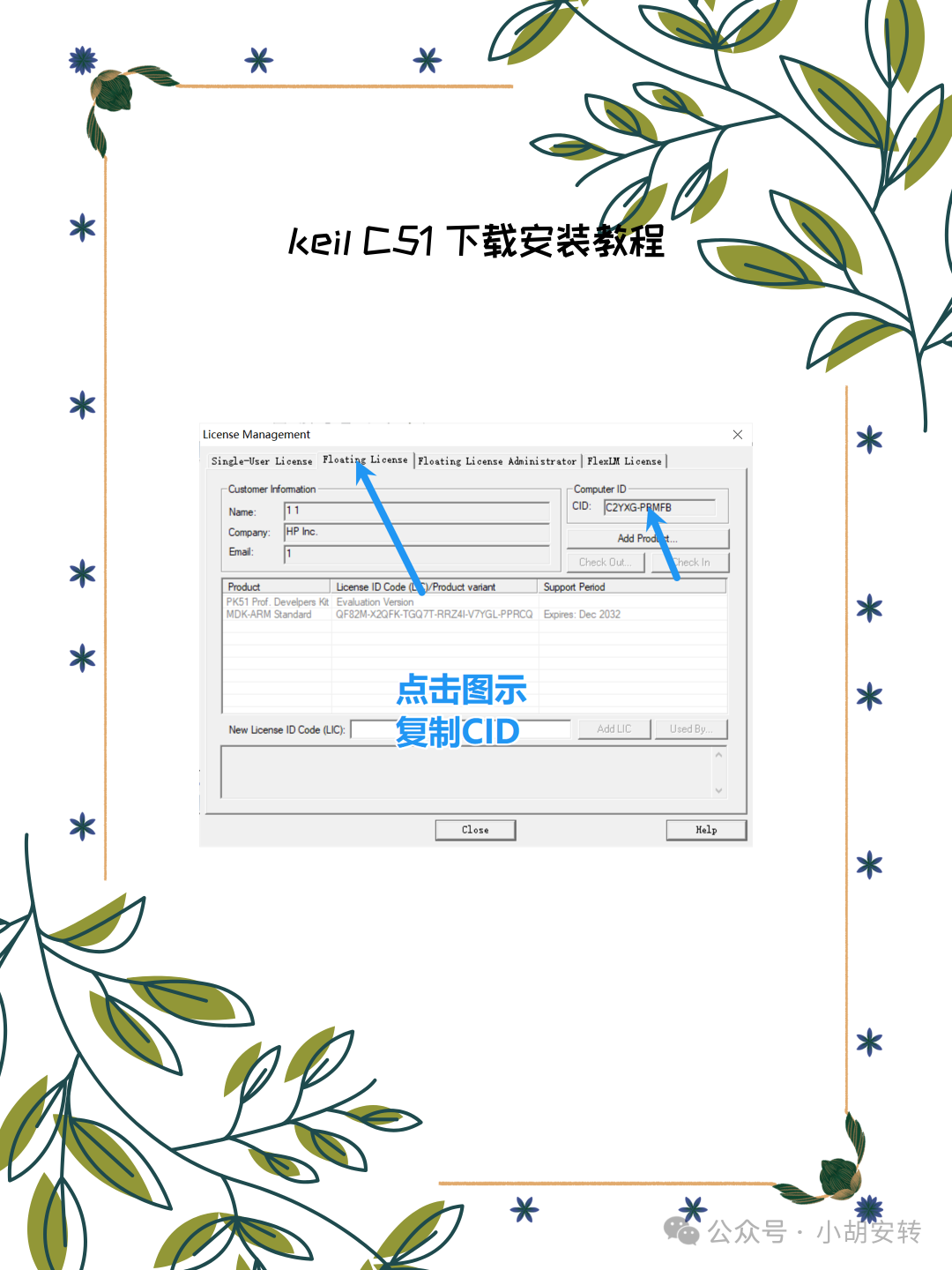
Copy the Computer ID (CID).
Run the Keygen:
-
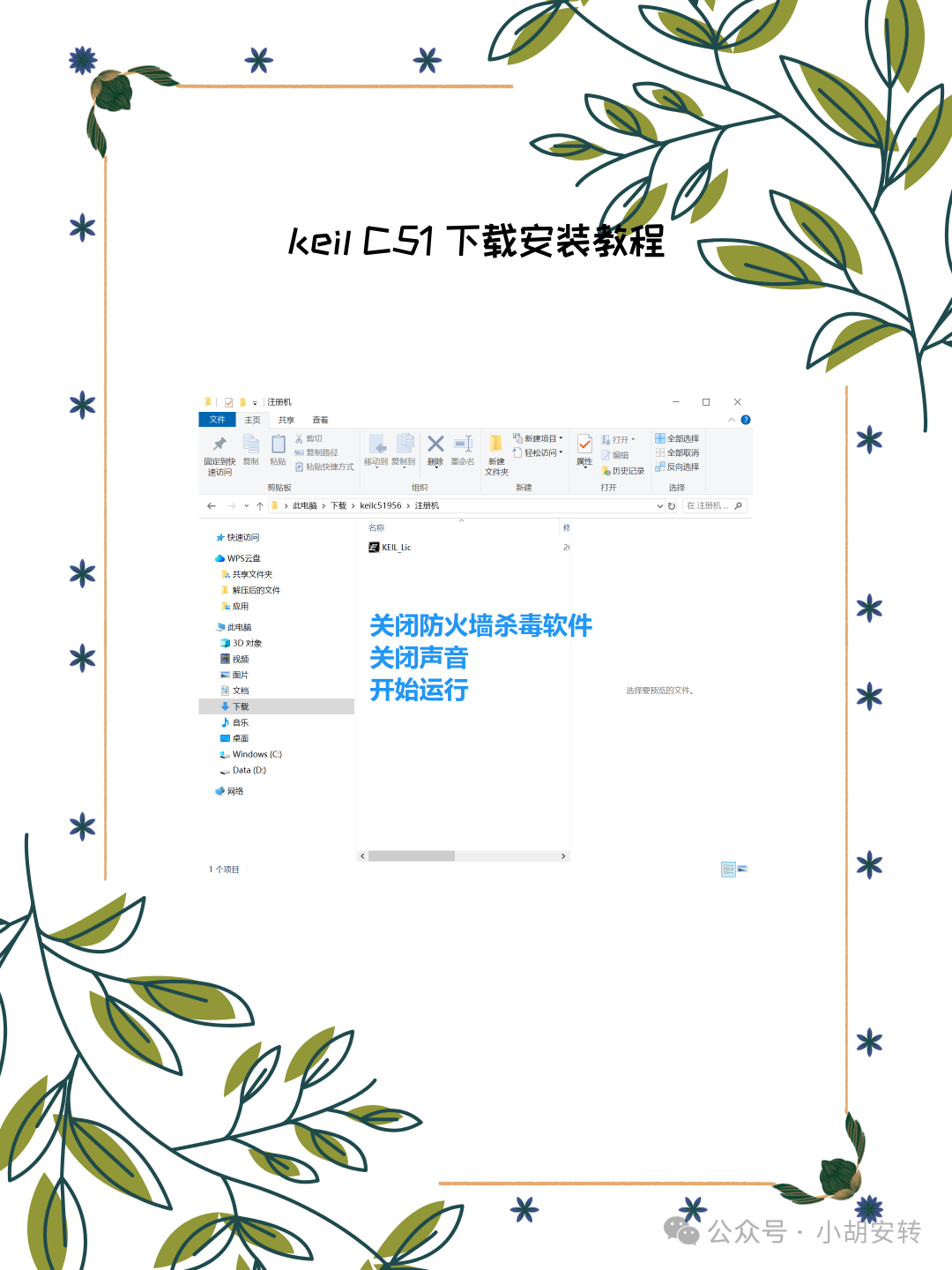
Extract and run
<span>keygen_new2032.exe</span>from the downloaded package.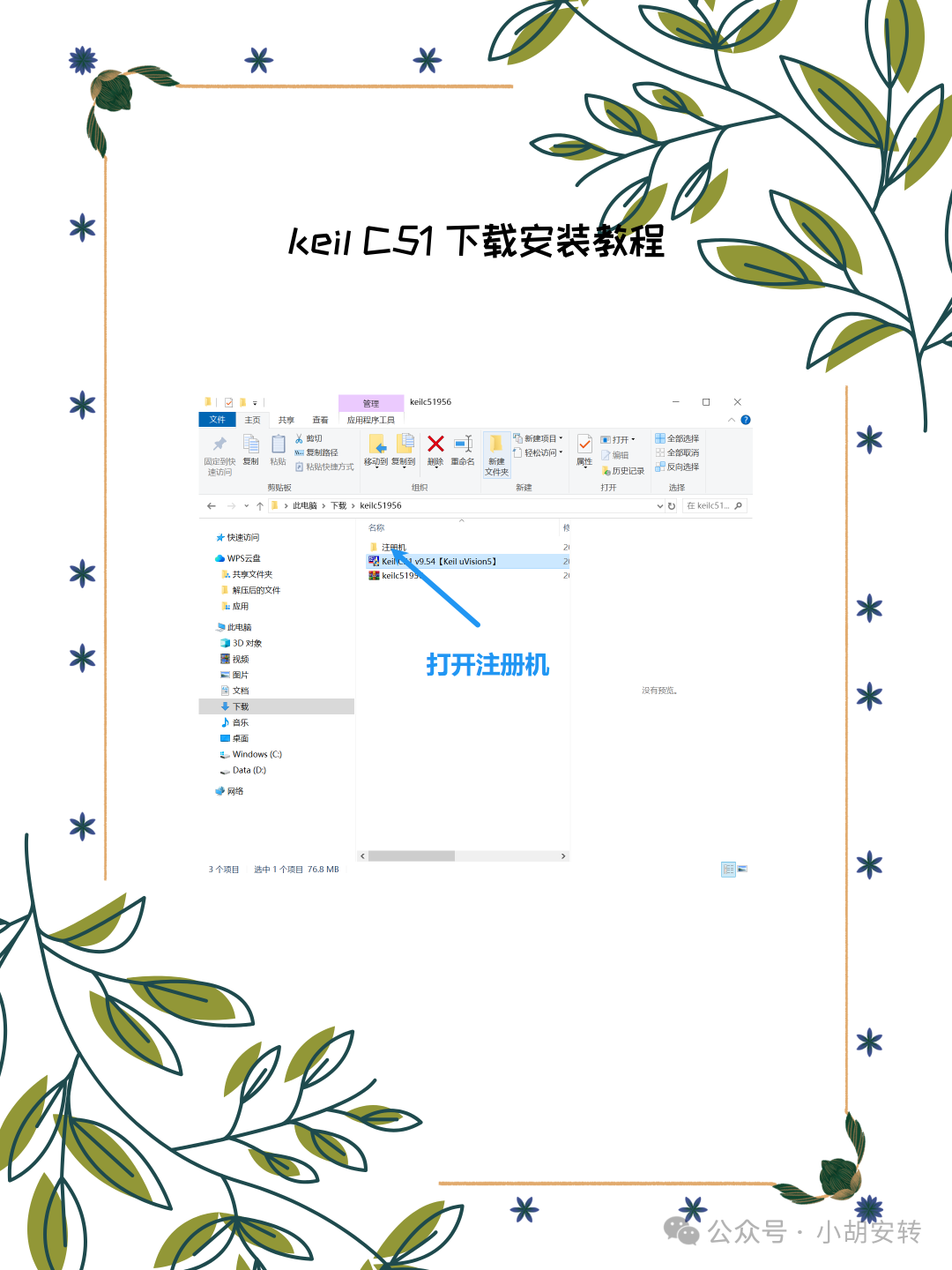
-
Note: There may be a prompt sound when running, it is recommended to lower the volume.
-
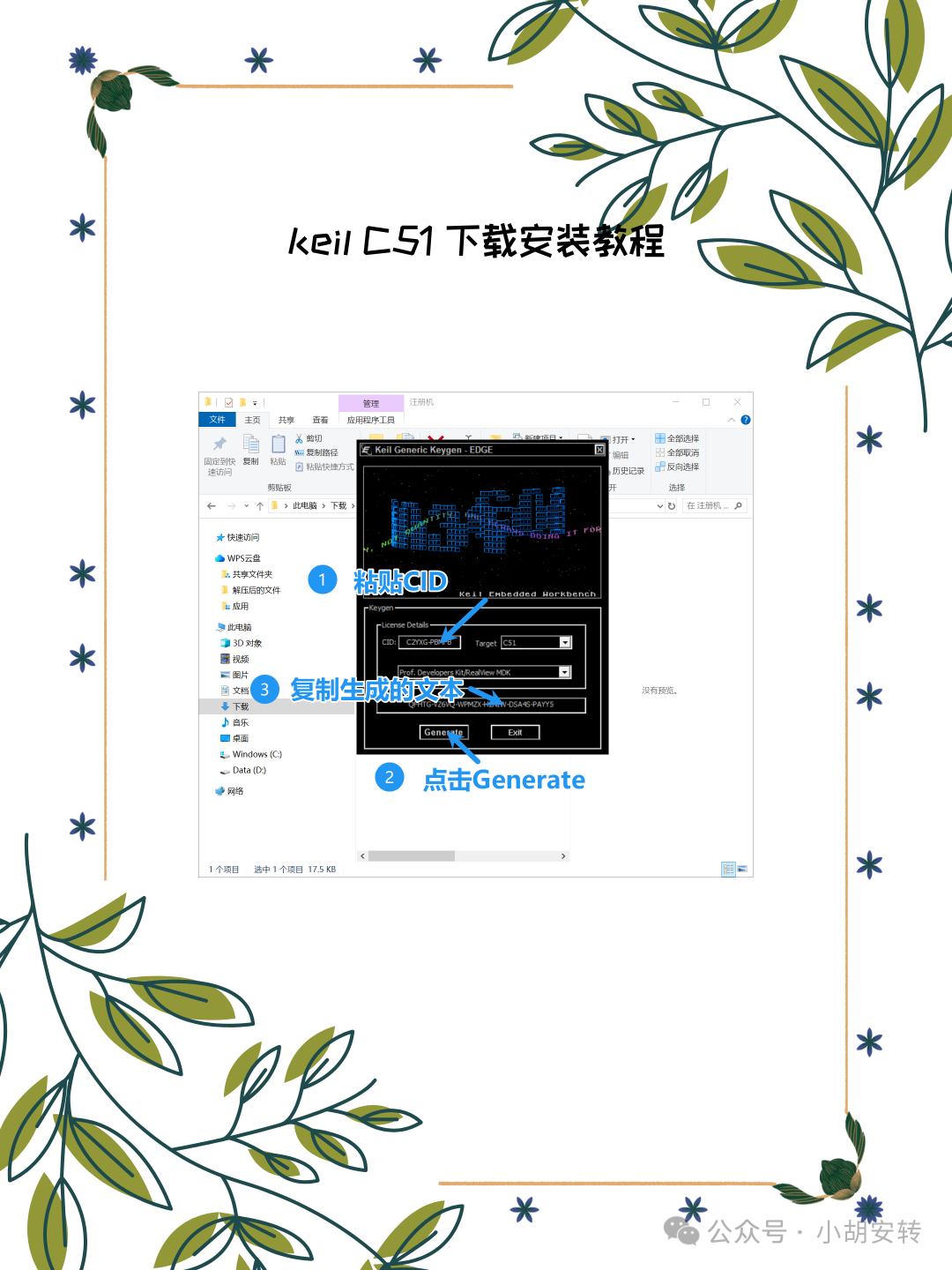
In the keygen, paste the CID you just copied.
-
Select C51 from the Target dropdown menu.
-
Click Generate to create the license.
-
Copy the generated license.
Add License:
-
Return to the License Management window in Keil.
-
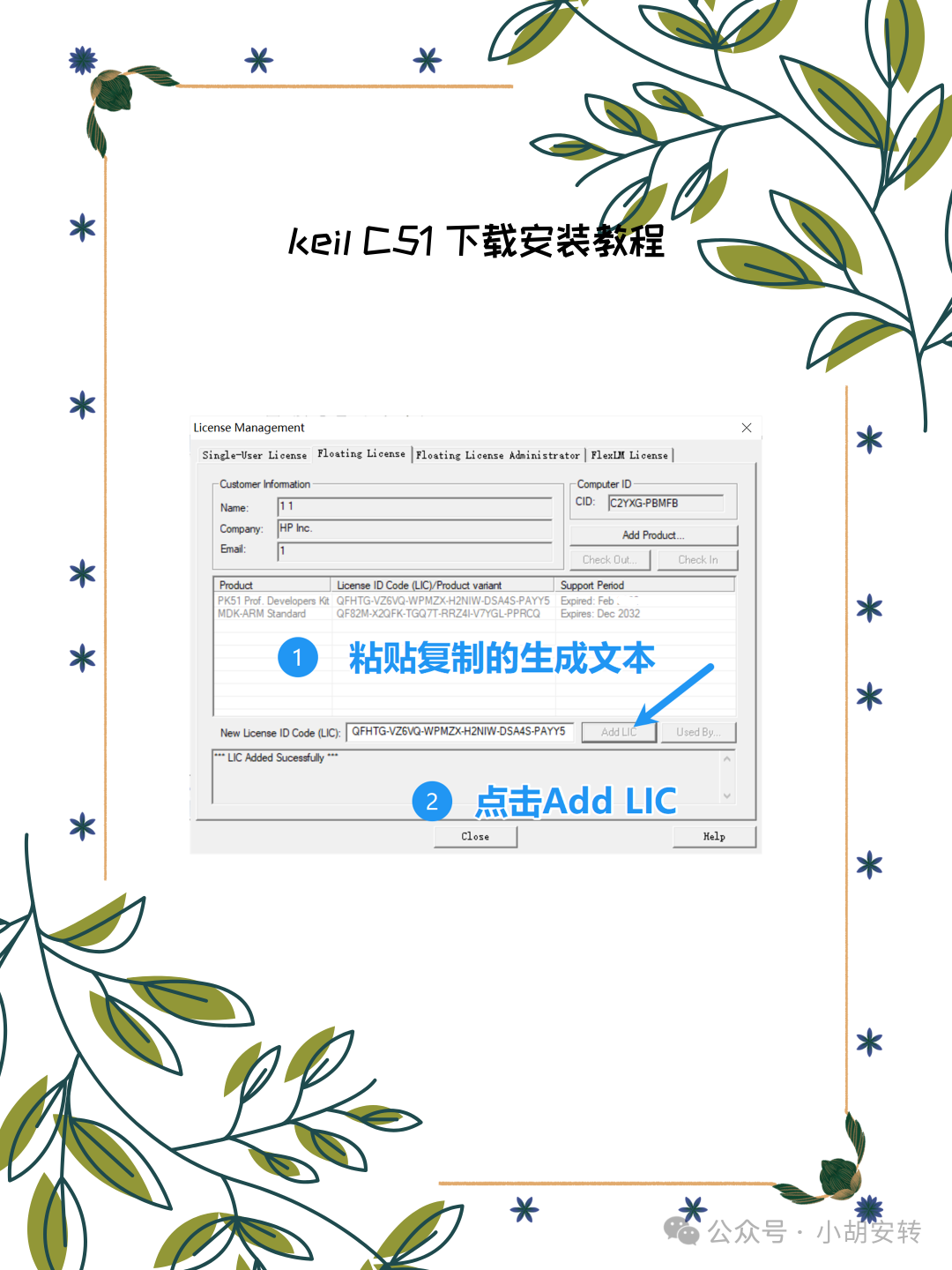
Paste the copied license into the LIC text box.
-
Click Add LIC to complete the registration.