Click the “blue words” above to follow 【Software Space】
Software Download
[Software Name]: Multisim 14.0
[Operating System]: 64-bit
[File Size]: 649.66 MB
[Installation Environment]: Win10/Win8/Win7
[Download Link]:
https://pan.baidu.com/s/15Xowg44_tY-_57EHH0F69g
Extraction Code: qt1k (It is recommended to copy and paste the link and extraction code)
If you have any questions, please consult the QQ group:①Group:535197261 ②Group: 1031530001
Note: If the link is invalid, please get the latest link in the QQ group. You can also quickly obtain other tools directly in the group files.
Common Installation Issues:
1. If there are no [Activation, Cracking Tools] files after decompressing the software, it may have been isolated by antivirus software. Solution: First, turn off [Antivirus Software] and then decompress. For Win10, also turn off [Windows Defender].
2. If decompression fails, please download the dedicated: WinRAR compression management software
3. Since the software is installed based on the computer system, if errors occur during the installation process or when starting the software after installation, such as [missing XXX.dll], which causes installation failure, try the following two methods to resolve:
Runtime Library Download: Microsoft Common Runtime Library Collection
Repair Tool Download: Missing .dll Repair Tool
4. If the software cannot be uninstalled normally, please download: Software Uninstallation Tool
[Friendly Reminder]: All content provided for user download comes from the internet. It is for technical communication purposes only and may not be used for commercial purposes.
Software Introduction
Multisim is an industry-leading SPICE simulation standard environment, a Windows-based simulation tool suitable for the design work of board-level analog/digital circuits. It includes graphical input for circuit schematics, hardware description language input methods, and has rich simulation analysis capabilities.

Software Installation Steps
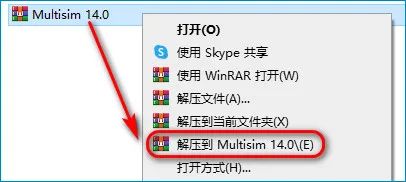
1. First, select the downloaded 【Multisim 14.0】 compressed package, and choose 【Extract to Multisim 14.0】
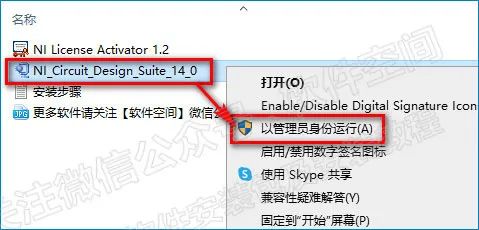
2. Open the extracted folder, select 【NI-Circuit-Design_Suite_14_0】, right-click and choose 【Run as administrator】
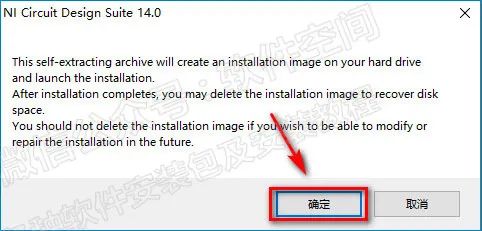
3. Click 【OK】
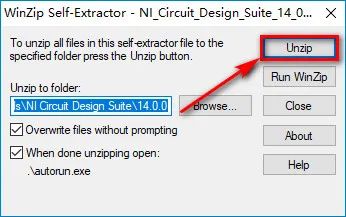
4. Click 【Unzip】 to extract
5. Click 【OK】
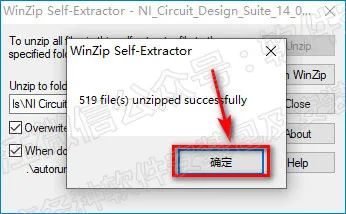
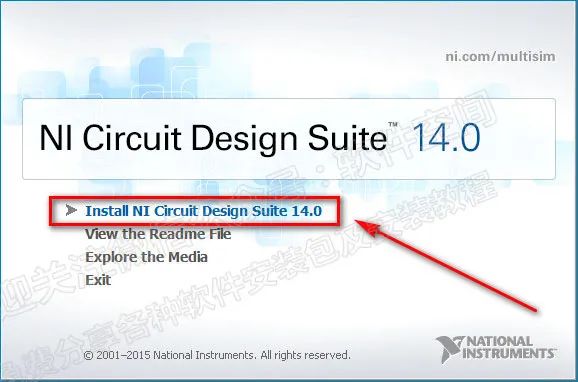
6. Click 【Install NI Circuit Design Suite 14.0】
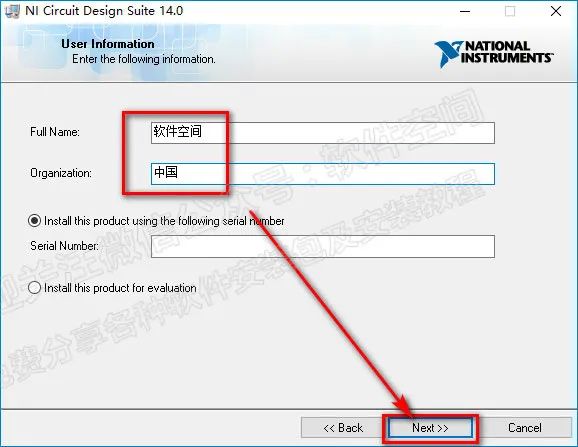
7. Fill in 【Full Name】 and 【Organization】 (can be any name), then click 【Next】
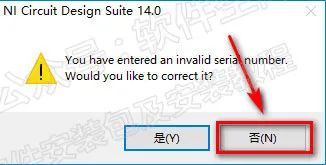
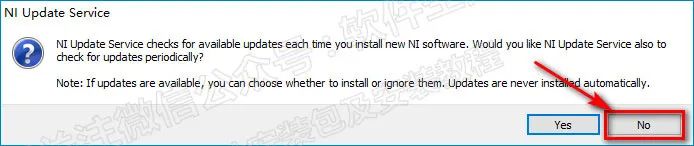
8. Click 【No】
9. Choose the software installation path, it is recommended to install on a disk other than C, click 【Browse】 to change the installation location. This tutorial creates a 【Multisim】 folder on drive D. Note: The installation path cannot contain Chinese characters), click 【Next】
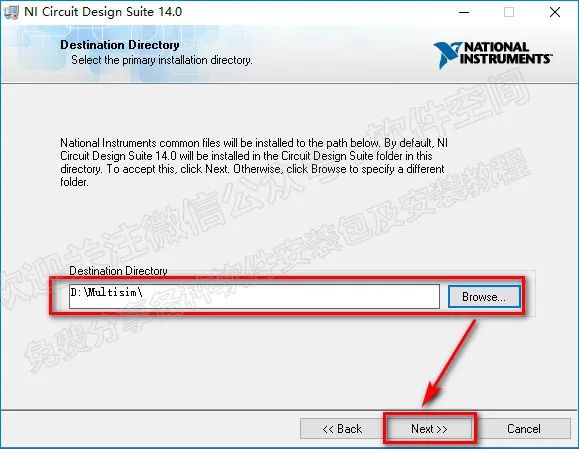
10. Click 【Next】
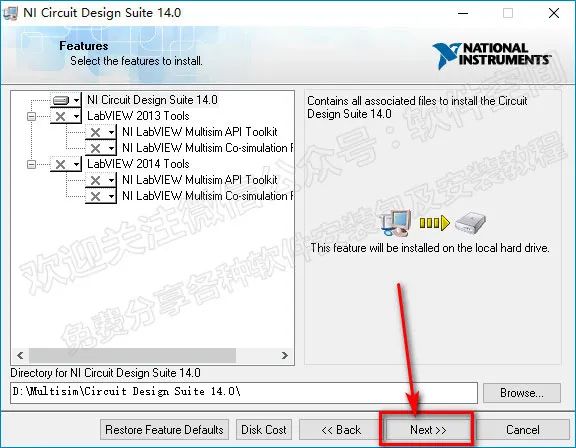
11. Click 【Next】
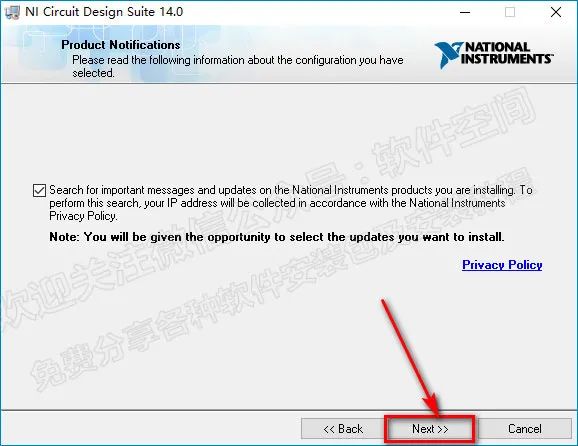
12. Click 【Next】
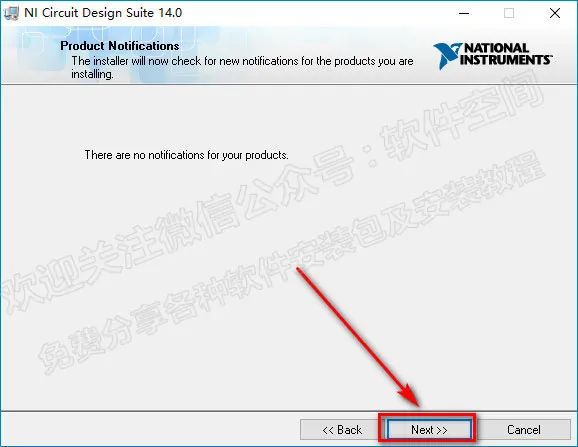
13. Select 【I accept the above License Agreement】, then click 【Next】
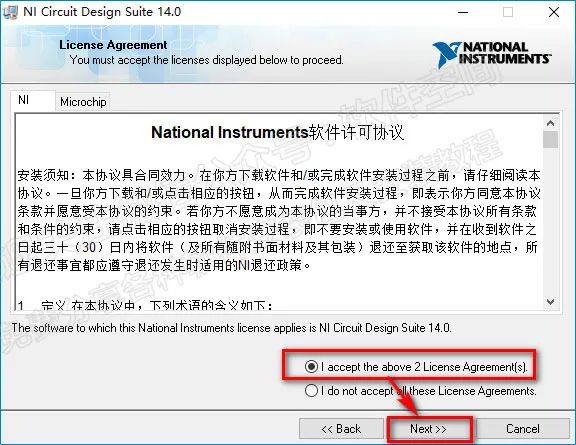
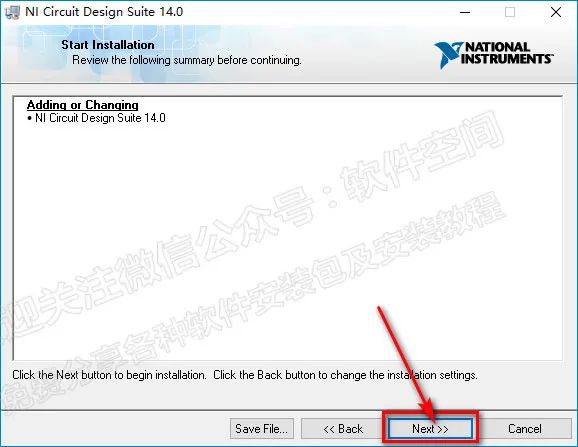
14. Click 【Next】
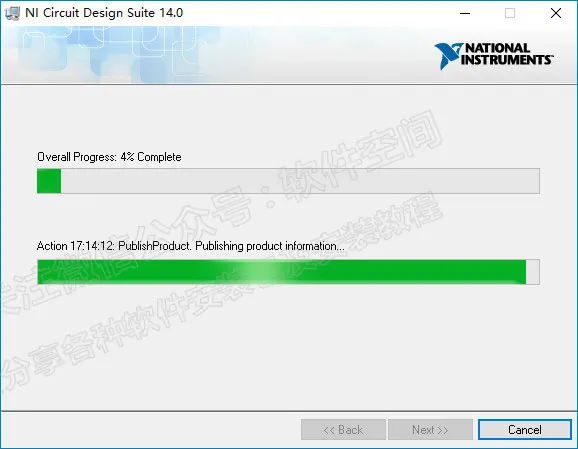
15. The software is installing… Please wait for 5-8 minutes
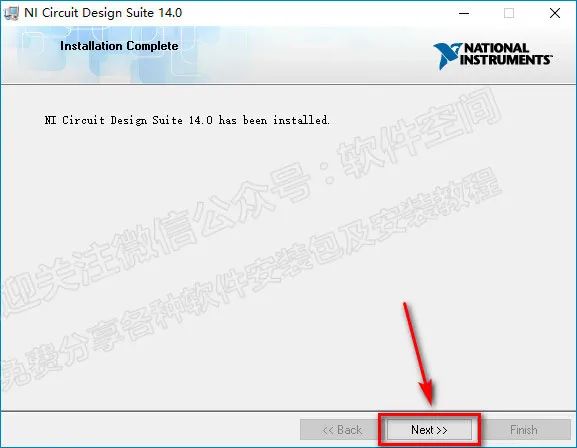
16. Click 【Next】
17. Click 【No】
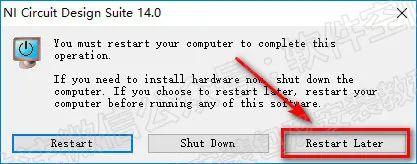
18. Click 【Restart Later】
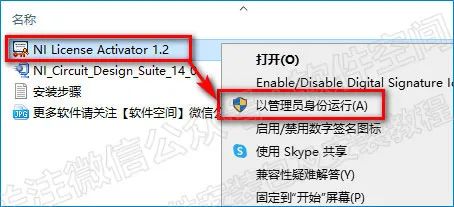
19. Go back to the extracted folder, select 【NI License Activator 1.2】, right-click and choose 【Run as administrator】
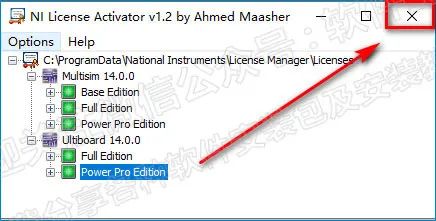
20. Right-click 【Base Edition】, 【Full Edition】, 【Power Pro Edition】, 【Full Edition】, 【Power Pro Edition】, and click 【Activate】.
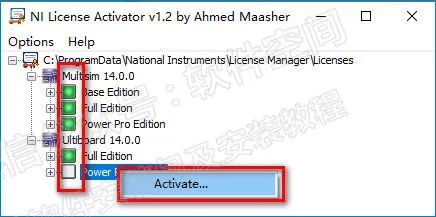
21. When all five options are green, click the 【X】 in the upper right corner to exit
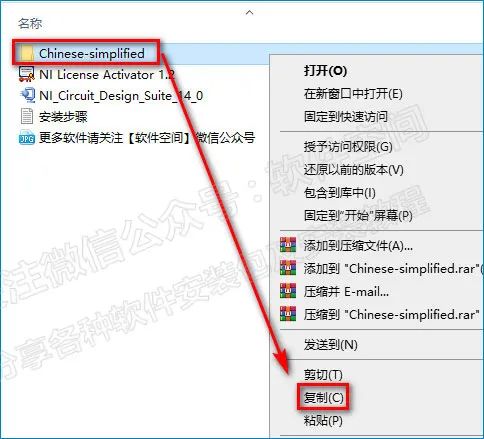
22. Return to the folder, right-click 【Chinese-simplified】 and select 【Copy】
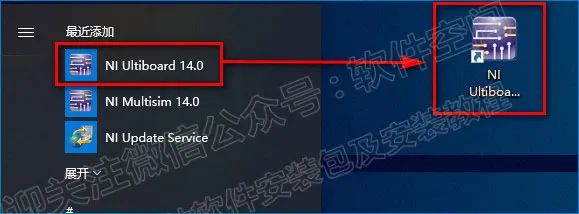
23. Create a desktop shortcut: In the lower left corner of the desktop start menu, find the 【NI Multisim 14.0】 icon in 【Recently Added】 and drag it to the desktop.
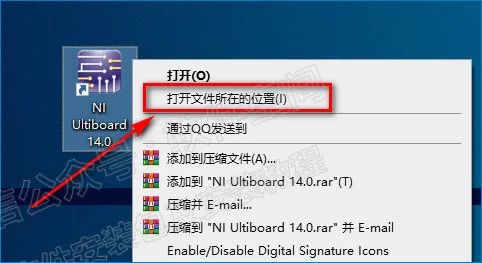
24. Right-click the 【NI Multisim 14.0】 icon and select 【Open file location】
25. Find the 【stringfiles】 folder and double-click to open it.
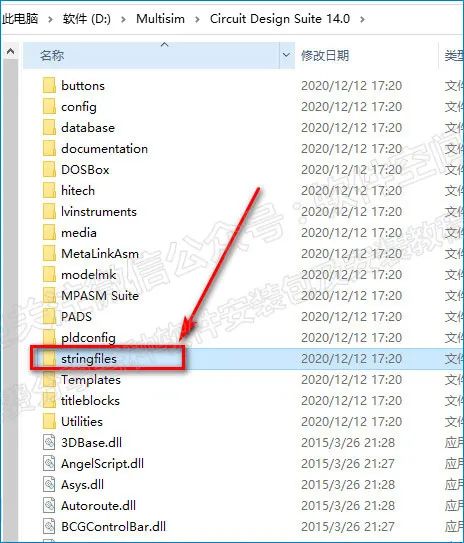
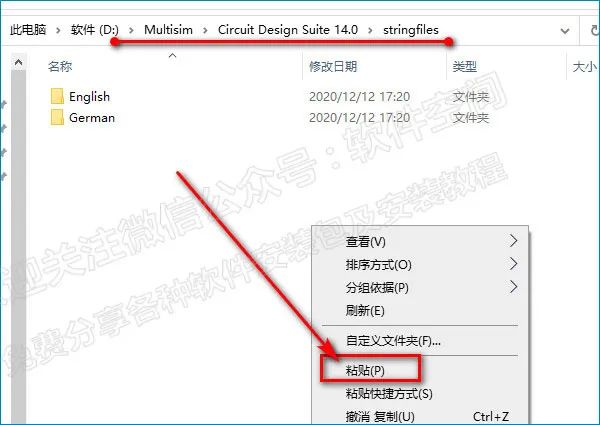
26. After opening the 【stringfiles】 folder, right-click in the blank area and select 【Paste】
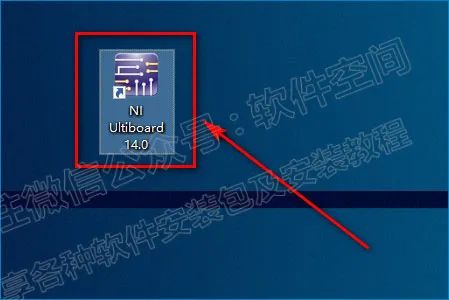
27. Double-click the 【NI Multisim 14.0】 icon to start the software
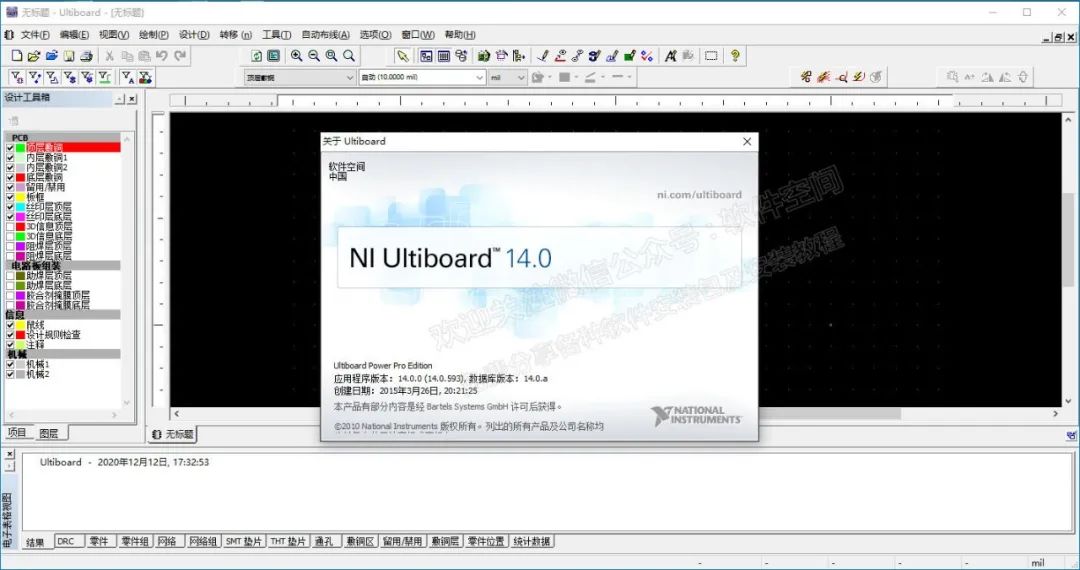
28. The software installation is complete, the interface is as follows:


software_space
Software Tutorial /Practical Tools /Convenient and Fast

 Public Account: Software Space
 Long press the QR code on the left to add

Disclaimer
All resource files provided by this public account are collected and organized from the internet. This resource is only for private communication and learning purposes, and its copyright belongs to the original author. Please delete it within 24 hours after downloading. This public account is not responsible for any copyright issues involved. If we inadvertently infringe your copyright interests, please contact us, and we will delete the article immediately. Thank you.