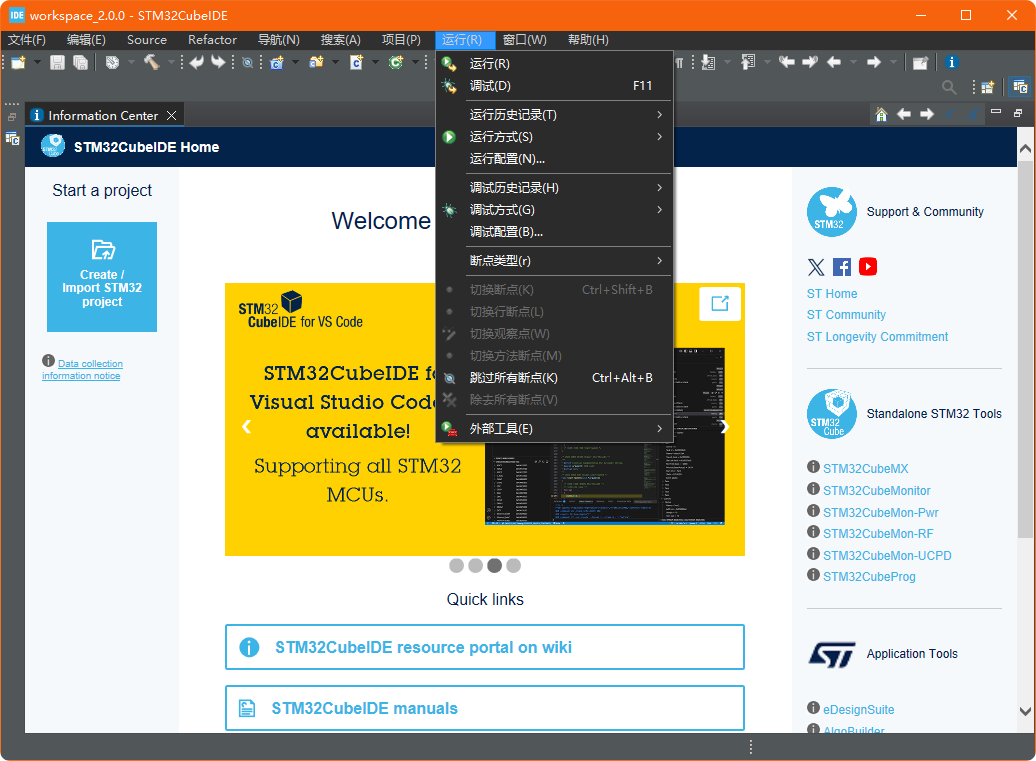
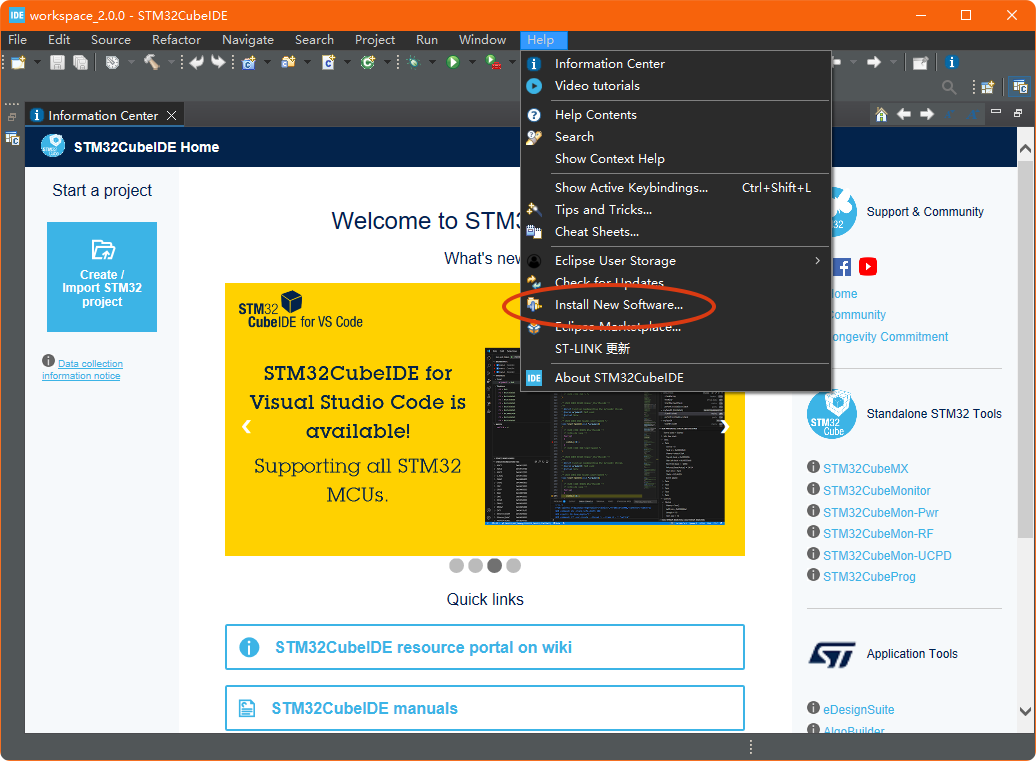
STM32CubeIDE is a free software officially launched by STMicroelectronics, designed as an integrated development environment for STM32 series microcontrollers. It is an integrated STM32 development software that combines code writing, compiling, debugging, and downloading functions, and supports multiple operating systems. It is based on the Eclipse framework, includes the GCC C/C++ optimized compiler, and integrates its own STM32CubeMX graphical configuration tool, supporting download and debugging tools such as ST-LINK and J-Link.Although STM32CubeIDE is a powerful programming and debugging development software for STM32, it does not directly support Chinese, which can be somewhat unfriendly for STM32 development enthusiasts who do not understand English. However, since it is based on the Eclipse framework, it has strong extensibility, and we can localize the STM32CubeIDE interface by downloading and installing the corresponding Chinese language pack. Below are the steps to do so.First, you can download and install STM32CubeIDE from the ST official website. Make sure to download the version suitable for your operating system. Here is the download page link: https://www.st.com.cn/zh/development-tools/stm32cubeide.htmlAfter the installation is complete, run STM32CubeIDE. Go to the “Help” menu, and find the function menu for installing new plugins.
 Proceed to add a new plugin.
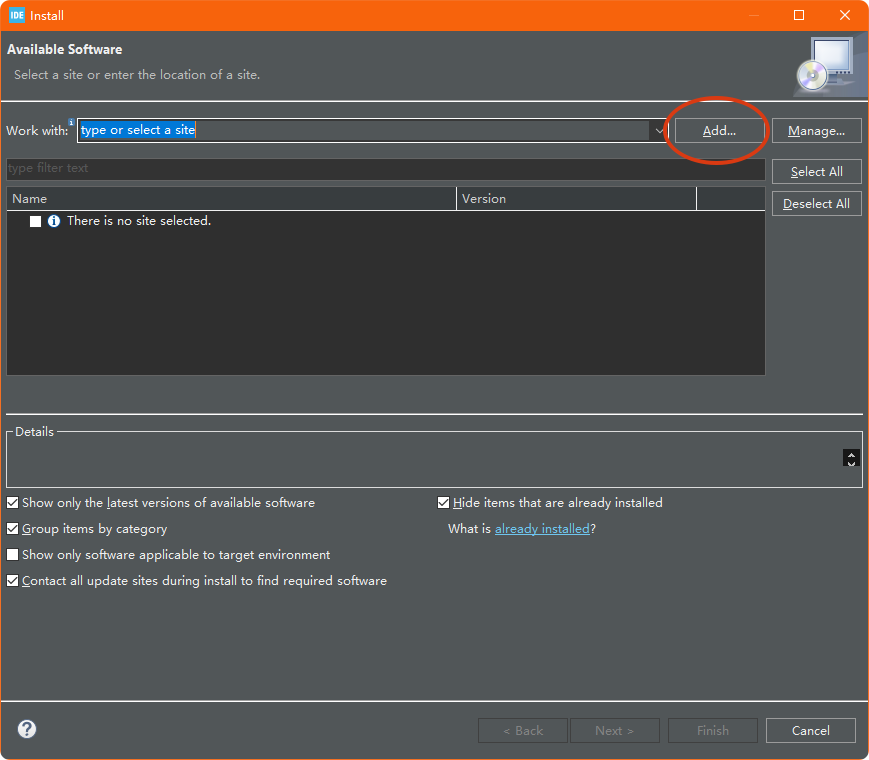 In the new interface, enter the URL of the Chinese language pack:
https://archive.eclipse.org/technology/babel/update-site/R0.20.0/2022-12/
Of course, if you have downloaded the offline package, you can also add it locally.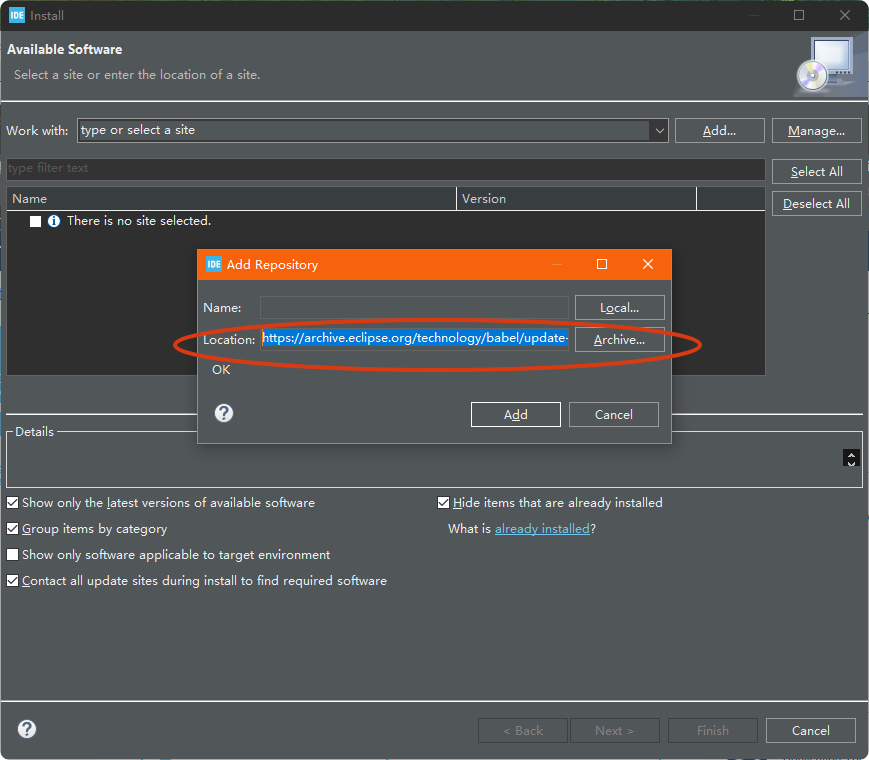 After clicking “Add”, various language packs will appear. Select the required Simplified Chinese language pack as shown in the figure below. After checking, click “Next” to proceed to the next step.
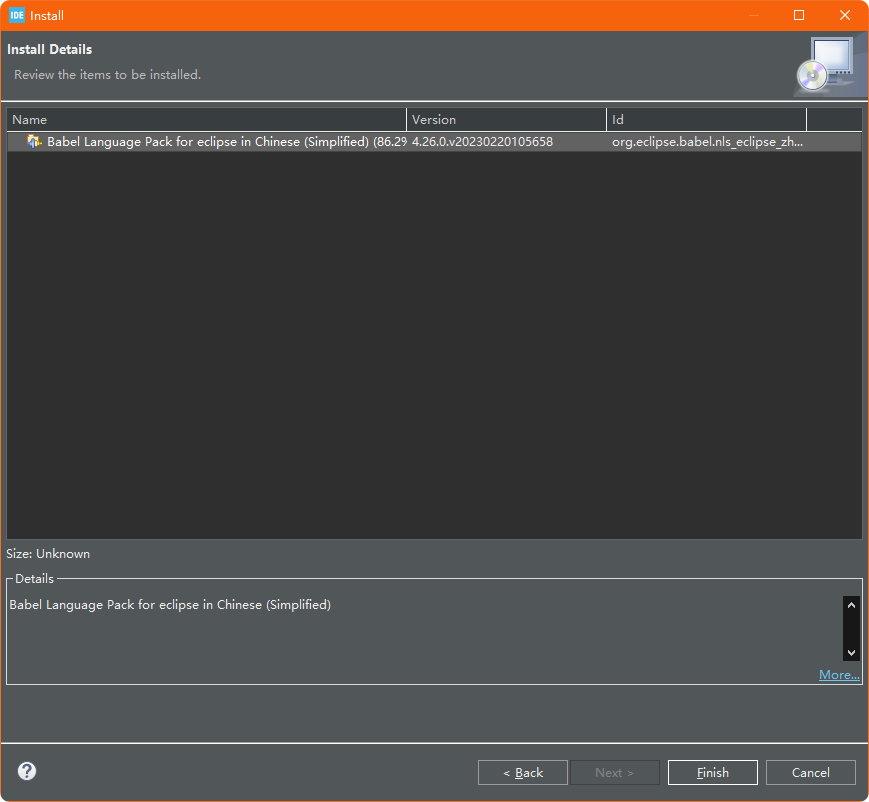
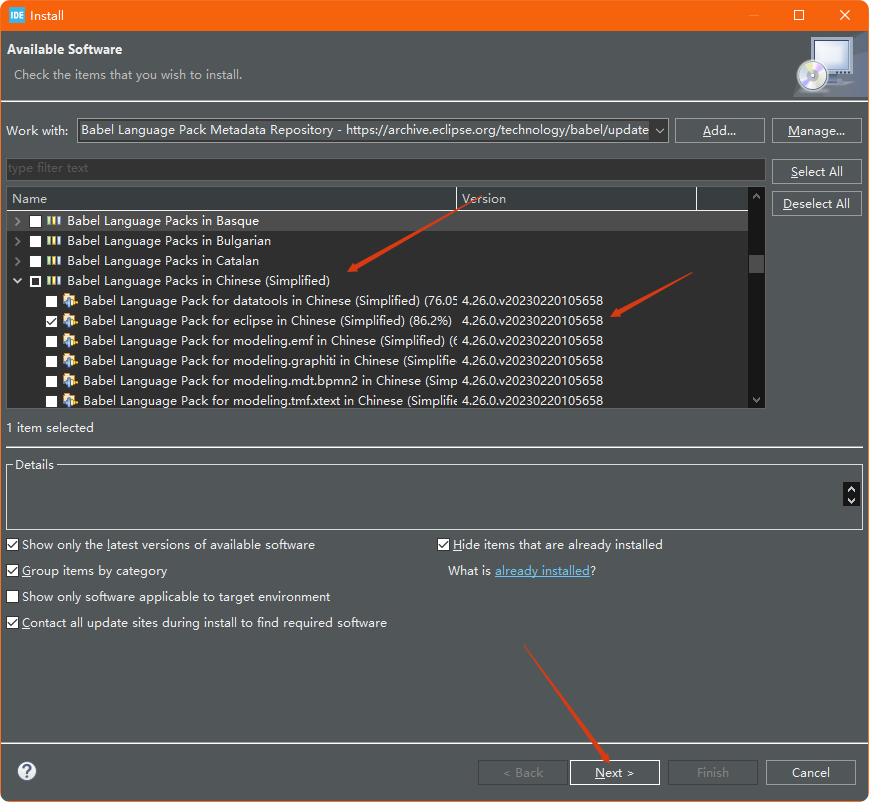 After clicking “Finish”, the installation and download steps will begin.
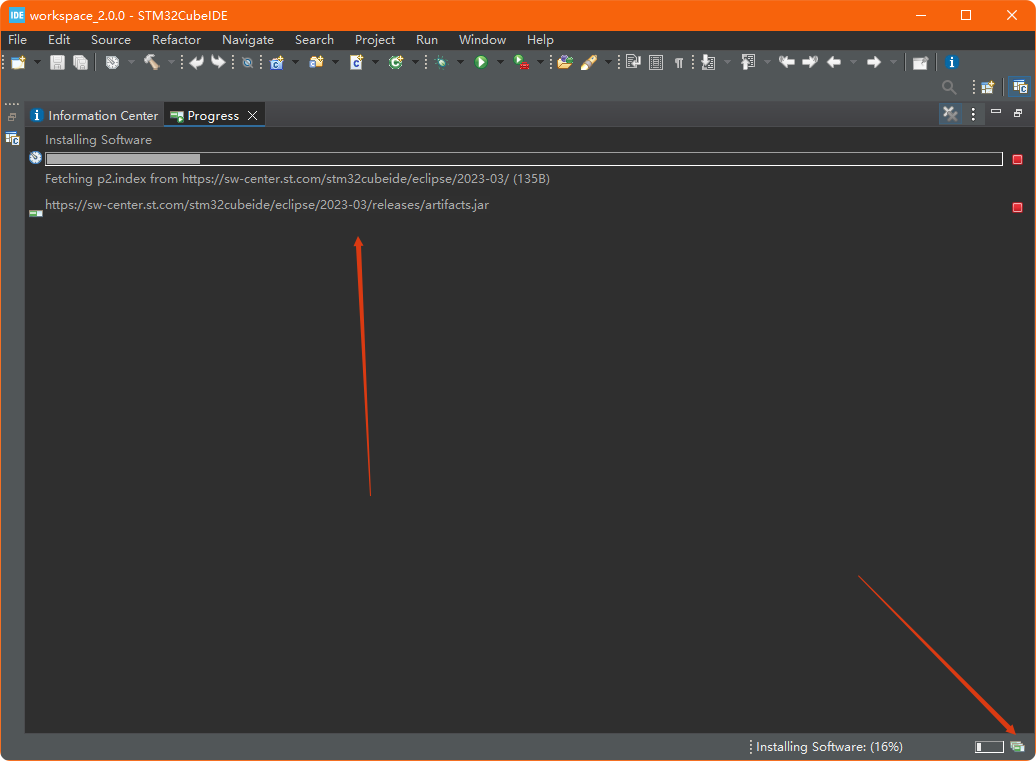
 Do not close the software interface while the download is not complete; you can click the icon in the lower right corner of the interface to open the information window and check the download and installation progress.
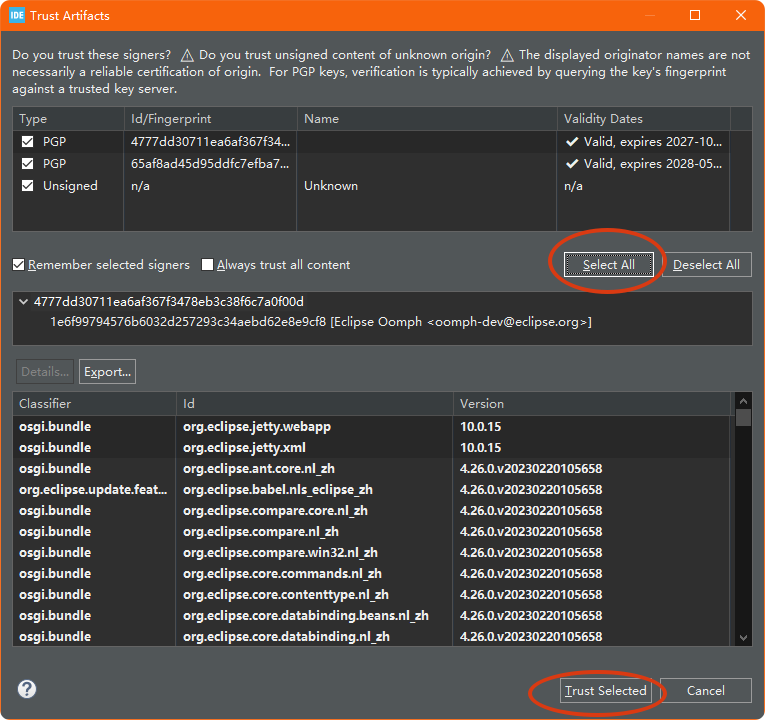
 During the installation and download process, a PGP key selection interface will pop up; click “Select All” and “Trust Selected” to complete the selection.
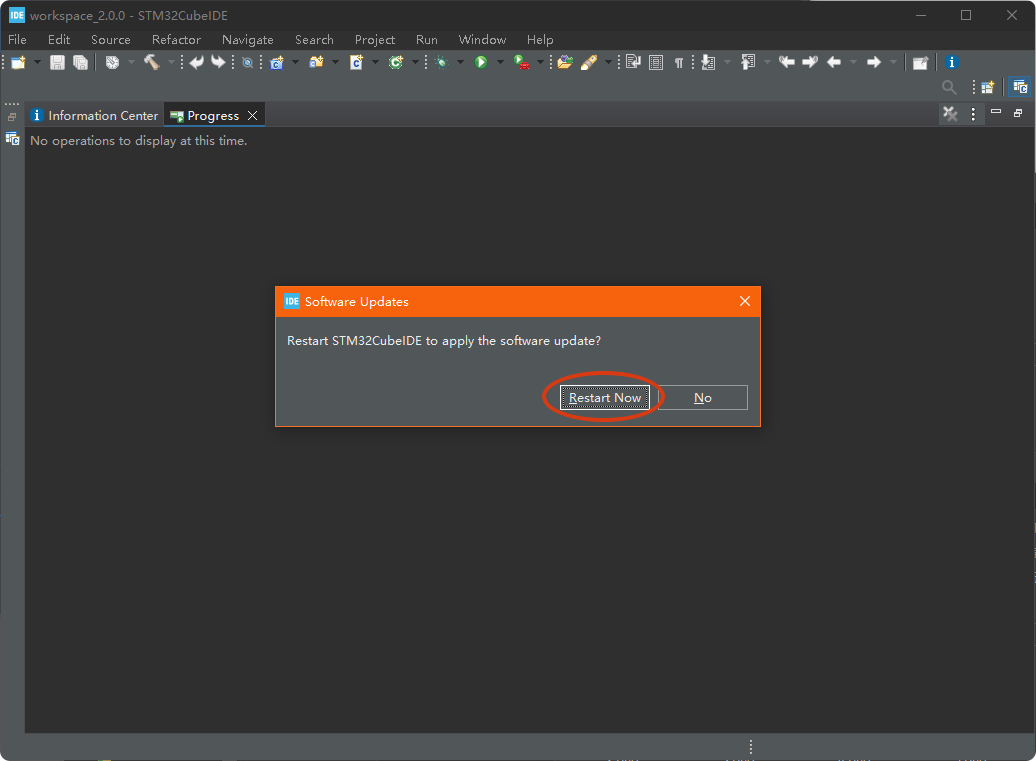
 After the installation and download are complete, restart STM32CubeIDE.
 The localization of the STM32CubeIDE interface is complete. This Chinese language pack does not achieve 100% localization, but at least 85% is localized, which is very useful for STM32 enthusiasts who are not proficient in English.