1. What is Nano Banana Pro
Nano Banana Pro is a multimodal model. It can transform text prompts into high-quality images and also directly edit images, including local modifications, style transfers, and multi-image fusion.
Its main capabilities include:
- Multimodal Understanding: Understands both text and images simultaneously, accurately grasping what you want.
- Accurate Rendering: Processes complex prompts and generates images quickly.
- Diverse Styles: Choose from Ghibli, painting, pixel art, 3D plush, and more.
- Realistic Composition: Natural handling of space, perspective, and light.
- Convenient Post-Processing: Easy to change backgrounds and details, facilitating secondary creation.
- Fast Response: Short waiting times, suitable for repeated adjustments.
A few days ago, Google DeepMind officially released Nano Banana Pro. This is a next-generation image generation and editing model based on Gemini 3 Pro. It inherits the prompt framework of the original Nano Banana while adding 4K high-resolution output, fusion of up to 14 reference images, and supports fine editing using natural language, such as adjusting lighting, changing depth of field, and maintaining consistency among multiple characters.
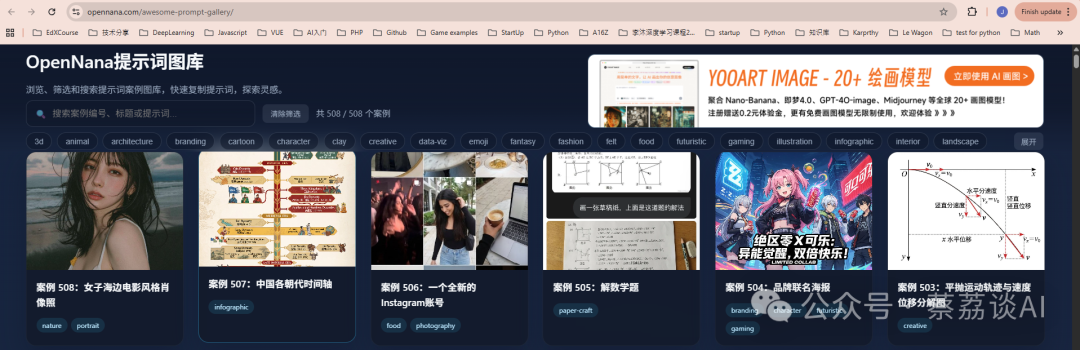
The OpenNana Prompt Gallery (website: https://opennana.com/awesome-prompt-gallery/) is an online platform for AI prompt enthusiasts, specifically collecting prompt examples from the Nano Banana series. The site is primarily in Chinese, with an intuitive interface for easy browsing and learning.
2. Main Features and Content
Core Resources: 508 Nano Banana cases. These cases cover a variety of scenarios from simple text generation to complex image creation. Nano Banana emphasizes “nano-level” refined prompt design, achieving the best output with minimal input. Each case includes actual generated results for direct reference and reuse. Interactive Features
- Browse and Filter: Can filter by category or tag, supports keyword search.
- One-Click Copy: Each prompt can be copied directly for immediate use in ChatGPT or other AI tools.
- Inspiration Exploration: Users can upload their own cases, forming a community share. Target Audience: Whether you are a novice or an expert in AI, this gallery is a great starting point. It is especially suitable for designers, writers, or developers who need to quickly prototype. Real cases can teach how to optimize prompts and avoid common issues, such as vague descriptions or overly long inputs.
3. Highlights of Example Cases
Below are four selected cases that showcase the Nano Banana principle of “less is more.” Each case includes prompt and generated result descriptions. You can directly search by number on the website to view the original images.
- Case Name: Retro Style Engineering Explosion Diagram of Zhuge Liang’s Repeating Crossbow (Serial Number: #483)
Prompt:
Please create a retro-style engineering explosion diagram of Zhuge Liang's repeating crossbow, with the text in Chinese.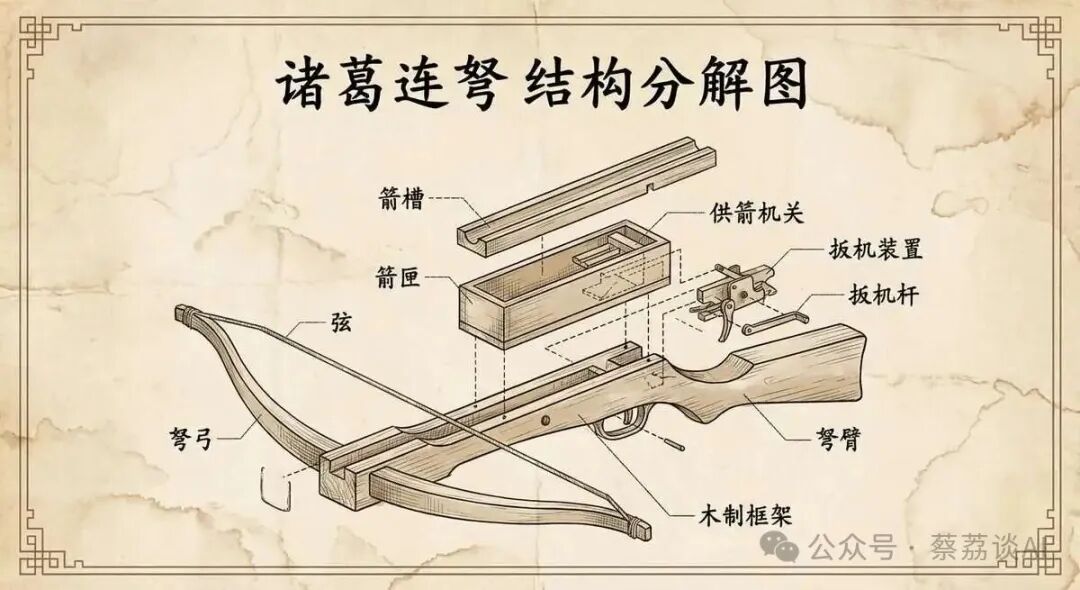
- Case Name: Humorous Doodle Style (Serial Number: #428)
Prompt:
"A doodle-style [subject], naive lines, humorous shape exaggeration"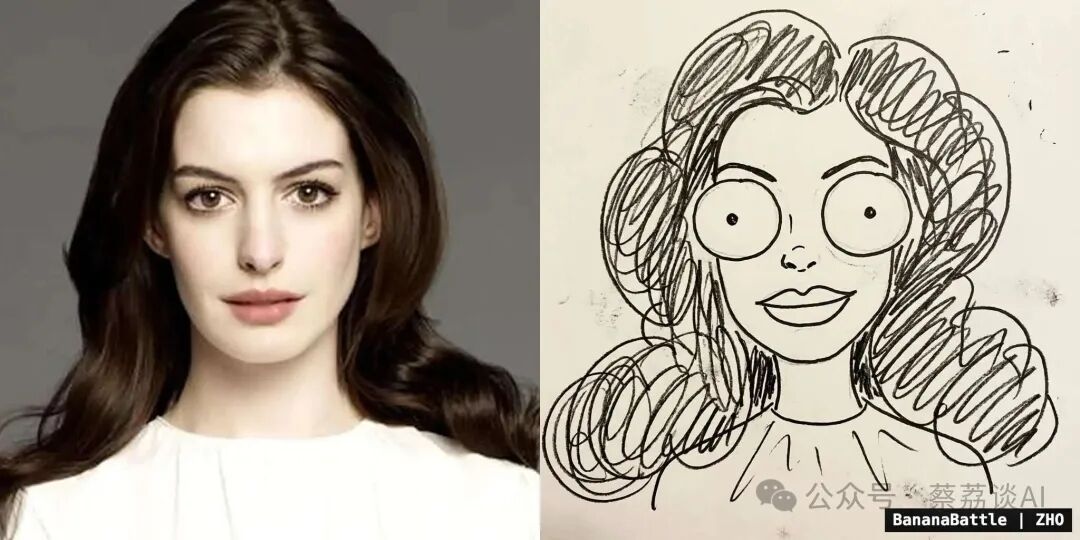
- Case Name: Ultra-Realistic Wildlife Photography Scene (Serial Number: #421)
Prompt:
"Ultra-realistic wildlife photography scene, (use reference face from uploaded photo). A man wearing proper wildlife-safari clothing — light brown outdoor shirt, rugged cargo pants, and sturdy field boots. He is lying flat on the grassy ground, holding a professional DSLR camera with a large telephoto lens, focusing on wildlife. On his shoulder sits a playful lion cub looking into the distance. Golden hour natural light, African savannah background, cinematic depth of field, 8K detail, vibrant colors. Keep my face 100% accurate. HD quality DSLR."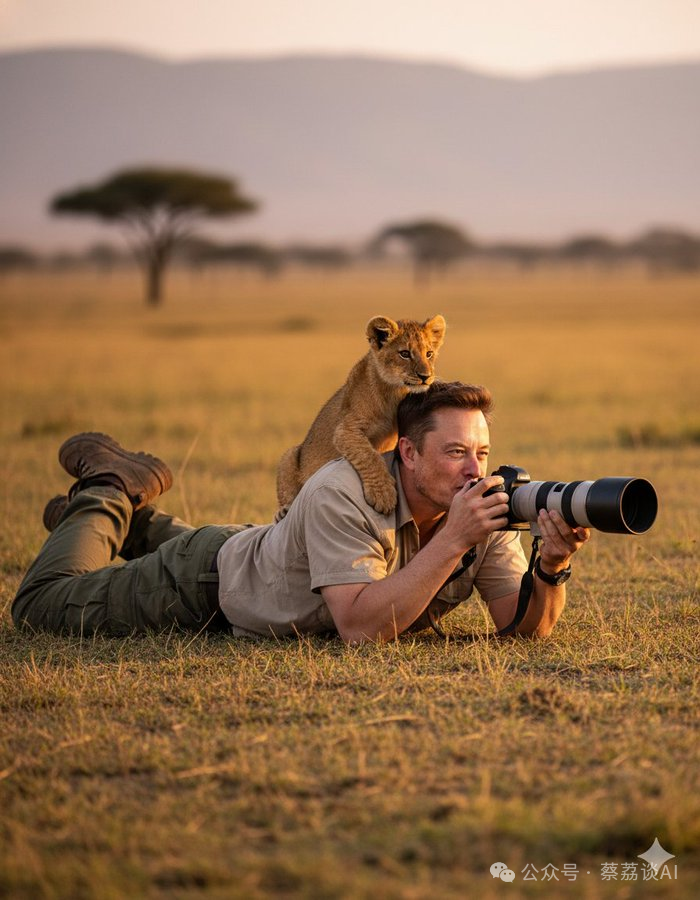
- Case Name: Chengdu Travel Map (Serial Number: #499) Prompt:
Aspect ratio 16:9, a charming and exquisite hand-drawn travel map of Chengdu, styled like a Ghibli studio art setting. The entire image is a watercolor and pen wash illustration on textured, aged parchment. The overall aesthetic is whimsical, vibrant, and full of life.

Map Layout and Style:
The map presents Chengdu's core landmarks in a stylized isometric view, depicted as cute, detailed miniature buildings and icons (e.g., pandas from the Panda Base, lanterns from Jinli, tea houses from People's Park). The layout is organic and free-flowing, rather than based on a rigid grid.

Critical Typography Challenges (High Difficulty Section):
All text must be presented in a beautiful, slightly imperfect cursive handwriting style (running script), appearing as if written with the same pen used for the illustrations.
1.  **Main Title:** The main title "Chengdu Slow Travel Map" is artistically written on a flowing ribbon at the top.
2.  **Whimsical Labels at Angles:** Next to each landmark icon, its name is written in a playful, slightly tilted manner (e.g., "Kuanzhai Alley", "Wuhou Shrine", "Du Fu Thatched Cottage"). The text needs to feel organically placed, rather than on a stiff horizontal line.
3.  **Curved Text Along Paths:** A stylized Jinjiang River runs through the map. The name of the river, "Jinjiang", needs to be elegantly written along the river's curved path. This is a key test point.
4.  **Integrative Annotations:** Scattered across the map are small, whimsical annotations that combine text and icons. For example:
    - An annotation saying "Eat Hotpot!" next to a small red chili pepper.
    - A label "Let's Drink Tea!" next to a steaming miniature teacup icon.
    - The area name "Jinjiang District" is written inside a hand-drawn cloud shape.
5.  **Hand-Drawn Legend:** In one corner, there is a hand-drawn "legend" box containing small icons (like teacups, panda faces, temple rooftops) and their corresponding handwritten labels.
6.  **Seal:** A red seal, resembling a hand-carved style, stamped with the character "Rong" (the abbreviation for Chengdu), is placed in the corner, slightly overlapping the border.

Aesthetic:
A masterpiece of illustrated cartography. The fusion of text and illustrations must be seamless. The watercolor effect should be soft, with visible water stains and textures, while the pen lines should be confident and lively. The overall feel is warm, inviting, and full of personality.

Negative Prompt Words:
Computer fonts, computer-generated text, straight lines, rigid grids, perfect alignment, only horizontal text, text overlays, photos, 3D, minimalism, generic icons, spelling errors, garbled text, watermarks.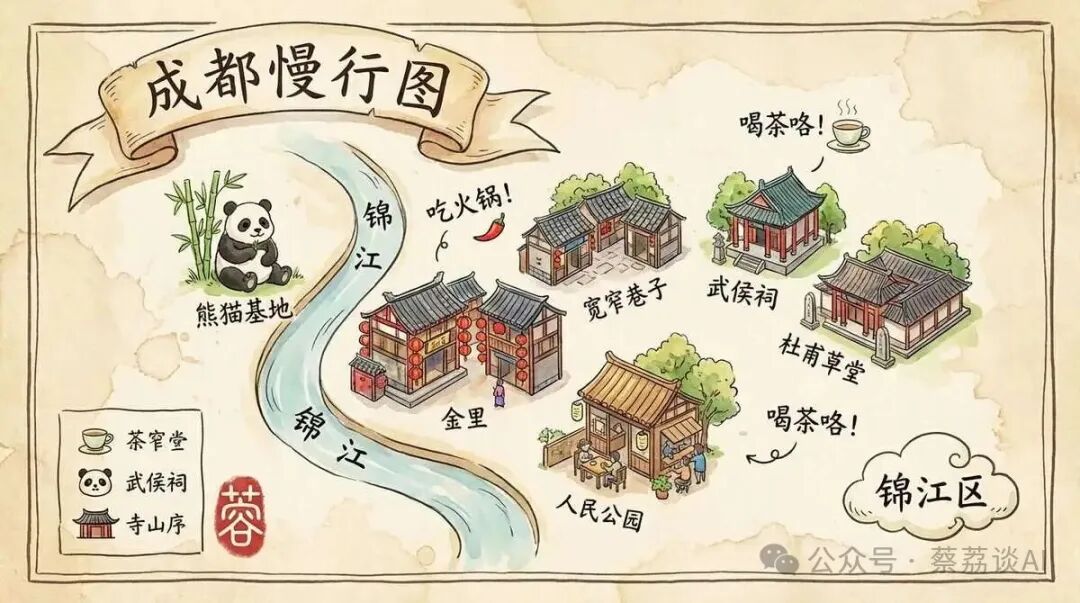
If you are looking for AI prompt inspiration, this gallery is worth checking out. You can start browsing these 508 cases by visiting the link.
Additionally, there is also a repository on GitHub: https://github.com/muset-ai/awesome-nano-banana-pro. It includes 184 cases, most of which come from Twitter and Nano Banana Studio.