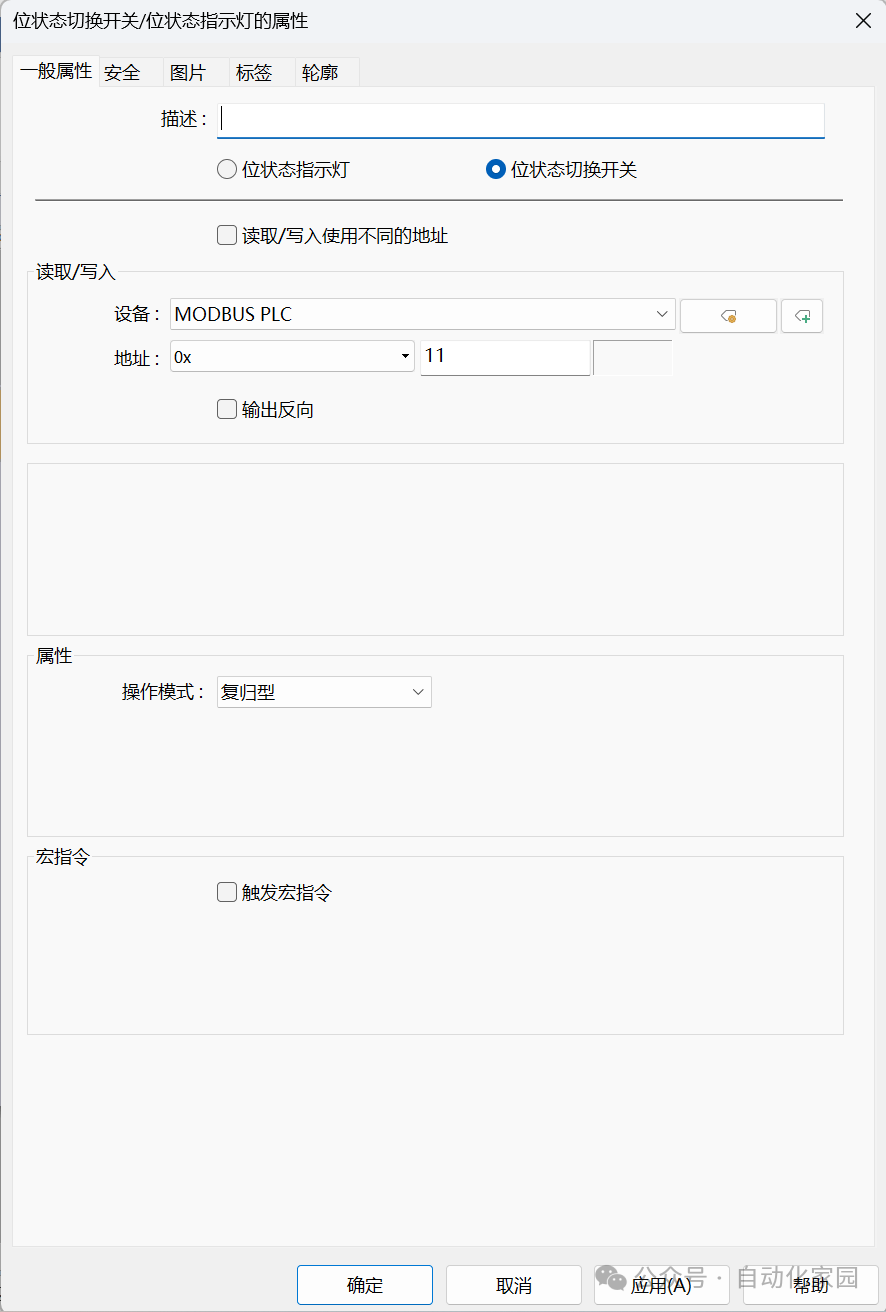
1. Effect demonstration, as shown in the video below:2. Function implementation:2.1 Place a multi-state indicator component, with the following general property settings: number of states set to 3, PLC address set to 4x 4300.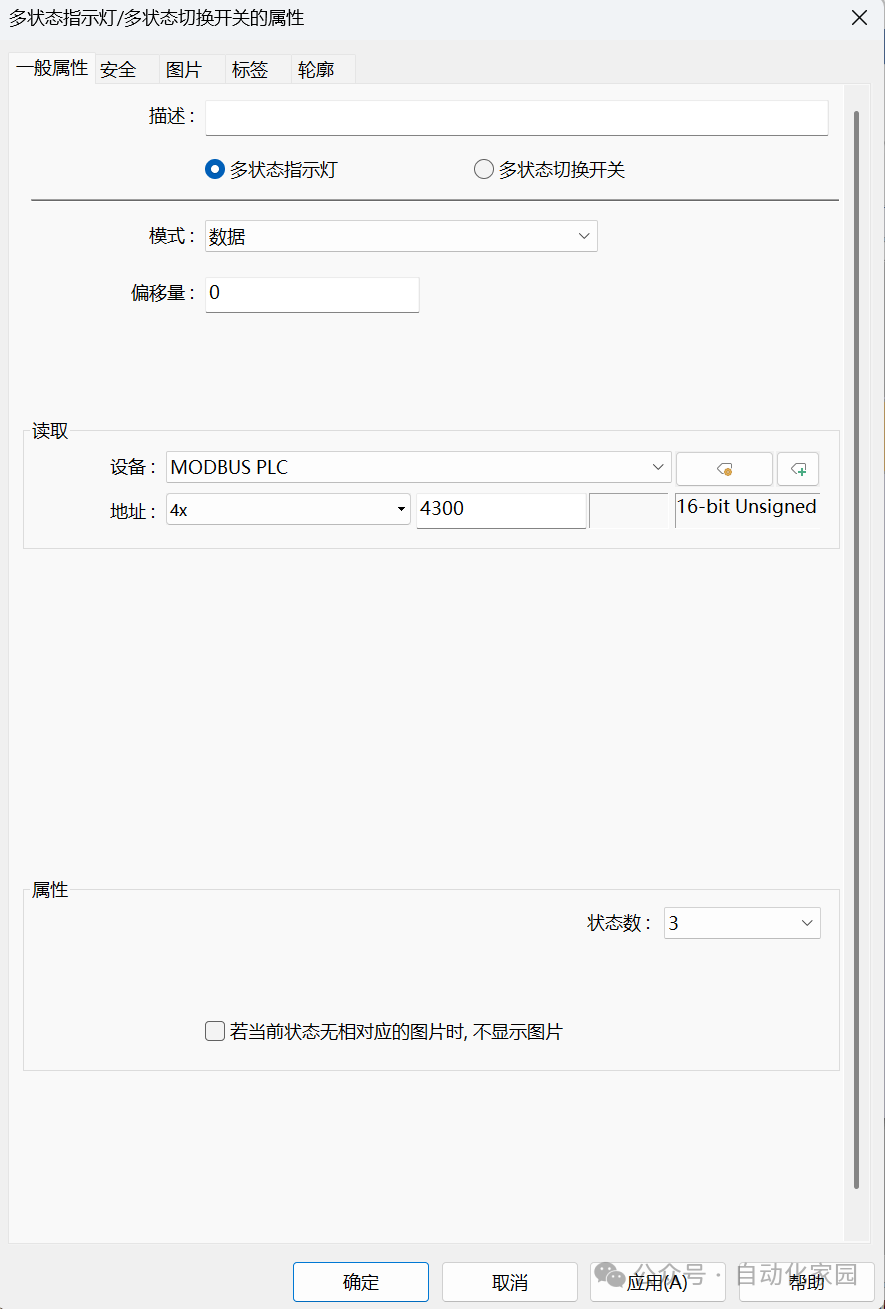 2.2 Place a bit state toggle switch on the left side of the multi-state display component, as shown in the figure below: the operating mode is self-resetting, and the PLC address is 0x 11.
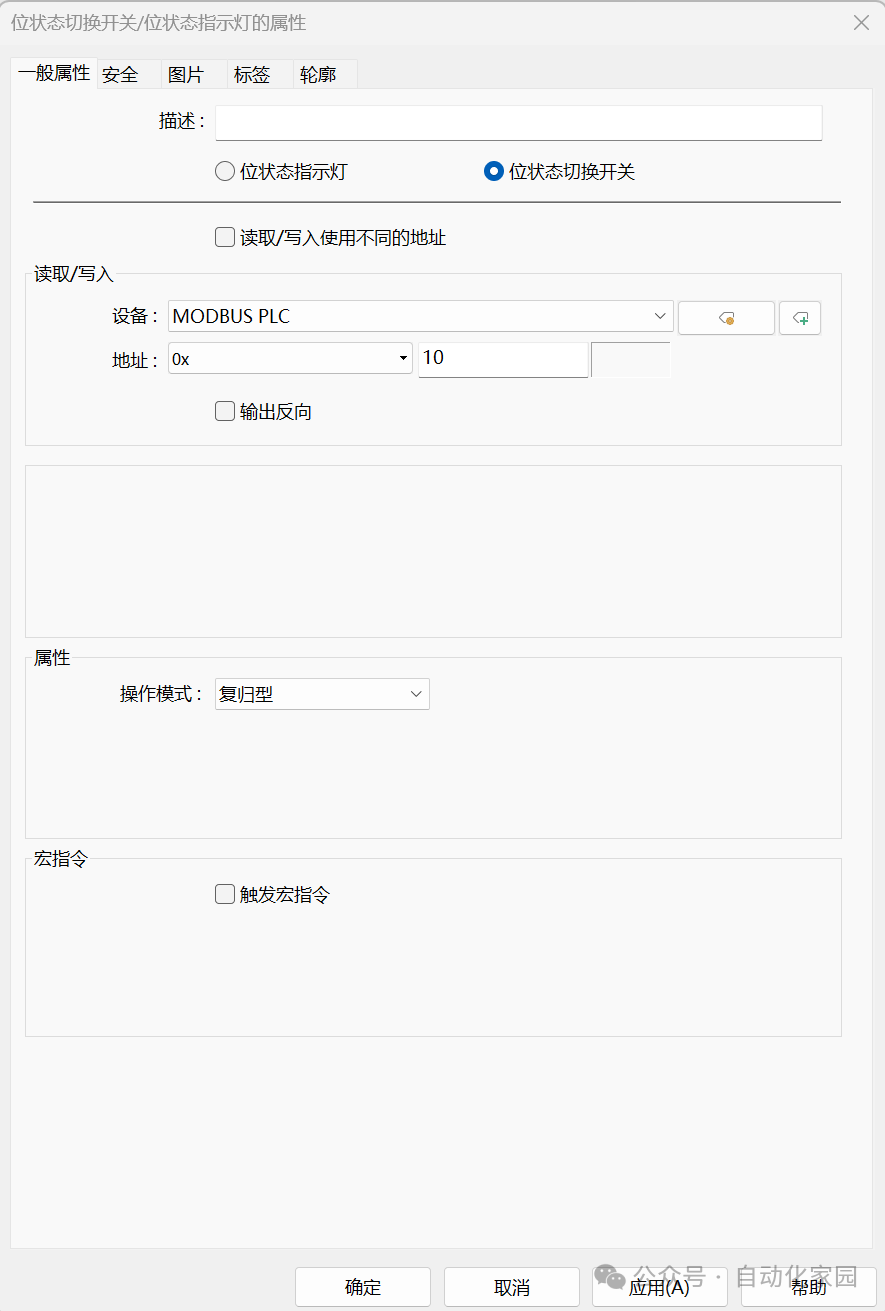
 2.3 Place a bit state toggle switch on the right side of the multi-state display component, as shown in the figure below: the operating mode is self-resetting, and the PLC address is 0x 10.
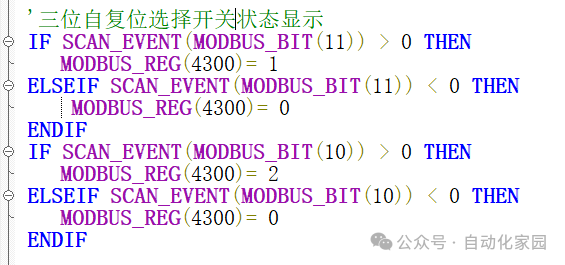
 2.4 PLC program implementation: When the left self-resetting button is pressed, the multi-state display shows state 1, when the left self-resetting button is released, the multi-state display shows state 0; when the right self-resetting button is pressed, the multi-state display shows state 2, and when the right self-resetting button is released, the multi-state display shows state 0;