Background: There are many methods to flash firmware on STM32. This article discusses the DFU method. Sometimes, due to certain software errors, JLink or STLink may fail to connect, and at this point, DFU can be used as a backup. There are many methods available online for using DfuSe on Windows, but this article mainly discusses how to use DFU on Ubuntu. Let’s see how DFU can recover with just one USB cable.
Install dfu-util on Ubuntu 18.04
sudo apt-get install dfu-utilAfter installation, check the version
# Note: V is uppercase dfu-util -V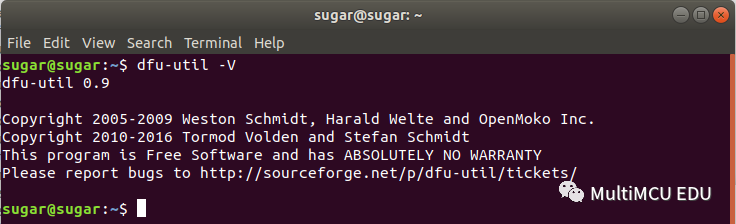
Check the dfu-util Documentation
Link: http://manpages.ubuntu.com/manpages/bionic/man1/dfu-util.1.html
Based on the information from March 20, 2020, the following table can be listed:
| Ubuntu Version | dfu-util Version |
|---|---|
| 14.04 LTS | 0.5 |
| 16.04 LTS | 0.8 |
| 18.04 LTS | 0.9 |
| 19.04 | 0.9 |
| 19.10 | 0.9 |
Usage Instructions
Common command analysis.
1. View available dfu devices dfu-util -l or dfu-util --list
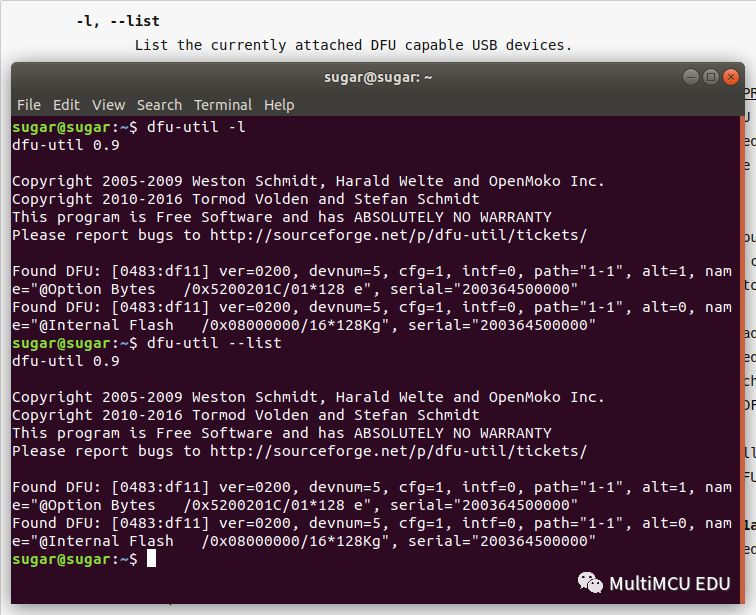
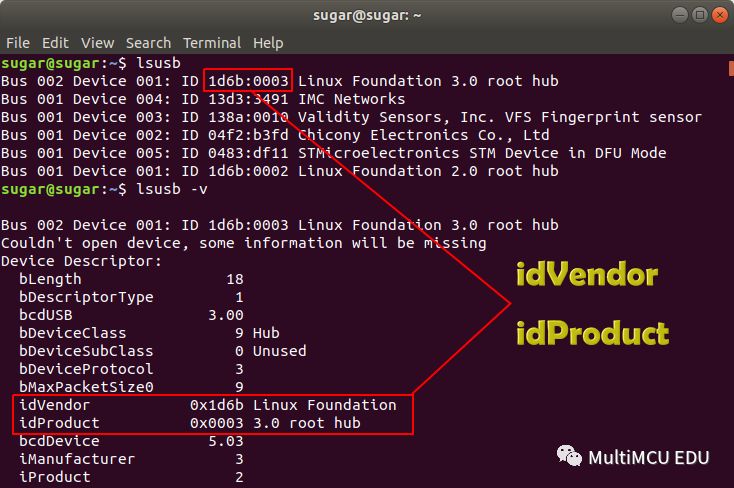
2. Specify the dfu device and flash firmware using idVendor and idProduct. (1) Obtain idVendor and idProduct using lsusb, as shown below:
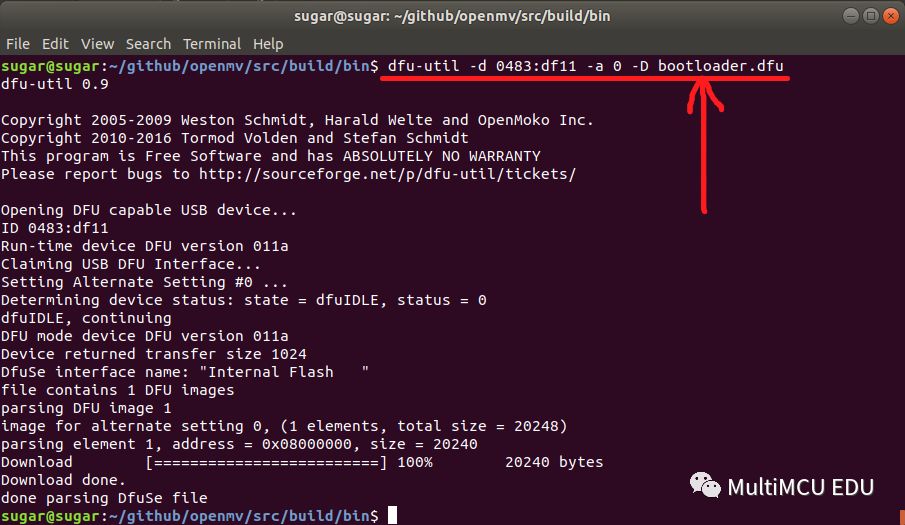
(2) dfu-util -d 0483:df11 -a 0 -D bootloader.dfu
-
-d, –device This option is optional when only one dfu device is connected to the computer (meaning it can be omitted).
-
-a, –alt For microcontrollers, just use parameter 0.
-
-D, –download The dfu firmware to be programmed.
Using dfu-util to Flash BIN Files
*.binfirmware does not contain address information like*.dfufirmware, so the flash address must be specified.
Specify the flash address using -s, note that s is lowercase, for example:
# :leave means that the microcontroller exits DFU mode and starts running after flashing. dfu-util -a 0 -s 0x08000000:leave -D bootloader.binUsing dfu-util to Read Firmware from the Microcontroller
This function is rarely used by Sugar; here is a simple example.
Upload firmware using the -U parameter. The following example uploads 1KB of Flash content from 0x08000000:
# -U, --upload FILE dfu-util -a 0 -s 0x08000000:1024 -U newfile.binPS
When using DFU hardware, BOOT0 must be pulled high, this point is briefly mentioned here, and if unclear, you can search on Baidu (Keywords: STM32 Boot Mode), there is a lot of information, and it will not be elaborated here. Another key point: DFU can program *.bin firmware on Ubuntu. This means that even if you forget to bring JLink/STLink or can’t find a USB to serial converter, you can still program firmware, which is very convenient.
Sugar once thought DFU was a universal rescue mode until encountering the STM32H743VIT6 V version chip, only to find that DFU also has limitations, but this does not affect its rescue functionality. The DFU issue with the V version chip was encountered while playing with OpenMV (DFU firmware stuck at 49%), and the workaround will be shared in a later article.
The OpenMV firmware source code is over 500 MB. Considering that some readers may have difficulty cloning from GitHub, Sugar has packaged the source code on Tianyi Cloud Disk, reply code in the public account to get the cloud disk address. If readers want any code from GitHub, they can leave a message in the background, and Sugar’s cloud disk has 15GB available for sharing code.
Follow the Author
Welcome to scan the QR code to follow my public account MultiMCU EDU.