The author has always had an idea to create a powerful desktop tool that integrates various tools needed for development, such as: serial port assistant, network assistant, download tools, etc. However, this raises several questions:
Question 1: How to present it on the desktop is also a very important issue — desktop floating window.
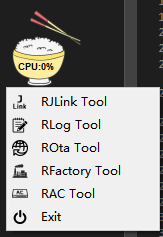
Question 2: The name of the tool — RTOOL (Rice Tool)
Question 3: Should the entire tool be open-sourced — it is divided into two versions: open-source version and company project version (the V1.0 version has been released).
This article introduces the JLINK programming tool of RTOOL. Why integrate the JLINK programming tool into RTOOL? The reasons are:
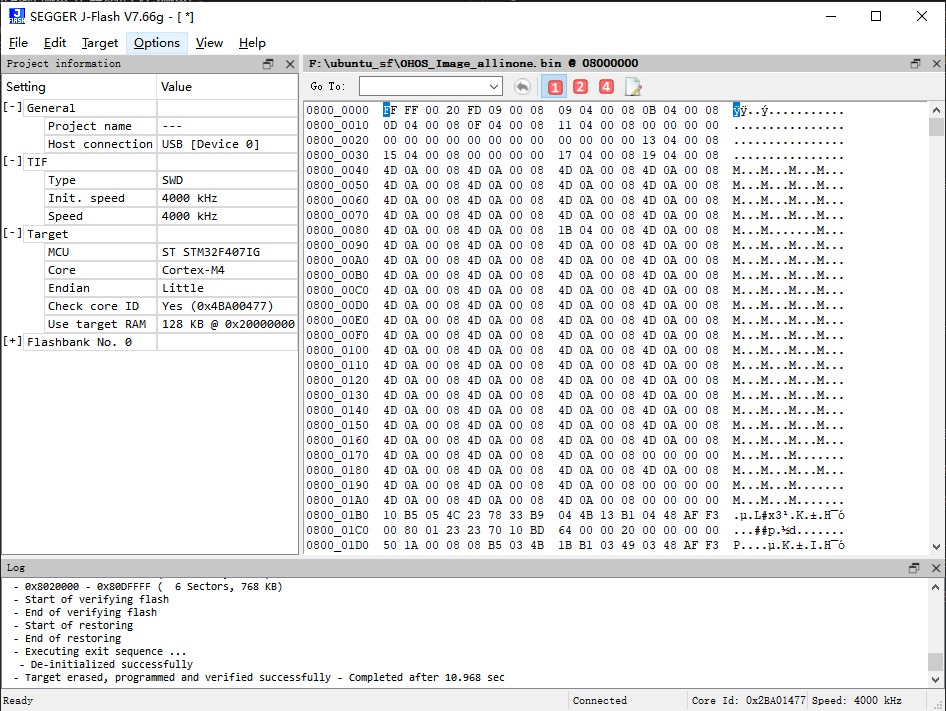
For MCUs, after using GCC to build our program, without the support of an IDE, we need to use tools like JFLASH for programming, which involves quite a few steps.
It facilitates us to perform operations on the firmware, such as encrypting the firmware and manipulating the chip’s RAM and flash at will.
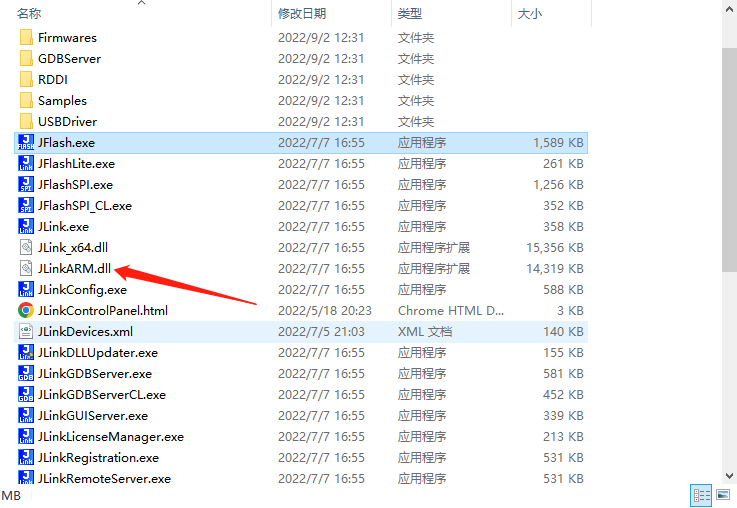
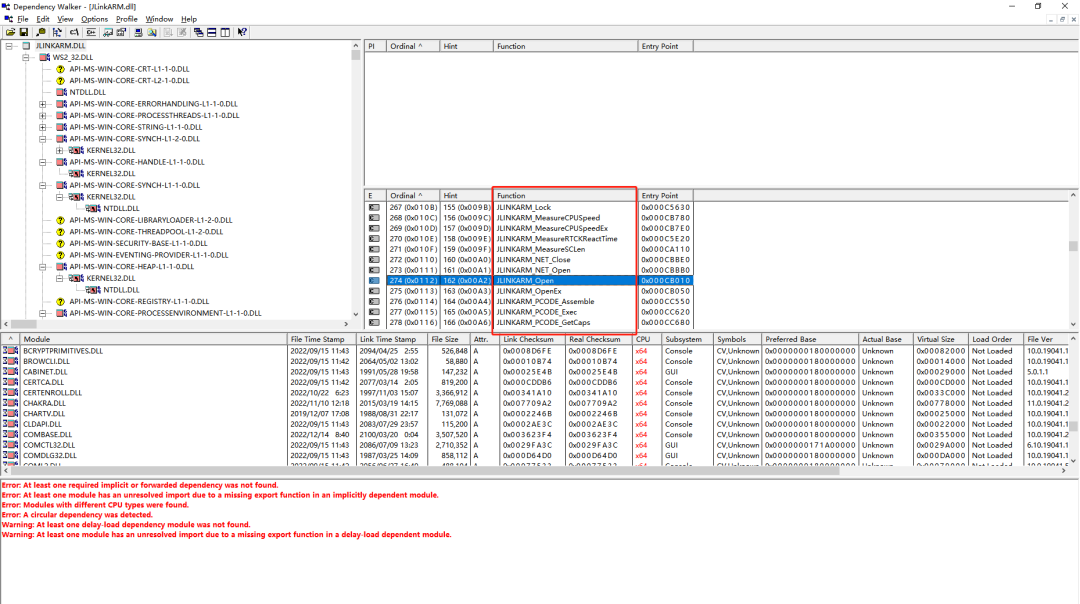
When we use the JFlash programming tool, it actually operates by calling the interfaces provided by the JLinkARM.dll dynamic library. We can analyze the JLinkARM.dll using Dependency Walker to obtain all function symbols in the DLL.
QT provides the QLibrary class to dynamically load DLLs, so combined with the obtained function symbols, we can define a series of function pointers pointing to the corresponding symbols.
Development Process
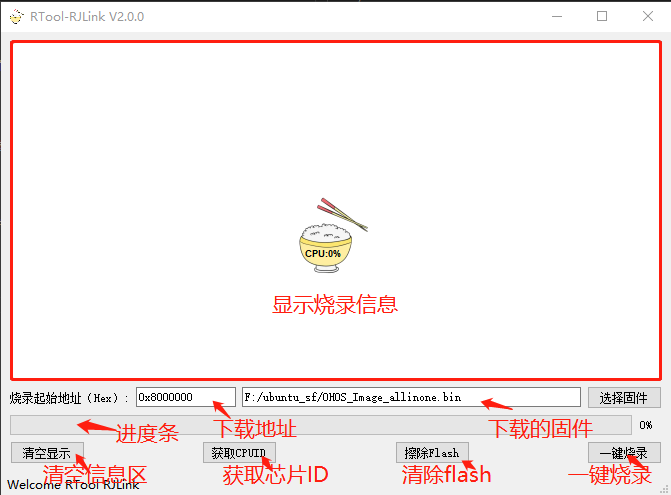
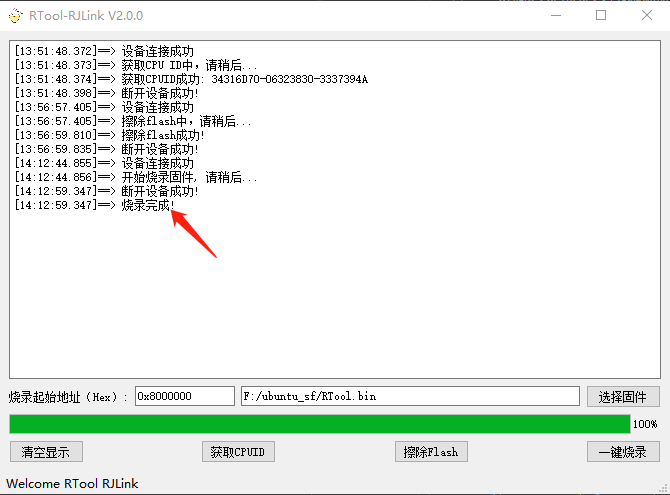
UI design can actually be very simple, and the goal is to simplify the operation process of JFlash:
Define a series of function pointers to interface with the dynamic library JLinkARM.dll, header file RJlinkARM.h:
#ifndef RJLINKARMH
#define RJLINKARMH

//JLINK TIF
#define JLINKARM_TIF_JTAG                0
#define JLINKARM_TIF_SWD                 1
#define JLINKARM_TIF_DBM3                2
#define JLINKARM_TIF_FINE                3
#define JLINKARM_TIF_2wire_JTAG_PIC32  4

//RESET TYPE
#define JLINKARM_RESET_TYPE_NORMAL       0
#define JLINKARM_RESET_TYPE_CORE         1
#define JLINKARM_RESET_TYPE_PIN          2

typedef bool  (*rjlinkOpenFunc)(void);
typedef void  (*rjlinkCloseFunc)(void);
typedef bool  (*rjlinkIsOpenFunc)(void);
typedef unsigned int (*rjlinkTIFSelectFunc)(int);
typedef void  (*rjlinkSetSpeedFunc)(int);
typedef unsigned int (*rjlinkGetSpeedFunc)(void);
typedef void  (*rjlinkResetFunc)(void);
typedef int   (*rjlinkHaltFunc)(void);
typedef void  (*rjlinkGoFunc)(void);
typedef int   (*rjlinkReadMemFunc)(unsigned int addr, int len, void *buf);
typedef int   (*rjlinkWriteMemFunc)(unsigned int addr, int len, void *buf);
typedef int   (*rjlinkWriteU8Func)(unsigned int addr, unsigned char data);
typedef int   (*rjlinkWriteU16Func)(unsigned int addr, unsigned short data);
typedef int   (*rjlinkWriteU32Func)(unsigned int addr, unsigned int data);
typedef int   (*rjlinkEraseChipFunc)(void);
typedef int   (*rjlinkDownloadFileFunc)(const char *file, unsigned int addr);
typedef void  (*rjlinkBeginDownloadFunc)(int index);
typedef void  (*rjlinkEndDownloadFunc)(void);
typedef bool  (*rjlinkExecCommandFunc)(const char* cmd, int a, int b);
typedef unsigned int (*rjlinkReadRegFunc)(int index);
typedef int   (*rjlinkWriteRegFunc)(int index, unsigned int data);
typedef void  (*rjlinkSetLogFileFunc)(char *file);
typedef unsigned int (*rjlinkGetDLLVersionFunc)(void);
typedef unsigned int (*rjlinkGetHardwareVersionFunc)(void);
typedef unsigned int (*rjlinkGetFirmwareStringFunc)(char *buff, int count);
typedef unsigned int (*rjlinkGetSNFunc)(void);
typedef unsigned int (*rjlinkGetIdFunc)(void);
typedef bool  (*rjlinkConnectFunc)(void);
typedef bool  (*rjlinkIsConnectedFunc)(void);

#endif // RJLINKARMH
Load the DLL using QT’s QLibrary class, then point the function pointers to the corresponding function symbols:
Define variables corresponding to the function pointer types defined in the header file RJlinkARM.h:
Set the display format for the download information form to facilitate previewing our operation steps, so a display format with a timestamp is specified:
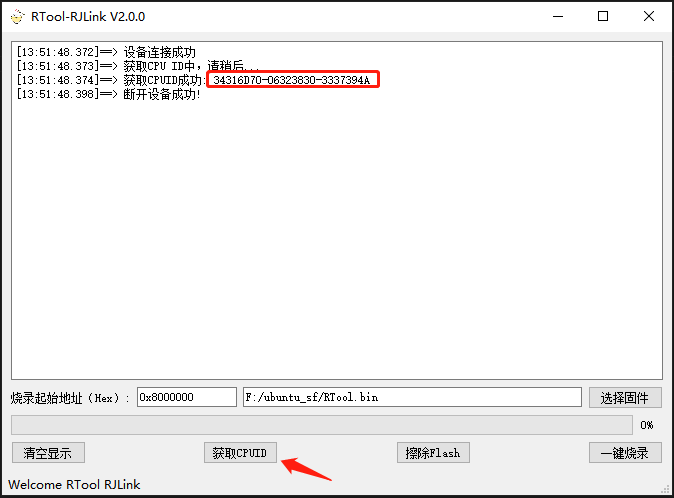
Implement the button to get the chip ID, which requires first connecting to the device, then calling the jlinkGetCpuIdHandle method to obtain the ID and then disconnecting:
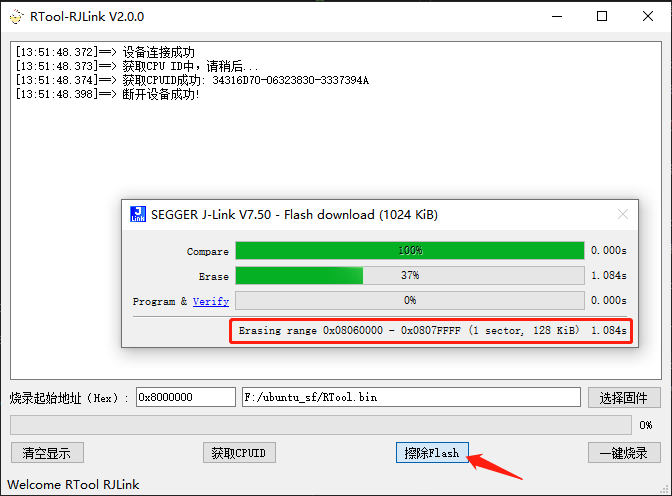
Similarly, erasing flash also requires first connecting to the device, then calling the jlinkEraseChipFunc method to perform the erase, and then disconnecting:
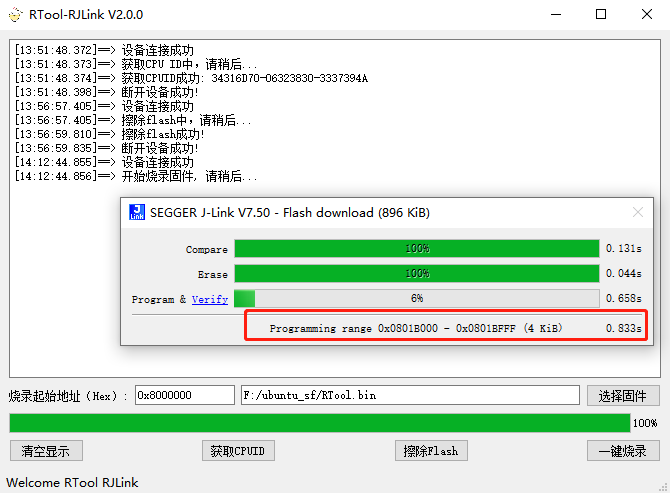
The principle of the one-click programming button is to store the firmware content into a buffer, then start a timer, and transfer the firmware content to the corresponding Flash area:
void RJLinkView::on_burnPushButton_clicked()
{
    bool burnAddrIsOk = false;
    QFile burnFile;

    burnFileSize = 0;
    burnFileContent.clear();

    if(ui->fwFilePathLineEdit->text() == tr("")
    {
        infoShowHandle(tr("Please select the firmware to program!"));
        return;
    }

    if(jlinkConnectHandle())
    {
        burnAddr = ui->burnAddrLineEdit->text().trimmed().toInt(&burnAddrIsOk, 16);
        if(!burnAddrIsOk)
        {
            infoShowHandle(tr("The format of the programming starting address is incorrect, please enter the address correctly..."));
            jlinkdisconnectHandle();
            return;
        }
        burnFile.setFileName(ui->fwFilePathLineEdit->text());
        burnFile.open(QIODevice::ReadOnly);
        if(burnFile.isOpen())
        {
            burnFileContent = burnFile.readAll();
            burnFileSize = burnFileContent.size();
            burnFile.close();

            infoShowHandle(tr("Starting to program firmware, please wait..."));

            burnFileTimer->start(RJLINK_BURN_TIME_INTERVAL);
        }
        else
        {
            infoShowHandle(tr("Failed to open firmware for programming, please check if the file exists..."));
            jlinkdisconnectHandle();
        }
    }
}
The timer processing function extracts 1k of data from the buffer for programming each time: