DeviceNet Slave toPROFIBUS Slave – ADFWEB Gateway– Guangzhou Xinyu IoT
Author:www.adfweb.com.cn Zou Wuyi Mobile185-020-77899 Email: [email protected]
1 Features:
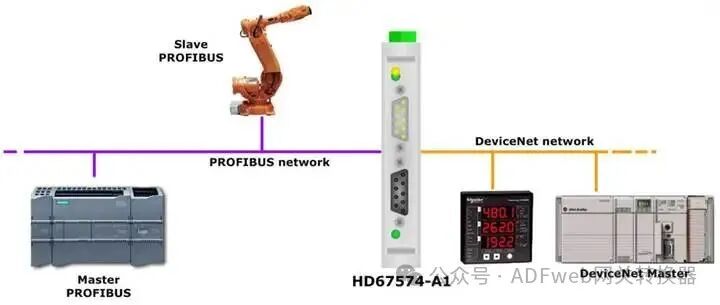
The configurableDeviceNet Slave / PROFIBUS Slave converter has the following features:
• Achieves bidirectional information transmission between theDeviceNet network and thePROFIBUS network;
• Electrical isolation between the two buses;
• Supports a maximum of244 bytes for reading and244 bytes for writing;
• Power supply:8…19V AC or12…35V DC;
• Can be mounted on a35mm DIN rail;
• Operating temperature range:-40°C to85°C.
Configuration:
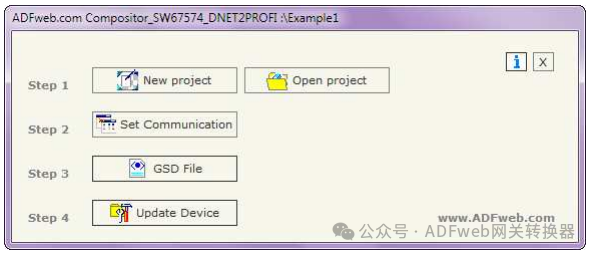
Configuration must be done using theCompositor SW67574 software on a PC to perform the following operations:
• DefineDeviceNet parameters;
• DefinePROFIBUS parameters;
• GenerateGSD files;
• Update device firmware.
2 New Project / Open Project:
The “New Project” button will create a folder containing the entire device configuration.
Device configurations can also be imported or exported:
If you need to clone a programmableDeviceNet Slave / PROFIBUS Slave converter configuration to configure another device in the same way, you must keep the folder and all its contents;
If you need to clone a project for a different version, simply copy the project folder and rename it to a new name, then open the new folder using the “Open Project” button.
3 Communication Settings:
This section defines the basic communication parameters for the two buses (PROFIBUS and DeviceNet).
Click the “Communication Settings” button in the main window of SW67574 (Figure 2), which will pop up the “Communication Settings” window (Figure 3).
The window is divided into two parts, one for PROFIBUS and the other for DeviceNet.
PROFIBUS related field descriptions are as follows:
• In the “Device ID” field, you can define the address for PROFIBUS end;
• In the “Input Byte Count (N Byte IN)” field, you can define the number of bytes from the PROFIBUS Slave to the gateway (up to 244 bytes);
• In the “Output Byte Count (N Byte OUT)” field, you can define the number of bytes from the gateway to the PROFIBUS Slave (up to 244 bytes).
DeviceNet related field descriptions are as follows:
• In the “Device ID” field, you can define the address for DeviceNet ;
• In the “Baud Rate” field, you can define the communication speed of the DeviceNet bus.
