During the preparation for a competition, a student encountered a problem: when downloading to the Siemens PLC-1200, the target device’s IP address box turned red, and scanning for the device’s online status revealed two issues, but the specific information about these two issues could not be found.
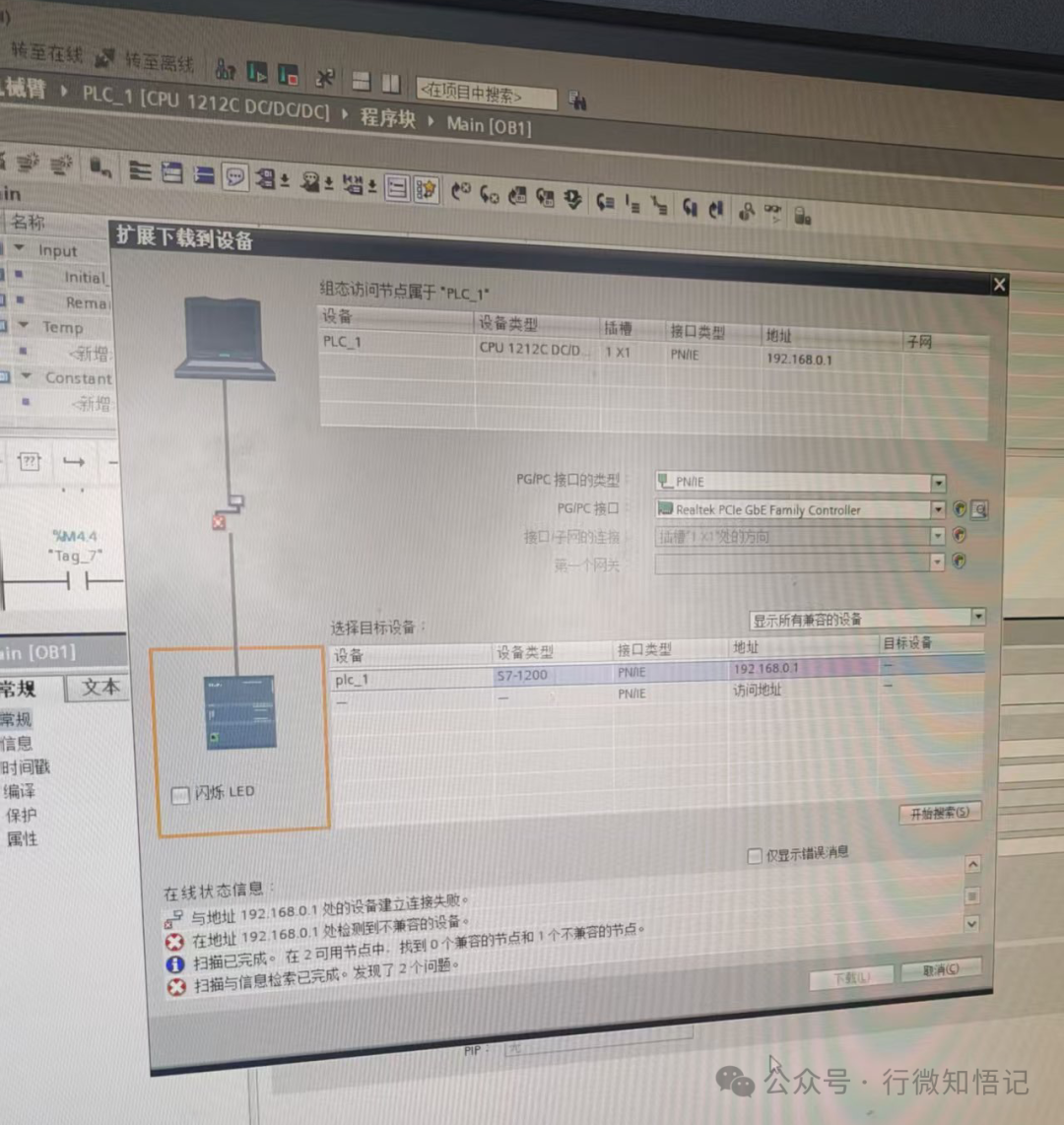
This is like the system telling you “you are wrong” but not telling you where the mistake is, which is quite frustrating. In the end, it was the attentive student Xiao Song who found the reason:
Root Cause: The PLC was directly powered off while in RUN (running) state.
The solution is quite simple:
1. Find a Siemens memory card, power off the PLC;
2. Insert this card into the PLC slot, and force the PLC to reset;
3. After the reset is complete, power it back on.
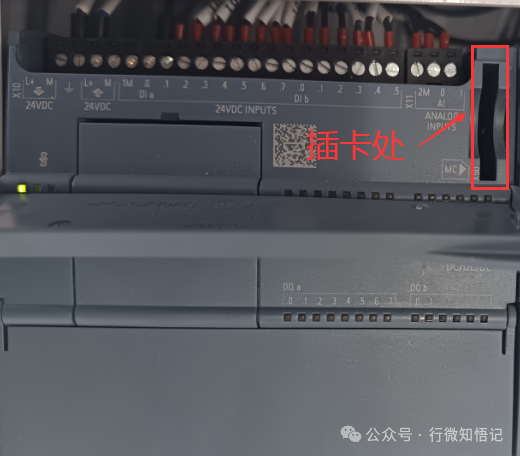
Just three steps, and the alarming red box disappeared, and the device scan returned to normal.
This issue reminds us: Before powering off the PLC, always switch it to stop state!
This little experience is shared with everyone, hoping it can help friends who encounter the same problem.