Setting Design Rule Check (DRC) Configuration in AD for PCB Inspection
- Issue Encountered: In a designed PCB circuit, we cannot guarantee that all traces are routed correctly in one go. Therefore, we generally need to set up routing rules checks to ensure that errors do not occur during the routing process. Below, I will introduce the configuration for design rule checks.
- The following settings can ensure that the vast majority (90%) of users will not encounter issues related to this.
- Step 1:
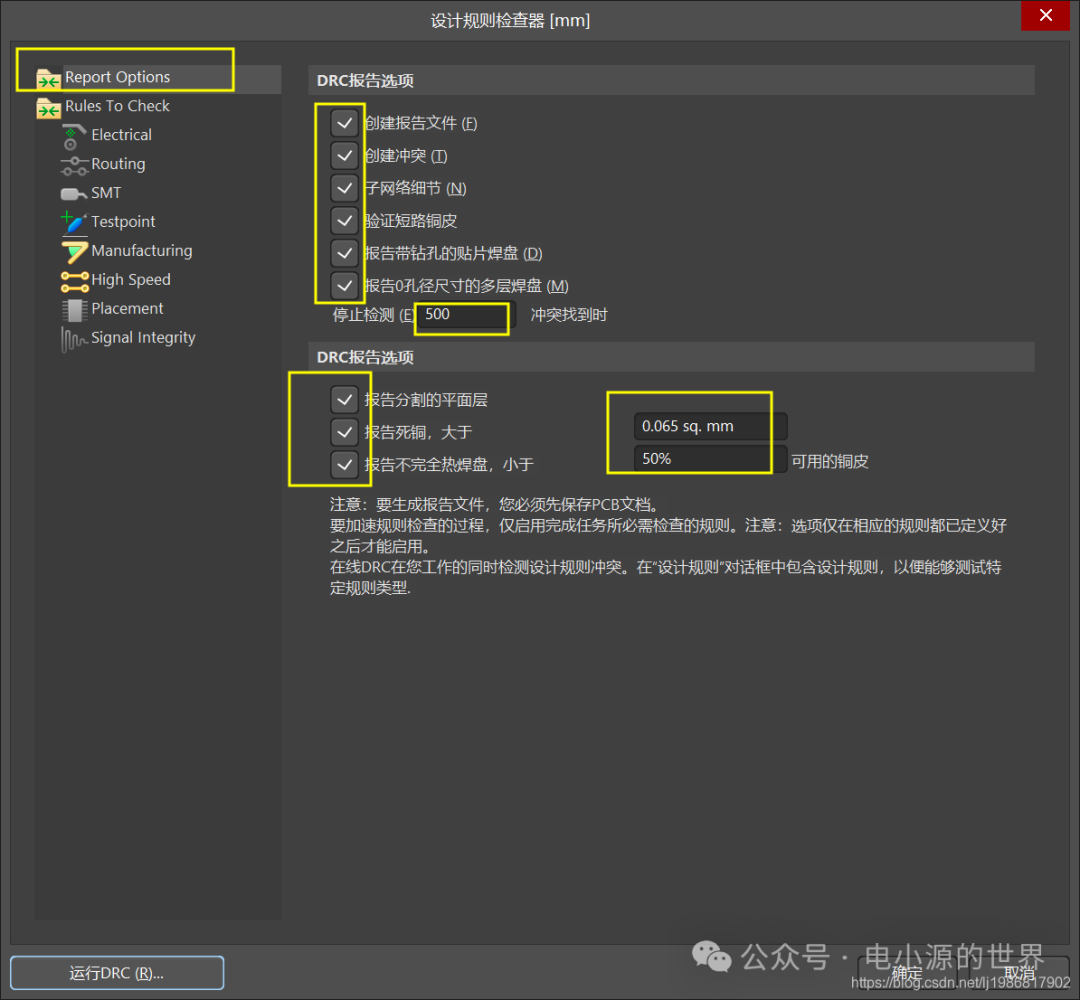 Note: The first interface defaults to the above configuration. If there are issues, please modify it to the default parameters.
 - Step 2:
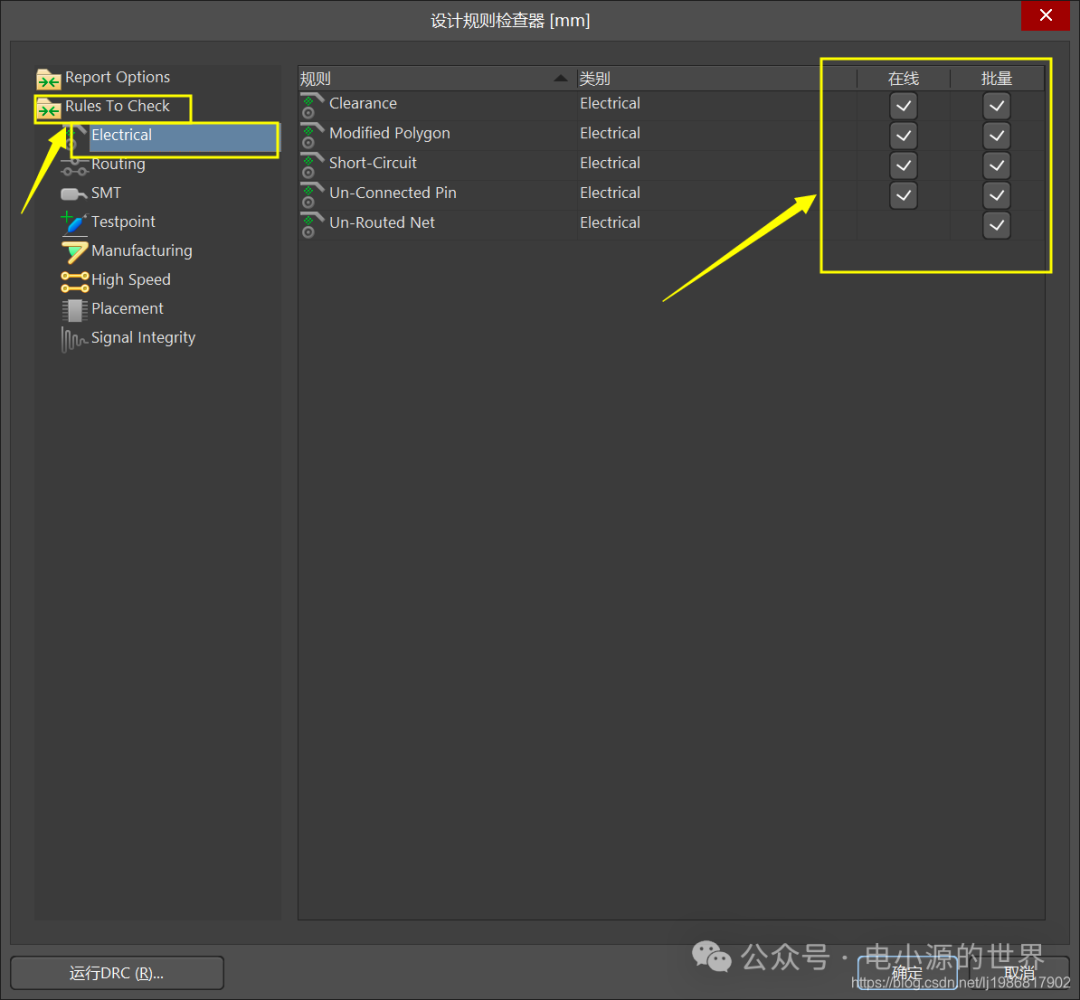
- Step 3:
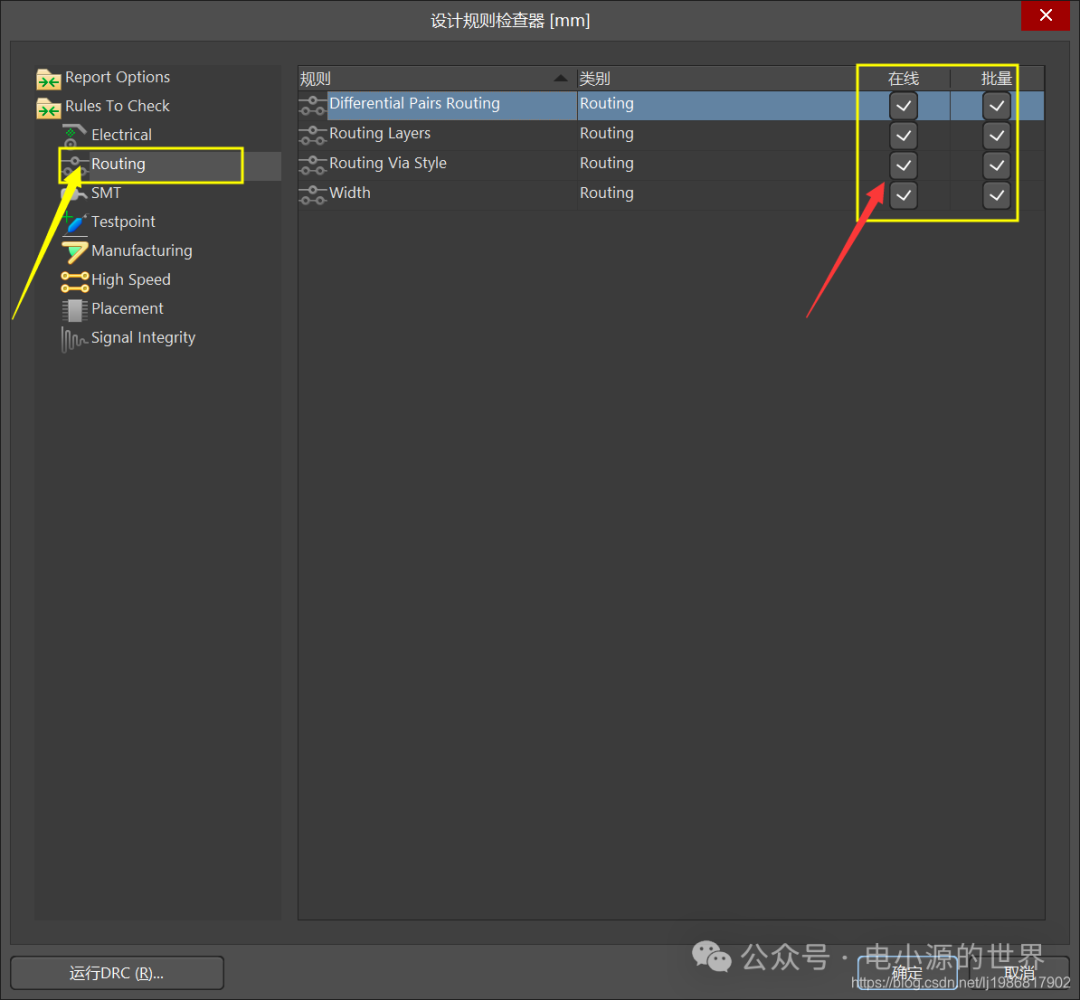
- Step 4:
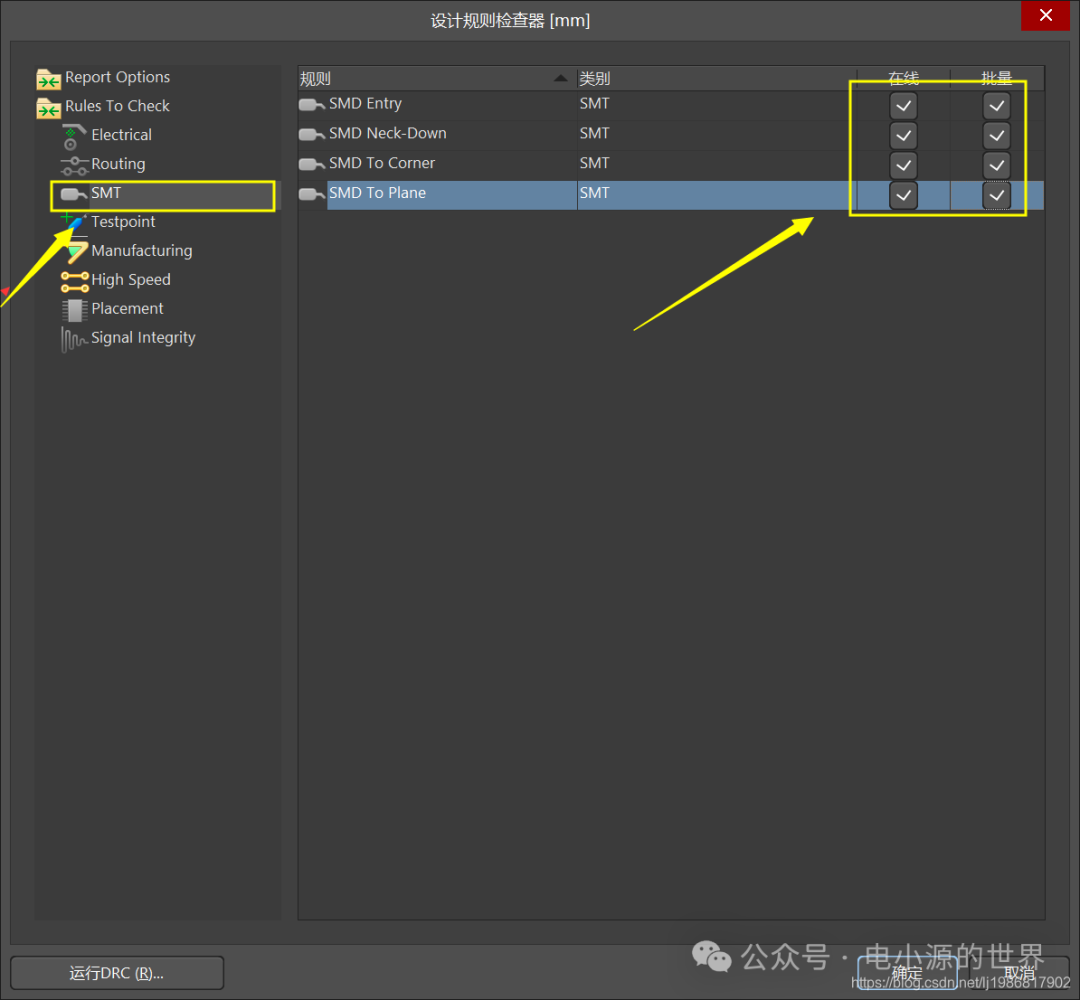
- Step 5:
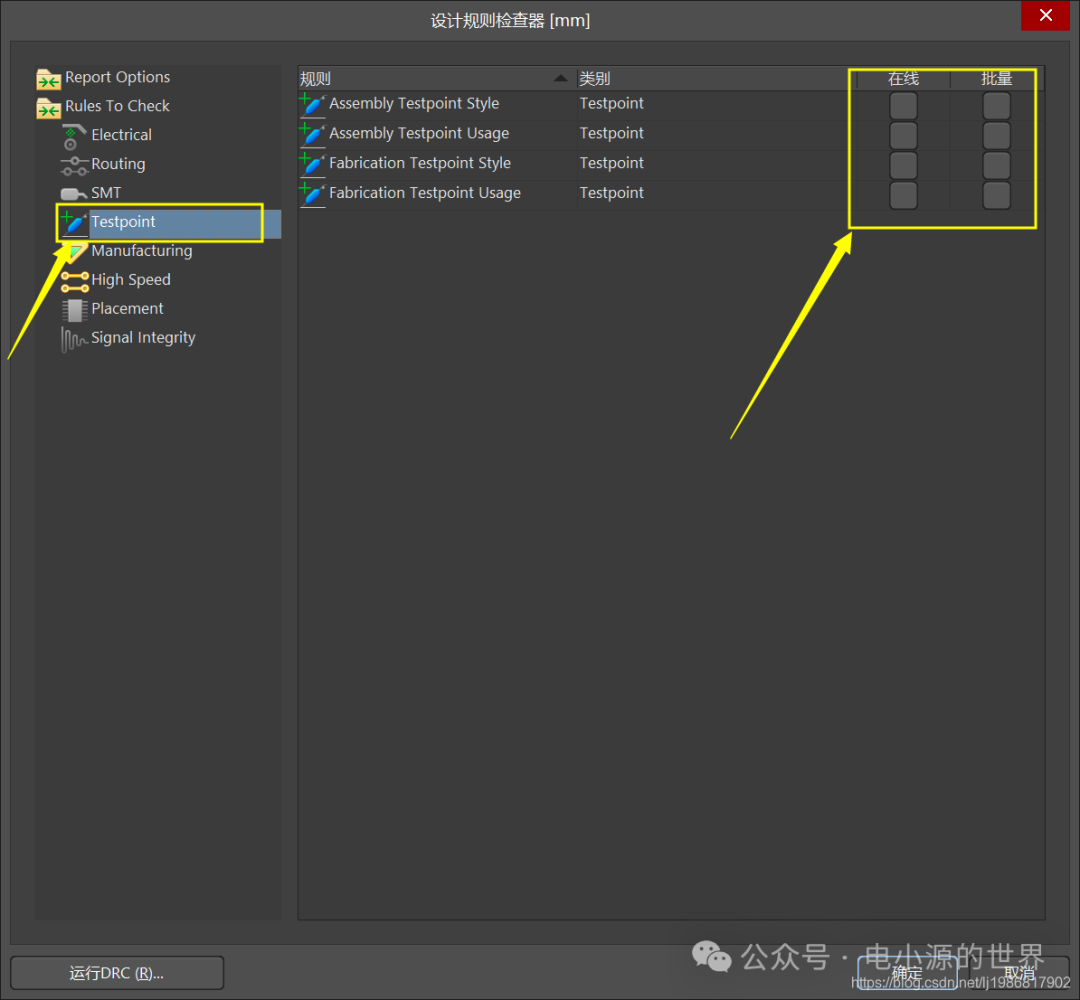
- Step 6:
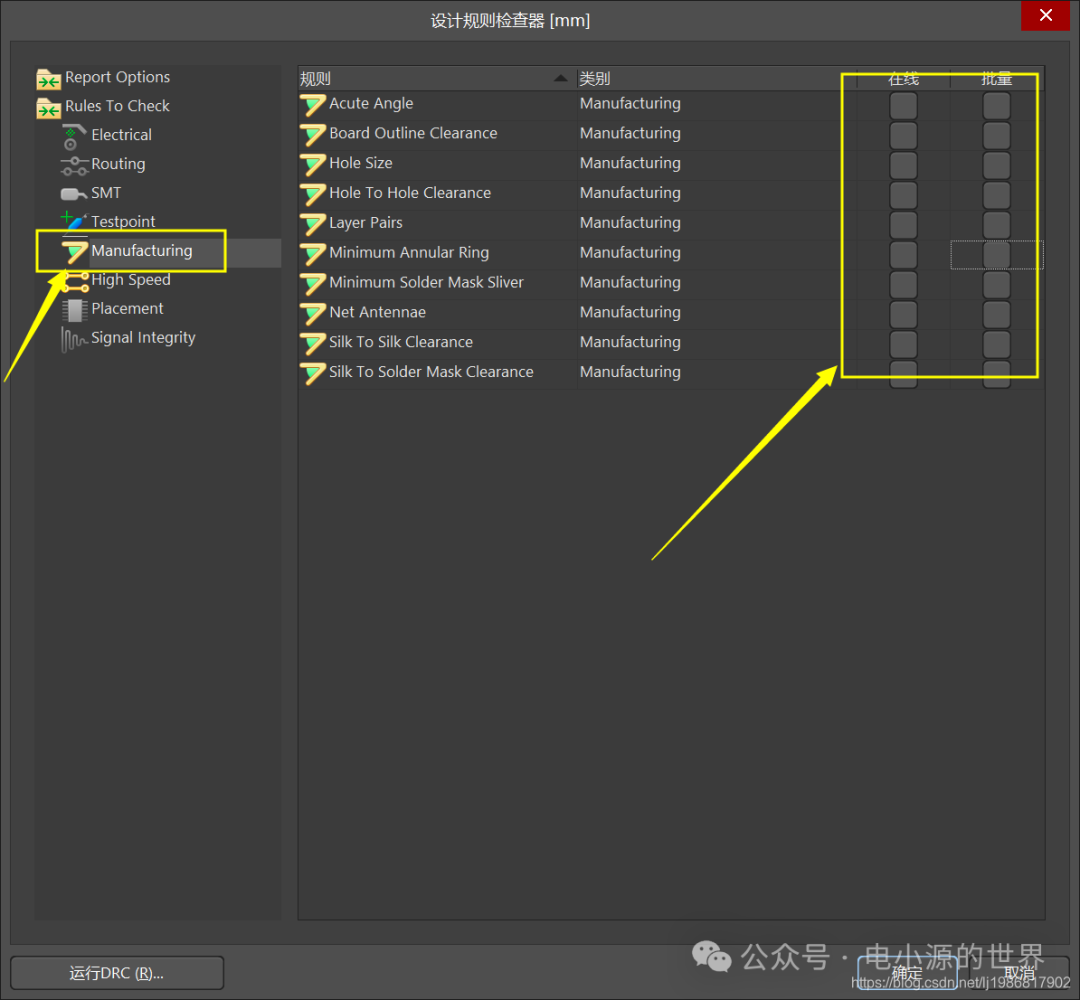
- Step 7:
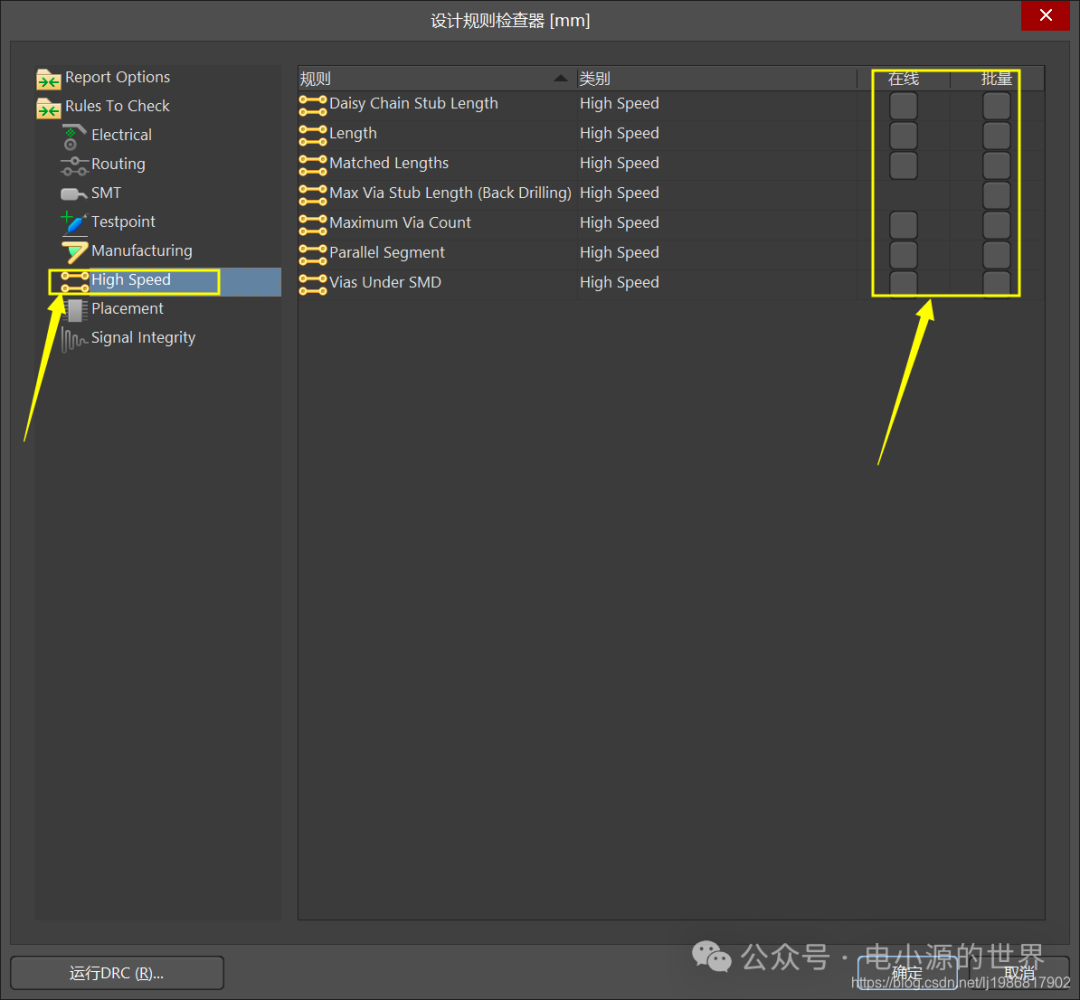
- Step 8:
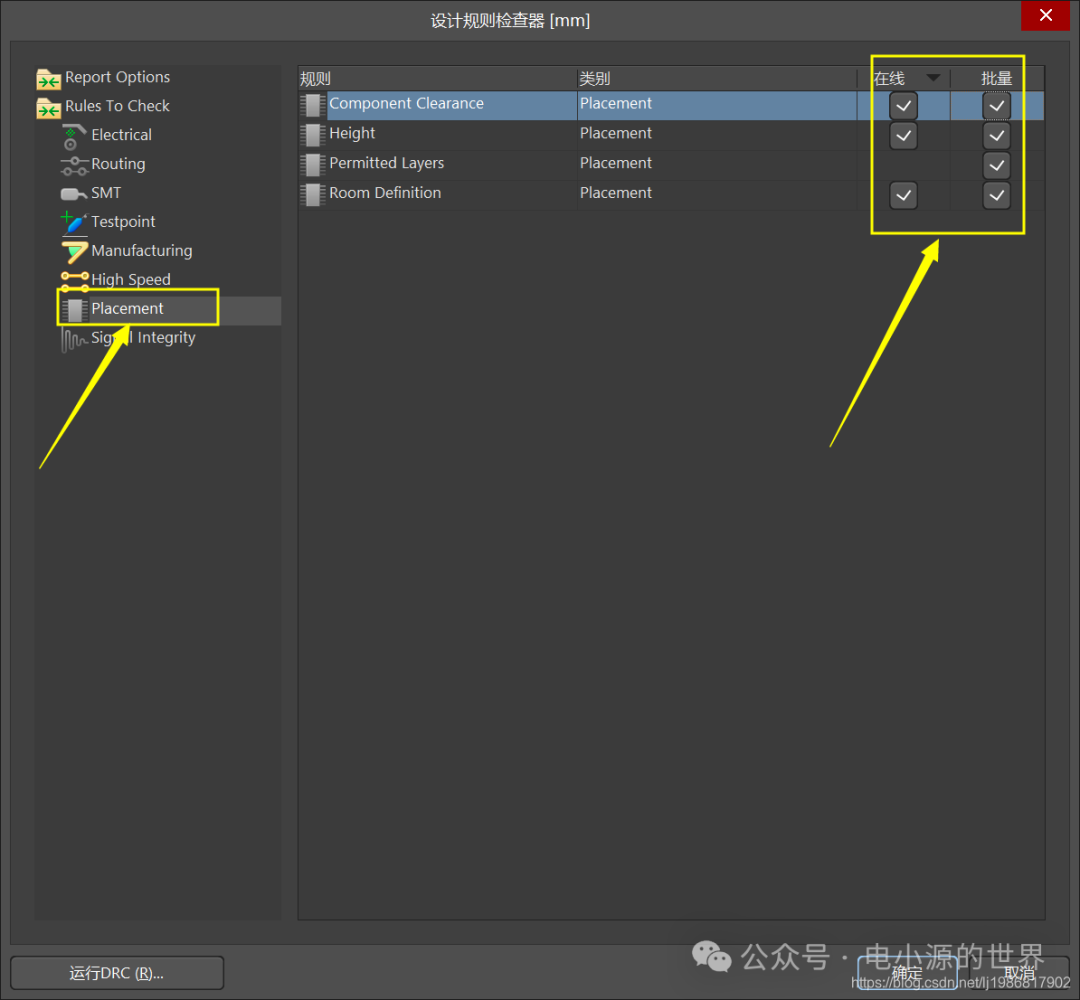
- Step 9:
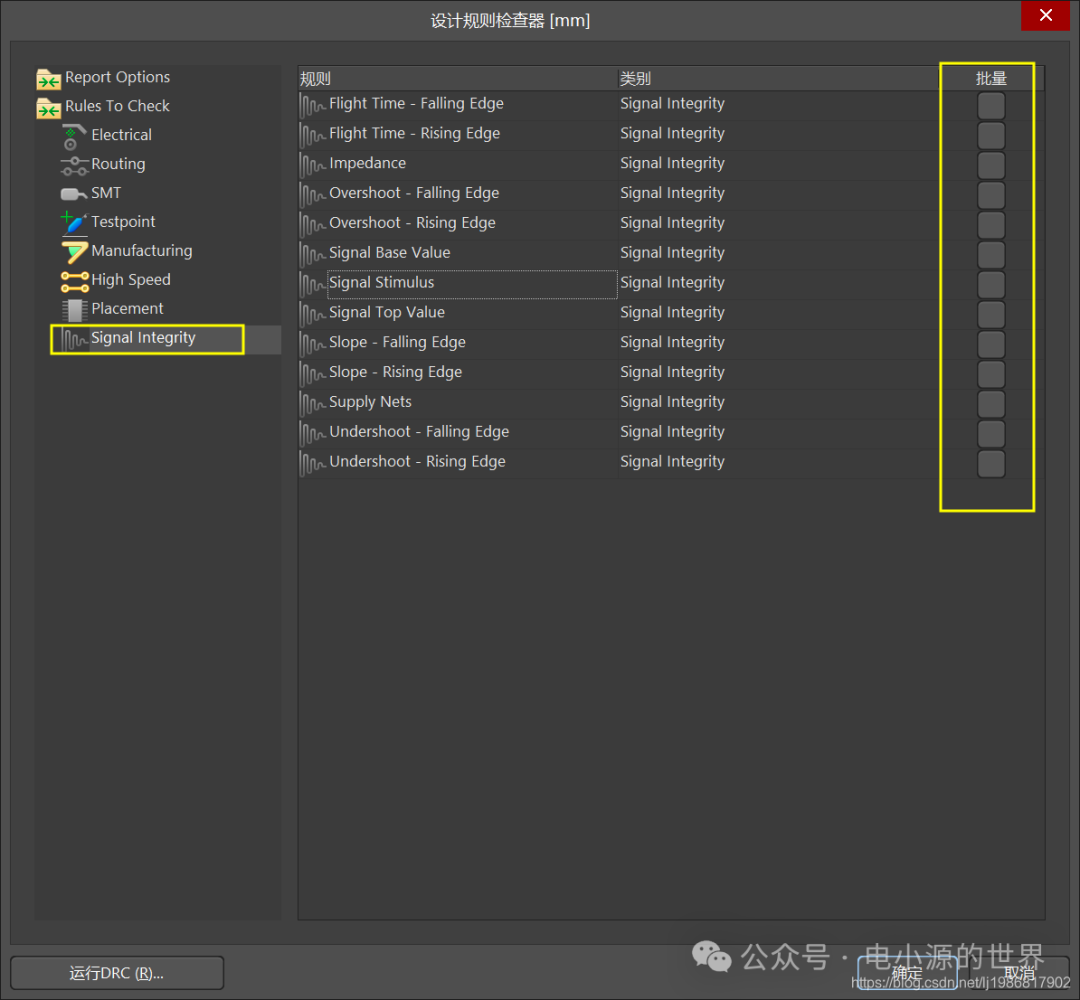
- Start configuring (check) items:
- Tools + Design Rule Check (shortcut key T+D), the interface is as shown below:
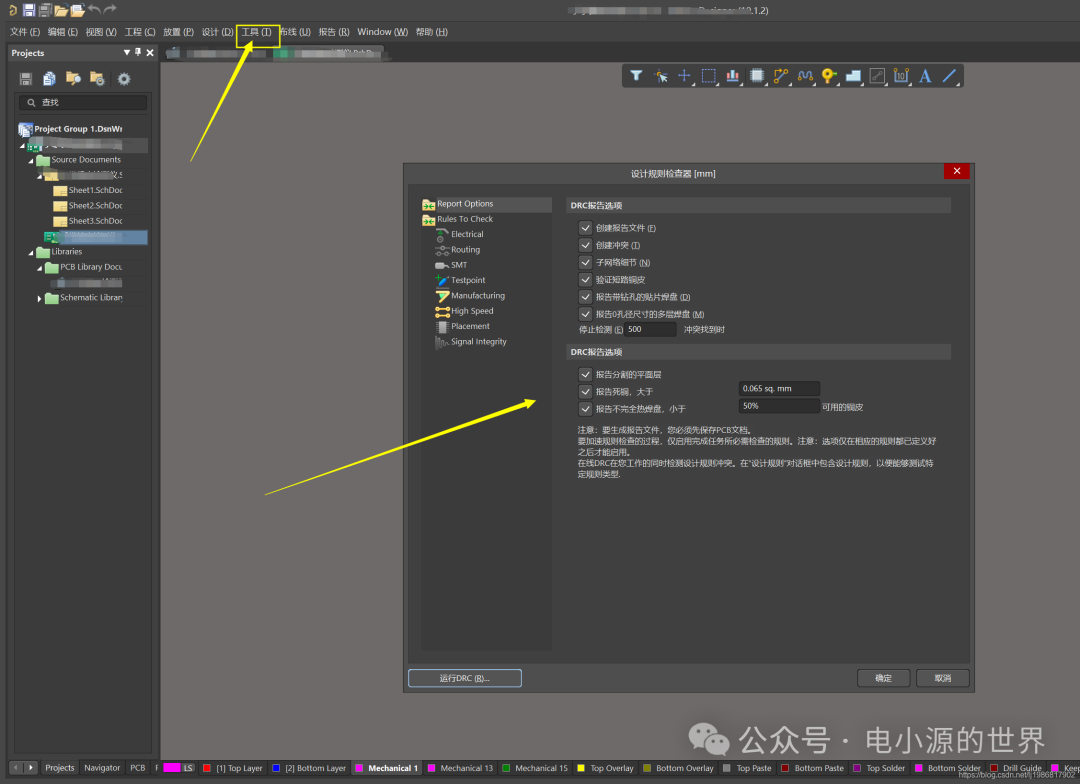
- Finally: Click OK, run DRC, and you can determine if there are any errors in the routing.
If this article has helped you, could you please give me a follow and a like?
Disclaimer: This article is reprinted from CSDN – A Life Without Value. This account maintains neutrality regarding all statements and views of original and reprinted articles. The articles are provided for readers’ learning and communication. The copyright of the articles, images, etc., belongs to the original authors. If there is any infringement, please contact for deletion.