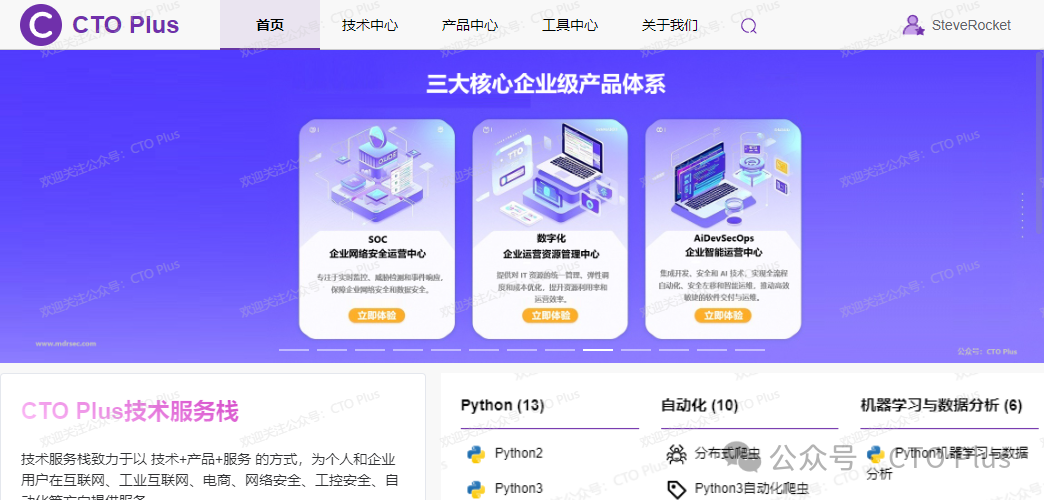
This section shares tutorials on commands in the Linux system, which are crucial for front-end developers, back-end developers, and operations personnel. Nowadays, both front-end pages and back-end projects are primarily deployed on Linux servers. If you want to deploy your own service applications, mastering the usage of Linux commands is essential, so this section will be very beneficial for you.
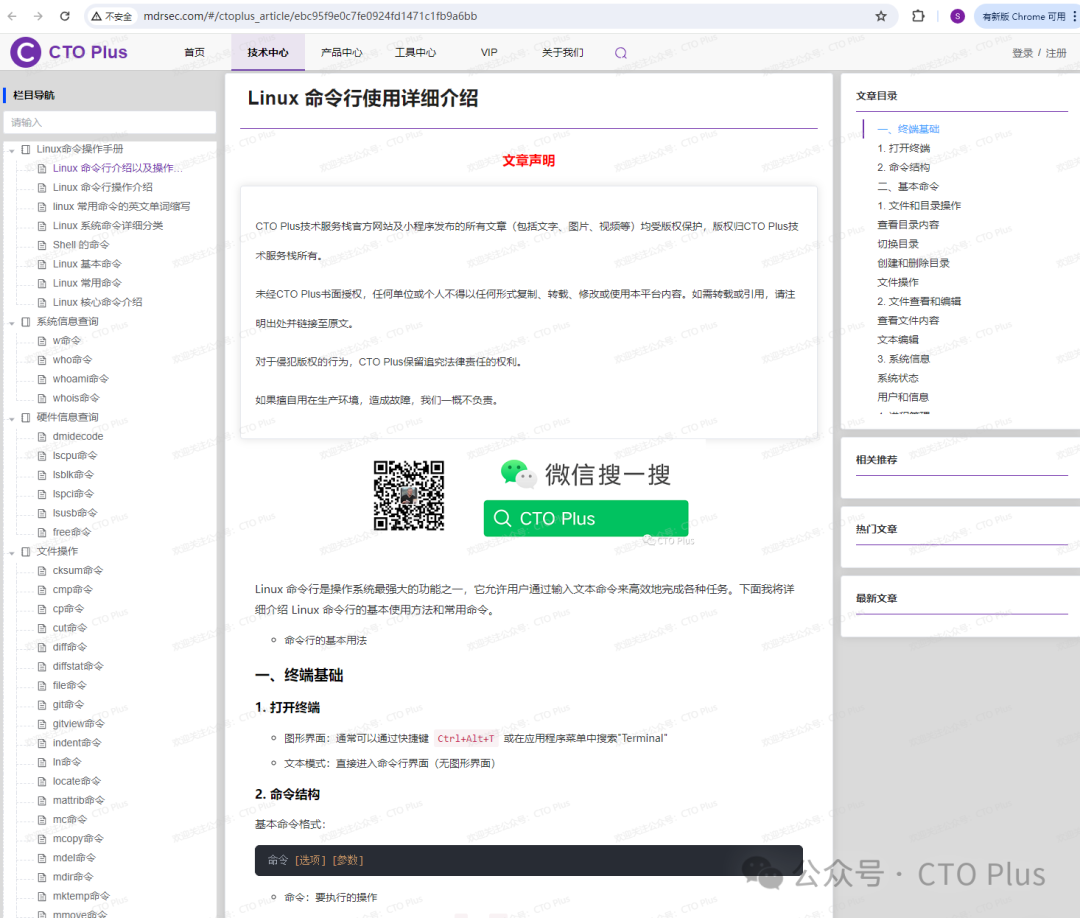
We have provided usage instructions and examples for each command.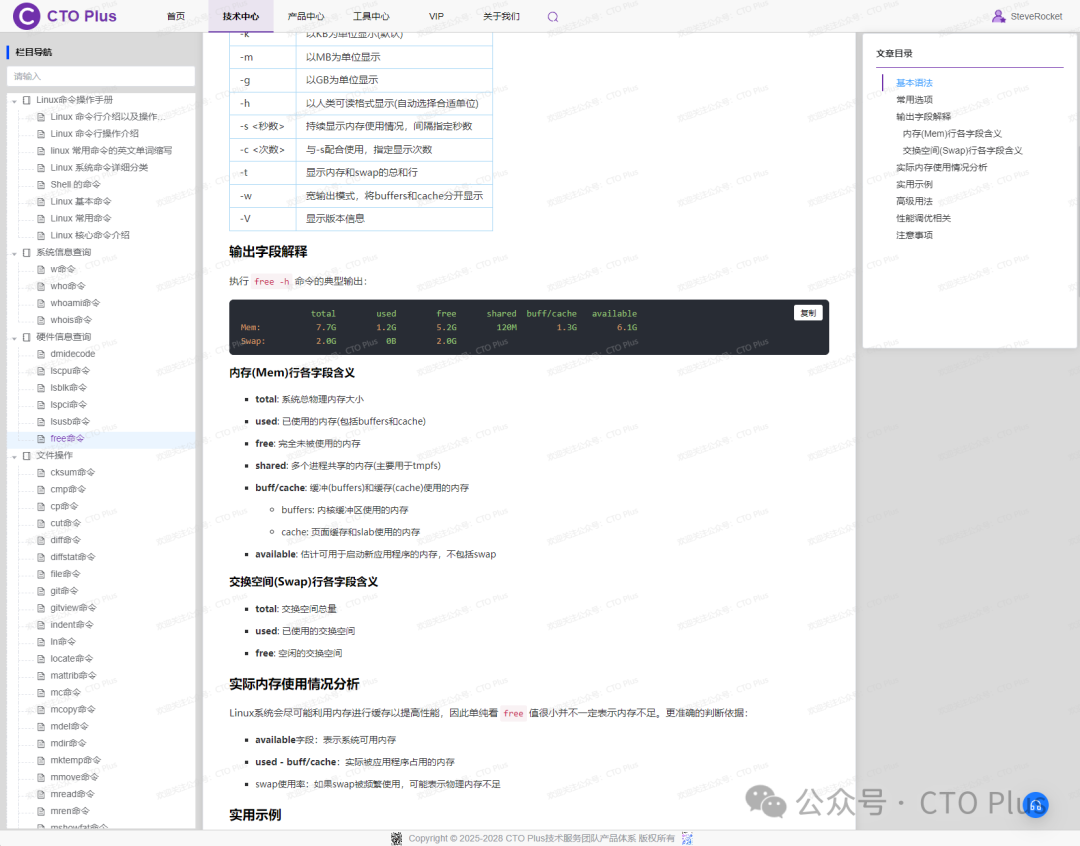
Currently, the following commands are included. Some are built-in system commands, while others need to be installed via yum or apt-get. This section mainly focuses on commands in the Redhat and CentOS system environments, with the main content as follows:
Linux Command Operation Manual
-
Introduction to Linux Command Line and Usage
-
Introduction to Linux Command Line Operations
-
Common Linux Command Abbreviations
-
Detailed Classification of Linux System Commands
-
Shell Commands
-
Basic Linux Commands
-
Common Linux Commands
-
Introduction to Core Linux Commands
-
System Information Queries
-
w command
-
who command
-
whoami command
-
whois command
-
Hardware Information Queries
-
dmidecode
-
lscpu command
-
lsblk command
-
lspci command
-
lsusb command
-
free command
-
File Operations
-
cksum command
-
cmp command
-
cp command
-
cut command
-
diff command
-
diffstat command
-
file command
-
git command
-
gitview command
-
indent command
-
ln command
-
locate command
-
mattrib command
-
mc command
-
mcopy command
-
mdel command
-
mdir command
-
mktemp command
-
mmove command
-
mread command
-
mren command
-
mshowfat command
-
mtools command
-
mtoolstest command
-
mv command
-
od command
-
paste command
-
patch command
-
rcp command
-
rhmask command
-
rm command
-
slocate command
-
split command
-
tee command
-
tmpwatch command
-
touch command
-
umask command
-
File Search
-
find command
-
which command
-
whereis command
-
grep command
-
File Transfer
-
bye command
-
ftp command
-
ftpcount command
-
ftpshut command
-
ftpwho command
-
lpd command
-
lpq command
-
lpr command
-
lprm command
-
ncftp command
-
tftp command
-
uucico command
-
uucp command
-
uupick command
-
uuto command
-
File Viewing and Editing
-
cat command
-
col command
-
colrm command
-
comm command
-
csplit command
-
ed command
-
egrep command
-
ex command
-
expr command
-
fgrep command
-
fmt command
-
fold command
-
ispell command
-
jed command
-
joe command
-
join command
-
look command
-
mtype command
-
pico command
-
rgrep command
-
sed command
-
sort command
-
spell command
-
tr command
-
uniq command
-
wc command
-
Permission Management
-
chmod command
-
chown command
-
chgrp command
-
Special Attributes
-
lsattr command
-
chattr command
-
Disk Operations
-
mount command
-
umount command
-
fdisk command
-
mkfs command
-
fsck command
-
Swap Space Management
-
mkswap command
-
swapoff command
-
swapon command
-
Disk Management
-
cd command
-
dirs command
-
edquota command
-
eject command
-
lndir command
-
ls command
-
mcd command
-
mdeltree command
-
mdu command
-
mkdir command
-
mlabel command
-
mmd command
-
mmount command
-
mrd command
-
mzip command
-
pwd command
-
quota command
-
quotacheck command
-
quotaoff command
-
quotaon command
-
repquota command
-
rmdir command
-
rmt command
-
stat command
-
tree command
-
Disk Space Viewing
-
df command
-
du command
-
Disk Maintenance
-
badblocks command
-
cfdisk command
-
dd command
-
e2fsck command
-
ext2ed command
-
fdformat command
-
fsck.ext2 command
-
fsck.minix command
-
fsconf command
-
hdparm command
-
losetup command
-
mbadblocks command
-
mformat command
-
mkbootdisk command
-
mkdosfs command
-
mke2fs command
-
mkfs.ext2 command
-
mkfs.minix command
-
mkfs.msdos command
-
mkinitrd command
-
mkisofs command
-
mpartition command
-
sfdisk command
-
symlinks command
-
sync command
-
Process Viewing
-
ps command
-
top command
-
htop
-
Process Control
-
kill command
-
pkill
-
killall
-
nice command
-
renice command
-
Background Job Control
-
jobs
-
bg
-
fg
-
nohup
-
Network Configuration
-
ifconfig command
-
ip
-
route
-
netstat command
-
netstat
-
ss
-
Network Testing
-
ping command
-
traceroute command
-
tracepath command
-
mtr command
-
dig command
-
nslookup command
-
Network Transfer
-
wget
-
curl
-
scp
-
rsync
-
Network Communication
-
apachectl command
-
arpwatch command
-
cu command
-
dip command
-
dnsconf command
-
efax command
-
getty command
-
httpd command
-
mesg command
-
mingetty command
-
minicom command
-
nc command
-
netconf command
-
netconfig command
-
newaliases command
-
ppp-off command
-
pppsetup command
-
pppstats command
-
samba command
-
setserial command
-
shapecfg command
-
smbclient command
-
smbd command
-
statserial command
-
talk command
-
tcpdump command
-
telnet command
-
testparm command
-
tty command
-
uulog command
-
uuname command
-
uustat command
-
uux command
-
wall command
-
write command
-
ytalk command
-
User Management
-
User Management Commands
-
adduser command
-
useradd command
-
userconf command
-
userdel command
-
usermod command
-
passwd command
-
Group Management
-
groupadd command
-
groupdel command
-
groupmod command
-
Permission Switching
-
su command
-
sudo command
-
visudo command
-
Package Manager
-
Debian/Ubuntu apt command
-
RedHat/CentOS yum command
-
Linux rpm command
-
Arch Linux pacman
-
Time Management
-
Time Management Commands
-
date command
-
cal
-
System Management
-
chfn command
-
chsh command
-
exit command
-
finger command
-
fwhois command
-
gitps command
-
halt command
-
id command
-
last command
-
lastb command
-
login command
-
logname command
-
logout command
-
logrotate command
-
newgrp command
-
procinfo command
-
pstree command
-
reboot command
-
rlogin command
-
rsh command
-
rwho command
-
shutdown command
-
skill command
-
sleep command
-
sliplogin command
-
suspend command
-
swatch command
-
tload command
-
uname command
-
vlock command
-
Systemd Service Management
-
Introduction to Systemd
-
systemctl command
-
journalctl command
-
SysVinit Service Management
-
service command
-
chkconfig command
-
System Monitoring
-
vmstat
-
iostat
-
sar
-
dmesg
-
Performance Analysis
-
strace
-
ltrace
-
perf
-
Security Auditing
-
last command
-
who command
-
w command
-
auditd command
-
Security Tools
-
iptables command
-
nftables command
-
firewalld command
-
openssl command
-
ssh command
-
Shell Built-in Commands
-
echo command
-
export command
-
Input/Output Redirection
-
Redirection Command
-
Pipe | Command
-
Input Redirection < command
-
Output Redirection > command
-
Output Redirection and File Append >>
-
Archiving Tools/Backup Compression and Decompression
-
ar command
-
bunzip2 command
-
bzip2 command
-
bzip2recover command
-
compress command
-
cpio command
-
dump command
-
gunzip command
-
gzexe command
-
gzip command
-
lha command
-
restore command
-
tar command
-
unarj command
-
uudecode command
-
uuencode command
-
zip command
-
unzip command
-
zipinfo command
-
gzcat
-
One-time Tasks
-
at command
-
Periodic Tasks
-
crontab command
-
anacron command
-
Kernel Information
-
System Information Commands
-
System Settings
-
alias command
-
apmd command
-
aumix command
-
bind command
-
chroot command
-
clear command
-
clock command
-
declare command
-
depmod command
-
dircolors command
-
dmesg command
-
enable command
-
eval command
-
fbset command
-
grpconv command
-
grpunconv command
-
hwclock command
-
insmod command
-
kbdconfig command
-
lilo command
-
liloconfig command
-
lsmod command
-
minfo command
-
mkkickstart command
-
modinfo command
-
modprobe command
-
mouseconfig command
-
ntsysv command
-
pwconv command
-
pwunconv command
-
rdate command
-
reset command
-
resize command
-
rmmod command
-
set command
-
setconsole command
-
setenv command
-
setup command
-
sndconfig command
-
SVGAText Mode command
-
timeconfig command
-
ulimit command
-
unalias command
-
unset command
-
Device Management
-
hostname Host Management Command
-
dumpkeys command
-
loadkeys command
-
MAKEDEV command
-
rdev command
-
setleds command
-
Linux Command Trio
-
Linux Command Trio
-
grep
-
egrep
-
sed
-
awk
-
awk Conditional Statements and Loops
-
awk Arrays
-
awk User-defined Functions
-
awk Built-in Functions
-
awk Working Principles
-
Further Practice with the Trio Commands
-
Other Commands
-
man
-
screen command
-
Split Screen Display Command more
-
pidstat
-
mpstat
-
dstat
-
vmstat
-
slabtop
-
nicstat
-
dtrace
-
blktrace
-
iptop
-
stap
-
pgrep
-
Comprehensive Practice
-
Standard I/O Commands
-
Archiving and Backup Commands
-
Asynchronous Task Commands
-
File Operation Commands
-
File System Commands
-
Hardware Operation Commands
-
Named Pipe Commands
-
Process Management Commands
-
Using Regular Expressions in Shell
-
Text Processing Commands
-
Linux Command Trio Practice
-
Extensions
-
Linux Shell Quick Reference
-
Linux Command Quick Reference and Shortcuts
-
Linux Command Query Manual
You can directly visit the link below to access the Linux command section content.
http://www.mdrsec.com/#/ctoplus_article/ebc95f9e0c7fe0924fd1471c1fb9a6bb
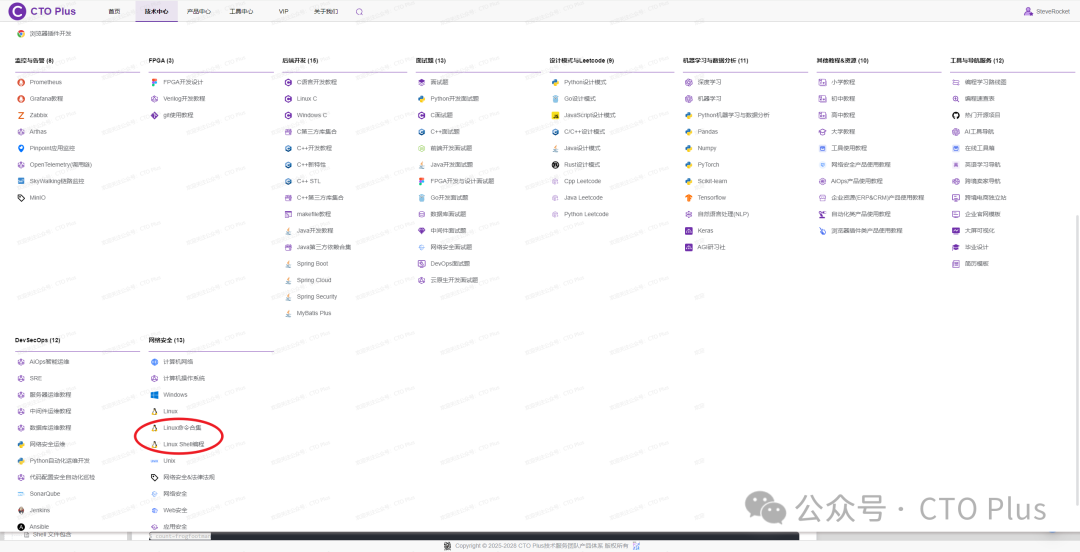
You can also access it from the official system’s navigation menu.
 Product StackAbout Ushttp://www.mdrsec.com/#/aboutContact Ushttp://www.mdrsec.com/#/contact_meVIP Activationhttp://www.mdrsec.com/#/vipTrial Application/Demo Applicationhttp://www.mdrsec.com/#/trySite Dynamicshttp://www.mdrsec.com/#/dynaFeedbackhttp://www.mdrsec.com/#/suggestJoin Ushttp://www.mdrsec.com/#/joinSecurity Services/Service Support/Technical Supporthttp://www.mdrsec.com/#/security_serviceProject Cooperationhttp://www.mdrsec.com/#/project_cooperationTechnical Centerhttp://www.mdrsec.com/#/ctoplus_article_centerProduct Centerhttp://www.mdrsec.com/#/ctoplus_product_centerFAQshttp://www.mdrsec.com/#/faqsProduct/Service Purchasehttp://www.mdrsec.com/#/buyContact UsIf you have better suggestions or questions, as well as customized development needs, please feel free to contact us.You can follow our official WeChat account: 【CTO Plus】 to stay updated.
 You can also bookmark our official website: http://www.mdrsec.com/
 More exciting content will be published on the official website in a timely manner. Welcome to visit the CTO Plus official website: http://www.mdrsec.com/