1. Essential Difference: Not “Old vs New”, but “Physical Layer vs Network Layer” Reconstruction
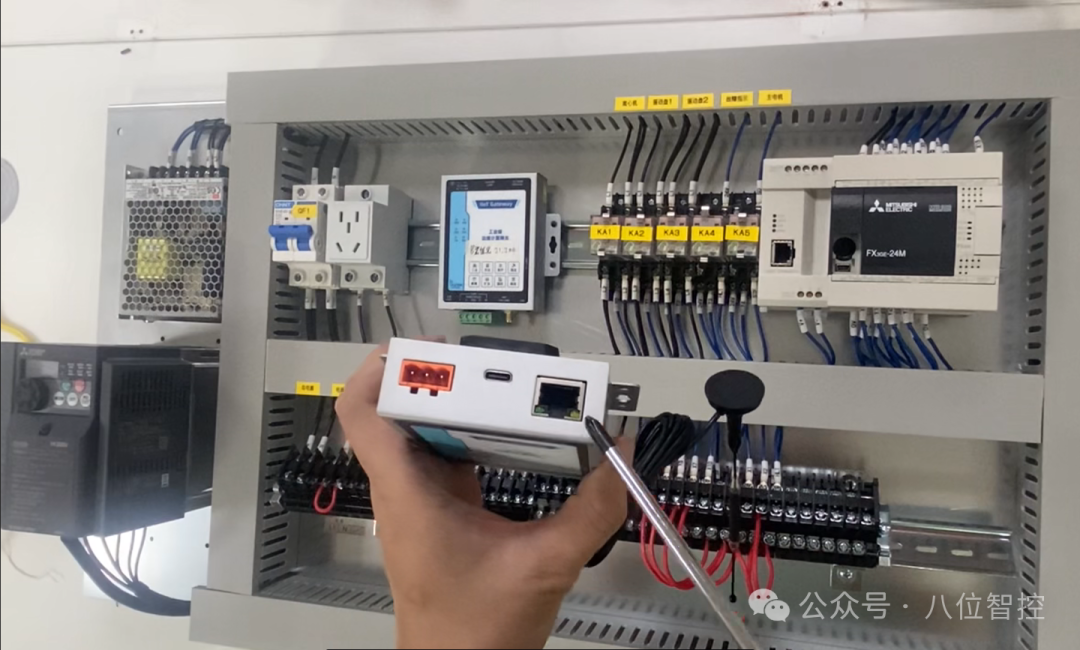
Many people think:
“RTU is serial port, TCP is network port – TCP is more advanced.”
—— Wrong! They have the same application layer (function codes, register addresses, message structure), the difference is only in “how to transmit”:
|
Physical Medium |
RS485/RS232 twisted pair (A/B lines) |
Ethernet (RJ45) |
|
Data Encapsulation |
Frame header: Address + Function code + Data + CRC16 check (e.g.: |
Add MBAP header (7 bytes) before RTU message: Transaction ID(2)+ Protocol ID(2)+ Length(2)+ Unit ID(1) (e.g.: |
|
Network Topology |
Master-Slave Half-Duplex: 1 Master N Slaves, bus type, requires termination resistors |
Client-Server Full-Duplex: 1 Server can be accessed by multiple Clients |
|
Maximum Distance |
RS485 theoretical 1200 meters (requires relay) |
100 meters (Cat 5e), can be extended via switches |
|
Concurrent Capability |
❌ Only 1 device can communicate at the same time |
✅ Multiple Clients can read different Servers in parallel |
💡 Summary in One Sentence:RTU = “Broadcasting” in the Serial Port Era | TCP = “Point-to-Point Call” in the Network Era
2. Selection Guide: Which Scenario to Use Which?
✅ Scenarios Preferably Using Modbus RTU
- Retrofitting old equipment (electric meters/temperature controllers/frequency converters without network ports)
- Strong electromagnetic interference environment (RS485 is far superior to network cables in anti-interference)
- Long-distance wiring (>50 meters, saves switch/fiber costs)
- Low-power edge nodes (MCU directly drives MAX485, no TCP/IP protocol stack burden)
🌰 Typical Devices: Weisheng electric meter, Yudian temperature controller, Huichuan frequency converter (basic version)
✅ Scenarios Preferably Using Modbus TCP
- New production lines (network cables already laid)
- Need for multiple systems to access concurrently (HMI + SCADA + cloud reading data simultaneously)
- Integration with IT systems (e.g., MES directly calling device TCP interface)
- Devices with built-in Ethernet ports (e.g., Siemens S7-200 SMART, Delta DVP-SE)
🌰 Typical Devices: S7-200 SMART (Modbus TCP slave), Delta DVP-SE, some domestic HMIs
3. Common Pitfalls + Eighti’s Solutions
❌ Pitfall 1: RTU Wiring “Mystery” – A/B Reversed, Light On but No Communication!
- Symptoms: TX light flashes, RX light does not flash; read timeout; occasionally can read once, then fails
- Truth: RS485 A/B lines reversed or termination resistor not connected (120Ω must be added for >300 meters)
- ✅ Eighti’s Solution: Edge module supports automatic polarity detection + software reversal of A/B (no need to rewire) → Check “RS485 Polarity Adaptive” in “Device Management” to restore communication in seconds.
❌ Pitfall 2: TCP Port “Occupied” – 502 Port Conflict, Device Offline!
- Symptoms: Can connect initially, but cannot connect after restart; Wireshark cannot capture SYN packets
- Truth: Modbus TCP default port 502 is a privileged port, Windows/Linux requires root to start; or device is connected by multiple Clients without release
- ✅ Eighti’s Solution: Platform supports custom port numbers (e.g., 5020), edge module automatically redirects; built-in connection pool management: automatically releases idle connections to prevent “port exhaustion”.
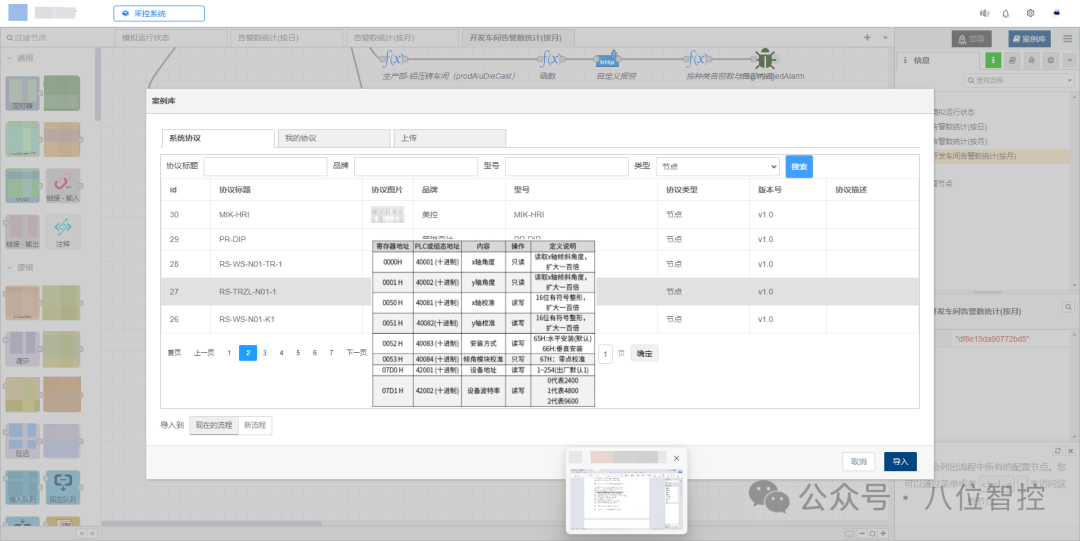
❌ Pitfall 3: Register Address “Offset” – Should 40001 Write 0 or 1?
- Symptoms: Read returns 0, or “illegal data address”; different manufacturers have different documentation
- Truth:
- Protocol layer address = 0x0000 (0-based)
- Device manual address = 40001 (1-based, with offset)
- Actual sending:Read 40001 → Send address 0x0000
- ✅ Eighti’s Solution: When defining device templates in “Product Management”, directly fill in the manual address (e.g., 40001); the platform will automatically convert to protocol address, completely eliminating the “-1” curse.
4. Advanced Debugging Techniques: 3 Tips to Locate 90% of Communication Failures
🔧 Tip 1: Use “Lights” for RTU Judgement, Use “Packets” for TCP Analysis
- RTU:
- Master TX light flashes → Master sends request
- Slave RX light flashes → Request reaches slave
- Slave TX light flashes → Slave responds
- Master RX light flashes → Response received → If not connected, check the intermediate segment!
- TCP: Use Wireshark to filter
<span>tcp.port==502</span>, check: - Is there a SYN→SYN/ACK→PSH?
- Does the response contain an exception code (
<span>0x83 0x02</span>= illegal address)?
🔧 Tip 2: Force “Minimal Set” Testing
- Only 1 device, directly connected to the computer (USB to RS485 / direct network connection)
- Set baud rate/ station number/ port to the simplest (9600, N, 8, 1 / 502)
- Use Eighti Cube “Device Management” – “Online Debugging” function:
- Manually send message:
<span>01 03 00 00 00 01</span> - Real-time display of raw response → Instantly locate whether it is a device issue or configuration issue
🔧 Tip 3: Use “Retained Message” to Monitor Link Health
- In Eighti Cube, configure for each Modbus device:
-
Topic: /status/device_001Payload: {"last_comm": "2025-06-15T10:30:22", "rssi": -65}Retain: true - Add “Device Health Matrix” to the large screen,Green = communication within 10 seconds, Red = timeout
- More accurate than ping – specifically addresses “device is alive, but data is stuck”.
5. Future Evolution: Modbus Will Not Disappear, But Will Become “Intelligent”
At Eighti, we make Modbus:✅ Safer: RTU channel AES encryption, preventing serial port eavesdropping✅ More Reliable: Edge offline caching + breakpoint resume✅ More Intelligent:
- Achieved through “Rule Engine”:
<span>RTU device offline → automatically switch to backup TCP channel</span> - Achieved through “AI Generation”: Input “Read electric meter voltage and current and generate daily report”, automatically generate collection + report logic
🌟 Customer Evidence: A distribution monitoring project in a park
- Accessed: 62 Modbus RTU electric meters (RS485 bus) + 8 Modbus TCP gateways
- Results:• Data integrity 99.97%• Fault location from 2 hours → 5 minutes• Salesperson built “Electricity Abnormal Analysis” APP
🔚 Conclusion: Understand the Protocol, More Importantly, Understand “How to Make It Work Well”
Modbus RTU and TCP, there is no superiority, only adaptation.True industrial experts do not memorize all messages, but know –
When the light does not flash, first check A/B; When unable to connect, first check the port; When data is incorrect, first trust the template.
🔗 Download Now: https://www.8iic.com/
#Modbus #PLC Programming #Industrial Communication #Automation Debugging #RS485 #Industrial IoT #Eighti #Eighti Cube #Edge Computing #Engineer Daily