This article introduces: the MODBUS TCP client communication program for Siemens S7-1200 PLC.
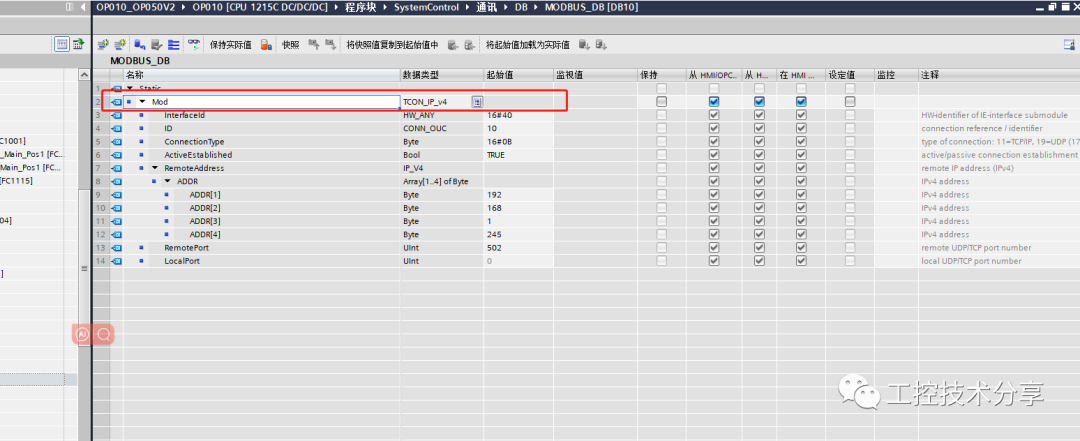
Step One:Create a DB block named:MODBUS_DB
Step Two:Create a variable:Mod with data type:TCON_IP_v4
Step Three:Set the hardware identifier:16#40; ID:10 (can be changed);ConnectionType16#0B;ActiveEstablished(
Client1 (Active): Server is0 (Passive)): Set toTRUE
Step Four:Set theIP address (ADDR): 192.168.1.245 Port number 502
Step Five:Create a MODBUS TCP client (read)
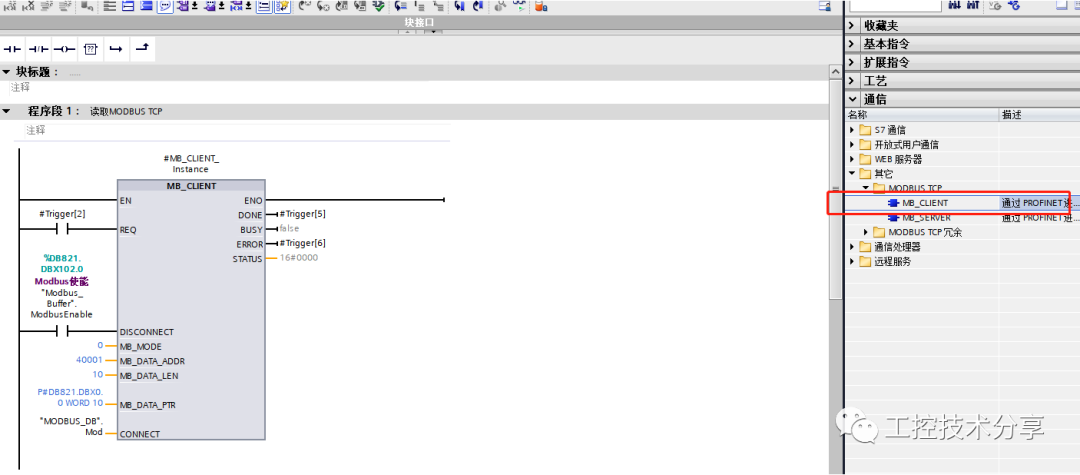
MB_MODE: Select Modbus request mode (0123): Commonly used:0: Read; 1: Write; (other references can be found on Siemens’ official website)
MB_DATA_ADDR: Modbus access starting address
MB_DATA_LEN: MODBUS read/write length
MB_DATA_PTR:A pointer to the Modbus data register
CONNECT:TCON_IP_v4 data type, managing the newly createdMODBUS_DB
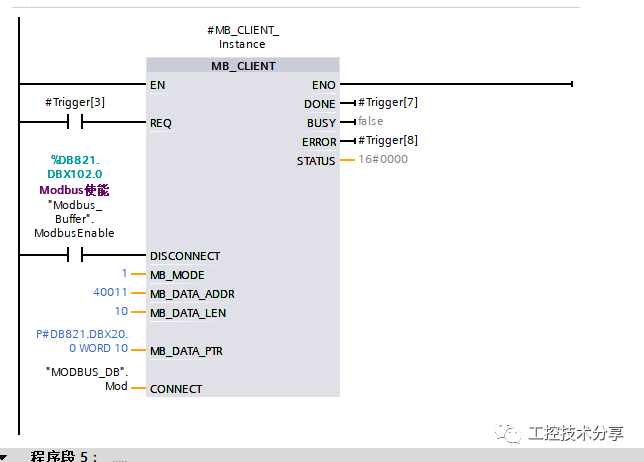
Step Six:Create a MODBUS TCP client (write)
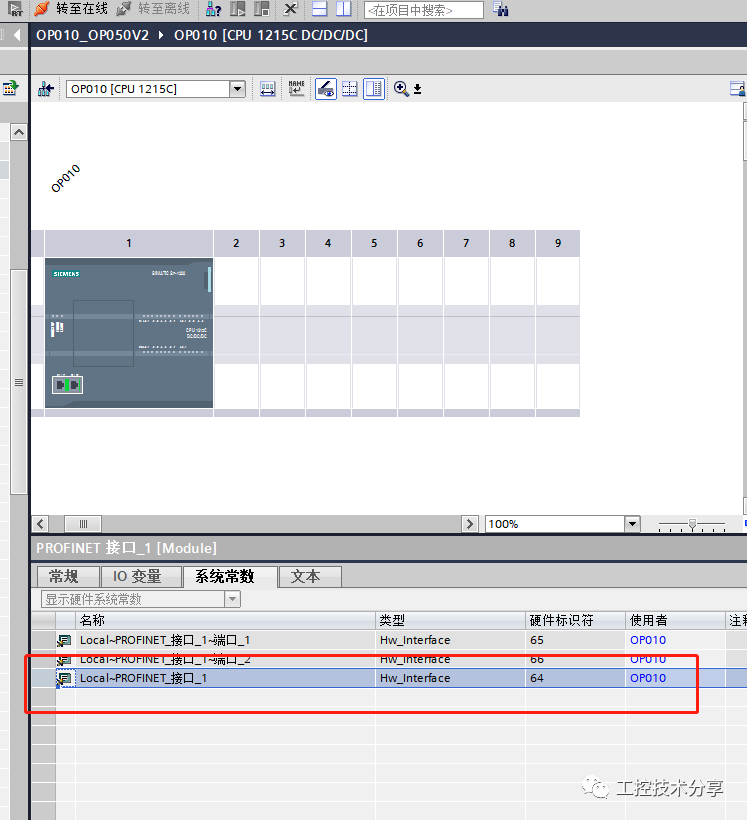
Other Data One: View PLC hardware identifier
Open device configuration: Double-click PROFINET interface; Select system constants: the following figure shows theS7-1200 device’s PROFINET interface hardware identifier
Other Data Two:
Test PLC_IP address: 192.168.1.1
Test computer IP address: 192.168.1.245
MODBUS slave debugging test software: mbslave
Effect test video
Thank you for watching—-END