The FX3U is a compact PLC, and familiarizing ourselves with it is a necessary step for electrical beginners. However, when using FX3U for communication, most people only utilize its serial communication capabilities, and many have not experienced Ethernet communication. Today, we will take a detailed look at the FX3U Ethernet communication module, FX3U-ENET-L.Software can be downloaded at the end of this article. 1. FX3U Application Network DiagramThe FX3U-ENET-L Ethernet module uses the TCP/IP and UDP/IP communication protocols to connect the FX3U/FX3UC series programmable controllers with upper-level systems such as computers or workstations via Ethernet (100BASE-TX, 10BASE-T).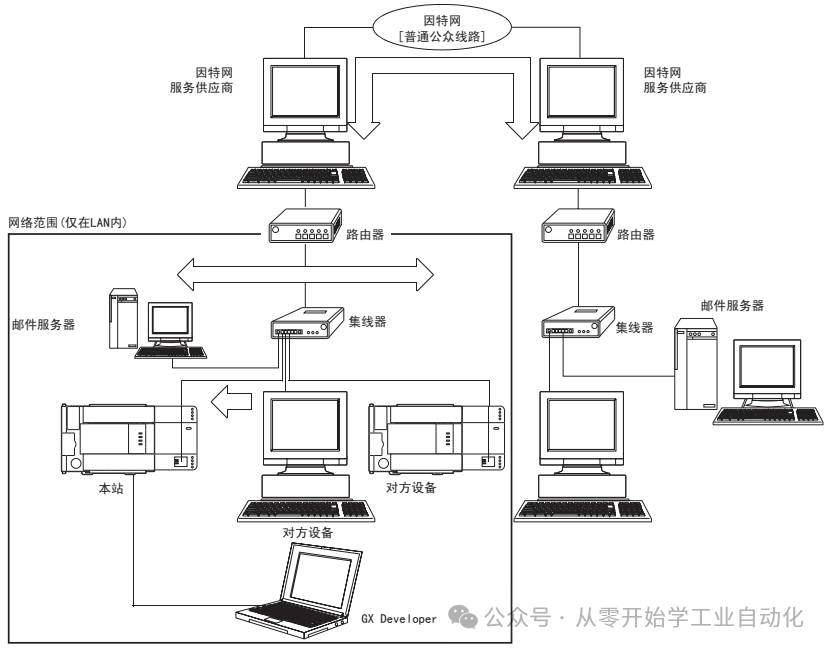 2. Supported Communication ProtocolsThe MC protocol (MELSEC communication protocol) allows for reading/writing of soft component data from the programmable controller via the upper-level system.The MC protocol is a passive protocol, requiring data transmission based on the upper-level system’s requests. After the line is connected, no data communication control program is needed.
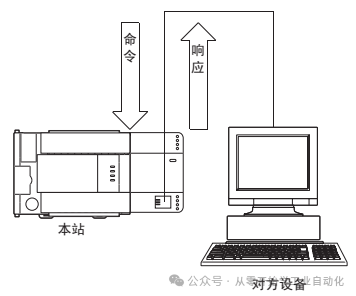 3. Software Composition
This Ethernet module supports TCP/IP and UDP/IP protocols.
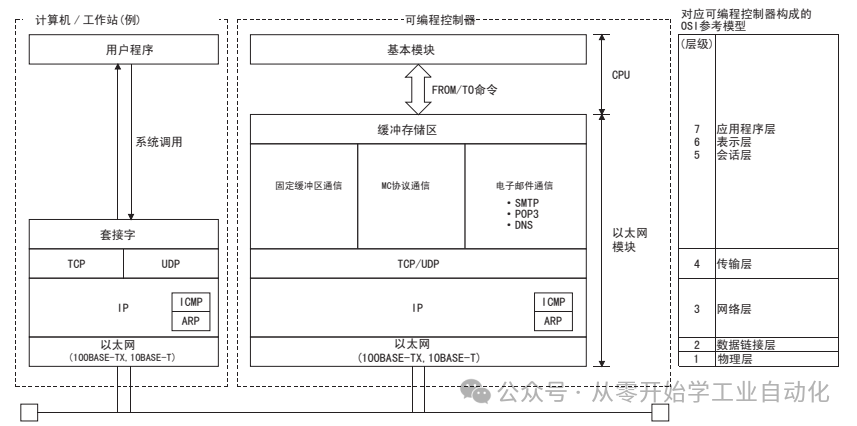 1. TCP (Transmission Control Protocol)This protocol ensures the reliability and accuracy of communication data between connected computers/workstations and programmable controllers on the network.
- By establishing a connection (logical line), a logical link is created, similar to establishing a dedicated line with the other device.
- Up to 4 connections can be established in the Ethernet module, allowing simultaneous communication on each connection.
- Data reliability is ensured through sequence control, data retransmission functions, and checks using sequence numbers.
- Flow control of communication data is managed through window operations.
2. UDP (User Datagram Protocol)This protocol does not guarantee the reliability and accuracy of communication data between connected computers/workstations and programmable controllers. Therefore, if data does not reach the other node, it will not be resent.
- However, due to its connectionless transmission, communication efficiency is superior to TCP/IP.
- To improve the reliability of communication data, this protocol includes checks.
- For better reliability, please use user applications for retries or use TCP.
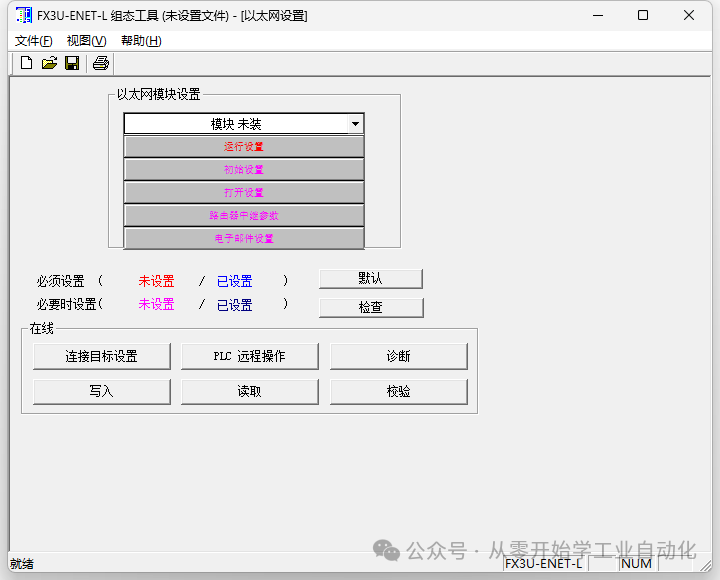
4. Performance Specifications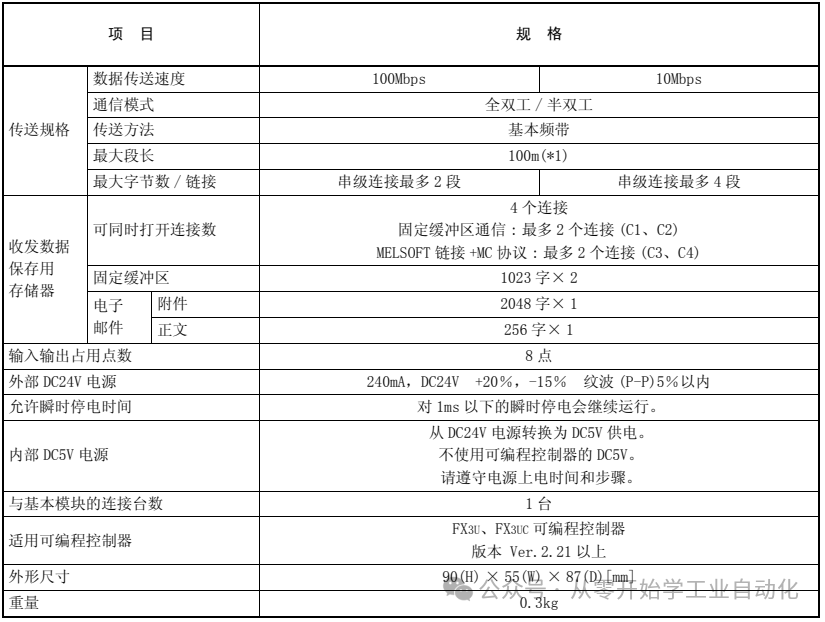 5. Debugging Software1. Software InstallationAfter installing the hardware, open Mitsubishi’s FX3U-ENET-L configuration tool.
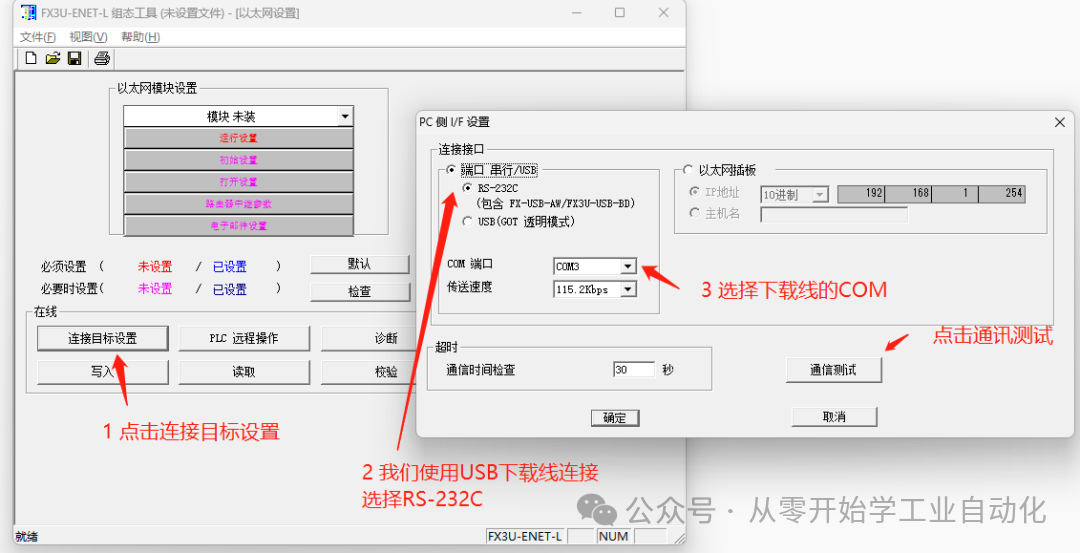
 2. Communication TestClick on target settings –> select RS-232C –> choose the corresponding COM port –> click on communication test.
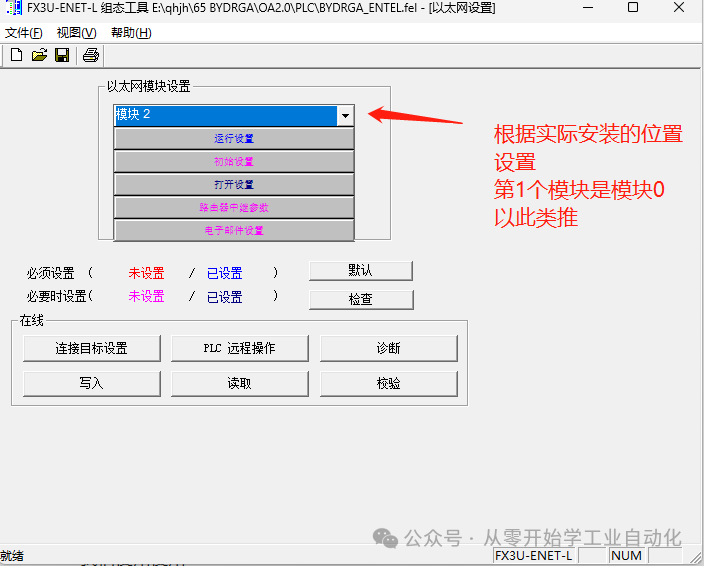
 3. Module SettingsSet according to the actual installation position; the first module is module 0, and so on.
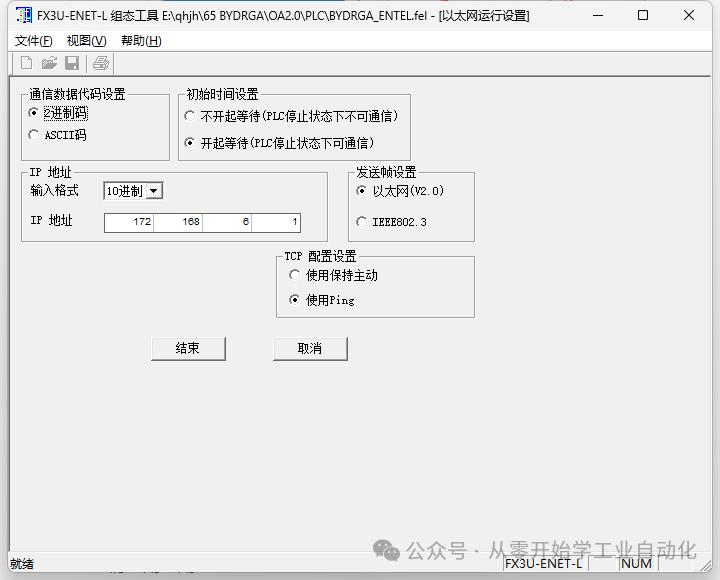
 4. Run SettingsClick on run settings, only modify our IP address according to actual needs.
 5. Open SettingsMELSOFT link / MC protocol connection (connections 3 and 4), which are the 3rd and 4th lines below. If selected incorrectly, there will be no MC option.
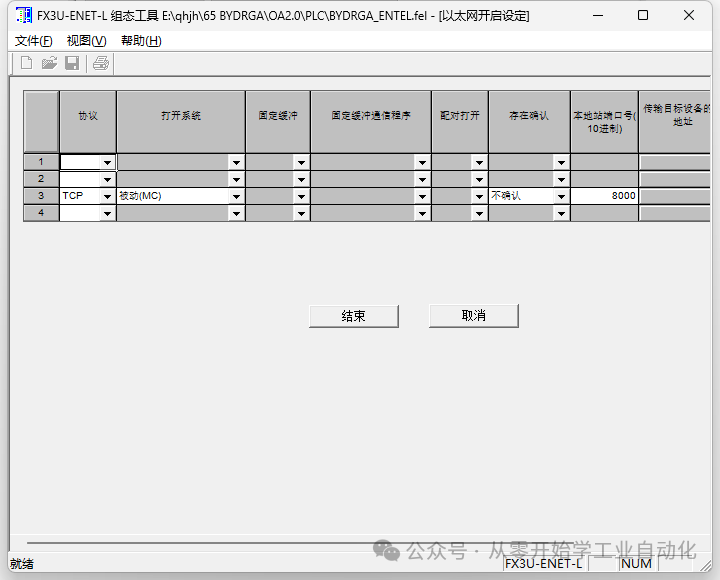 6. DownloadClick on write to download to the PLC, and it will be complete.
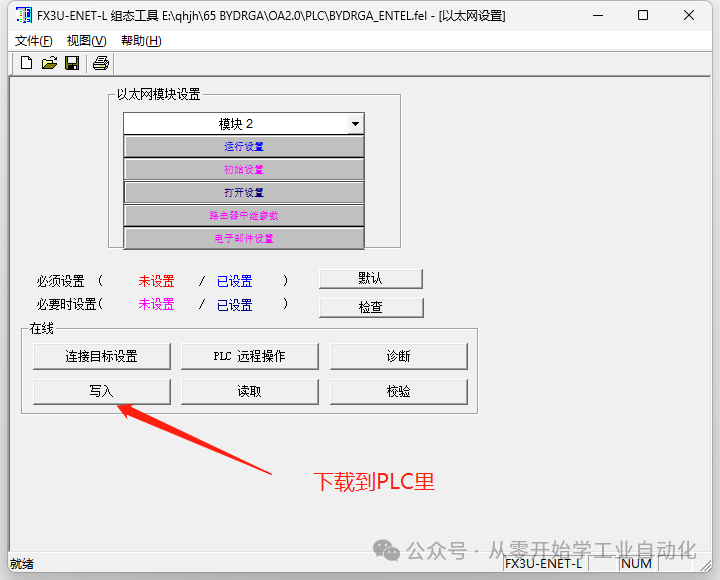 6. Conclusion Today we discussed how the FX3U-ENET-L module forms a network and the functions it supports, as well as how to configure this module through software operations. Tomorrow, we will look at how to achieve communication after installation.Free download method: Send “2006” to the public account to download the FX3U-ENET-L software.There are many related articles in the public account,if you like it, please follow us.A WeChat technical exchange group has been established, everyone can add it in the public account menu, and you are welcome to exchange and learn together.C# Beginner’s Special – Detailed Explanation of How to Develop a Mitsubishi FX3U PLC Communication Simulator Using C# Winform (Final Chapter)Beginner Project [Automatic Screw Machine] C#, PLC, Touch Screen Practical (3/5): PLC Program DesignMitsubishi PLC Communication Related Instructions: How to Calculate CRC in Detail