When we finish writing a program, we often need to debug or modify it, or later add new features. At this time, we need to keep track of what changes were made, so that if the current program encounters a bug, we can revert to the previous version of the program. This requires the login history in GX Works2.
The program login is essentially the same as saving the program.
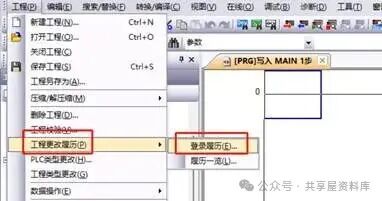
Open Project — Project Change History — Login History
Open Project — Project Change History — Login History
|
|
|
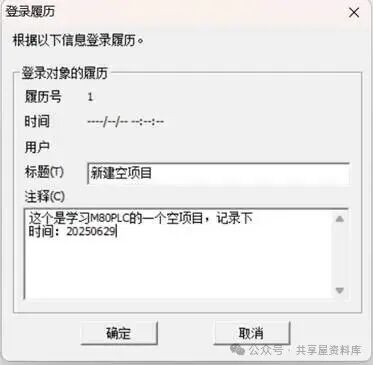
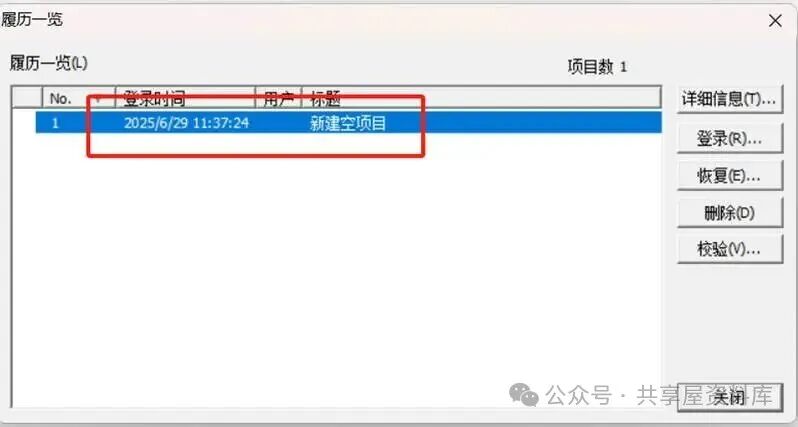
After writing, confirm to save the current program to the history. You can view the logged programs in the history overview.
For those learning Mitsubishi PLC, feel free to discuss any issues you encounter in the comments section.
Join me in learning the M80PLC tutorial: M80PLC Tutorial | How to Learn Mitsubishi M80PLC Programming from Scratch?
Shared WeChat: 136959805