When writing programs for the Siemens S7-1200, various OB organization blocks need to be inserted into the program blocks according to project requirements to address and view organizational events, hardware and software faults, and status information that occur during PLC operation. Today, we will focus on the Startup organization block (OB100) to discuss its function and application examples.
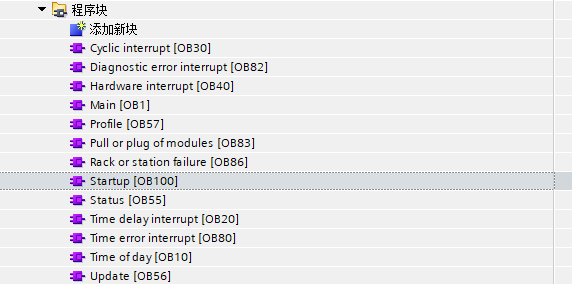
The function of the Startup (OB100) organization block: When the CPU’s operating mode transitions from STOP to RUN (including when the CPU is powered on from a STOP state to RUN mode, and during the execution of the STOP to RUN command switch), the Startup organization block OB100 will be executed for one scan cycle. The main program loop (Main) OB1 will only begin execution after the Startup organization block OB100 has completed.
It is important to note that the S7-1200 CPU supports the insertion of multiple Startup organization blocks. They will be executed in ascending order based on their numbers, with OB100 being the system default. If there are other Startup organization blocks, their OB numbers must be greater than or equal to 123, and they will only execute after OB100.
The operation process of the Startup (OB100) organization block for firmware version V4.0 and above:
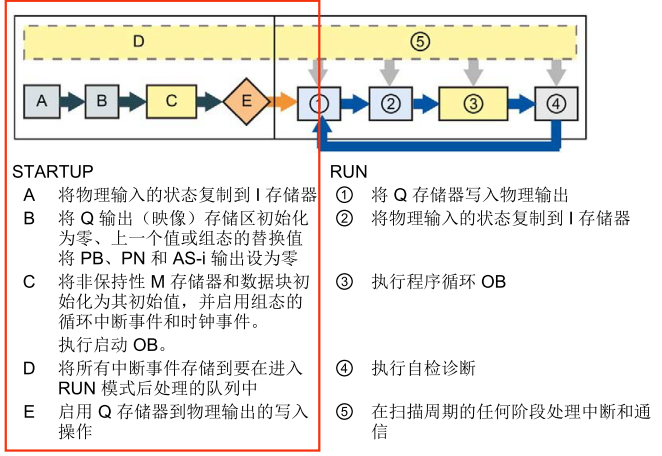 For CPUs with version 4.0 and above, if the input I points are already activated before the CPU is powered on, the state of the input I points can be directly read in the Startup organization block OB100 without needing to read the immediate value I:P. However, during the execution of the Startup organization block OB100, outputs Q cannot be activated, even if programmed to output to immediate output Q:P; all output states will only be activated after the execution of the Startup organization block OB100 is complete.
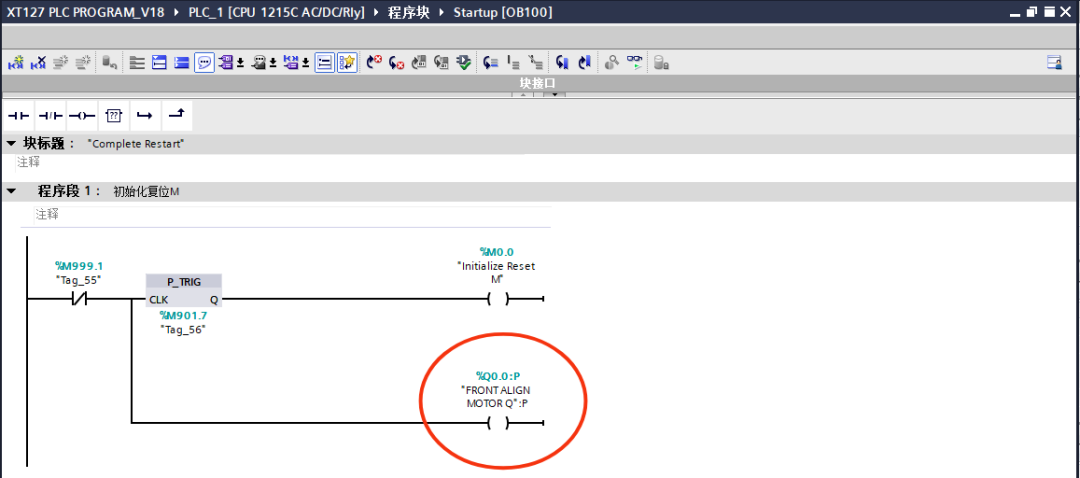 Note that if there are immediate outputs in the Startup organization block OB100, such as Q0.0:P, a diagnostic message will appear in the CPU’s diagnostic buffer stating “CPU temporary error: I/O write access error in OB100” after the CPU is running. Having understood the function of the Startup organization block OB100, let’s discuss how to apply the Startup organization block OB100.
Application 1: Complete initialization fault reset. Since the PLC startup requires time for self-checks, I/O checks, interrupts, and event queuing, if Profinet or Profibus control is used at this time, the drives may start before the PLC. Due to improper communication establishment, the drives will report communication faults, and the PLC will not function properly after startup.
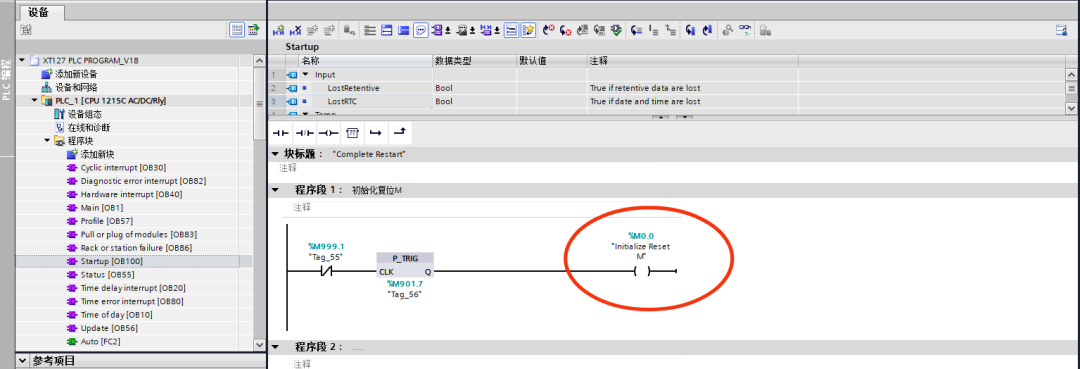
Utilizing the characteristic of the Startup organization block OB100 to run during the first scan cycle, an automatic initialization reset signal is output.
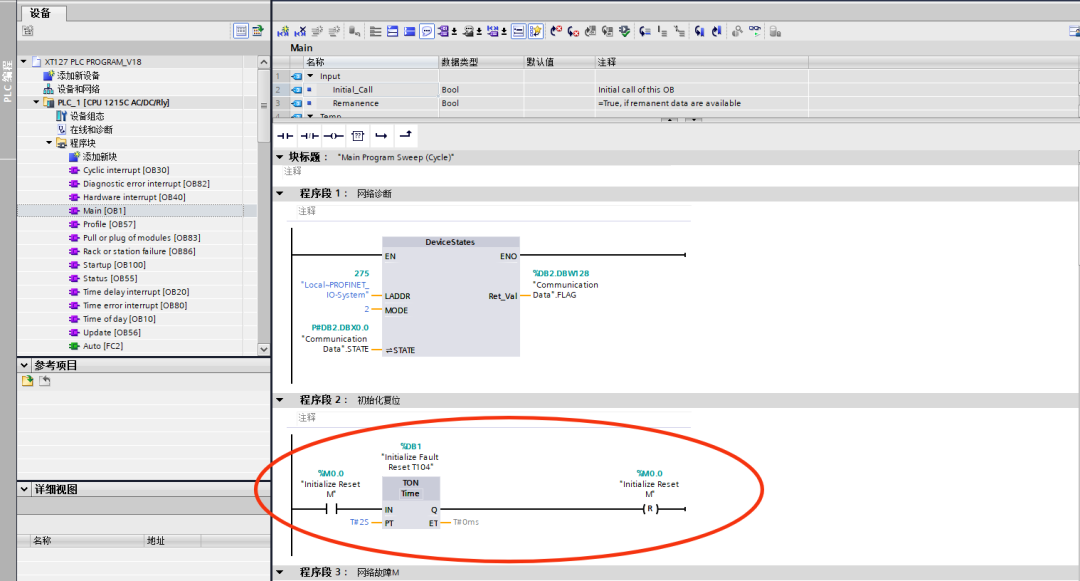
In the main program loop (Main) OB1, set the time for the initialization reset, considering that the initialization reset also involves data copying and transfer, a 2s disconnection delay is set.
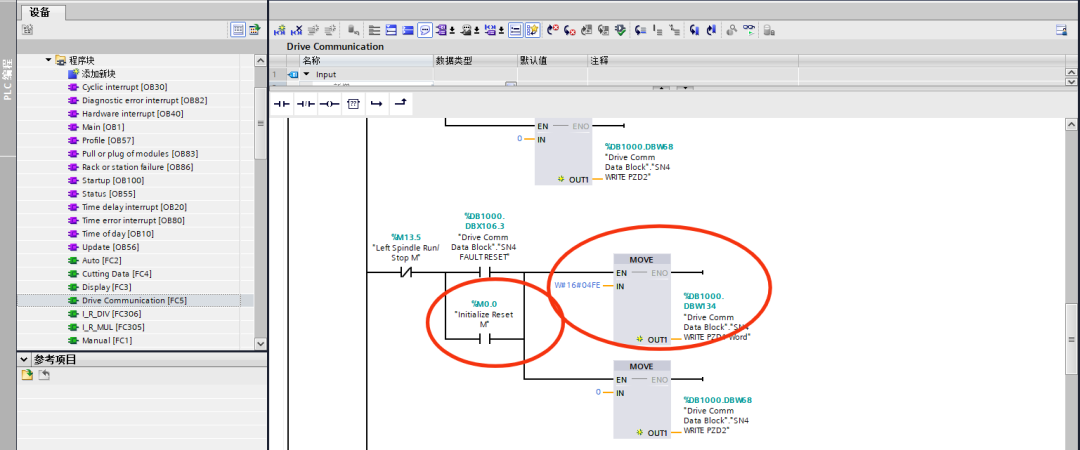
During the 2s delay, the initialization fault reset signal sends a fault reset control word to each drive, initializing and resetting the faults of each drive.
Application 2: Provide status signals for data memory, as shown in the figure below.
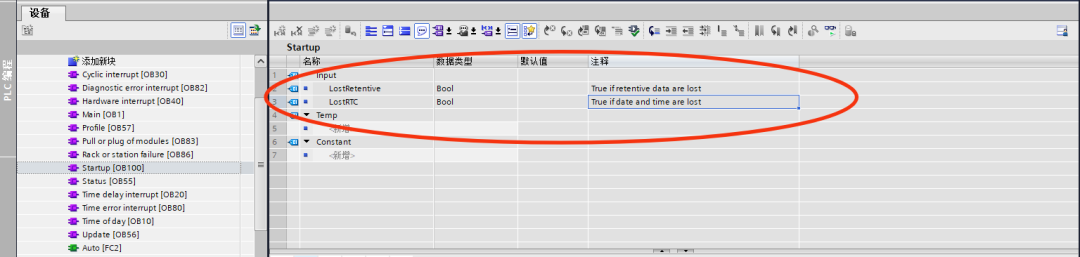
The Startup organization block OB100 contains startup information that can be used to determine whether retained data has been lost and whether the real-time clock has been lost. Instructions can be written in OB100.
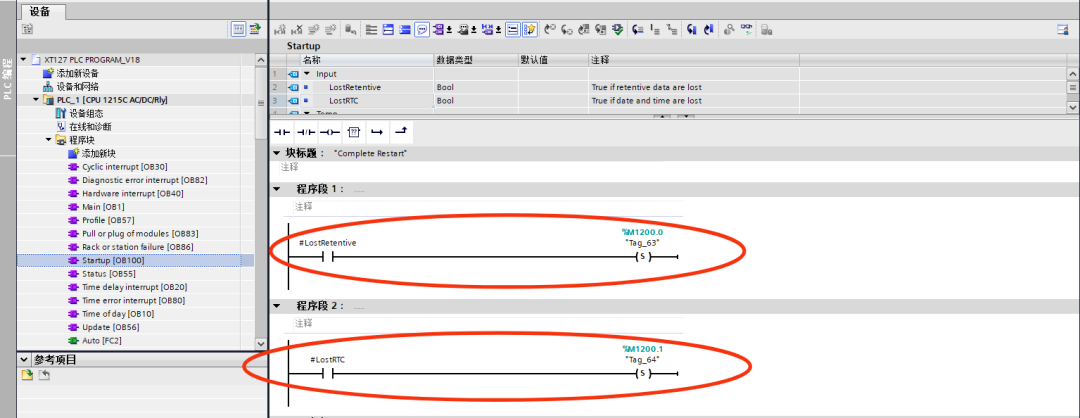
The variable LostRetentive, with a data type of Bool, will become 1 (True) if the retained data storage area data is lost, and it is output to indicate by setting M1200.0; the variable LostRTC, with a data type of Bool, will become 1 (True) if the real-time clock data is lost, and it is output to indicate by setting M1200.1.
Application 3: Initialize data block assignment.
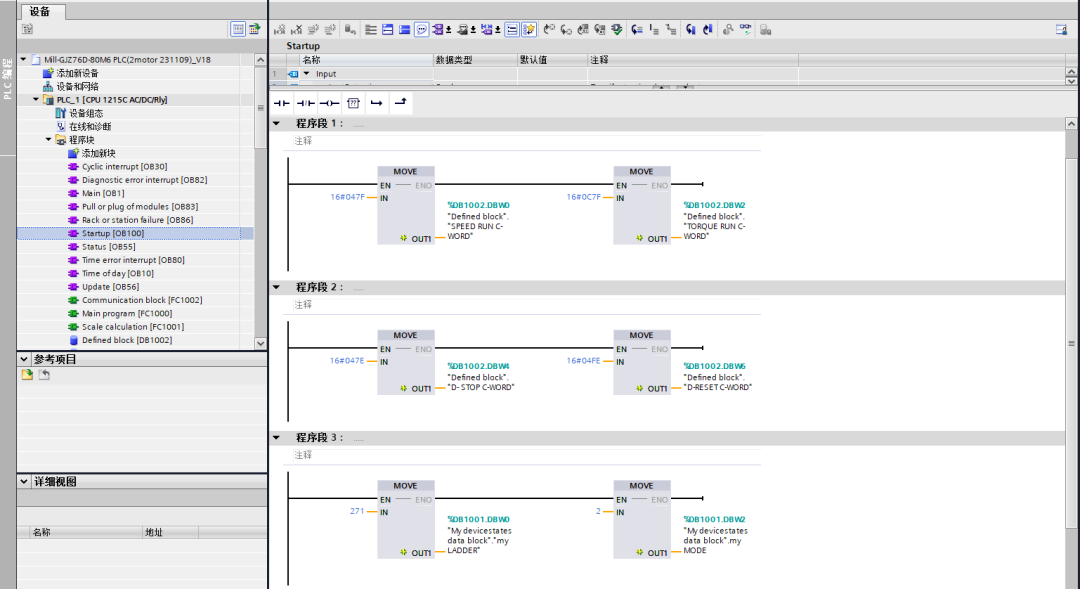
In the Startup organization block OB100, write the program to initialize the required data, completing the assignment operation during the PLC’s first scan cycle.
 Complete control word initialization.
Complete control mode initialization.
The above is an introduction to the S7-1200 PLC Startup organization block OB100 and its applications. The following text includes a list of other commonly used S7-1200 OB organization blocks for your reference. If you have better applications, feel free to discuss in the comments section. Please like ❤️, share, and bookmark. Thank you for your support.
Appendix: Names of commonly used S7-1200 OB organization blocks:
1. Program Cycle Organization Block (OB1)2. Date and Time Interrupt Organization Block (OB10)3. Delay Interrupt Organization Block (OB20)4. Cycle Interrupt Organization Block (OB35)5. Hardware Interrupt Organization Block (OB40)6. Diagnostic Interrupt Organization Block (OB82)7. Rack Fault Organization Block (OB86)8. Startup Organization Block (OB100)9. Programming Fault Organization Block (OB121)
10. I/O Access Fault Organization Block (OB122)11. Startup Type (OB101)12. Startup Type (OB102)