The different series of Beckhoff products can be connected to Pro-face touch screens in the following ways:
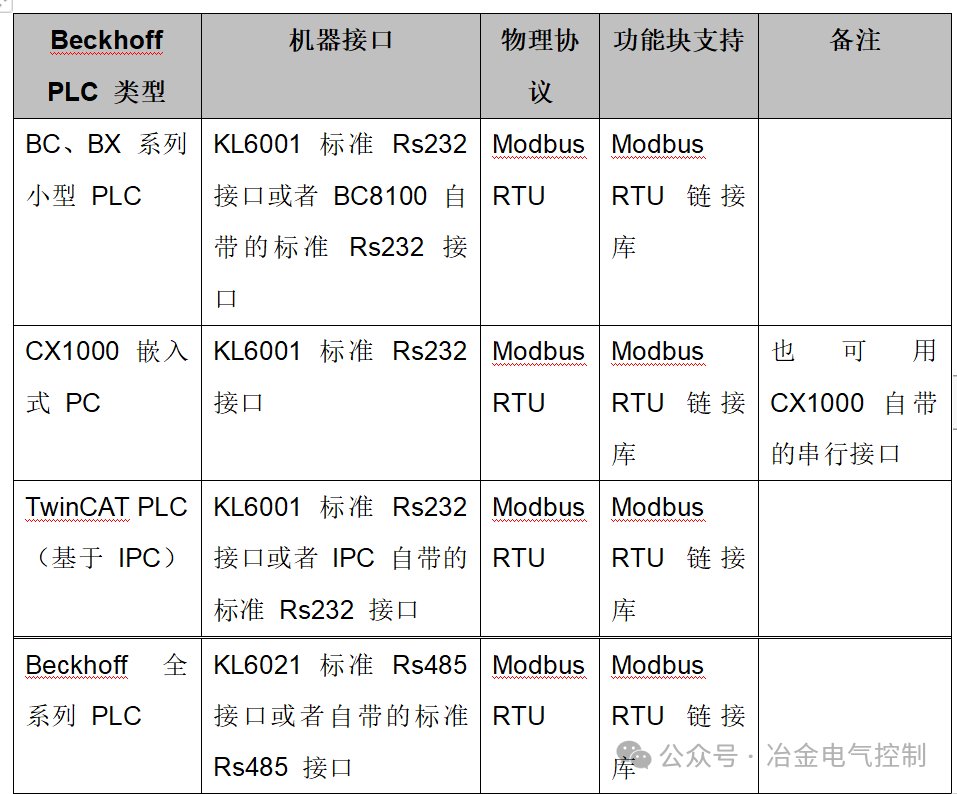
lPhysical connection port settings:
When connecting Beckhoff PLC and Pro-face touch screens, it is essential to ensure that the protocol specifications of the ports on both machines are consistent. For the commonly used KL6001 Rs232 communication module, we can set the communication parameters either through the KS2000 configuration software or by using the PLC to write control words to the KL6001. The parameter settings through KS2000 are illustrated as follows:
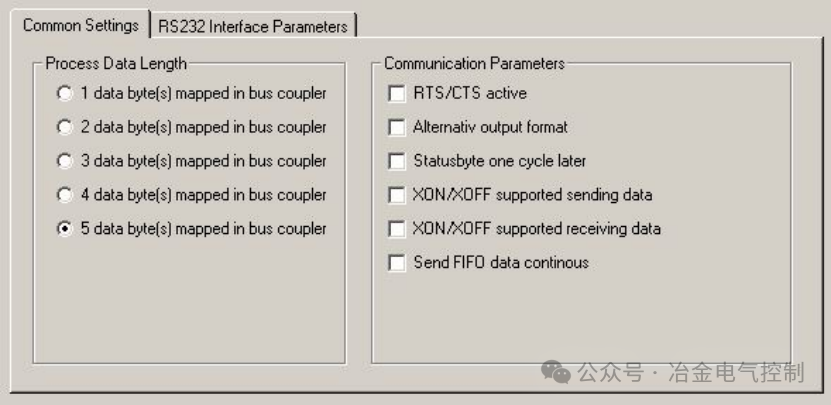 Figure 1
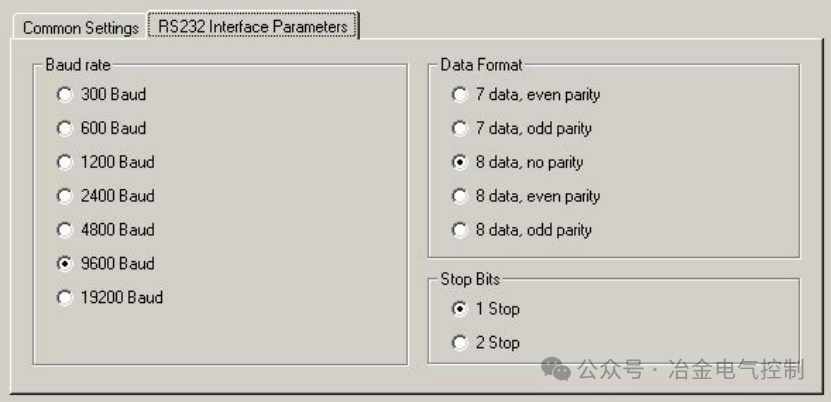 Figure 2
In Figure 1, according to the different function blocks of the Modbus RTU protocol called by the PLC, either the “3 data byte(s) mapped in bus couple” method or the “5 data byte(s) mapped in bus couple” communication method can be used. The example program here uses the “5 data byte(s) mapped in bus couple” mode.
lSettings in the PLC:
In the connection with the Pro-face touch screen, the Beckhoff PLC acts as a Modbus slave, while the Pro-face touch screen serves as the Modbus master. Therefore, it is necessary to embed the Modbus RTU Slave function in the PLC.
Please refer to the following example program for invoking this function:
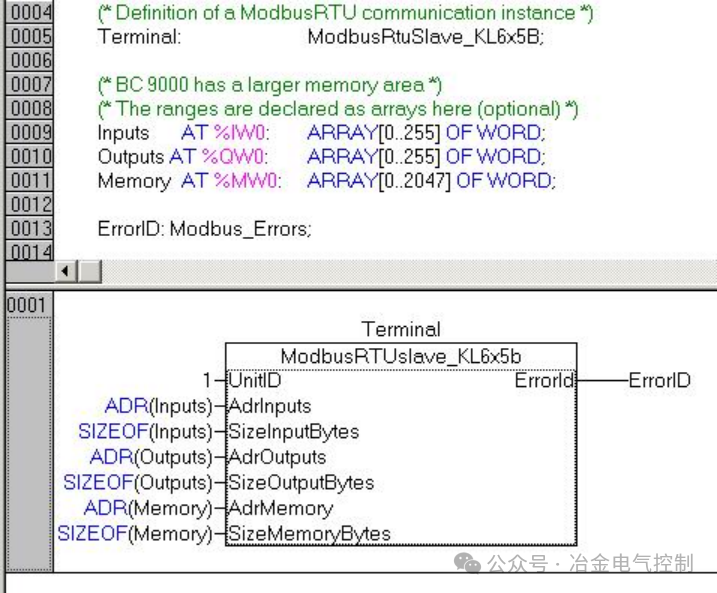 Figure 3
Invoke the standard Modbus RTU Slave function block from the Modbus RTU library, and define the input, output, and memory variables that can be accessed by the Pro-face touch screen in the PLC.
In the ModbusRTUslave_KL6x5b function block, it is necessary to fill in the starting addresses and lengths of the input variables, output variables, and memory variables that can be accessed by the Pro-face in the PLC memory. These starting addresses and lengths can be specified by the user or automatically detected using the TwinCAT PLC functions ADR and SIZEOF.
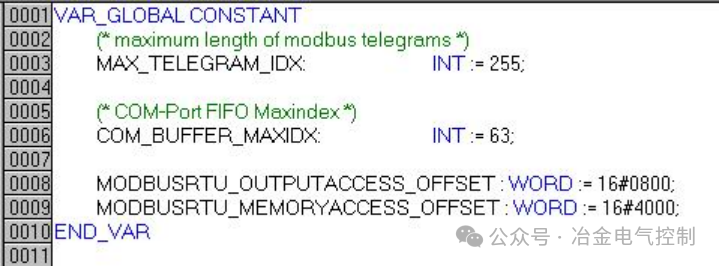 Figure 4
Standard variable declarations define the communication buffer and variable offset addresses. Users cannot modify these parameters.
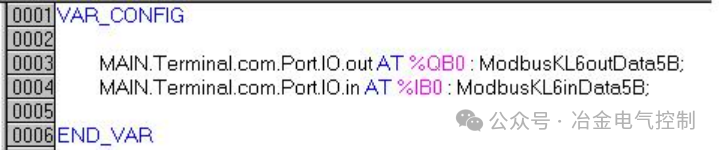 Figure 5
Define the address variables for the KL6001 Rs232 communication module. Customers need to modify %IB* and %QB* according to the actual physical address occupied by the KL6001.