Using Xinjie PLC
- 1. Familiarization with Software and Understanding PLC
- Learning Content
- Usage of Xinjie PLC Programming Tool Software.
- Understanding the difference between PLC running and stopping modes, and the scanning method of PLC ladder diagram programs.
- Learning basic instructions, familiarizing with ladder diagram programming (such as addition, subtraction, multiplication, division, input/output, TMR, MOV instructions, and other simple instructions).
- Assessment Content
- 1. Practical content: Implementing a running light function using a ladder diagram (Note: TMR instruction must be used).
- 2. Basic mastery of the learned instructions
1. Familiarization with Software and Understanding PLC
Learning Content
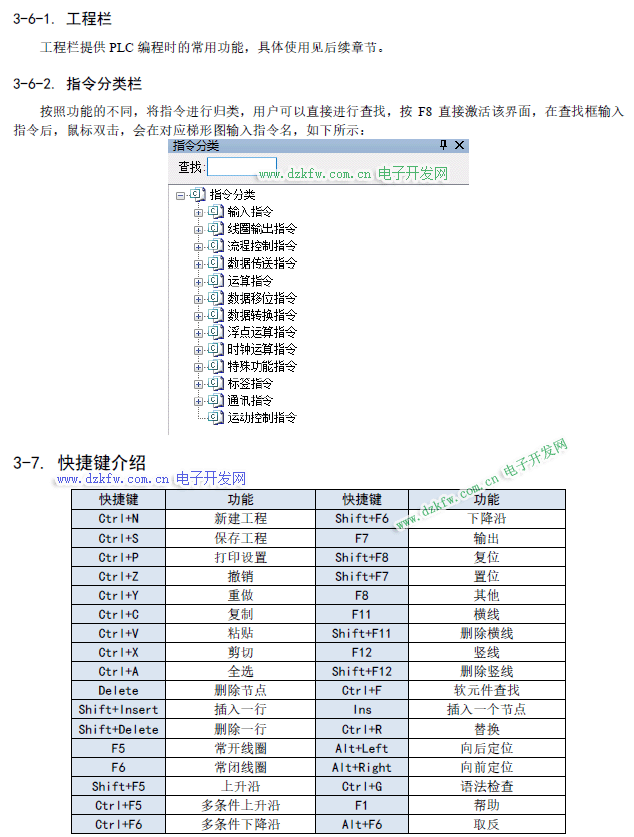
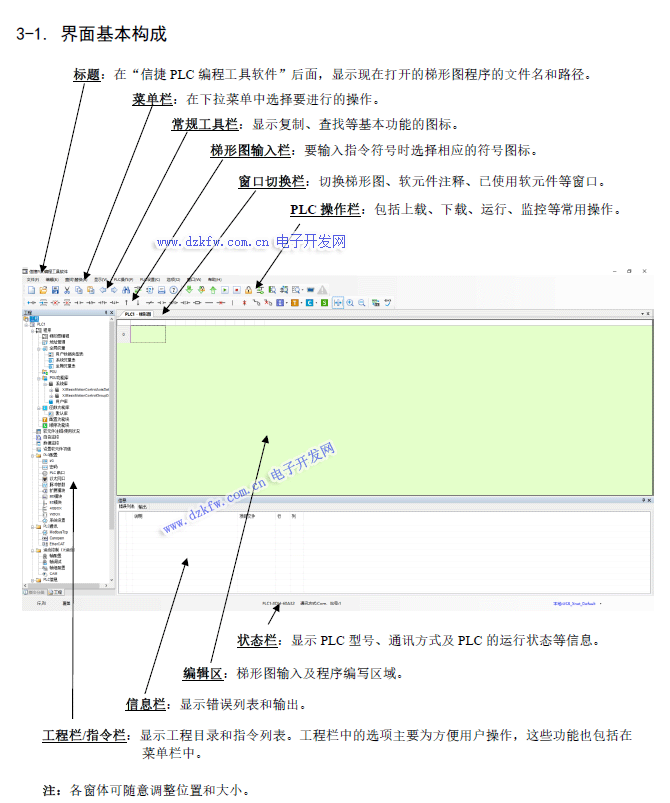
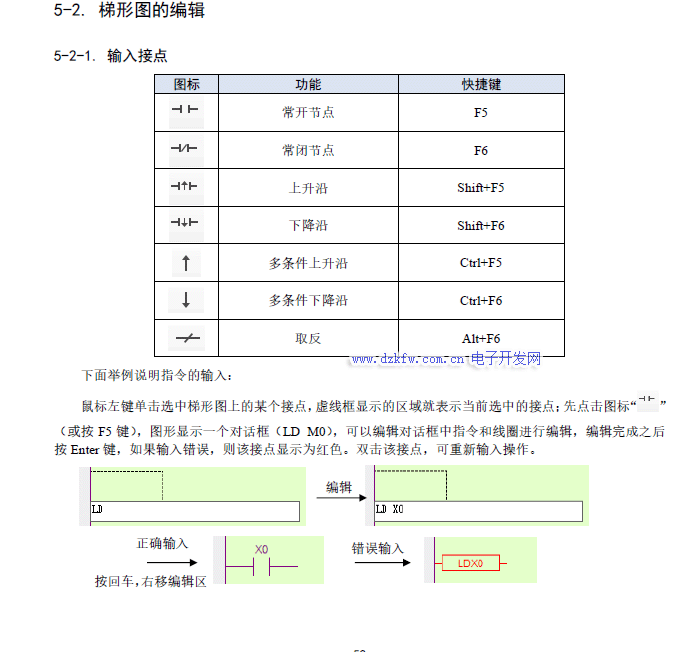
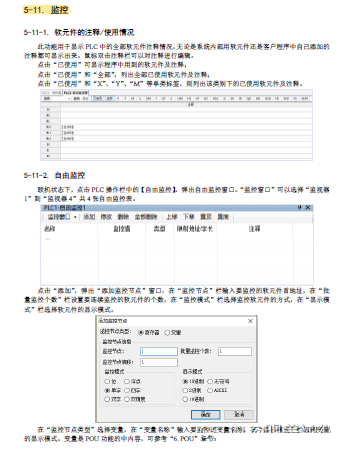
Usage of Xinjie PLC Programming Tool Software.
Understanding the difference between PLC running and stopping modes, and the scanning method of PLC ladder diagram programs.
PLC has two operating modes: Running (RUN) and Stopping (STOP).
In the stopping mode, the PLC only performs internal processing and communication services.
When in running mode, the PLC performs internal processing, communication services, input processing, executes programs, and output processing, then cycles through these processes in a scanning manner.
This cyclical working method of the PLC is called the scanning working method. The cyclical scanning operation is a significant feature of PLCs, and it can be said that PLCs operate in a “serial” manner, which is fundamentally different from the “parallel” operation of traditional relay control systems. The serial operation of PLCs avoids issues of contact competition and timing mismatches found in relay control systems.
Imagine the PLC as three small robots: A, B, and C.
Step 1: Robot A observes which input points are activated.Step 2: A writes down what it sees on paper and hands it to Robot B.Step 3: B executes the program based on the input states written on the paper.Step 4: After executing the program, B writes down all the required output points Q on paper and hands it to Robot C.Step 5: C activates the output points based on the paper provided by B.
Learning basic instructions, familiarizing with ladder diagram programming (such as addition, subtraction, multiplication, division, input/output, TMR, MOV instructions, and other simple instructions).
LD: LoadLDI: Load InvertedOUT: OutputAND: ANDANI: AND InvertedOR: ORORI: OR Inverted
LDP: Load Pulse Rising EdgeLDF: Load Pulse Falling EdgeANDP: AND Pulse Rising EdgeANDF: AND Pulse Falling EdgeORP: OR Pulse Rising EdgeORF: OR Pulse Falling Edge
LDD: Directly read status from contactLDDI: Directly read normally closed contactANDD: Directly read status from contact, series connectionANDDI: Directly read normally closed contact, series connectionORD: Directly read status from contact, parallel connectionORDI: Directly read normally closed contact, parallel connectionOUTD: Directly output to contact
ORB: Parallel connection of circuit blocks or series connection of circuit blocksANB: Series connection of circuit blocks and parallel circuit blocksMCS: Main Control New Bus StartMCR: Main Control Reset Bus ReturnALT: Invert, coil inversionPLS: Rising Edge PulsePLF: Falling Edge PulseSET: SetRST: ResetCNT: Count OutputCNT_D: Count OutputDCNT: Decrement OutputDCNT_D: Decrement OutputRST: Reset
TimerTMR: OutputTMR_A: OutputEND: EndGROUPGROUPE
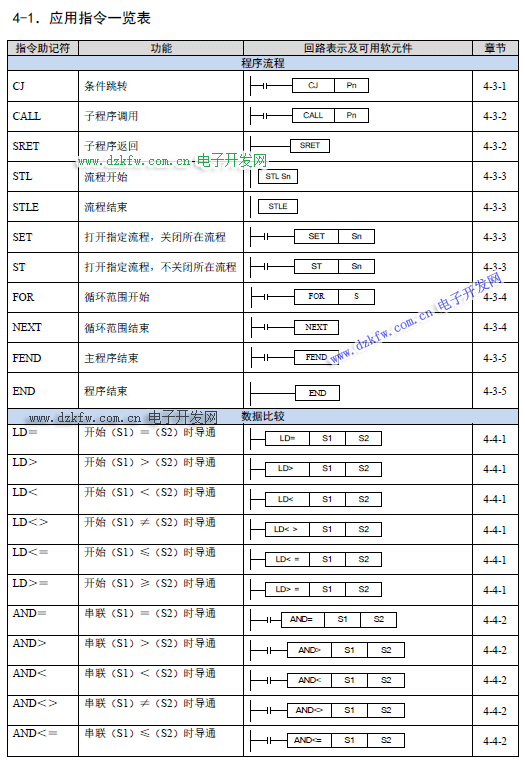
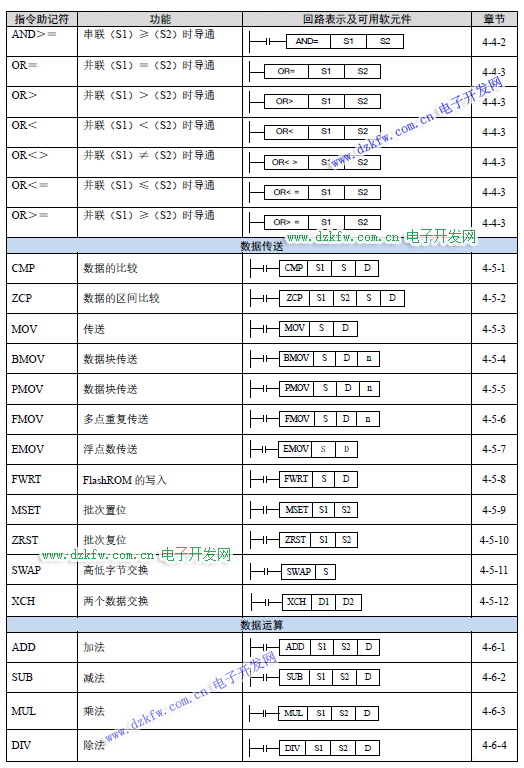
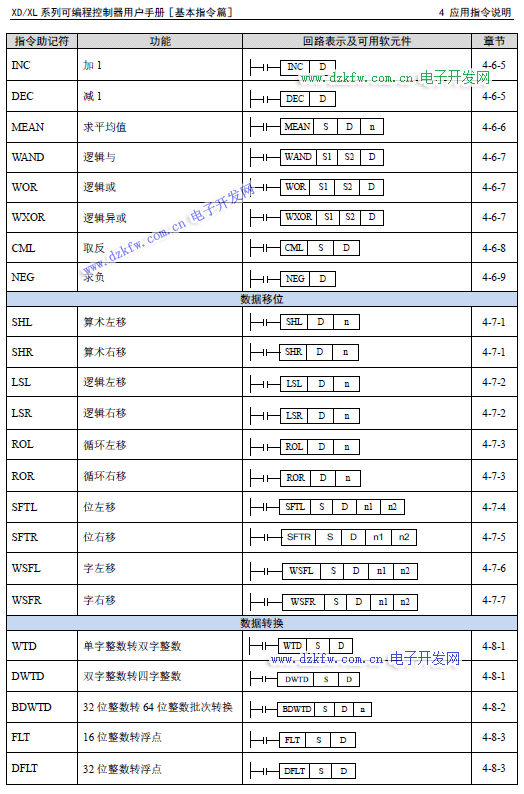
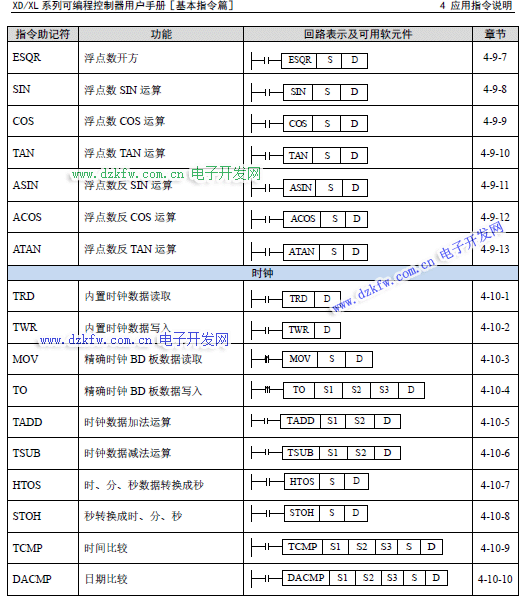
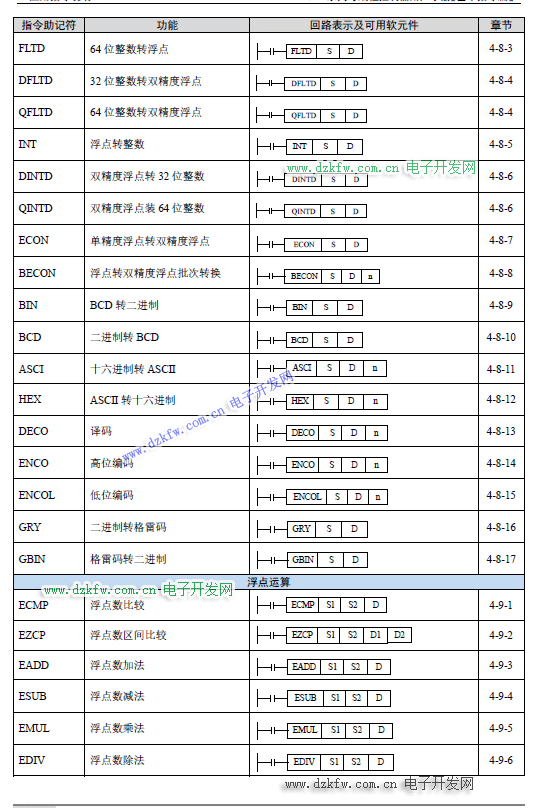
ADD: Addition operation
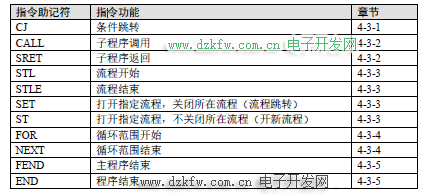
Conditional Jump [CJ]CJ is an instruction that is part of the execution sequence, which can shorten the operation cycle and use dual coils.
Loop [FOR], [NEXT]
Assessment Content
1. Practical content: Implementing a running light function using a ladder diagram (Note: TMR instruction must be used).
Based on one light turning on and off (flashing)
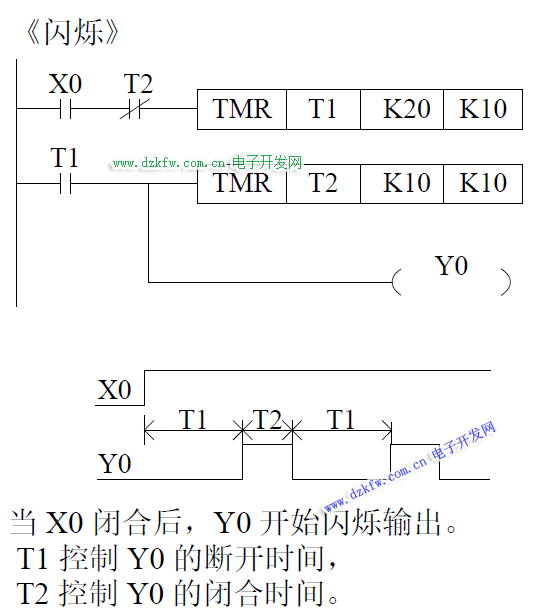
Construct 8 LEDs flashing, assigning different flashing durations through a timer to achieve the running light effect: 0.25s, 0.5s, 0.75s, 1s, 1.25s, 1.5s, 1.75s, 2s.