Universal Reinstallation Solution for Linux System Boot Issues
Author: Wang Xu, with over 10 years of experience in database management. Proficient in mainstream database systems, with extensive practical experience in enterprise database management, performance optimization, architecture design, and high availability solutions. Currently holds certifications such as ORACLE ACE, MYSQL OCP, PG ACE, PGCA, PGCE, PGCM.
Background
Recently, I encountered multiple instances where the Linux system failed to boot. I took this opportunity to research and learn more about it, and now I have compiled my findings. Suppose you encounter such an error upon startup and cannot resolve it quickly; can you recover data through reinstallation? The answer is yes. You can also use rescue mode to mount and copy data for recovery. This article will only cover the reinstallation method.
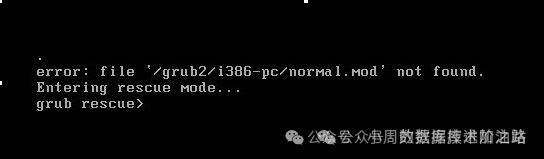
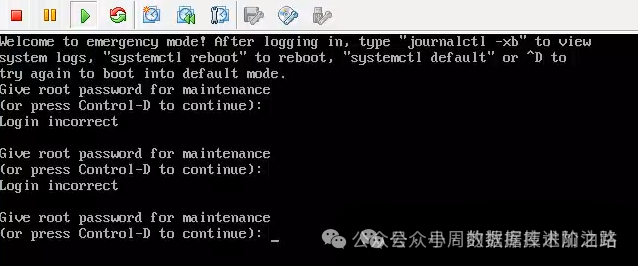
Reinstalling the System
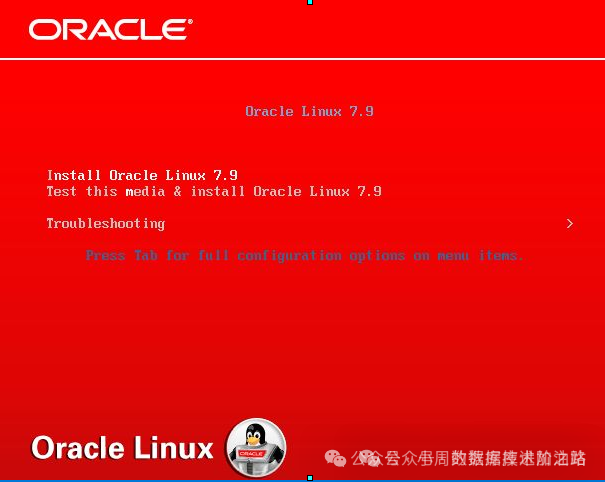
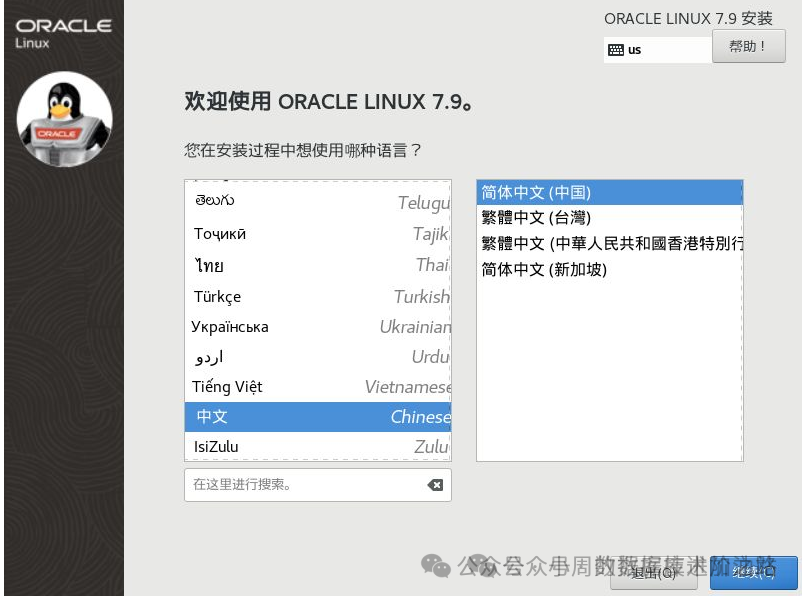
Pay attention to the installation location here!!! 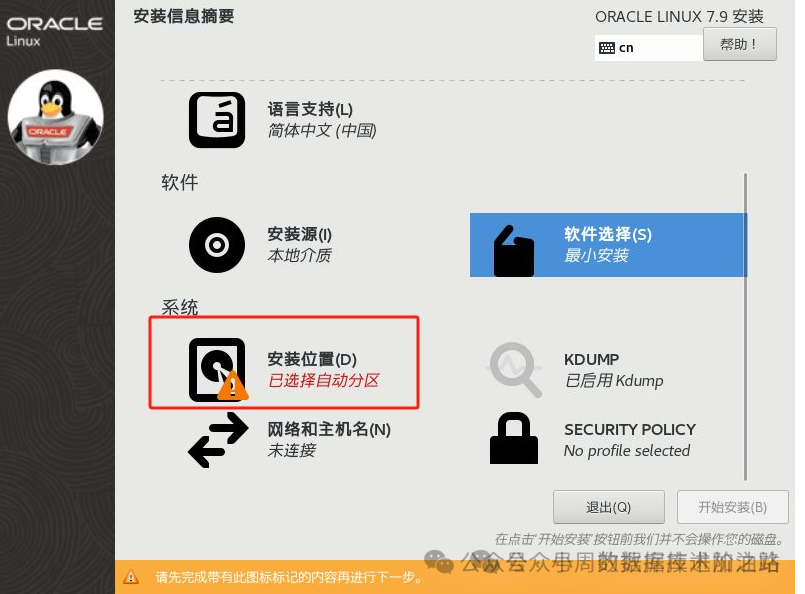
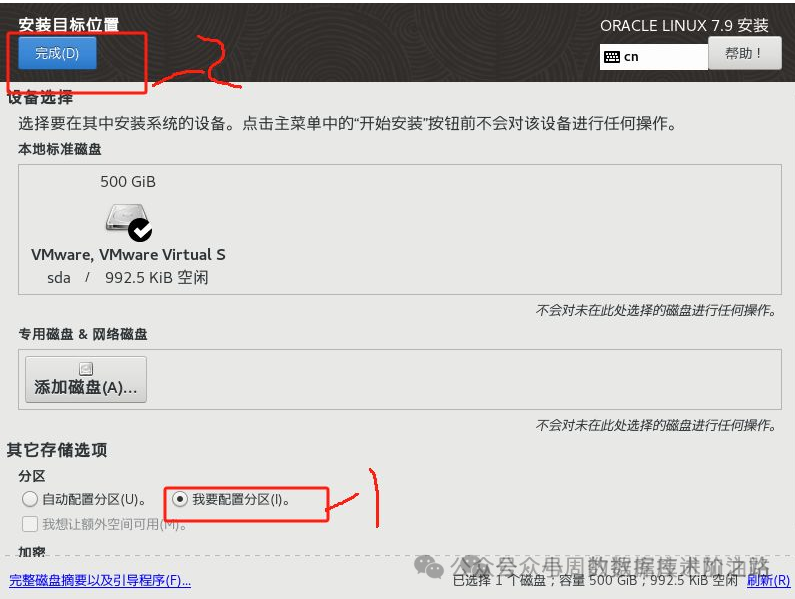
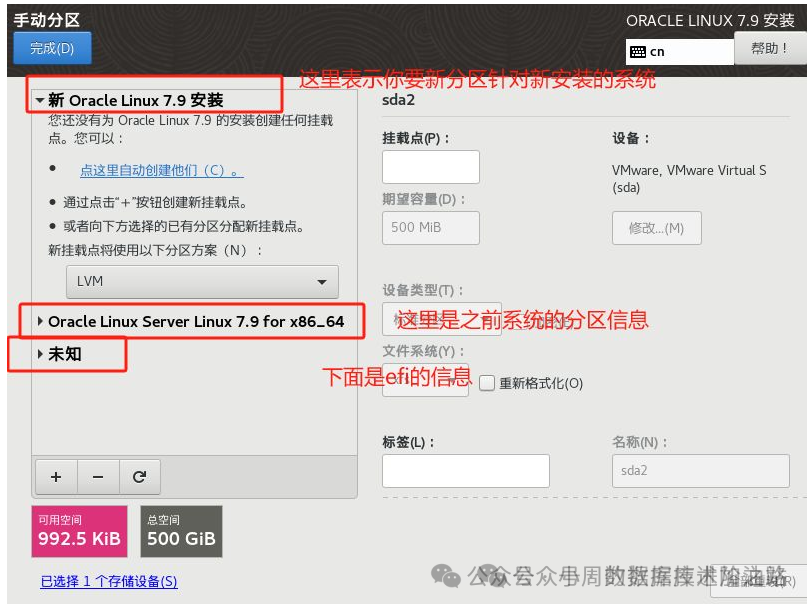
The arrows here indicate what can be deleted; remember not to delete /; 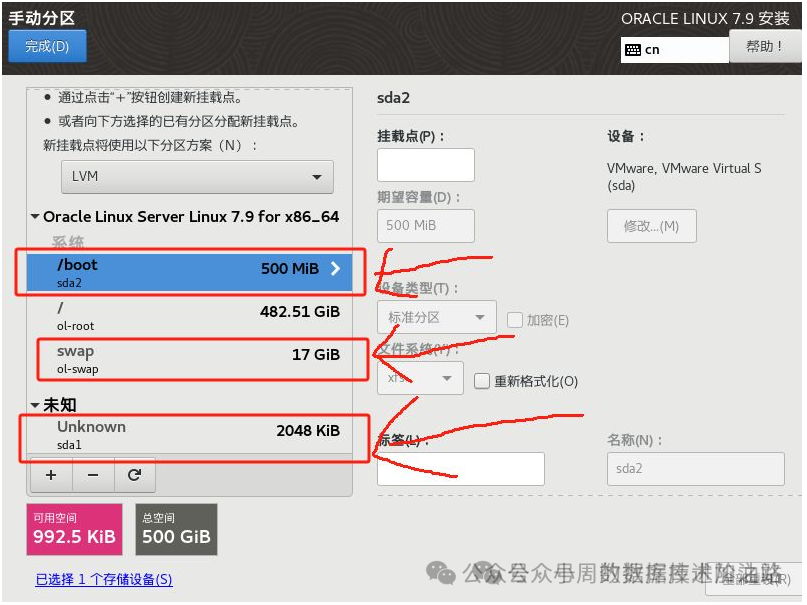
Remember: delete all file systems used by xxx, this box should not be checked;
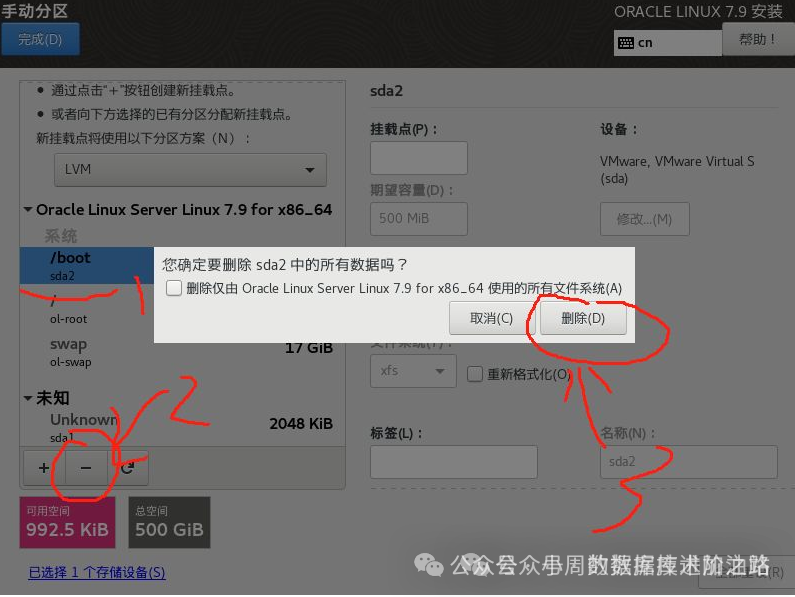
Other swap partitions should also be deleted in the same manner, resulting in the following:
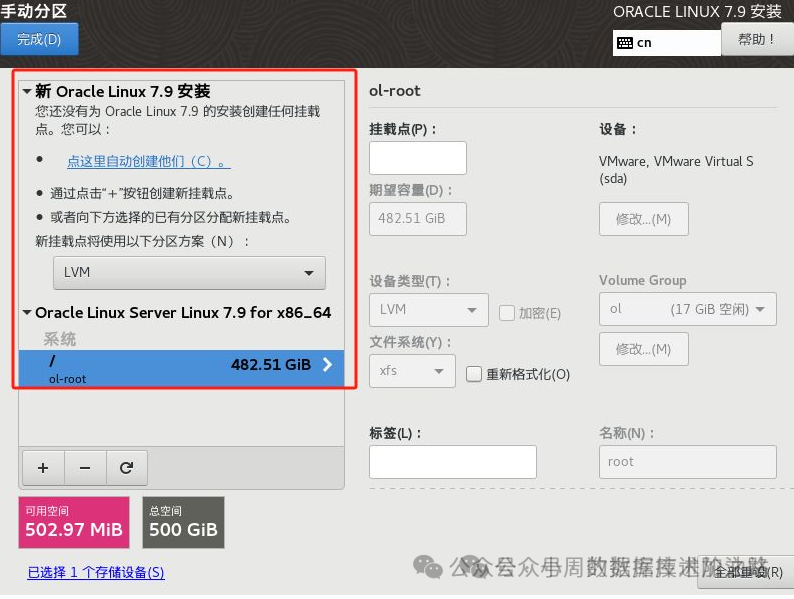
If you delete something incorrectly, don’t worry; just do not click on the complete button to restore all previous operations. How to recover? Click reset all.
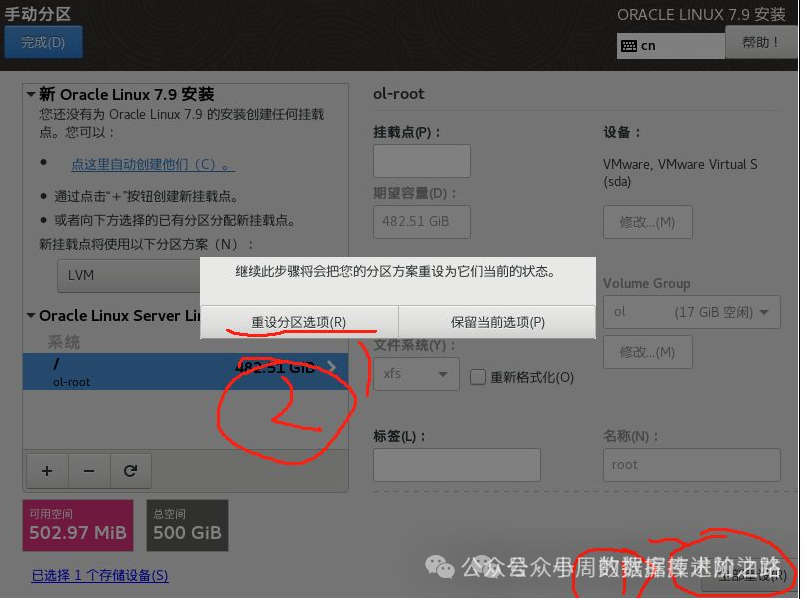 After resetting, it will return to the previous state, and you can continue deleting;
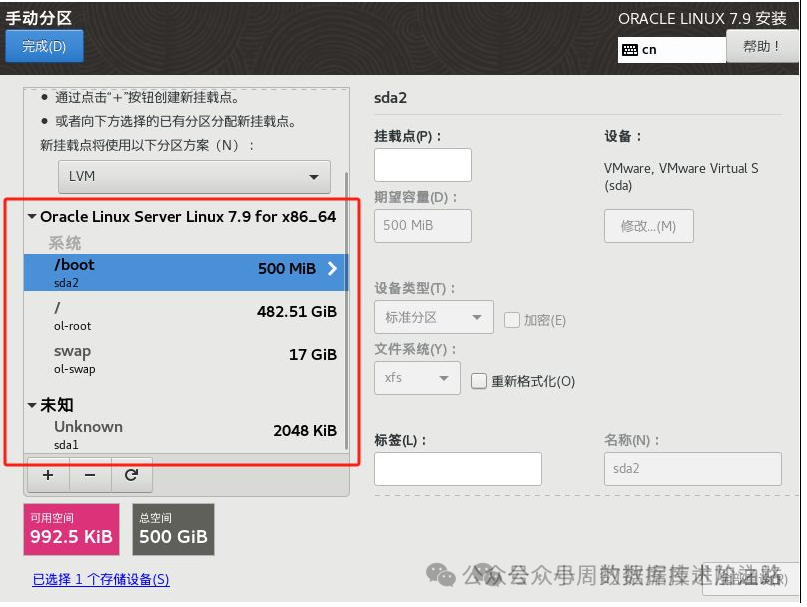
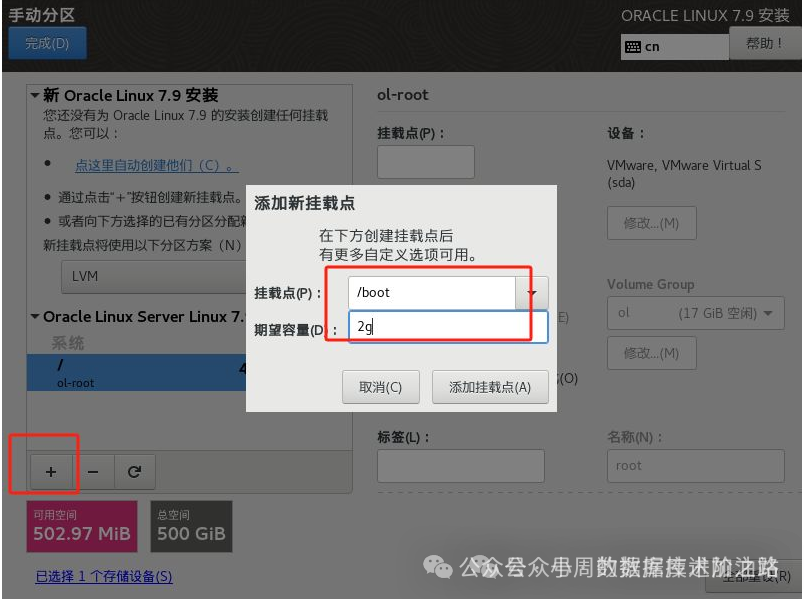
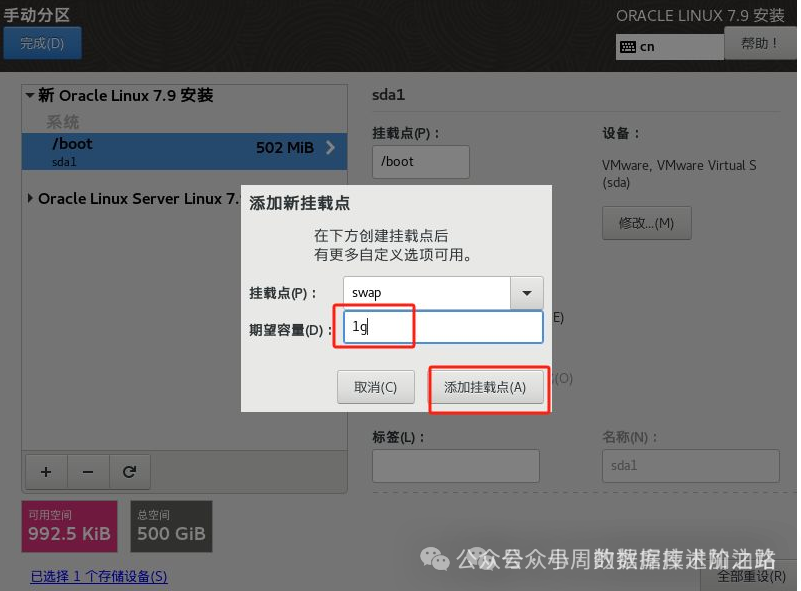
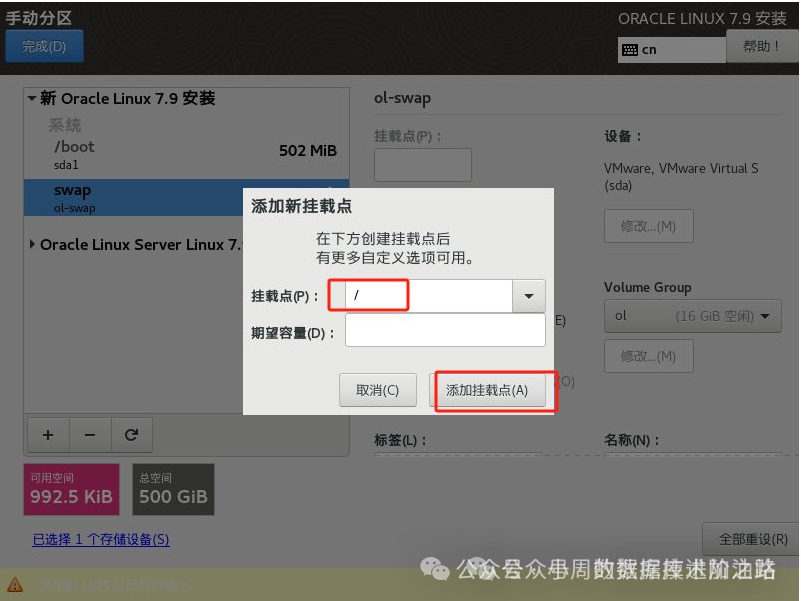
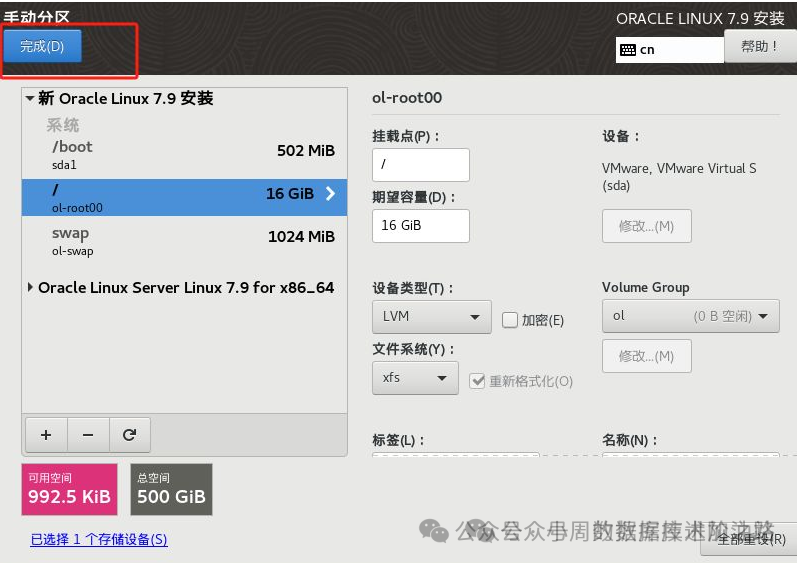
— Add new root and boot for system installation
After Reinstallation
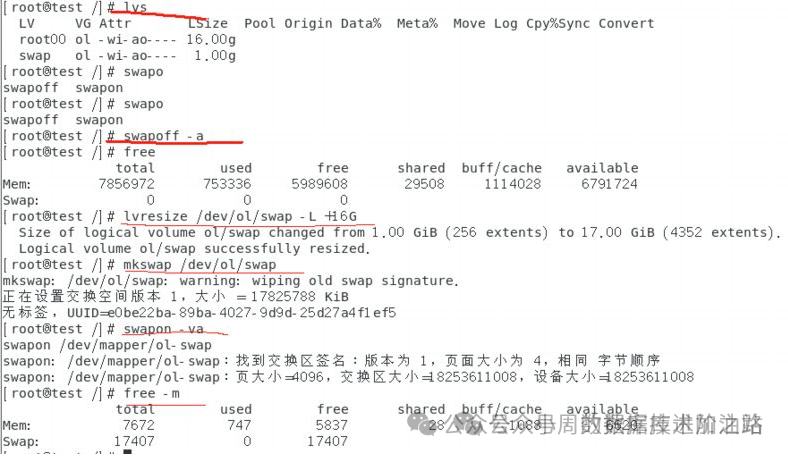
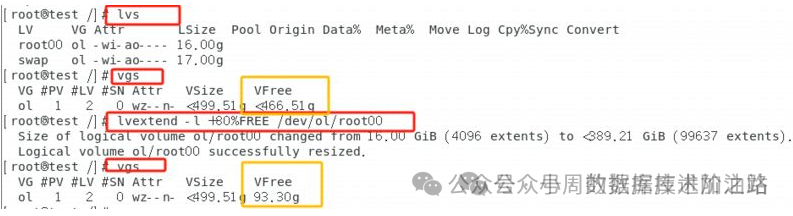
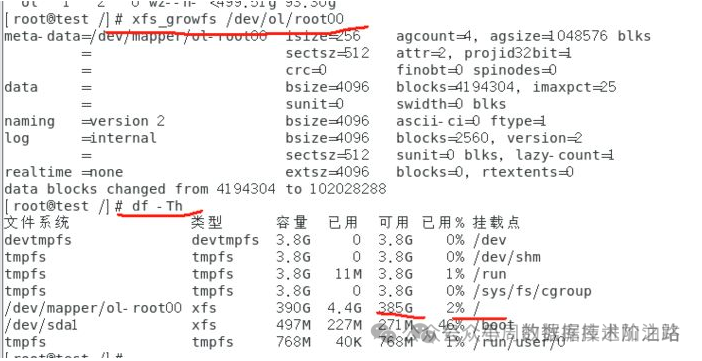
1) Backup data 2) Delete the original / 3) Extend the swap LVM 4) Extend the / LVM

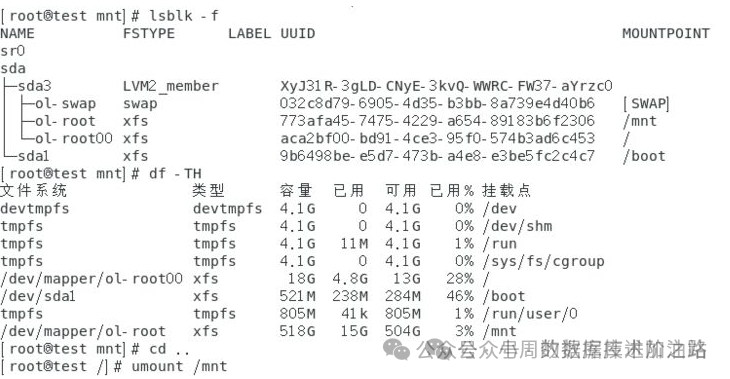
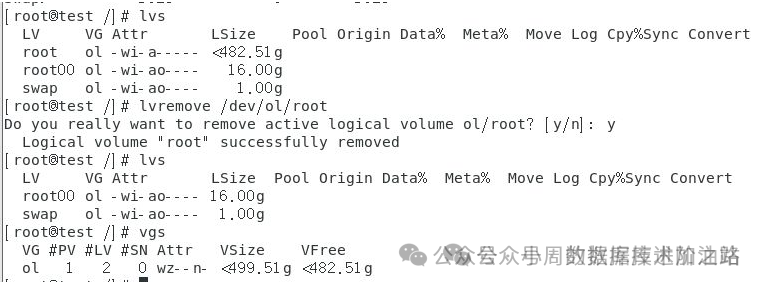
— First, extend the swap
Then extend /
Conclusion
The difficulty of the entire operation lies in the partitioning step; you must not delete incorrectly, or the data will be irretrievable. Simply put, partitions with data cannot be deleted; only unimportant partitions can be deleted, and then this space can be used to install the system. Afterward, you can transfer the data away and then extend it back...<br /> I will continue to share in the future, feel free to follow!