Author: Xilinx Engineer Hank Fu
The office has a VCK190 board running in SD boot mode, which can boot into Linux. However, now that we are working from home, we cannot change the boot mode of the VCK190 board. We need to run a Standalone program. Therefore, we hope that like MPSoC, when the Versal A72 is stuck at the U-Boot interface, Vitis can run the Standalone program via JTAG. After actual testing, we found that this does not work. After Vitis starts debugging the program via JTAG, the A72 boots into Linux.
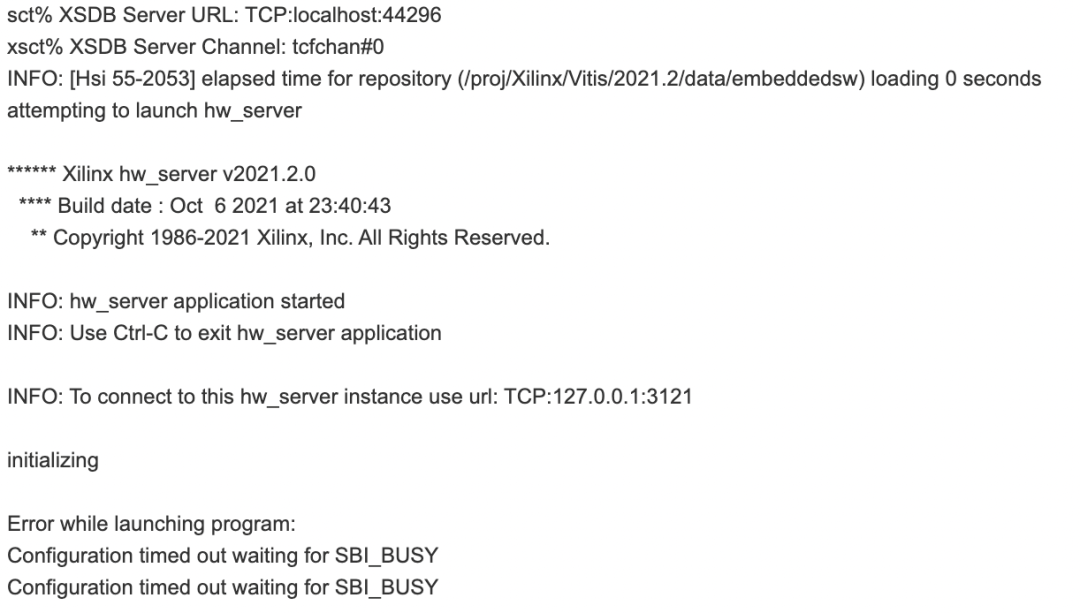
The Vitis XSCT Console reports the error “Configuration timed out waiting for SBI_BUSY”, details are as follows:
After research, it is possible to change the boot mode of A72 in the XSCT interface and download BOOT.BIN for execution. Below are the relevant commands:
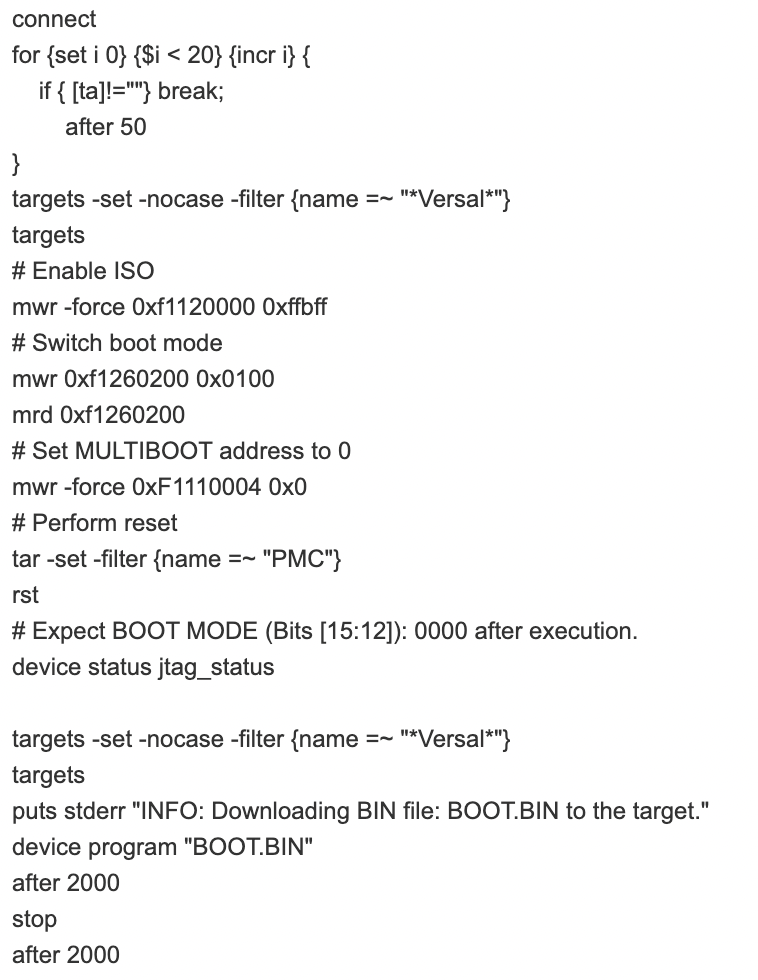
The recorded information is as follows:
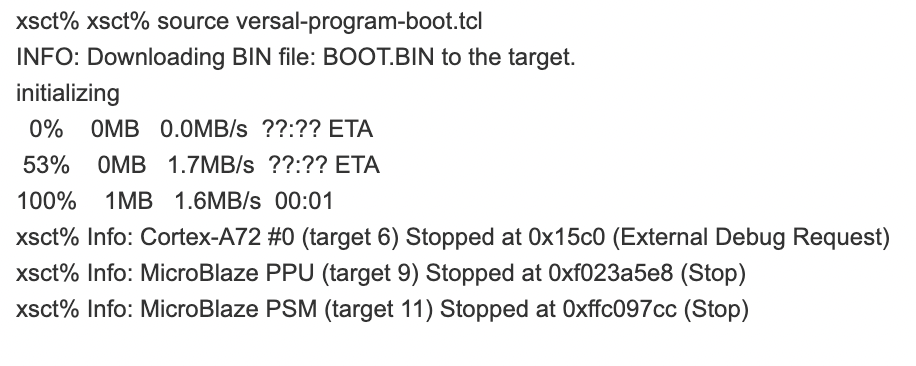
Similarly, by changing the boot mode of A72, Vitis can run the Standalone program via JTAG.
Xilinx Chinese Technical Support Community
We welcome you to leave comments in the Xilinx Chinese Technical Support Community to discuss issues and insights encountered during development!
This community is dedicated to providing a platform for Xilinx users and ecosystem partners to share, discuss, and collaborate on solving problems. You can browse forum content or participate in discussions upon registration.
https://support.xilinx.com/s/?language=zh_CN