Recently, due to the discontinuation of support for Win10, and since all the CPUs in my machines are Intel 7th generation and earlier, they cannot support a normal installation of Win11.
Only my work machine has an AMD R5 5600 CPU, which has already been upgraded to Win11. So what should I do with the other machines? I have been exploring solutions.
Many people likely share this concern. Although Microsoft has provided a paid extension plan, they ultimately want us to buy new machines to support the new system (let’s not get into why they don’t maintain support for older systems; this is an inevitable result considering security, future AI support, and other factors. Continuing to maintain Win10 seems to be more trouble than it’s worth).
Just like the expiration of XP and Win7 systems (this time, they won’t allow a normal installation of Win11), these issues are not fatal. Since Win10, I have liked to use its built-in antivirus and security management software directly. This time, it’s just that the built-in antivirus system is no longer available; I can always install an alternative like x manager/x support.
Win7 has been discontinued for a long time, yet many people still use it. Here, I am trying other desktop systems <老电脑支持Win11系统安装的方案> (solutions for installing Win11 on old computers).
I have quite a few computers, but I still need to explore new methods. I have installed Ubuntu 18.04 desktop version on that E470c laptop (because I made the system USB in 2019, and at that time, Ubuntu 18.04 was relatively new).
Then I upgraded to versions 20.04 and 22.04.
sudo do-release-upgrade -d # -d here only indicates "allow jumping to the next LTS", not a development versionI successfully upgraded two major versions, and the process went quite smoothly. Now, let me share my experiences.
This is not my first time installing a Linux operating system on physical hardware:
a. Previously, when I was playing with the “Raspberry Pi”, I used the Ubuntu Mate system, and I have also tried other corresponding versions;
b. Additionally, my first netbook experience after Win XP was with Win7, which was not very good mainly due to the poor performance of the machine. I installed the Linux-Lubuntu system, which could run decently, but there was not much to do since the computer’s configuration was too poor; even watching movies was choppy;
c. At work, I mostly use CentOS 6 and 7. In the early years at HW, I also used SUSE operating systems for many years. Now that CentOS is officially discontinued, we have fully transitioned our physical servers, cloud hosts, and virtual machines to Ubuntu systems. This is why I chose the Ubuntu system this time.
Switching to the Ubuntu desktop system at work has posed no issues; various IDEs and tools can be found, and there are alternatives for other tools as well. However, the stability of the graphical interface is somewhat lacking; it always feels a bit off, but it is still usable.
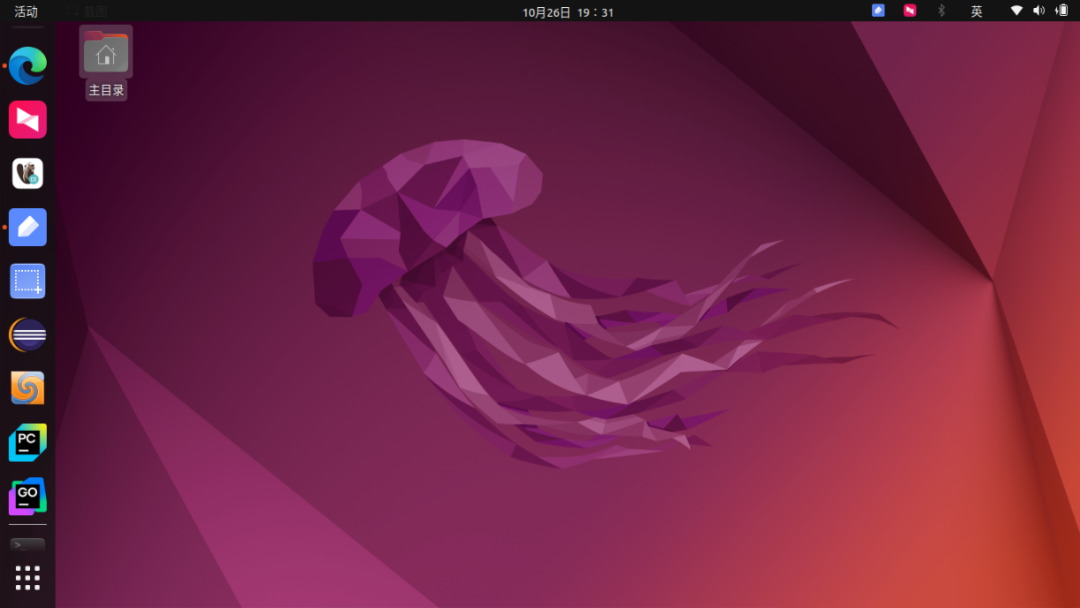
As shown in the image, I found the necessary coding software for work (Java, Go, Python, I only looked for a few commonly used ones; other tools like VScode and Android Studio are also available). Database clients and Git clients have alternatives, and even remote control software has a Linux version (Sunflower remote control), which was quite unexpected.
On the entertainment side, the Linux system is definitely not suitable for home entertainment use. Many software applications require Wine (a compatibility layer for running Windows applications on Linux) to run, and the compatibility is too poor, making it a gamble.
I read online that some Linux distributions can replace Windows systems 90%, but that is an exaggeration. It is very difficult for desktop versions to surpass Windows systems relying solely on the open-source community.
The Linux system, originally known for its stability, has become extremely unstable (mainly in terms of the graphical interface). It is more laborious to tinker with than to find a way to bypass the restrictions and install Win11, which would be much smoother.
– end –Qianqian’s DadA Fun Programmer

Scan the QR code to follow my public account