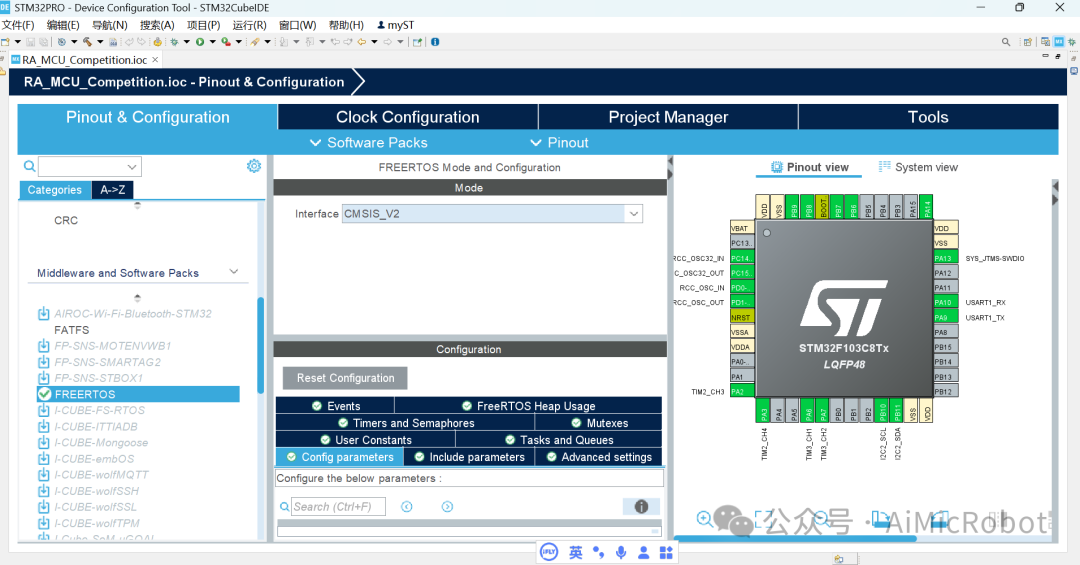
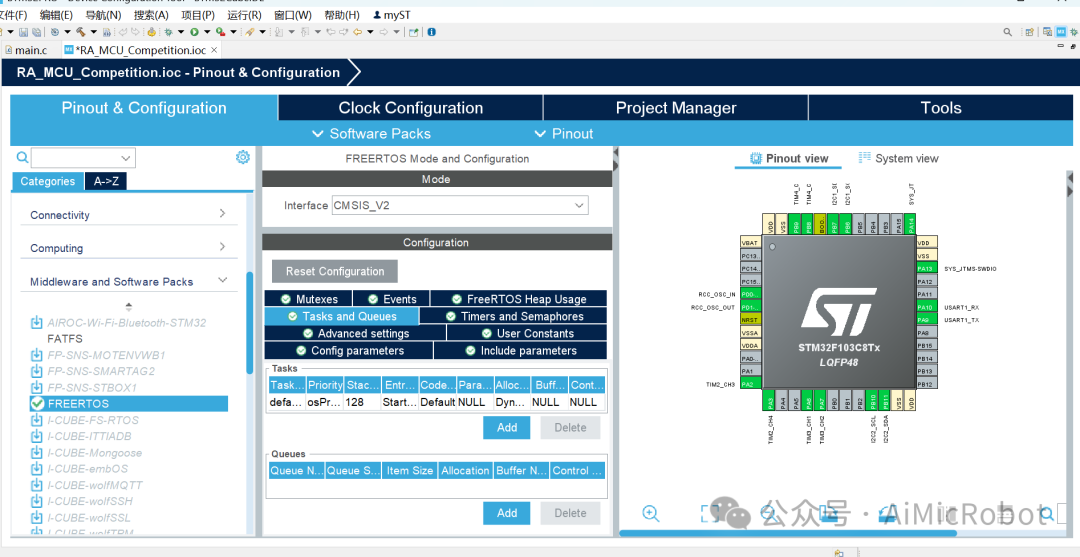
For other basic configurations, refer to my article: STM32F103C8T6 Microcontroller CUBEIDE Integrated Development Environment Configuration Process.Based on the above, follow these steps:1. First, select sys->Timebase source and choose TIMx. This article selects TIM1 (it is best to choose this; others only have basic functions like TIM2, TIM3, and TIM4. TIM1 is an advanced timer, and this article is based on an old design that only retains TIM1).As shown in the figure below: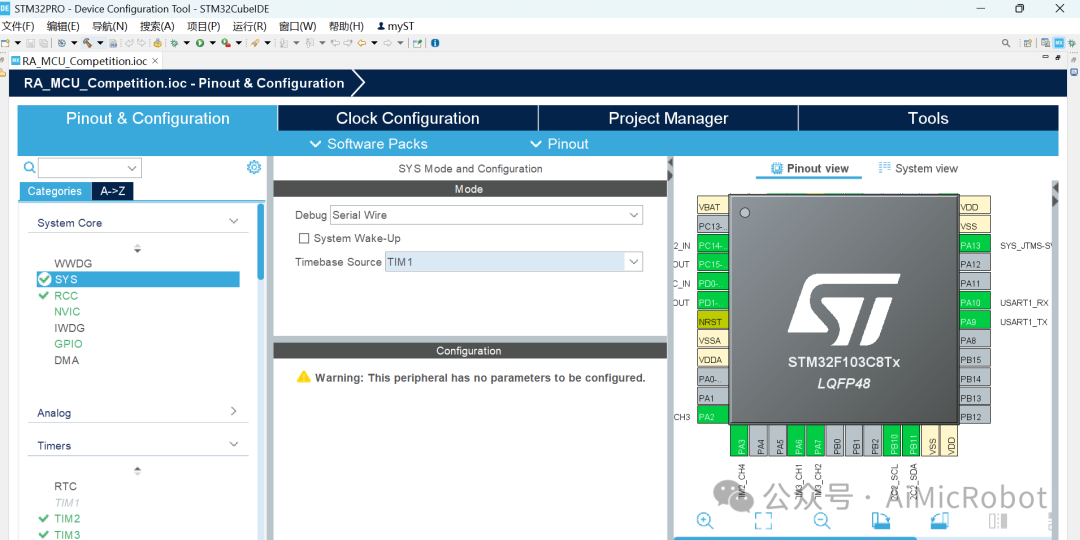 Note: SysTick has already been used by FreeRTOS, so other timers need to be configured as the system clock.2. In the Middleware and Software Packs tab, select “FREERTOS”, and choose the latest version, CMSIS_V2.
 Note:
Note:
CMSIS (Cortex Microcontroller Software Interface Standard) is a software interface standard released by ARM, aimed at providing a consistent programming interface and software library for the development of ARM Cortex-M series processors. CMSIS provides a hardware abstraction layer for processors, allowing developers to conduct embedded system development more efficiently, especially for applications targeting ARM Cortex-M processors. CMSIS mainly includes the following aspects: 1. CMSIS-Core. CMSIS-Core provides basic support related to ARM Cortex-M processors, including abstraction of the processor architecture. It provides low-level interfaces and register definitions for accessing hardware, simplifying direct hardware operations. System control: Through CMSIS-Core, developers can access special features of Cortex-M, such as interrupt control, system clock settings, processor state control, etc. Hardware Abstraction Layer (HAL): Provides interfaces for accessing specific registers and functions of ARM Cortex-M processors, ensuring that code can be ported between different Cortex-M microcontrollers. System startup files: CMSIS provides support files for microcontroller startup and initialization, helping users set up stack pointers, heap, and other initialization tasks. Important parts include: core_cm3.h, core_cm4.h, core_cm7.h, etc., which define the core registers and interfaces of Cortex-M3, M4, and M7 processors.
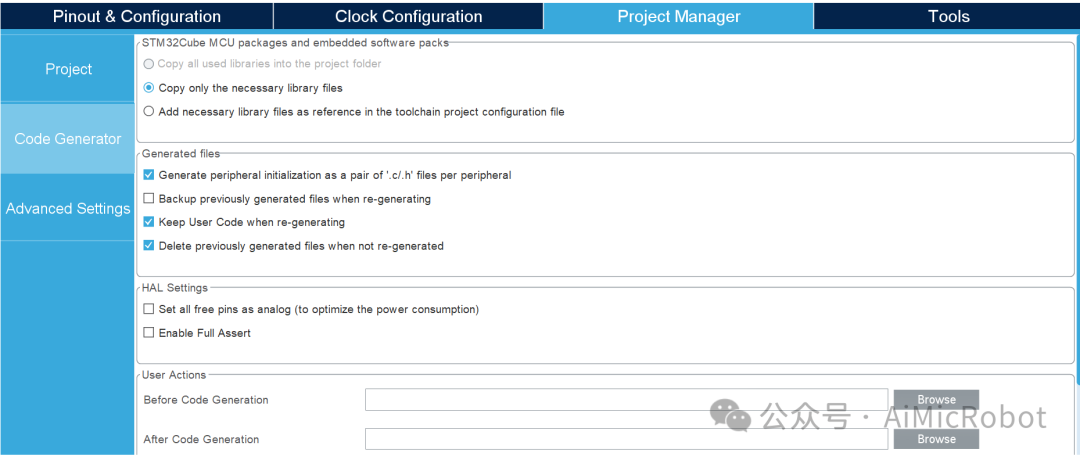
3. In the Project Manager’s code Generator, check “Generate peripheral initialization as a pair of ‘.c/.h’ files per peripheral”, as shown in the figure below.
 4. Create tasks and queues according to your actual needs; this article follows the defaults.
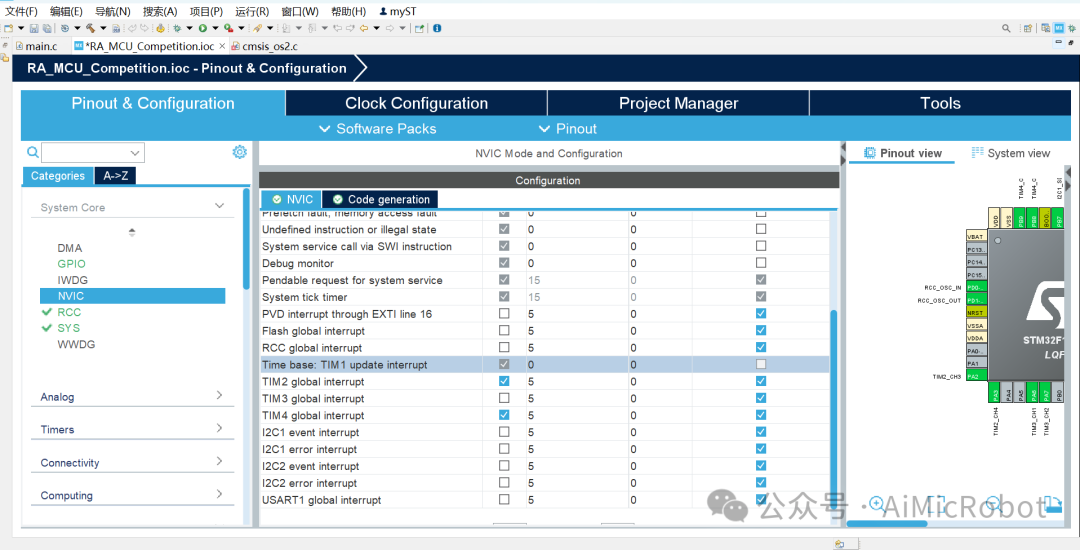
 5. Set the interrupt priority of System Core->NVIC->Timebase TIM1 to 0.
 6. Click on code generation, “code generator” icon, as shown in the figure below.
 as shown in the figure below,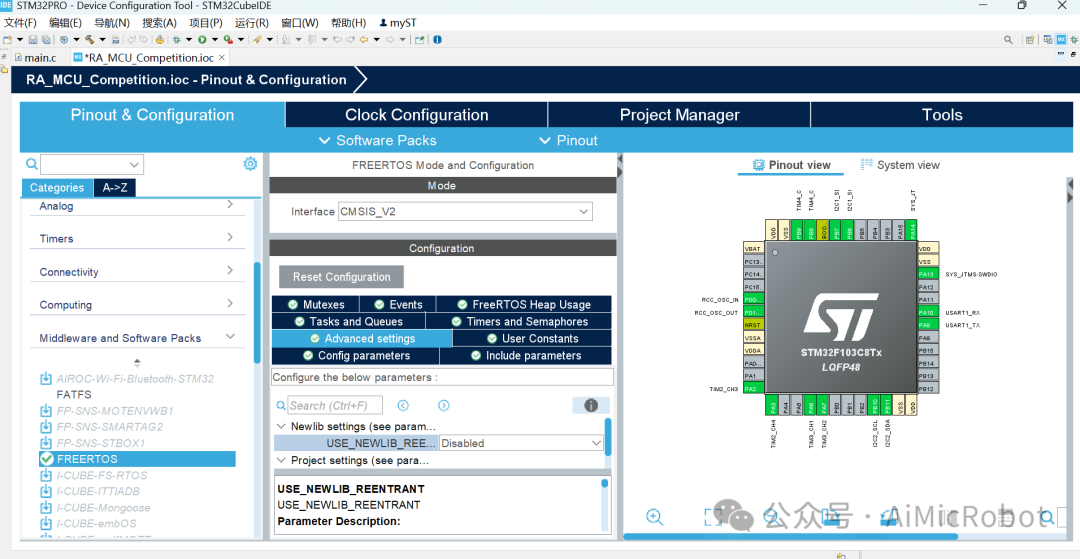
7. A pop-up window will appear; ignore the warning and click “Yes”, as shown in the figure below.
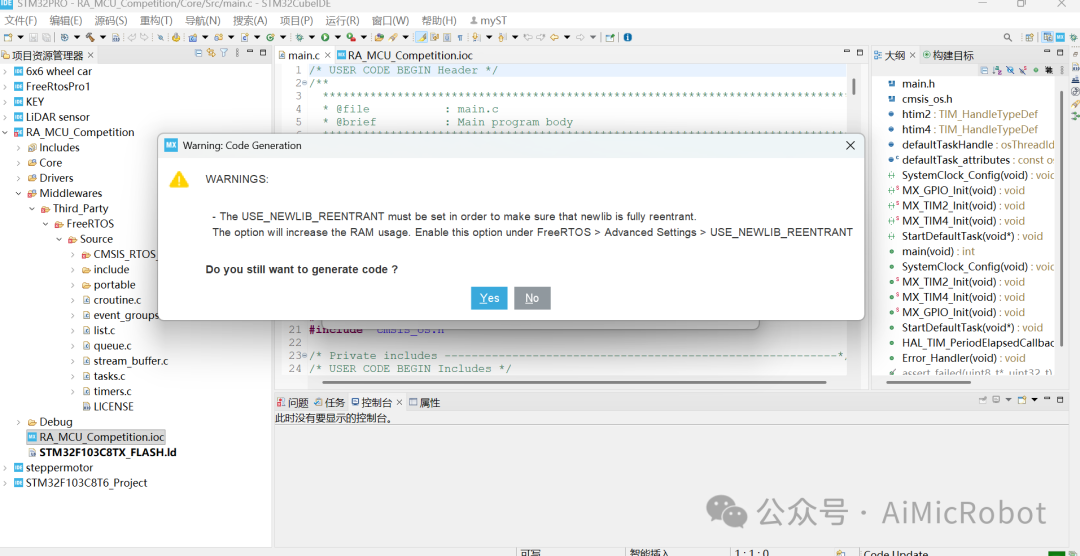 8. Compile
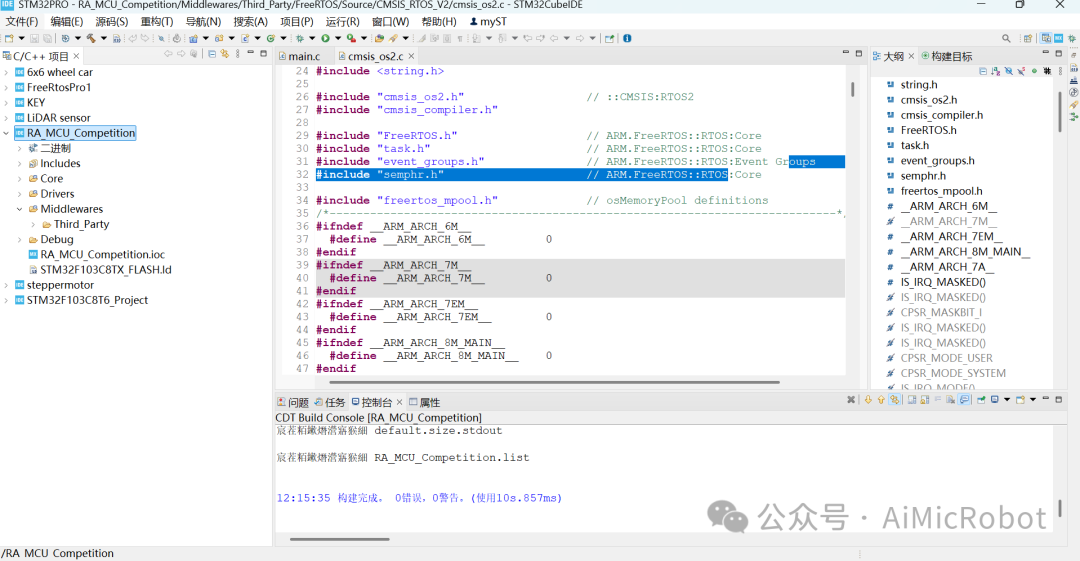
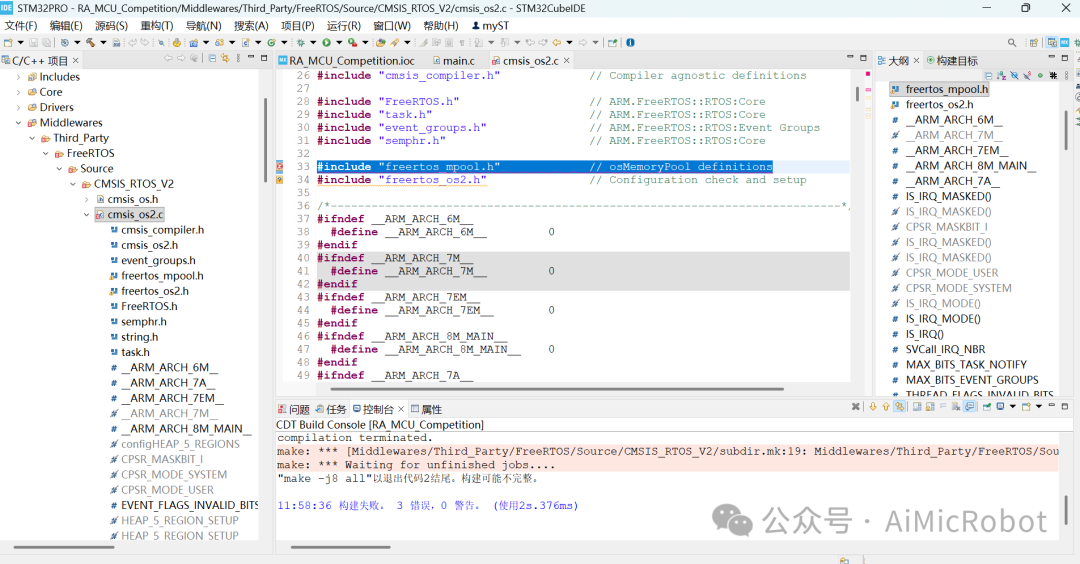 , and check for errors, as shown in the figure below.9. For modification methods, refer to CSDN:In the description of “/Middlewares/Third_Party/FreeRTOS/Source/CMSIS_RTOS_V2/cmsis_os2.c:33:10: fatal error: freertos_mp”, download the folder from the following link,https://shequ.stmicroelectronics.cn/forum.phpmod=attachment&aid=NDQ4Mjk3fGJjODUwODljfDE3MjUyNDAxNTV8Mjc4MjAzfDYyNTI5MQ%3D%3DAfter extracting, add or replace the files in the folder shown in the image below. Add or replace all four files.
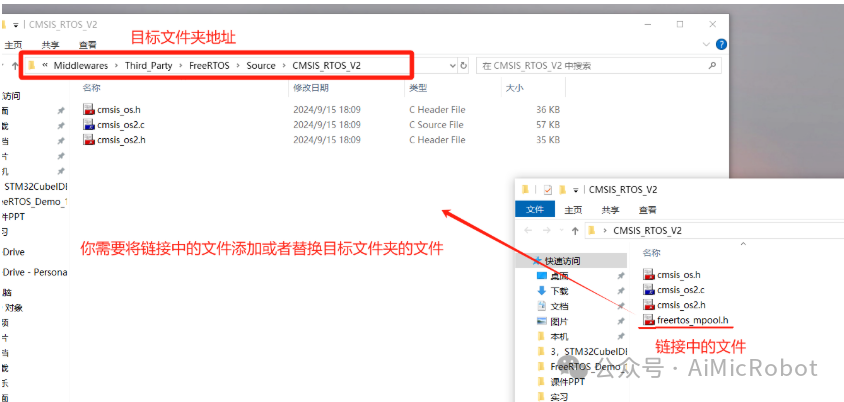 10. Recompile
 , and you are done. You can then add tasks according to your design. As shown in the figure below.