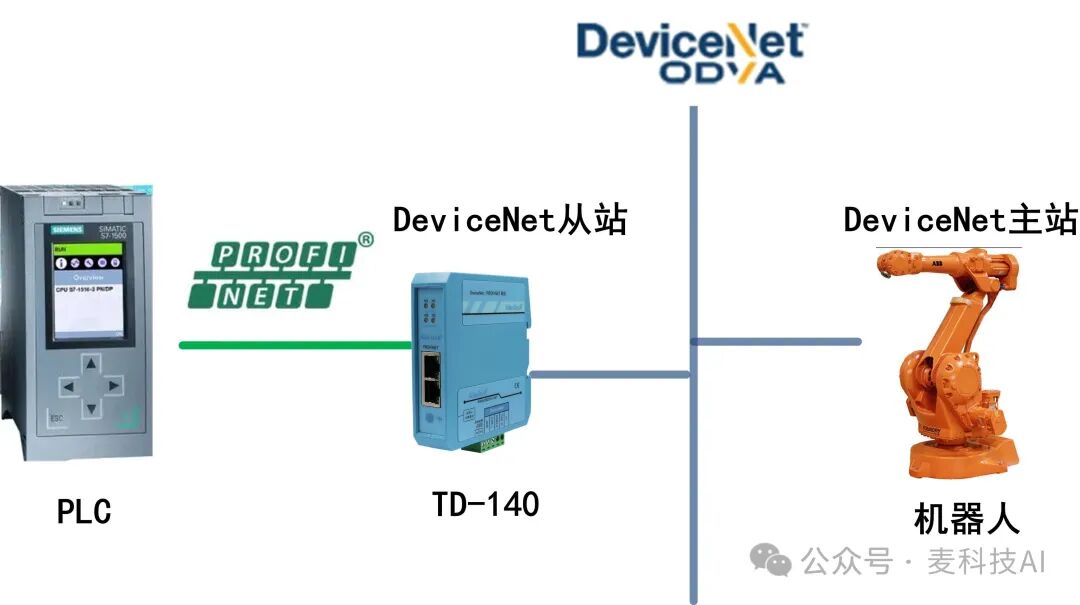
PROFINET communication between S7-1500 PLC and the driver Click the link
The S7-1500 PLC supports the PROFINET industrial Ethernet bus, which has been increasingly adopted by industrial automation engineers in China. When selecting compatible hardware, third-party devices are often used to consider cost or to facilitate compatibility with other more suitable devices.
Nanjing Huatai has launched the SMARTLINK device. This device includes the PROFINET industrial Ethernet adapter communication module FR8210 and various intelligent remote I/O devices applicable to PROFINET. The distance between sites can be ≤200m, and the theoretical number of sites in a single local area network can reach 256, with a communication speed of 100Mb/s, meeting the hardware configuration needs of various medium to large projects.
The communication between the FR8210, FR1118, and FR2118 with the S7-1500 PLC is as follows:
The FR8210 (PROFINET adapter), FR1118 (digital input module), and FR2118 (digital output module) are used as third-party devices to achieve communication with the S7-1500 PLC via PROFINET.
Steps and Analysis
(1) The two images show the appearance structure and electrical wiring diagram of the FR8210.
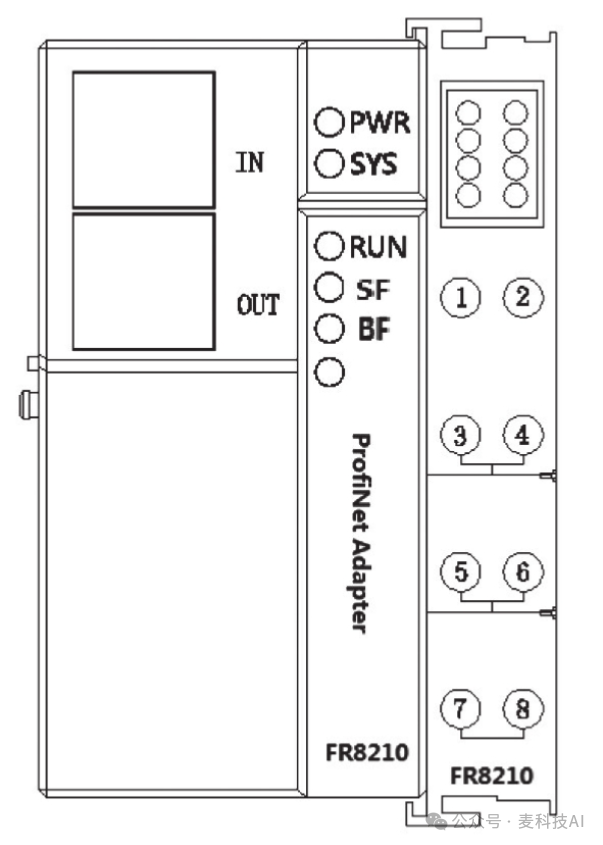
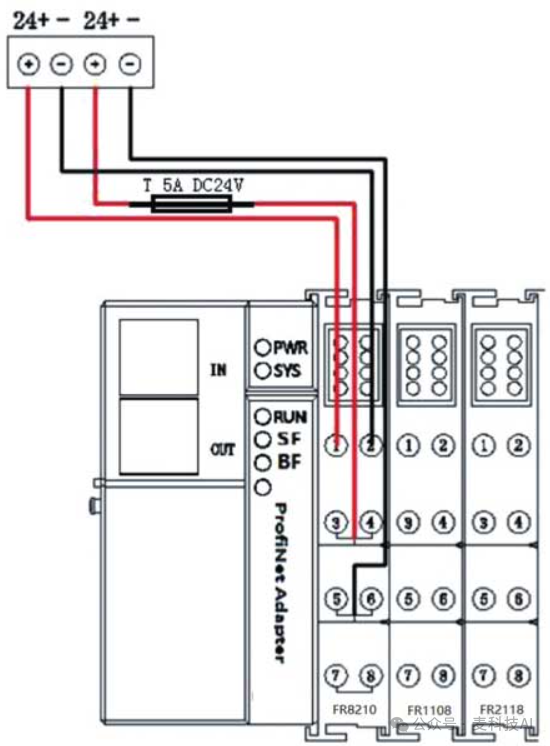
Download the GSD file for the FR8210 from http://www.smartlinkio.com, the file name is “GSDML-V2.3-HDC-FR8210_v1.1.0-20191016.xml”, as shown in the figure, and import it into the project,
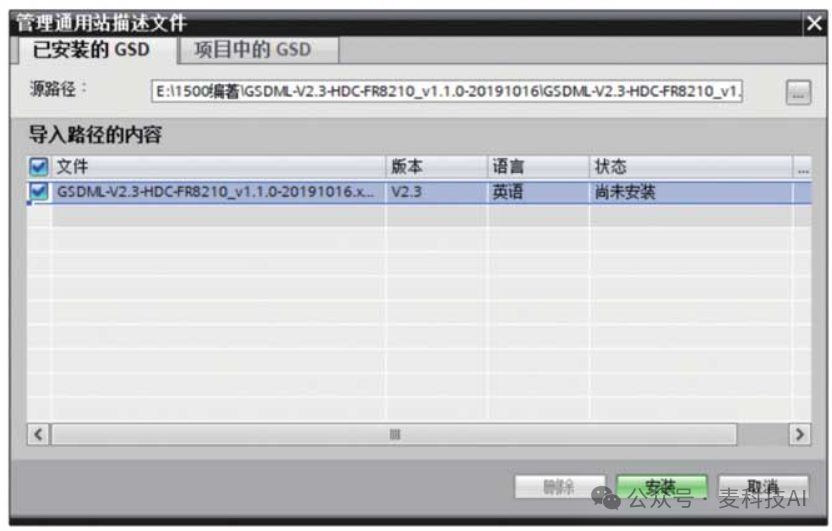
After updating the hardware catalog, the FR8210 hardware option will appear as shown in the figure.
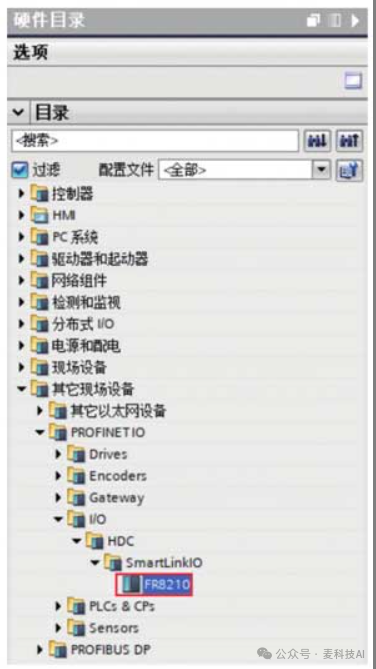
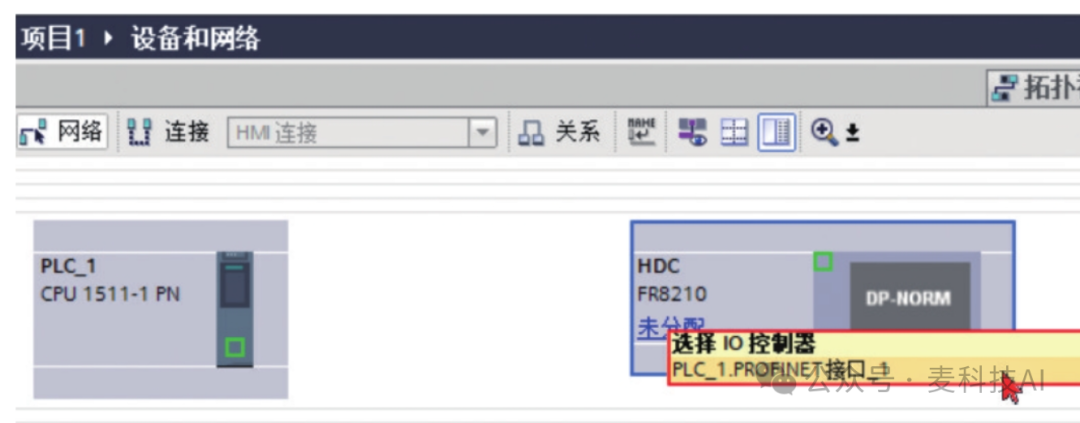
(2) In the new project, select “Other Field Devices” → “PROFINET IO” → “I/O” → “HDC” → “SMARTLINKIO” → “FR8210”, double-click FR8210 to add the device, click on the unassigned area of FR8210, and select “PLC-1.PROFINET Interface_1”, as shown in the figure.
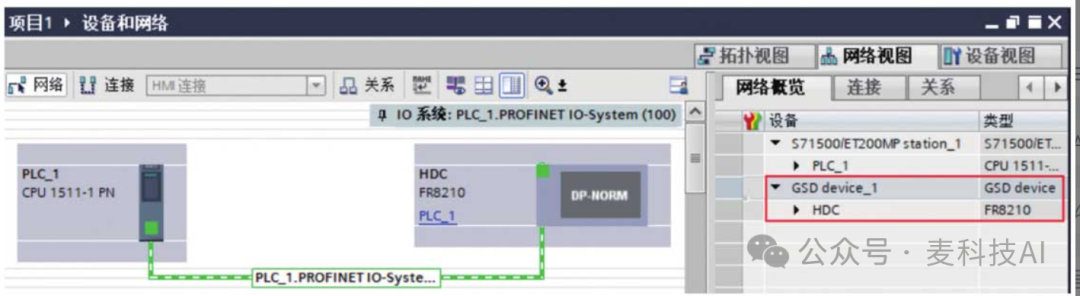
The figure shows the completed PROFINET devices and network.
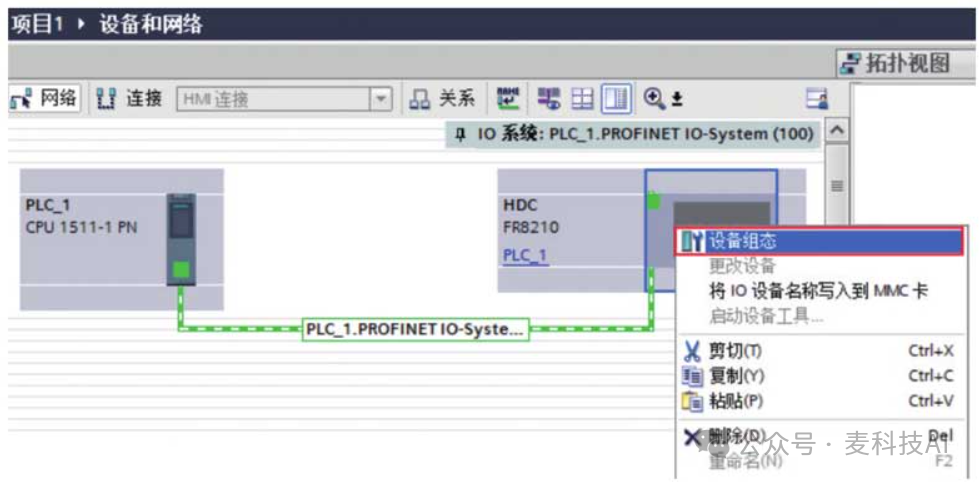
(3) The device configuration is shown in the figure. Click on “Device Configuration” → “Hardware Catalog”, find the modules FR1118 and FR2118, and double-click them,
Then you can see the added modules in the device overview, as shown in the figure.
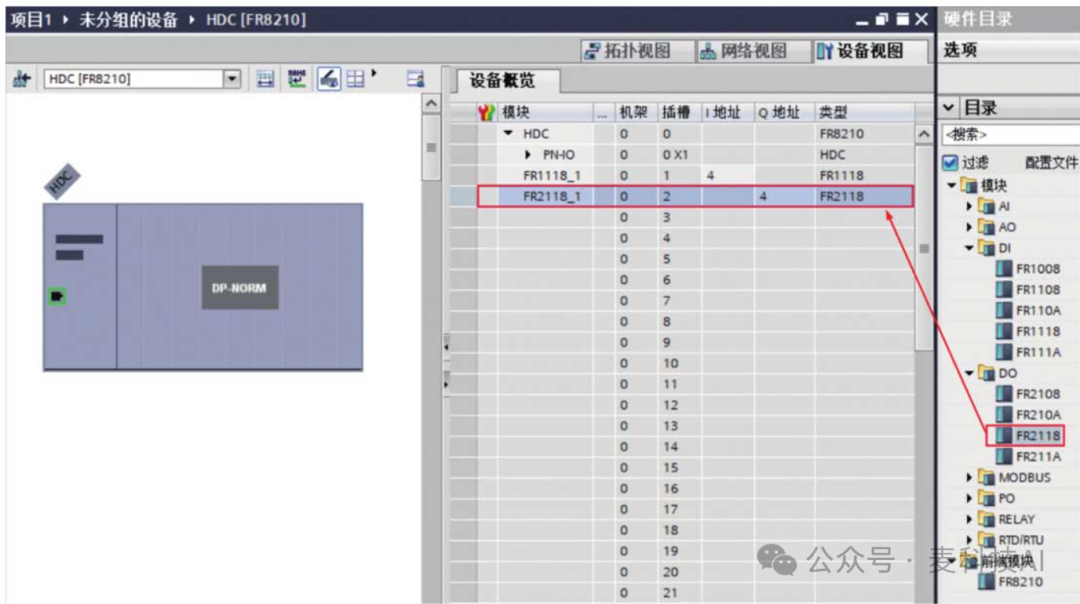
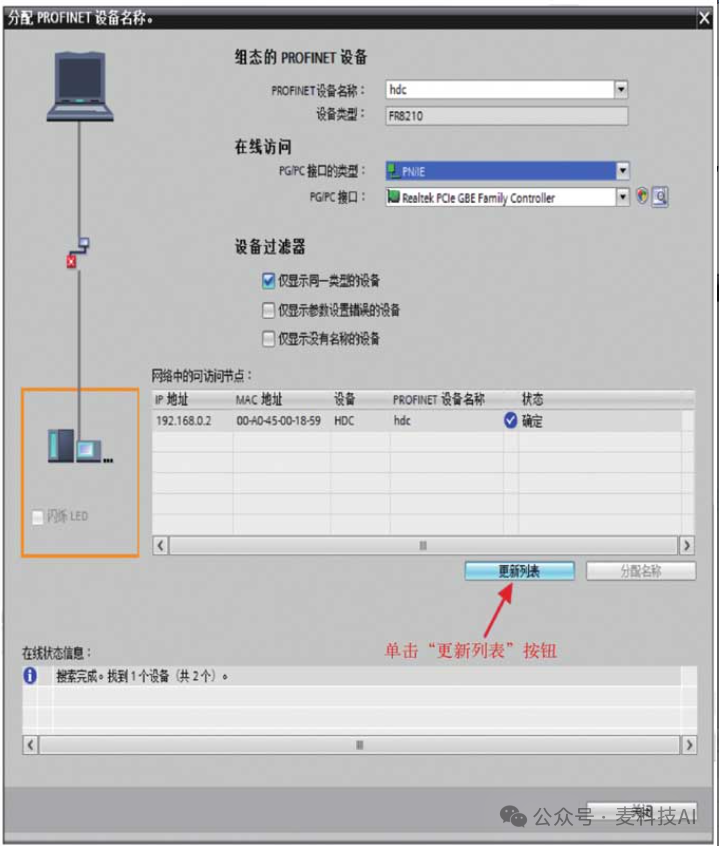
(4) If the FR8210 is being used for the first time, the operation shown in the figure is required to assign the PROFINET device name as shown.
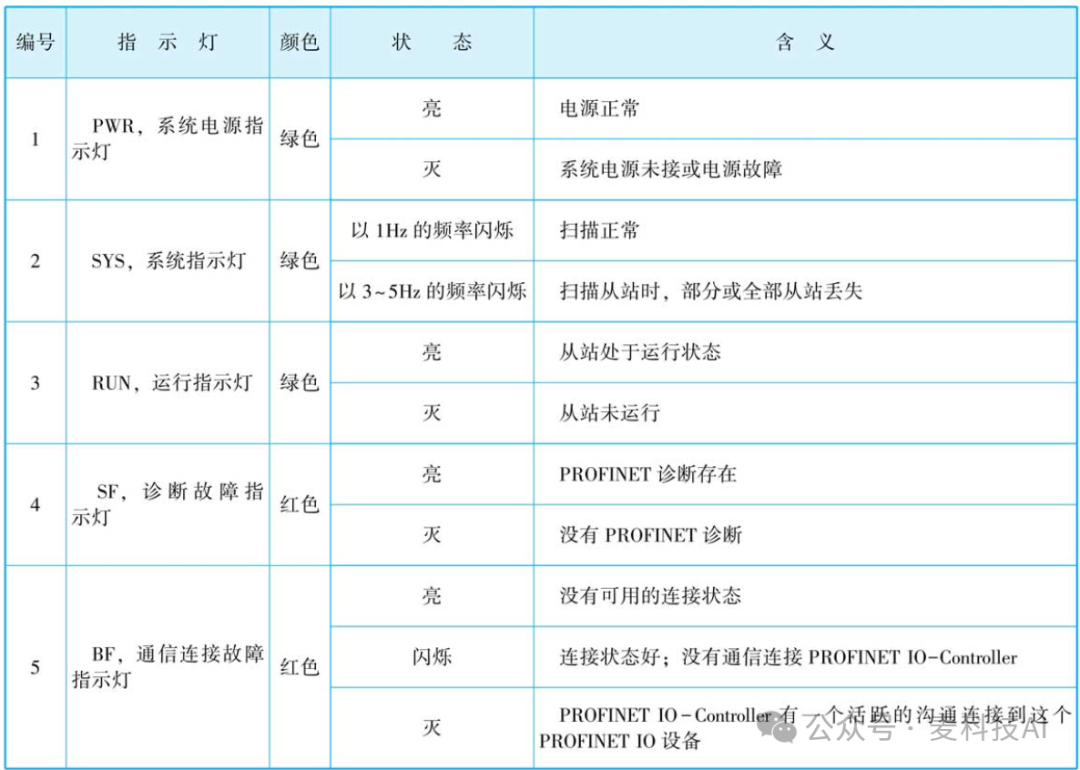
(5) After the hardware configuration is successfully downloaded, power off the FR8210 and then power it back on. The SYS indicator flashes at a frequency of 1Hz, RUN is always on, and SF and BF are off. The indicator lights for the PROFINET adapter module are located on the front panel of the module. The table shows the meaning of the FR8210 indicator light status.
I-Device Smart Devices (Siemens PLC, TIA Portal) Click the link