
What isMultisim
Multisim is a Windows-based simulation tool suitable for the design of board-level analog/digital circuit boards. It includes graphical input for circuit schematics, circuit hardware description language input methods, and rich simulation analysis capabilities.
Advantages ofMultisim
1. Provides an intuitive user interface that is easy to learn and use;
2. Capable of circuit simulation, analyzing circuit performance and predicting circuit behavior;
3. Comes with a rich component library, including components for both analog and digital circuits, making it convenient for users to design and simulate circuits;
4. Supports various circuit analyses, such as DC analysis, AC analysis, Fourier analysis, transmission line analysis, etc.;
5. Supports PCB layout and design, allowing circuit designs to be converted into actual circuit boards;
6. Features programmable digital signal processing capabilities for simulating and designing digital signal processors;
7. Can be integrated with other NI software (such as LabVIEW) to provide more powerful functionalities.
How to Get the Free Installation Package:
We have prepared the Multisim installation package for everyone. Follow the public account below and send the code【Multisim】 to receive the installation package.
Installation Steps:
|
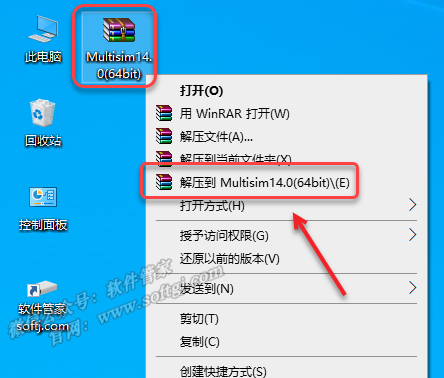
1. Right-click the 【Multisim14.0(64bit)】 compressed package and select 【Extract to Multisim14.0(64bit)】.
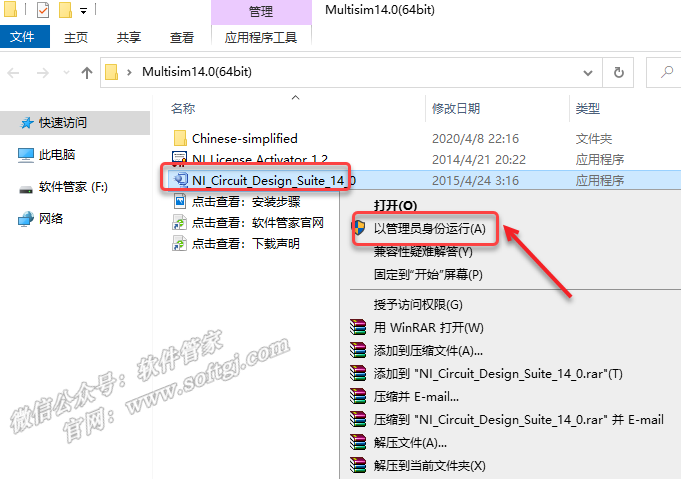
2. Open the extracted folder, right-click 【NI_Circuit_Design_Suite_14_0】 and select 【Run as administrator】.
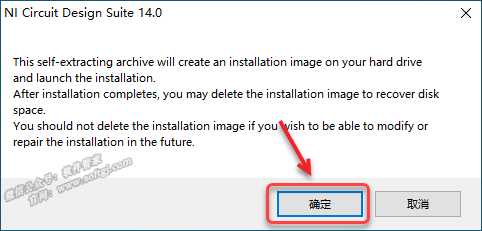
3. Click 【OK】.
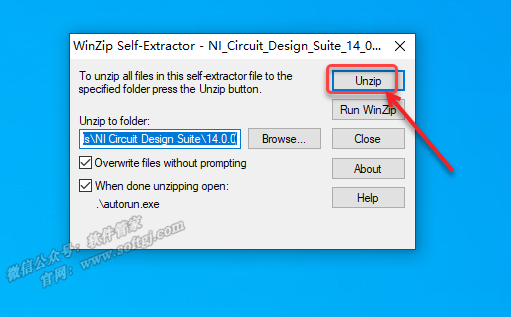
4. Click 【Unzip】.
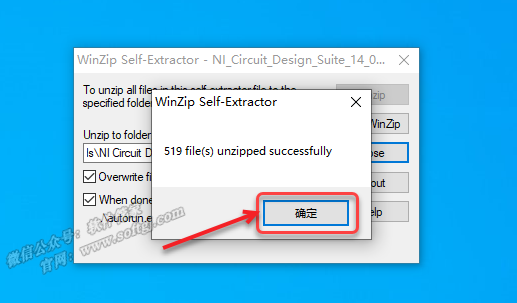
5. Click 【OK】.
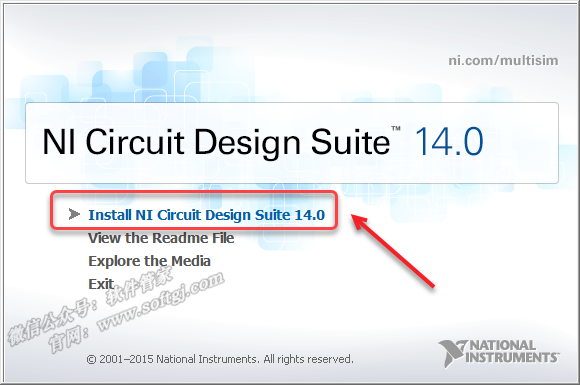
6. Click 【Install NI Circuit Design Suite 14.0】.
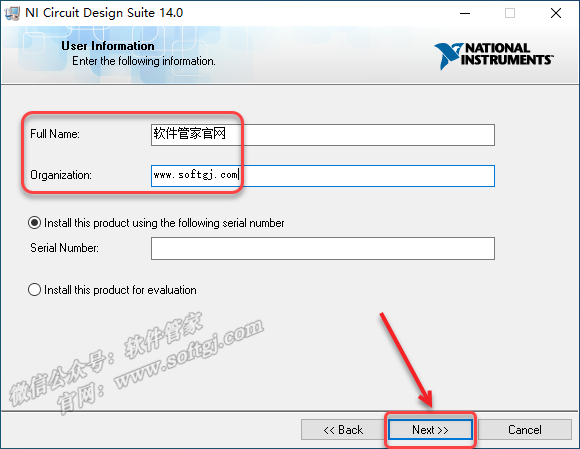
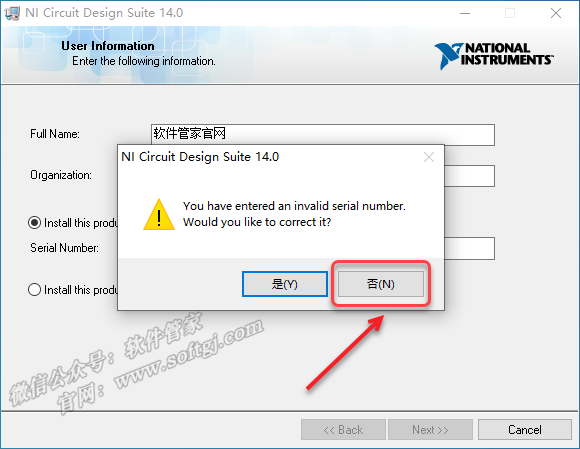
7. Enter 【FullName, Organization】 (can be filled in arbitrarily), click 【Next】.
8. Click 【No】.
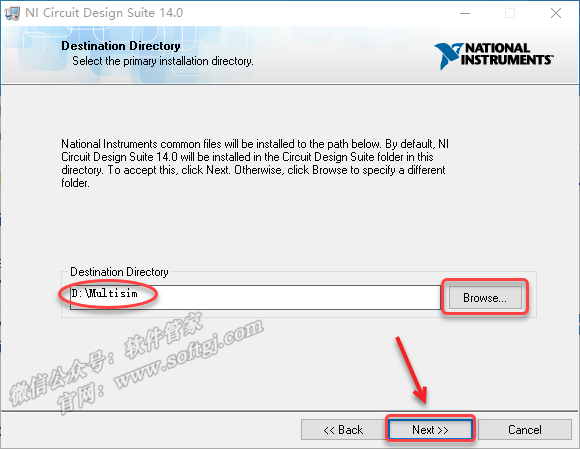
9. Click 【Browse】 to change the installation location (it is recommended not to install on the C drive; you can create a new folder named “Multisim” on the D drive or another disk. Note: The installation path cannot contain Chinese characters), click 【Next】.
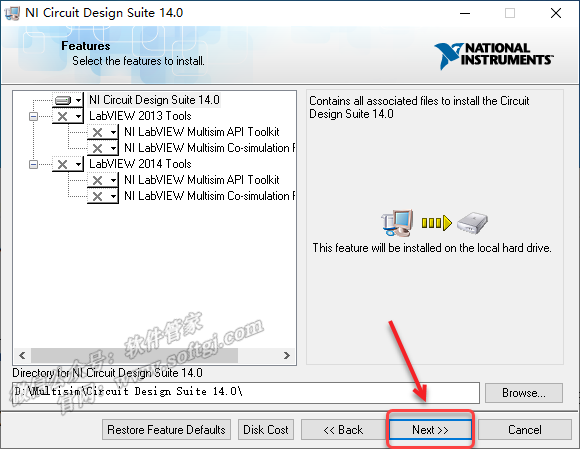
10. Click 【Next】.
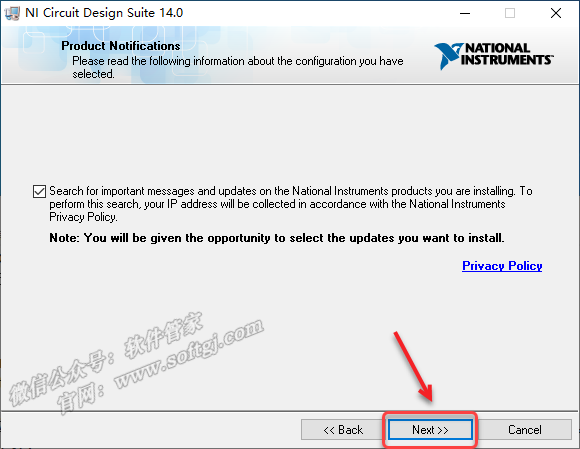
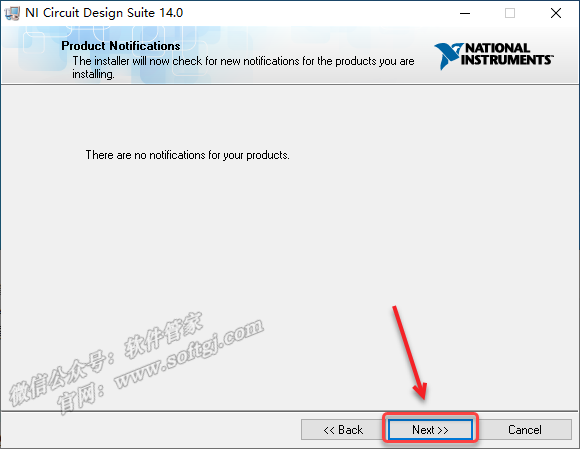
11. Click 【Next】.
12. Click 【Next】.
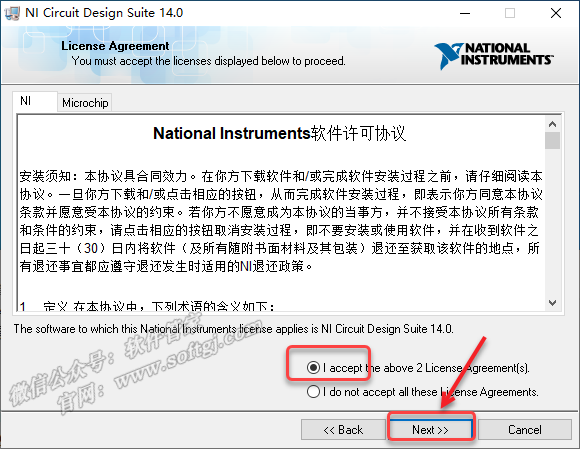
13. Select 【I accept the above 2 License Agreement(s).】, click 【Next】.
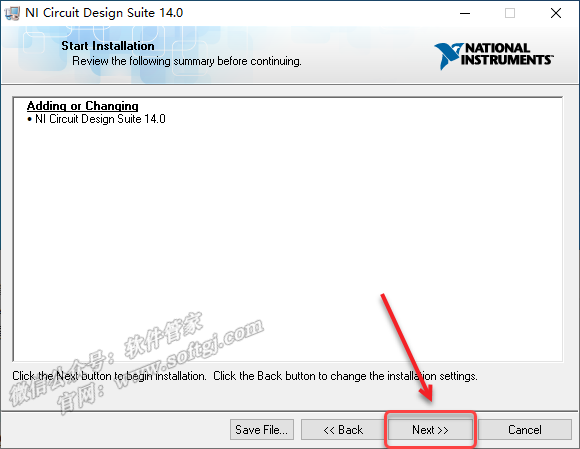
14. Click 【Next】.
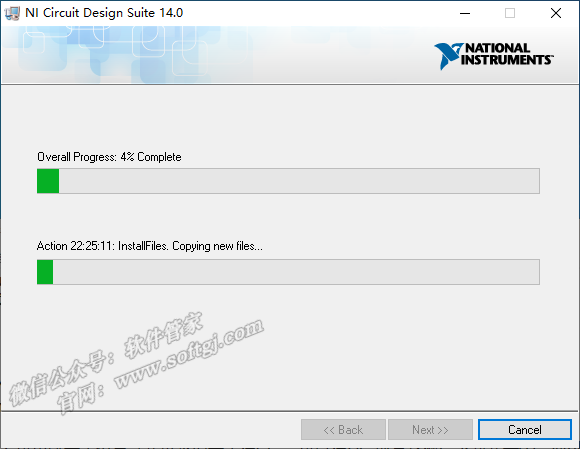
15. The software is installing… (approximately 5 minutes required).
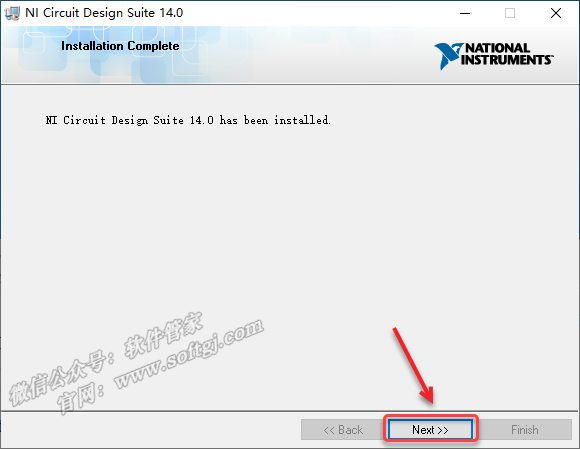
16. Click 【Next】.
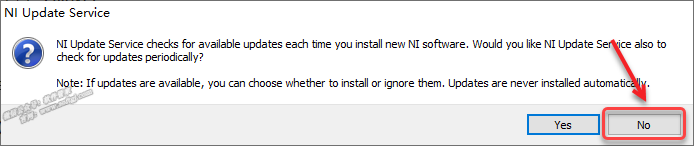
17. Click 【No】.
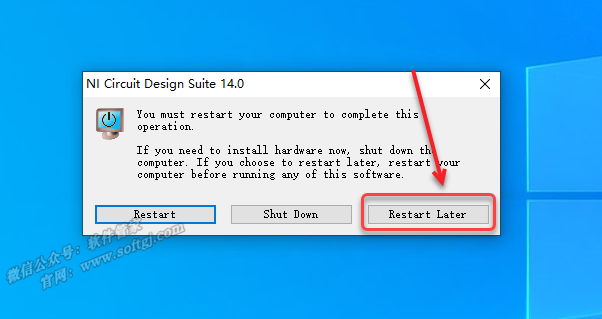
18. Click 【Restart Later】.
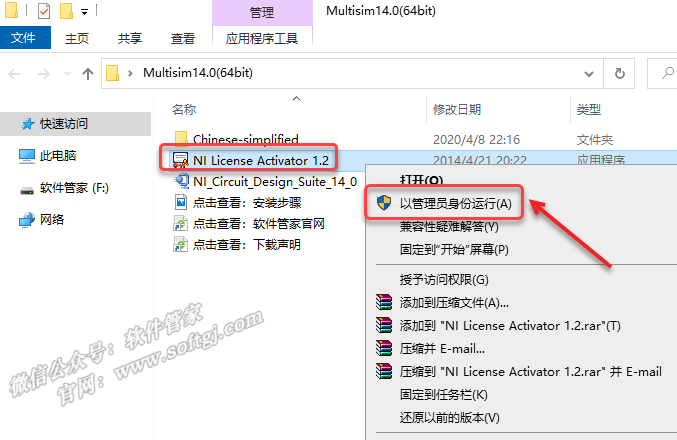
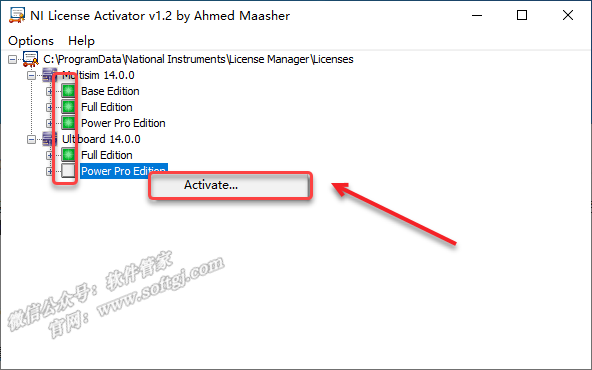
19. Open the 【Multisim14.0】 folder extracted from the installation package, right-click 【NILicense Activator 1.2】 and select 【Run as administrator】.
20. Right-click 【Base Edition】, 【Full Edition】, 【Power Pro Edition】, 【Full Edition】, 【Power Pro Edition】 and click 【Activate】.
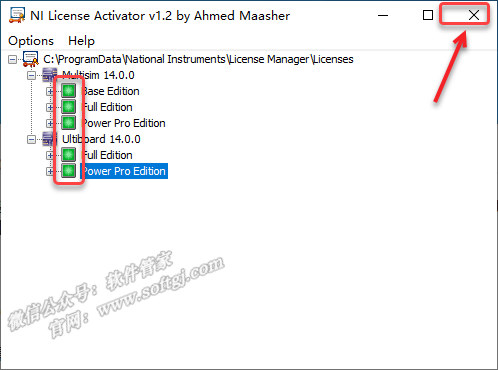
21. After all the green lights are on, click the 【X】 in the upper right corner to exit.
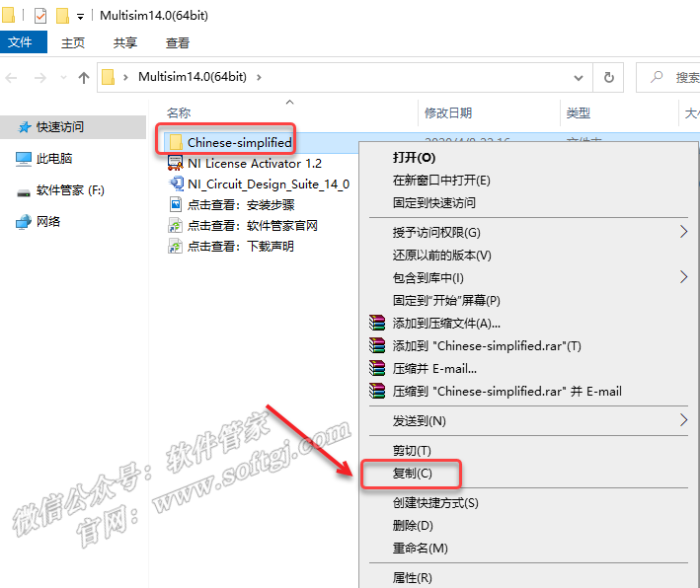
22. Open the 【Multisim14.0】 folder extracted from the installation package, right-click 【Chinese-simplified】 and select 【Copy】.
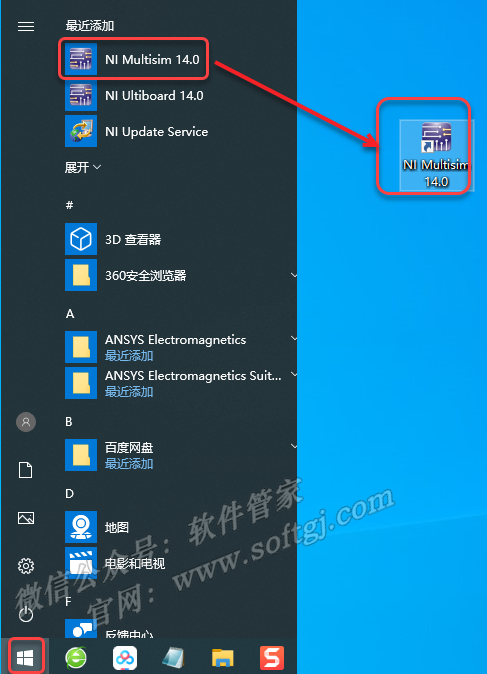
23. Create a desktop shortcut: Click the 【Start】 icon in the bottom left of the desktop, click 【All Apps】 → find and drag the 【NI Multisim 14.0】 icon to the desktop.
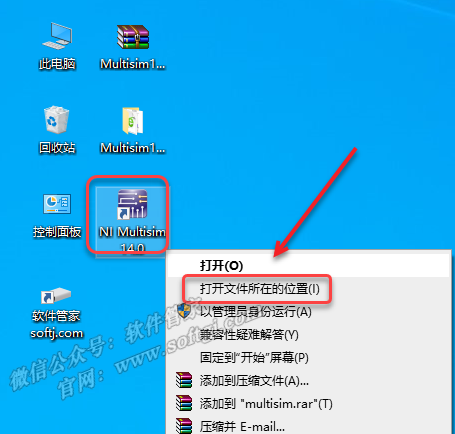
24. Right-click the 【NI Multisim 14.0】 icon on the desktop and select 【Open file location】.
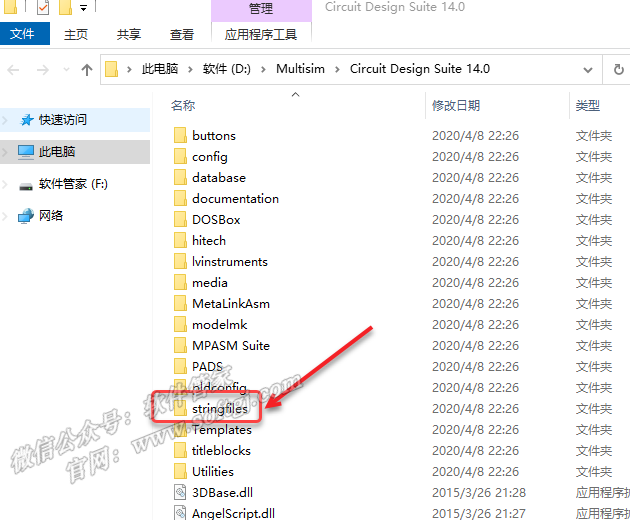
25. Double-click to open the 【stringfiles】 folder.
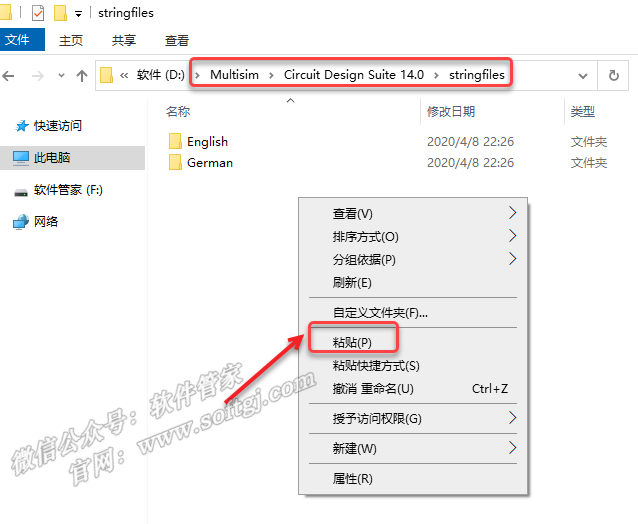
26. In the blank area, right-click and select 【Paste】.
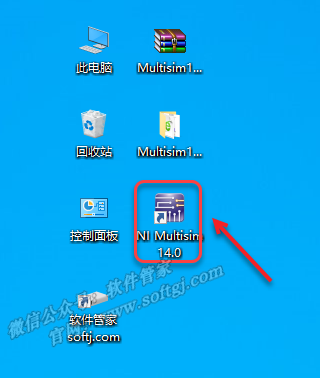
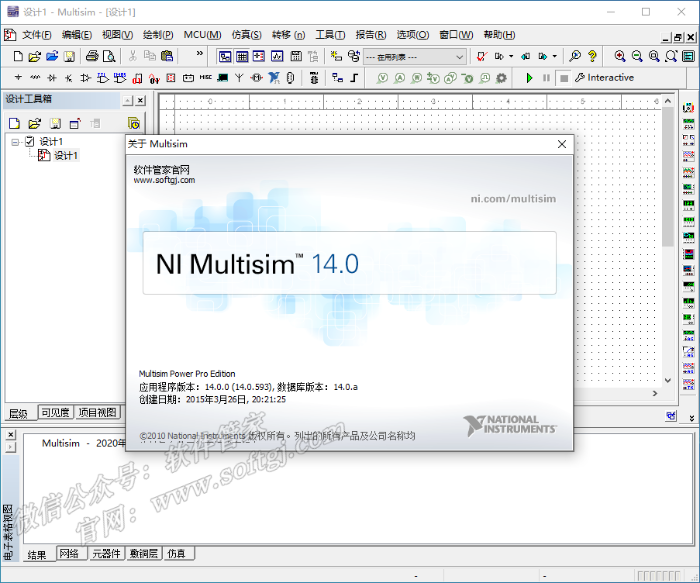
27. Double-click the 【NI Multisim 14.0】 icon on the desktop to launch the software.
28. Installation successful.
|
 ENDThis resource is compiled from the internet and is intended for academic sharing only.