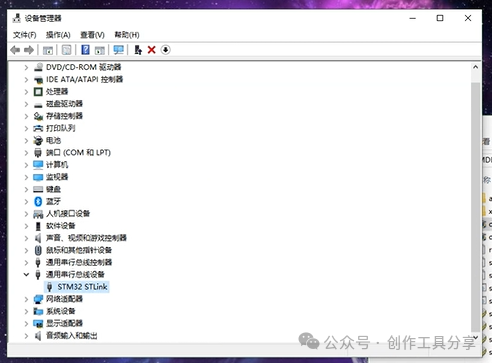
The installation of the Keil5 ST-Link driver is a crucial step in embedded development, used for connecting to STM32 microcontrollers for program debugging and downloading. The installation process is straightforward: first, download the latest ST-Link driver package from the ST official website, extract it, and run the installer, following the wizard to complete the installation. Next, configure the debugging options in the Keil5 software, select ST-Link as the debugging tool, and ensure the device is connected properly. After installation, restart Keil5 to efficiently use ST-Link for development.
To install the Keil5 ST-Link driver software, the following requirements must be met: the operating system must support Windows 7 or higher; the processor must be Intel or AMD with x86 or x64 architecture; and at least 2GB of RAM is required.
Software Acquisition: Follow the public account or send the number: 1 to automatically receive the software package link.
Detailed Steps for Software Installation:
1. After plugging in the driver
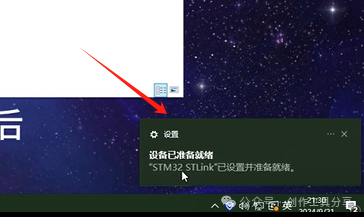
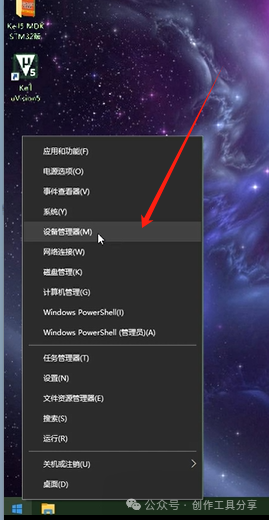
2. Click here
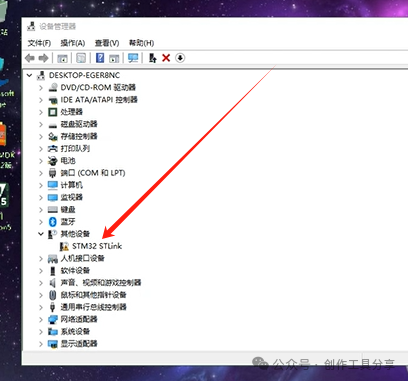
3. It shows not installed
4. Select this
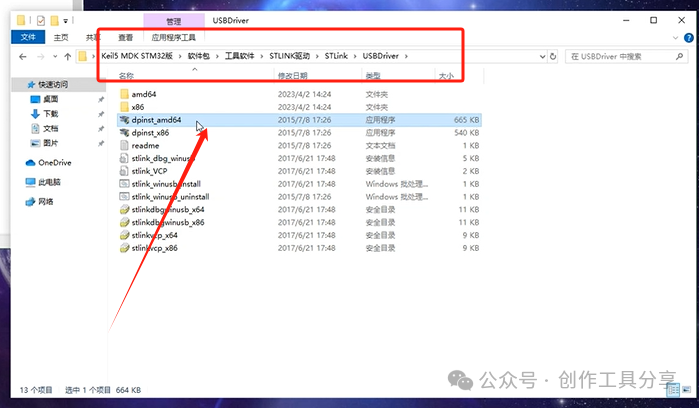
5. Click next
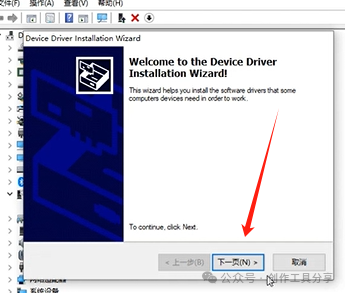
6. Click install
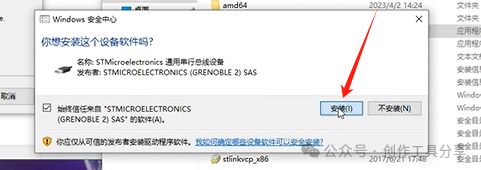
7. Click finish
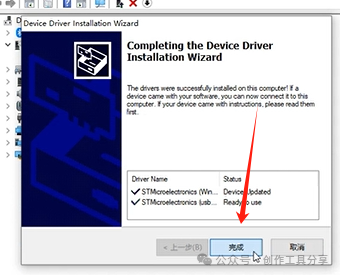
8. Installation successful