Ah, when it comes to Multisim, this is an “old friend” in the field of electronic engineering. Many students learning circuits will recall their days dominated by a bunch of resistors, capacitors, and inductors upon hearing the name Multisim. So today, let’s talk about—What is Multisim, what can it do, and why is it so popular?.
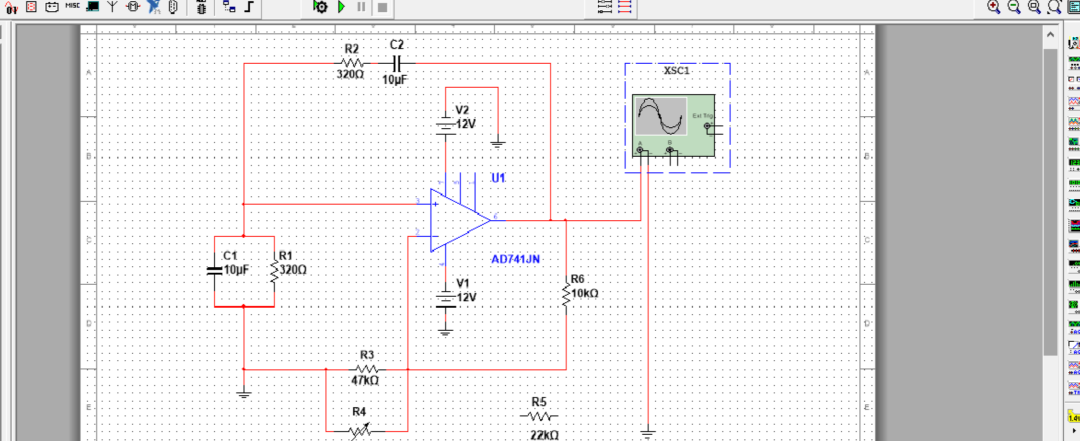
🔌 What is Multisim?
Multisim, fully known as NI Multisim, is a circuit simulation and design software developed by National Instruments (NI) in the United States. Its core function is:
-
You don’t need to actually solder a circuit board; you can directly “drag resistors, pull capacitors, and insert chips” on your computer,
-
and then click run to see the circuit’s voltage, current, and waveforms.
In short: it is an “electronic laboratory simulator” for electronic engineers.
🎛 Core Features
-
Circuit Schematic Drawing
-
You can drag circuit components onto the canvas like building blocks and connect them with wires.
-
Thousands of common component libraries (resistors, amplifiers, 555 timers, operational amplifier chips, etc.).
Circuit Simulation
-
DC, AC, transient analysis, frequency response… everything you need is available.
-
You can also view real-time data from oscilloscopes, multimeters, and ammeters, just like on a lab bench.
Mixed Signal Circuit Support
-
It can handle not only analog circuits (amplifiers, filters) but also digital circuits (logic gates, registers, counters).
-
Mixed simulation of analog and digital circuits is very convenient.
Integration with PCB Design
-
Multisim can be paired with Ultiboard for a complete design flow from schematic to PCB.
📚 Use Cases
-
Education: Almost all major universities use it as a laboratory aid for electronics and electrical engineering programs.
-
Research: Before implementing a new circuit design, researchers can simulate it with Multisim to see if it works.
-
Engineering: Quickly verify design principles to avoid wasting money on direct prototyping.
🚀 Why is it Popular?
-
Intuitive and Easy to Use: The interface operation is close to real experiments, making it easy for students to get started.
-
Rich Component Library: No need to create models yourself; common components can be dragged directly.
-
Waveform Visualization: View waveforms like a real oscilloscope, making circuit adjustments very convenient.
-
Widespread Educational Versions: Many schools have purchased licenses, so students use it frequently.
⚖️ But It Also Has Drawbacks
-
High Cost: The cost of a legitimate license is not low, which can be a burden for students.
-
Models Not Completely Realistic: Simulation ≠ reality; sometimes circuits run smoothly in Multisim but “smoke” when soldered onto a prototype board 😂.
-
Professional Engineers Prefer SPICE or Professional EDA Tools, such as LTspice or Cadence.
✅ Summary
Multisim is a circuit experimentation tool:
-
For beginners, it lowers the barrier to learning circuits;
-
For researchers, it can quickly validate ideas;
-
For engineers, it is a great assistant for prototype validation.
If you are a student in electronics, learning Multisim is basically a required course; if you are a hardware engineer, Multisim is a great entry tool, but to advance, you also need to master SPICE, Cadence, and Altium Designer, which are more professional tools.