Follow+Star Public Account Number, Don’t Miss Exciting Content Author | strongerHuangWeChat Public Account | Embedded ColumnIf you download a source code online, or take over a colleague’s code, and it looks like the image below, do you still have the mood to look at it?
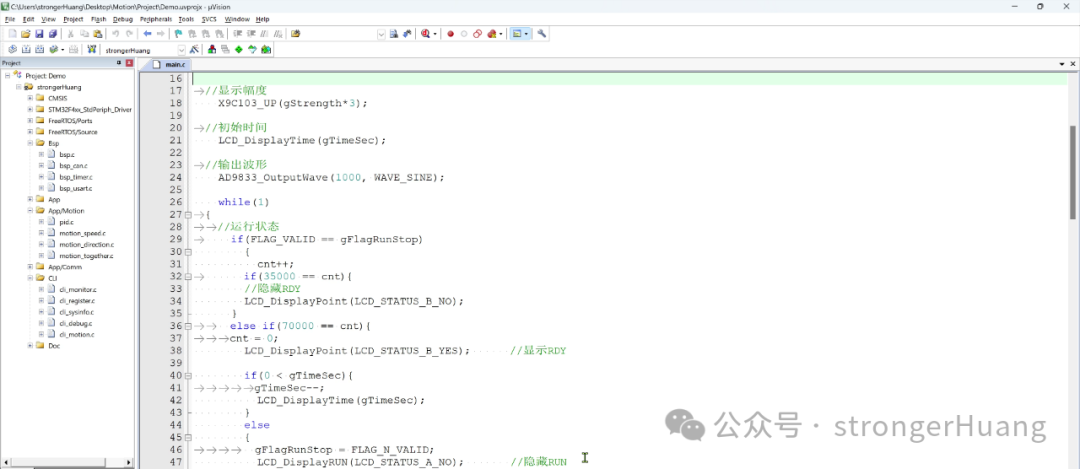
However, if you format (beautify) it with a tool like this, doesn’t it look much more comfortable?
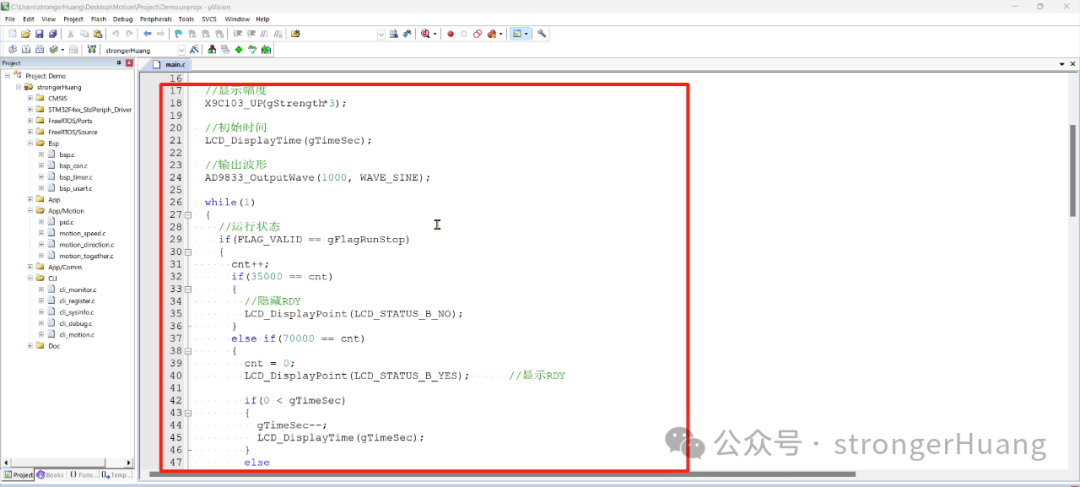
This article explains: Formatting (Beautifying) Code in Keil Using AStyle Plugin.
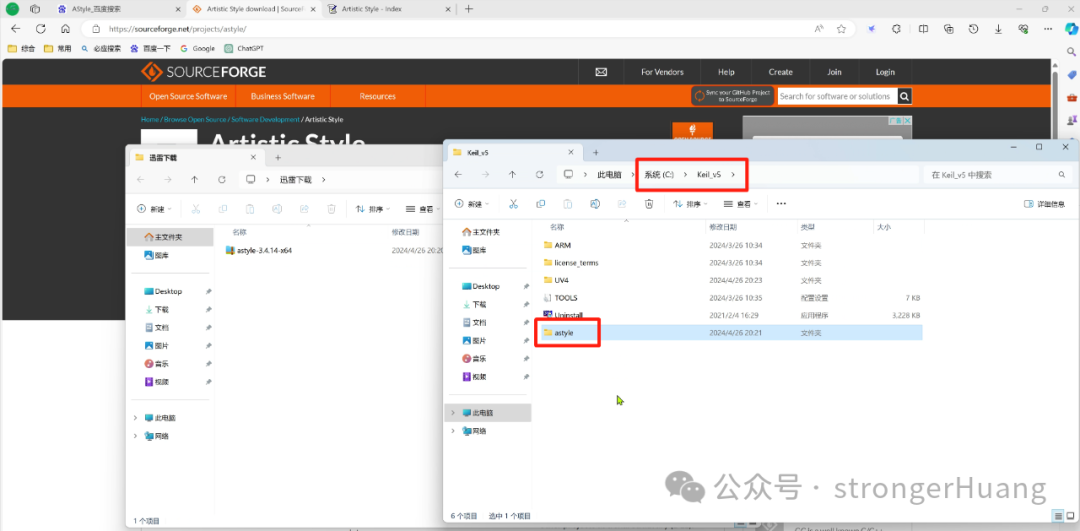
Step 1: Download the AStyle Plugin
Search for AStyle on Baidu, or directly enter the URL:
http://astyle.sourceforge.net/
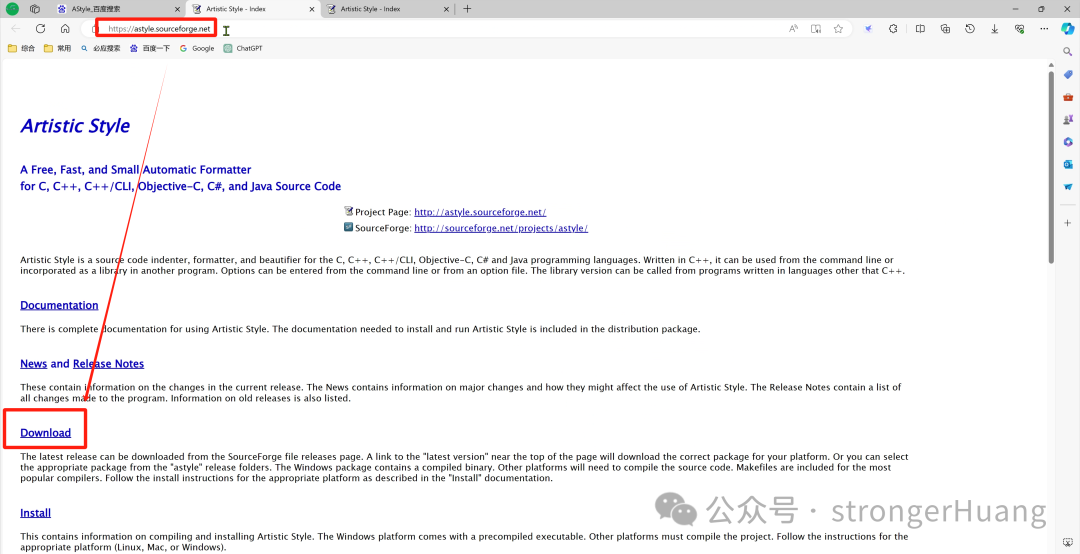
Click Download to enter the download page, download the latest version, and it will automatically download after a few seconds.
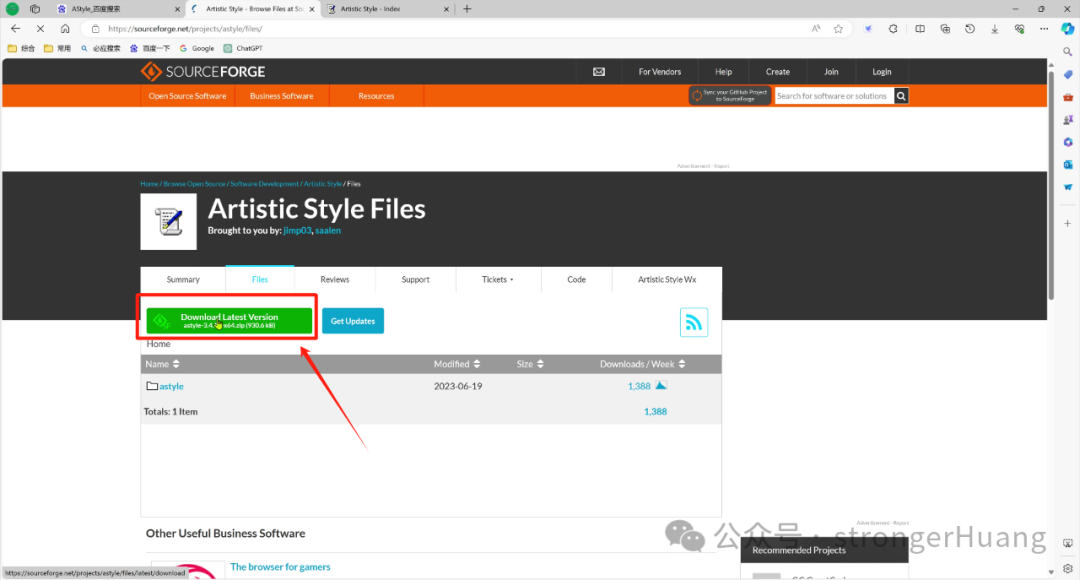
No need for a VPN here, you can download it with confidence. Of course, there are historical versions available.
Step 2: Add the AStyle Plugin
Unzip the downloaded AStyle plugin and copy it to a specific directory (of course, it is recommended to copy it to the Keil installation directory).
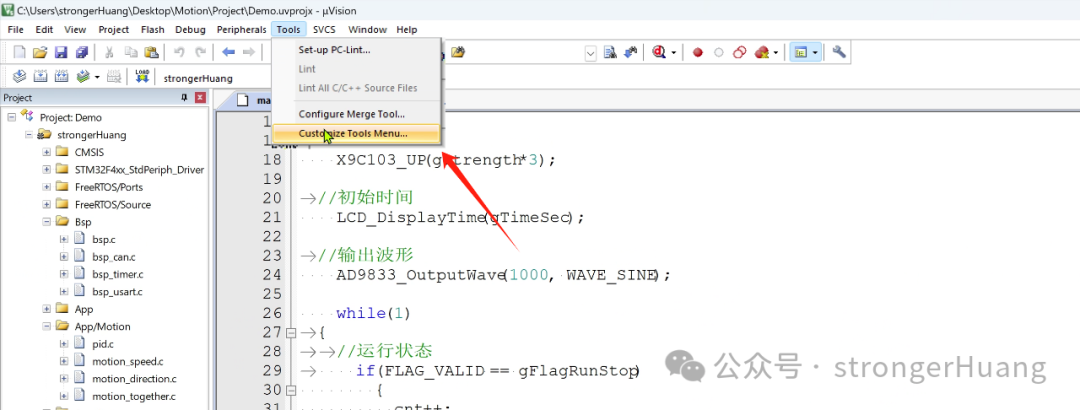
Open the Tools menu in Keil and customize the tools menu:
Tools -> Customize Tools Menu
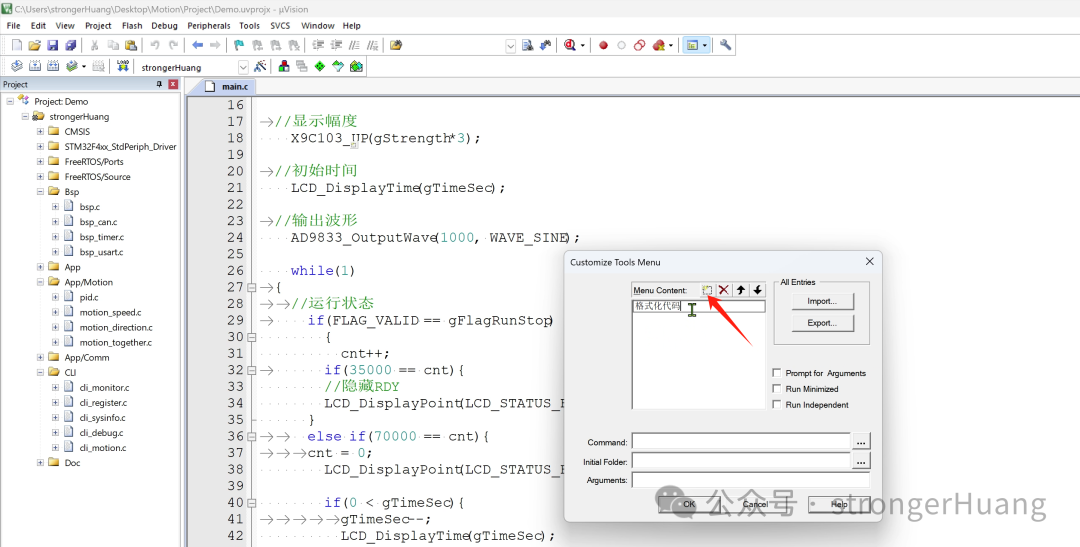
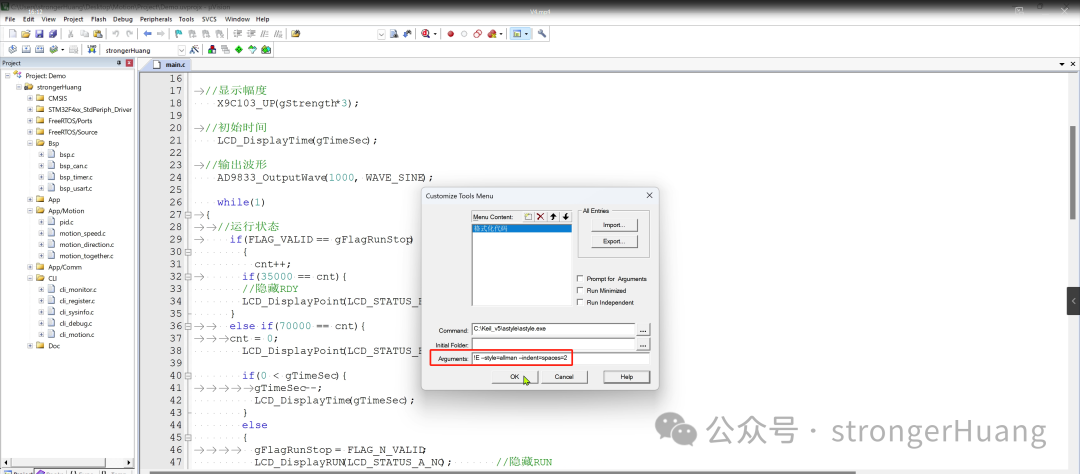
Click New to insert menu content, enter 【Format Code】:
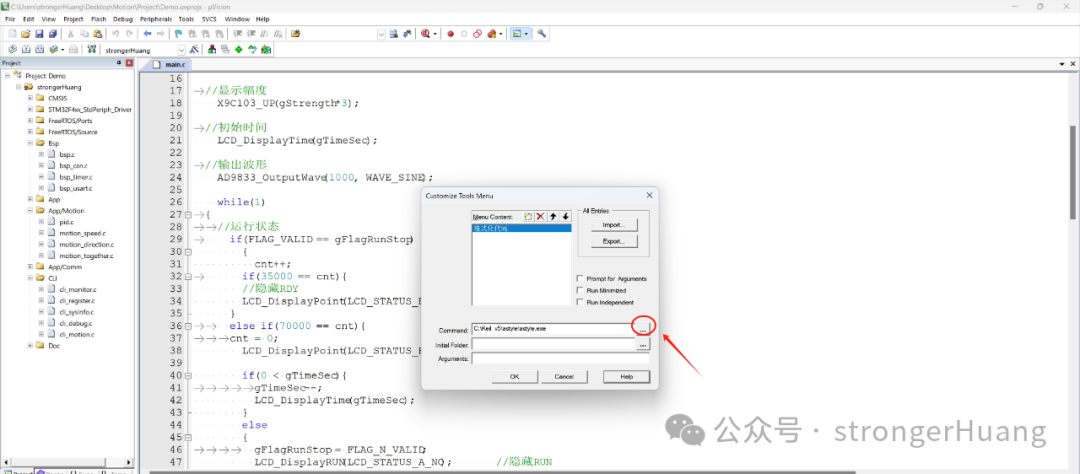
Then, click the three dots next to Command to add the plugin, and find the AStyle plugin you just unzipped:
In the Arguments section, enter a command:
!E –style=allman –indent=spaces=2
After confirming, you will find a new submenu 【Format Code】 in the Tools menu:
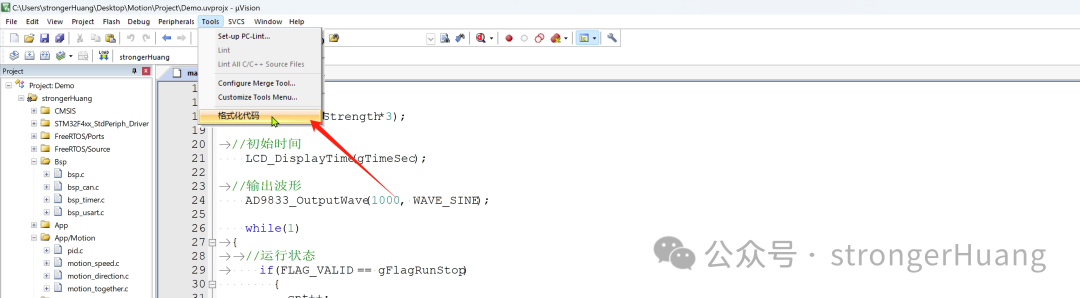
After this configuration, the AStyle plugin is installed. Whenever you need to format code, just click this submenu. (Of course, you can also configure a shortcut key)
Command Meaning
We demonstrated using a relatively simple command:
!E –style=allman –indent=spaces=2
!E means: format the current file–style=allman means: brace style–indent=spaces=2 means: (indent) insert 2 spaces For specific commands, you can refer to the official documentation, which is listed in detail:https://astyle.sourceforge.net/astyle.html
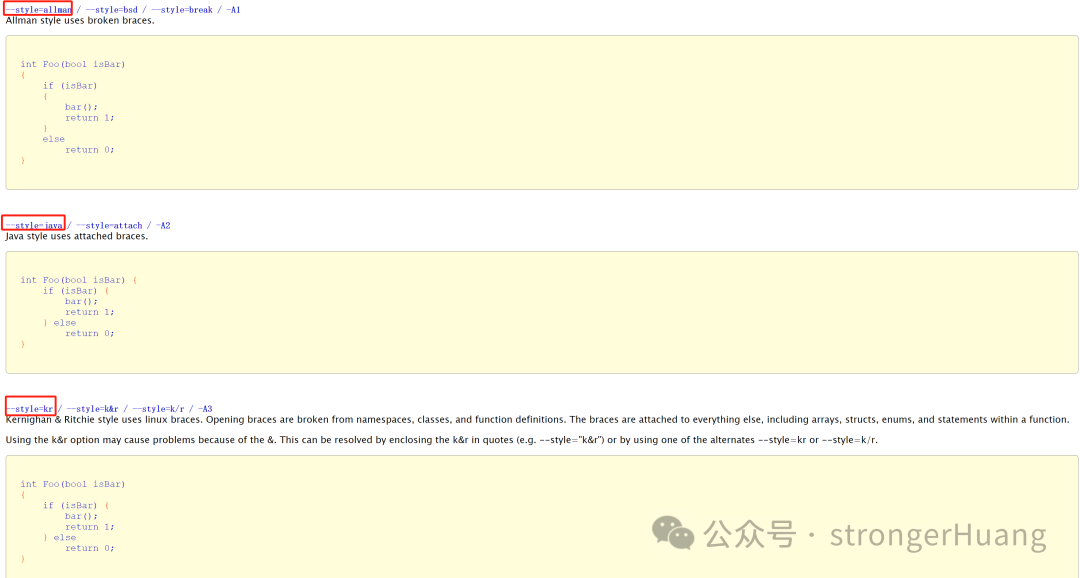
Additionally:
1. AStyle is a free plugin, so you can use it with confidence.
2. AStyle is not only suitable for Keil, but also applicable to many other IDEs.
Finally, I recorded a video for everyone to refer to:
———— END ————Reply to the public account with 『Keil』『Microcontroller』『Embedded Tools』 to read more related articles.Reply “Join Group” to join the technical exchange group according to the rules, reply “1024” to see more content.


Click “Read Original” to see more shares.