Is a higher screen refresh rate always better? Many believe that a higher refresh rate is more visually appealing. For instance, ordinary televisions only reach 60Hz, which can cause significant flicker and is certainly not good for the eyes. The principle of LCD differs from CRT, and does not require a very high refresh rate. If your monitor supports it, that is certainly the case, but only for CRTs. For LCDs, a refresh rate that is too high equates to accelerated wear. Generally, setting an LCD to 60 or 75Hz is sufficient.
In theory, the answer is affirmative. However, it should be considered within limits. Generally, CRT monitors have a refresh rate of 85Hz, which is comparable to the refresh frequency of sunlight. Below this refresh rate, you can hardly see the screen flickering and will not feel immediate visual fatigue. If your monitor can refresh at over 100Hz, that is certainly a good thing, but due to the differences in display tube technology, the refresh rates vary.
However, unlike CRTs, LCD monitors do not need to consider refresh rate issues. Therefore, if you are using an LCD monitor, a refresh rate of 60Hz is adequate in high-resolution mode. Recently, in our interactions with netizens, we found that many are not particularly interested in the “refresh rate” parameter. Today, let’s discuss what kind of monitors would interest consumers.
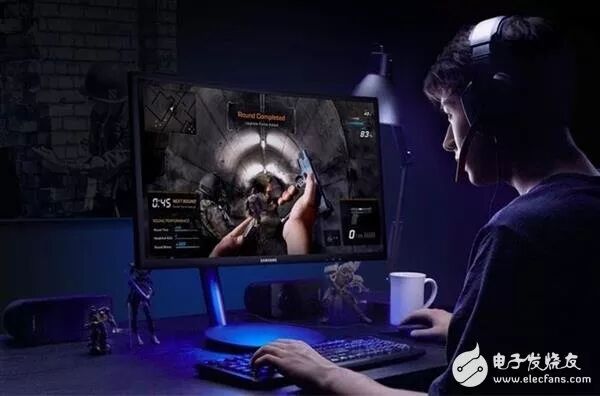
Looking at the current consumer demographic for monitors, they have become a necessity as part of computer accessories. Although the gaming market is booming and the number of players is rapidly increasing, the number of hardcore gamers and professional players is still very small. Ordinary casual gamers do not have very high requirements for refresh rates; the upgrade from 60Hz to 144Hz may be quite noticeable, but beyond that, the difference is hardly perceptible.
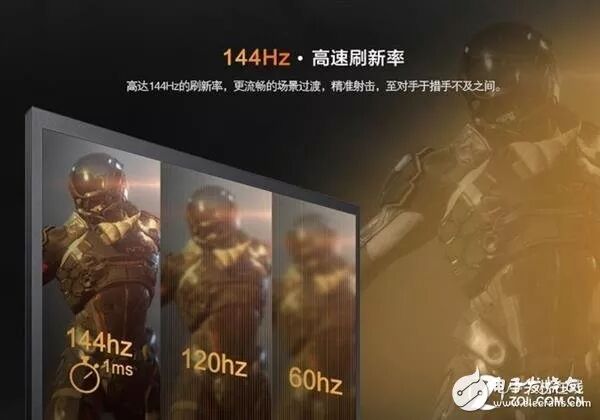
This indicates a problem: while many people play games, few use monitors solely for gaming. Therefore, the prerequisites for choosing a gaming monitor are: 1. It must meet daily office and entertainment needs; 2. The higher the gaming optimization without a significant price increase, the better.
This means that even when gamers purchase monitors, the first considerations are the monitor’s panel, color, appearance, and details, with refresh rate being secondary. After all, very few people buy monitors solely for gaming; they will also watch movies and work. It can even be said that unless one is a professional FPS gamer, most players can perform well with non-gaming monitors.
I would not buy monitors that have a very high refresh rate but average color and panel quality!
The resolution and refresh rate of a monitor consume significant graphics card performance. Given the current hardware support, it is challenging to achieve both simultaneously. From feedback, compared to the somewhat mystical concept of refresh rate, people prefer to enjoy detailed image quality. In other words, compared to high refresh rates, upgrades in resolution are what people are more inclined to see.

In fact, many gaming monitors focus solely on increasing refresh rates while neglecting resolution, which clearly diverges from the needs of most consumers. Especially with some large-sized monitors on the market, to enhance refresh rates while compressing prices, a 1080P resolution results in a grainy experience that is simply unbearable.
With the trend towards larger screens, displays will inevitably move towards higher resolutions. Monitors can be seen as task processing centers to some extent, as users have diverse needs for monitors, including entertainment, gaming, and office work. This diversification has become one of the developments in monitors.
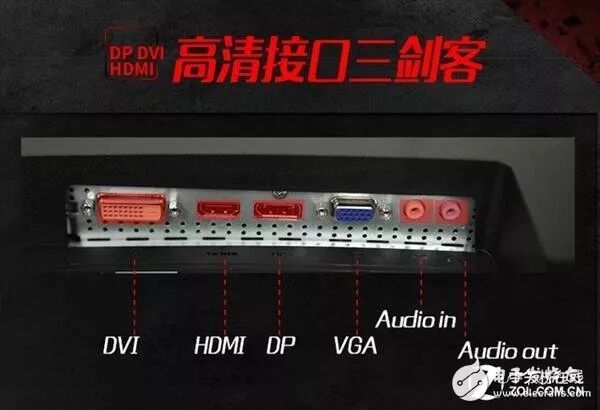
The diversification of monitor functions is mainly reflected in two aspects: one is the variety and increase in interface types, allowing users to connect multiple mobile devices. A monitor must have at least two types of multimedia interfaces, such as HDMI, DP, USB Type-C, in addition to VGA and DVI.
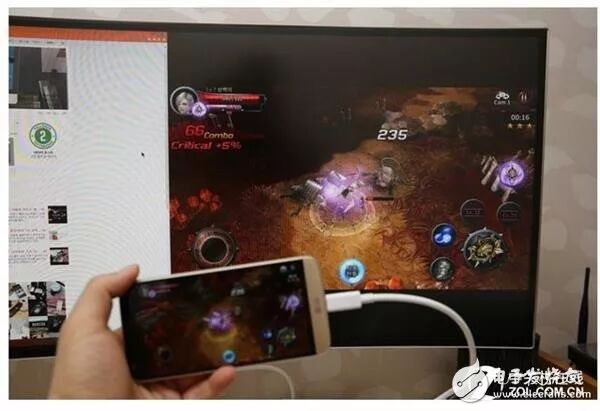
On the other hand, there is the improvement in display efficiency, primarily reflected in the “multi-window display” function of the screen. Multi-window display is a trend in the entire display industry, and applications for multi-screen setups or high-resolution displays achieving multi-window displays will certainly be a future trend. Especially in the commercial large-screen and office display fields, multi-screen segmentation or simultaneous display (which can show images from multiple hosts or mobile devices on the same screen) has significant practical value.
I would also not buy monitors that have a very high refresh rate but lack rich interfaces and have a single function!
So what kind of monitor is worth buying?
First, the monitor’s color should be good, preferably with a wide viewing angle panel (VA/IPS, etc.);
Second, large screens with high resolution should be prioritized, with refresh rates being secondary;
Finally, interfaces should be comprehensive and functions diversified.
Ultimately, it comes down to user experience. Monitor technology and product development have reached a point where monitors are no longer just tools for displaying images and videos. Users interact with PC monitors to achieve entertainment or office purposes, so the evolution of new functions and technologies in monitors is based on user needs. High refresh rates are only relevant for top-tier gamers; for the vast majority of consumers, they are merely superficial.
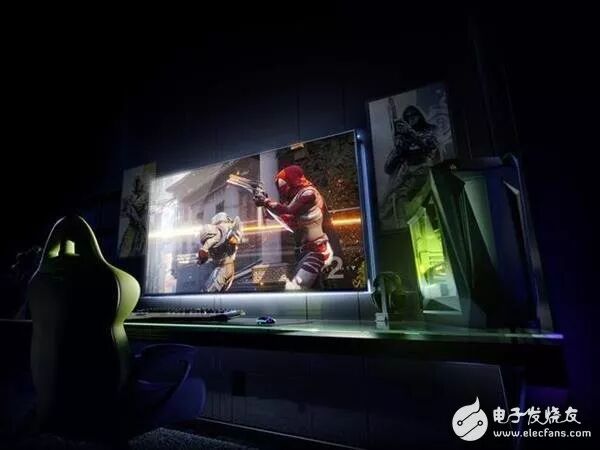
Simply improving a single parameter is no longer enough to stimulate consumer interest. Only a product that develops comprehensively and possesses uniqueness is key to its value. Currently, some products that continuously increase refresh rates while neglecting the essence of monitors are bound to develop abnormally.
Finally, we emphasize that we do not deny the value of refresh rates for gaming monitors; rather, we assert that gaming monitors are also a type of monitor. An excellent gaming monitor must first be an excellent monitor. The evaluation of a monitor’s quality is based on two indicators: one is excellent image display quality; the other is comprehensive functions that meet user needs.
As we mentioned at the beginning, except for a very small professional group, most users do not have a single purpose for their monitors. Therefore, a monitor that truly meets user needs must enhance work efficiency during office use, provide detailed image quality for movie watching, and deliver a smooth experience for gaming.
What does the refresh rate of a monitor mean? Is higher always better? The refresh rate directly affects the user’s eye fatigue. Generally, the default refresh rate of a monitor is 60Hz, where people can noticeably feel flickering. The original healthy standard was 75Hz, where most people would not feel flickering. However, a small portion of people still feel discomfort from flickering, so the refresh rate is adjusted to 85Hz, where even the most sensitive eyes will not perceive flickering.
But is a higher refresh rate always better? Theoretically, yes. However, your monitor also has a lifespan. If you set the refresh rate too high, it will reduce the monitor’s lifespan.
A higher refresh rate means more stable images, clearer displays, and less impact on the eyes. The lower the refresh frequency, the more severe the flickering and shaking of images, leading to quicker eye fatigue. In the past, high refresh rates were limited by vertical synchronization technology, which could not synchronize with the graphics card display. High refresh rates did not fundamentally solve the problem for players; people were only concerned that their eyes did not perceive delays. Generally, a refresh frequency of over 80Hz can completely eliminate image flickering and shaking, and the eyes will not tire easily.
Source: Electronic Enthusiasts