Many parents face a dilemma:
Children desire to have pets, but they hesitate due to issues such as care time, ongoing costs, and environmental compatibility.
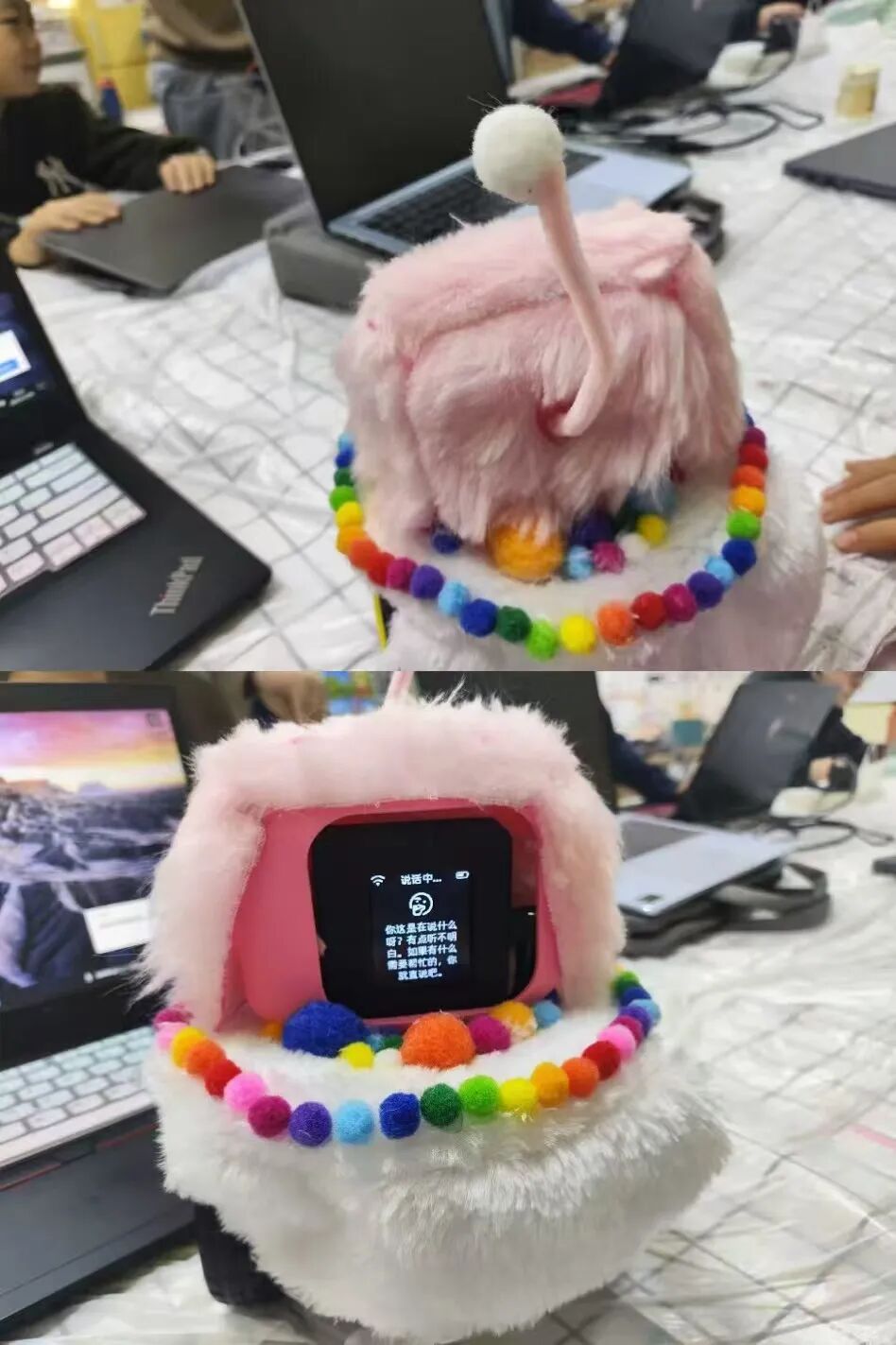
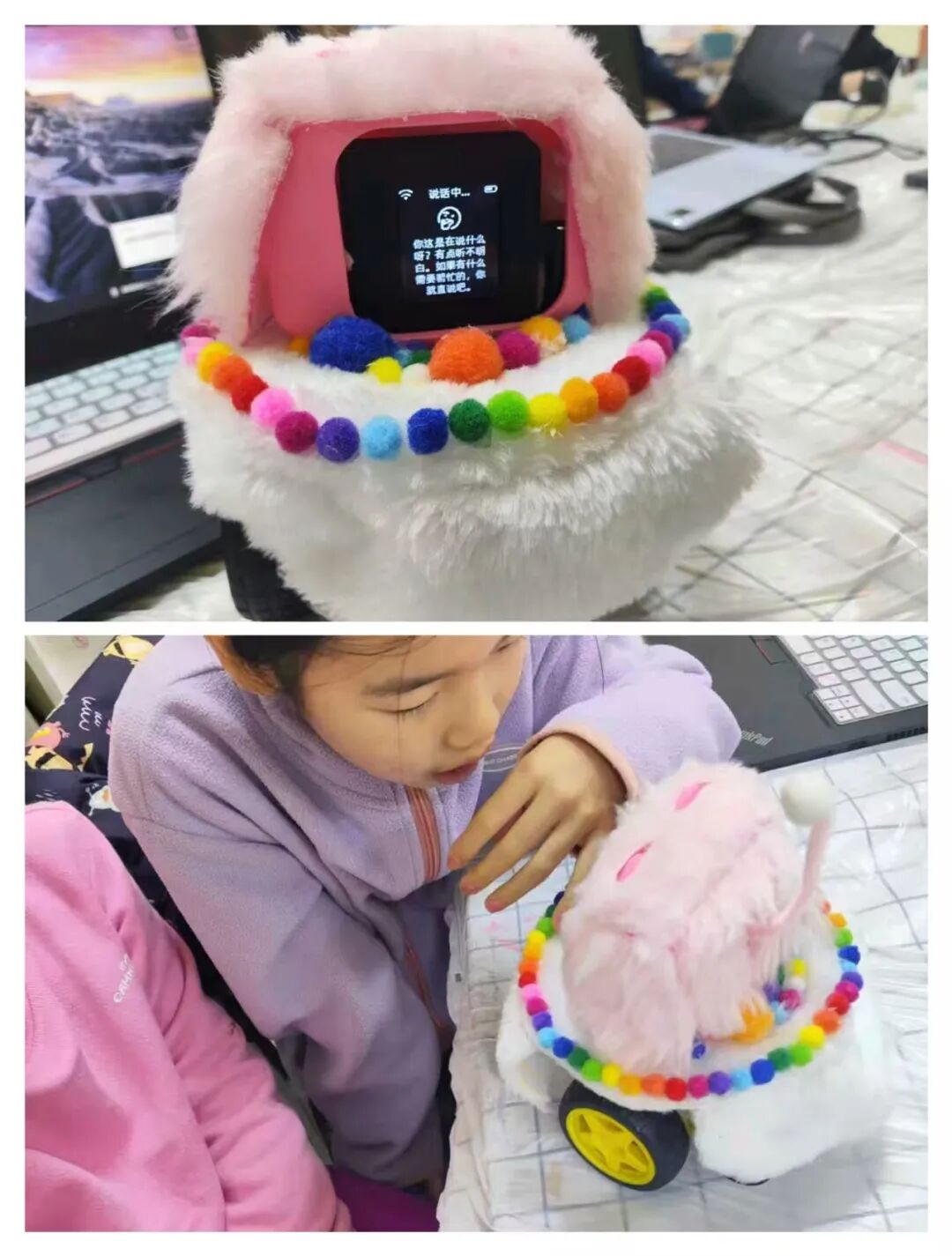
The “AI Chat Desktop Pet” designed by students such as Cao Yixin and Liang Ziqi—compact at 15 cm, with a controllable budget of 500 yuan, an interactive “bullfighting” feature, and non-toxic plush decoration—addresses the concerns of traditional pet ownership while presenting a replicable path for innovation in ordinary families, providing parents with a reference to guide their children in hands-on activities.
1. Demand-Oriented:Transforming “Pet Ownership Pain Points” into “Desktop Pet Solutions”
The core starting point for children designing the desktop pet is to solve the practical problems of traditional pet ownership: needing to feed regularly, clean up waste, incur medical expenses when pets are sick, and face the hassle of pet sitting when going out, with some pets shedding fur potentially causing family allergies. Based on these needs, the “Little Mimi” plan optimizes the existing “Little Xin” desktop pet:
-
The shape is defined as “slightly square and round,” with a diameter of about 15 cm, suitable for family scenarios such as desks and living room floors, without taking up too much space;
-
The shell is made of 3D printing and covered with long plush fabric, avoiding the shedding problem of traditional pets, ensuring a safe touch;
-
No feeding or medical care is required, and it can be directly stored when going out, significantly reducing care costs—completely fitting family usage scenarios, focusing on the “companionship function” while stripping away the “maintenance burden.”
This innovation-driven approach based on actual needs helps children understand that “technology is a tool to solve life problems,” rather than an abstract concept.
2. Full Process of Practical Operation:Objective Presentation of Design, Materials, and Assembly
The production process of the desktop pet includes design, material selection, and assembly debugging, with clear objectives and actionable methods at each step, allowing parents to accompany their children in execution:
1. Design Phase: Clarifying Shape and Functional Parameters
-
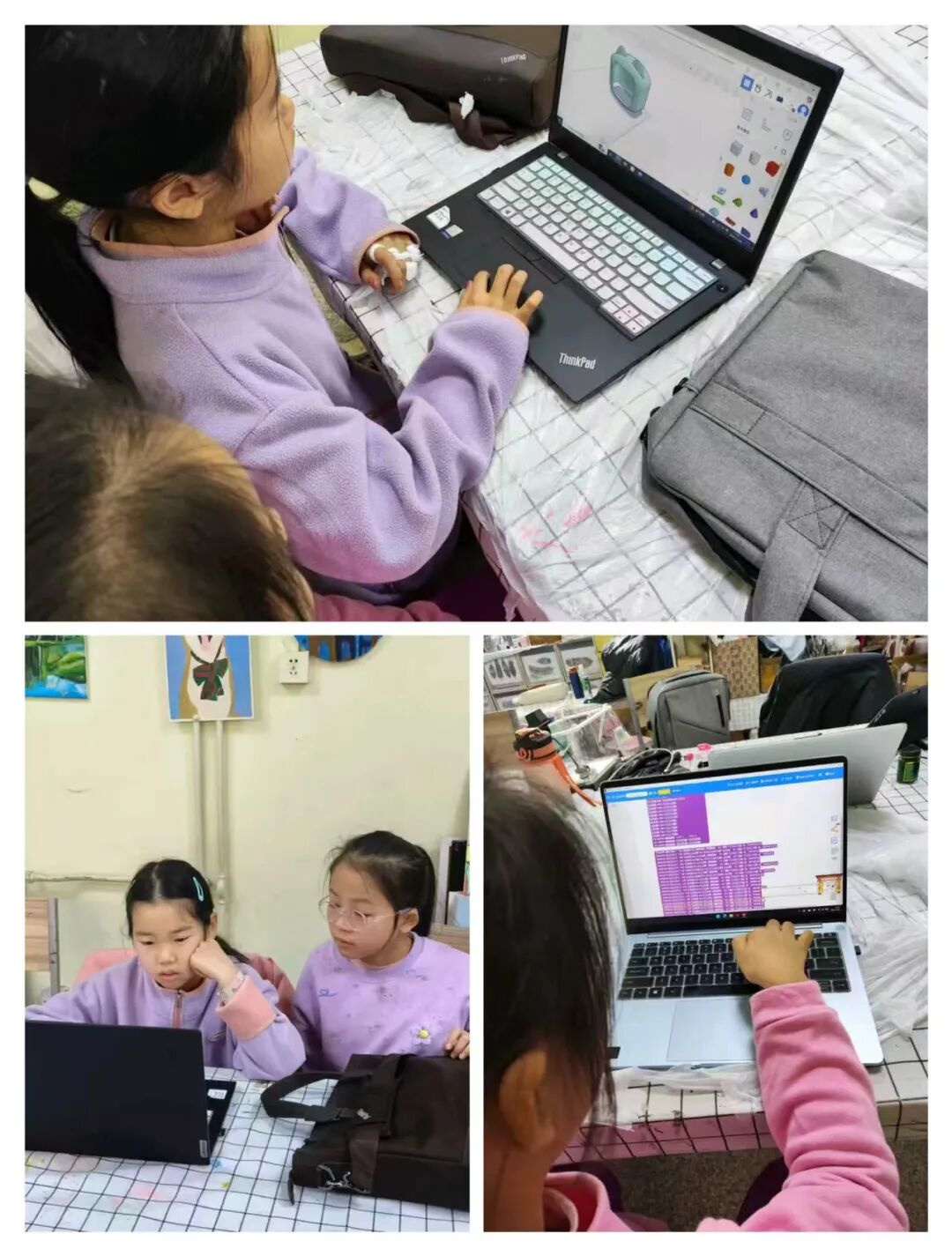
Shape Design: Use 3D modeling software to draw the shell, with a “slightly square and round” shape balancing stability and aesthetics, reserving space for screen installation in the middle, and simplifying the top decoration to fit the subsequent plush covering;
-
Size Setting: Diameter of 15 cm, referencing the children’s hand operation range, ensuring that children can easily touch it and that it does not easily tip over when moved;
-
Function Supplement: In addition to voice chat and encyclopedia Q&A, a “bullfighting-like” interactive game is added—controlling the desktop pet’s movement through voice commands (such as “come here” and “stop”), requiring no complex operations, making it usable for younger children.
2. Material Selection: Balancing Safety and Cost-Effectiveness within a 500 Yuan Budget
All materials are screened for safety, availability, and cost accounting, with the list and core parameters as follows:
|
Material Name |
Quantity |
Unit Price (Yuan) |
Core Function |
Safety and Compatibility Points |
|---|---|---|---|---|
|
ESP32 Mainboard |
1 |
150 |
Connect to Doubao AI model, handling voice interaction and Q&A |
Ensure chip compatibility, ensuring smooth interaction |
|
Offline Voice Chip |
1 |
30 |
Receive control commands such as “move” and “stop” |
No additional speaker required, simplifying assembly |
|
Motor |
2 |
20 |
Provide power to drive the wheels |
Choose low-speed models to avoid collisions from moving too fast |
|
Wheels |
2 |
20 |
Work with the motor to achieve steering and movement |
Small size design ensures flexible steering without jamming |
|
3D Printed Shell + Bracket |
1 each |
100+50 |
Support internal components, determine the shape of the desktop pet |
Use environmentally friendly PLA material, non-toxic and odorless |
|
Long Plush Fabric |
1 sheet |
15 |
Wrap the shell, enhancing touch safety |
Select non-shedding styles to reduce allergy risks |
|
1×3cm Small Screen |
1 |
20 |
Display expressions and text information |
Small size design avoids strong light stimulation to children’s vision |
|
Motor Driver Board |
1 |
– |
Adjust motor speed and direction |
Matches motor model, no additional debugging required |
Cost Explanation: Total budget is about 500 yuan, 3D printed parts can be commissioned to local printing shops (charged by weight, shell + bracket costs about 150 yuan), and other materials can be purchased through electronic markets or e-commerce platforms without the need for professional equipment support.
3. Assembly and Debugging: Collaborative Problem Solving
-
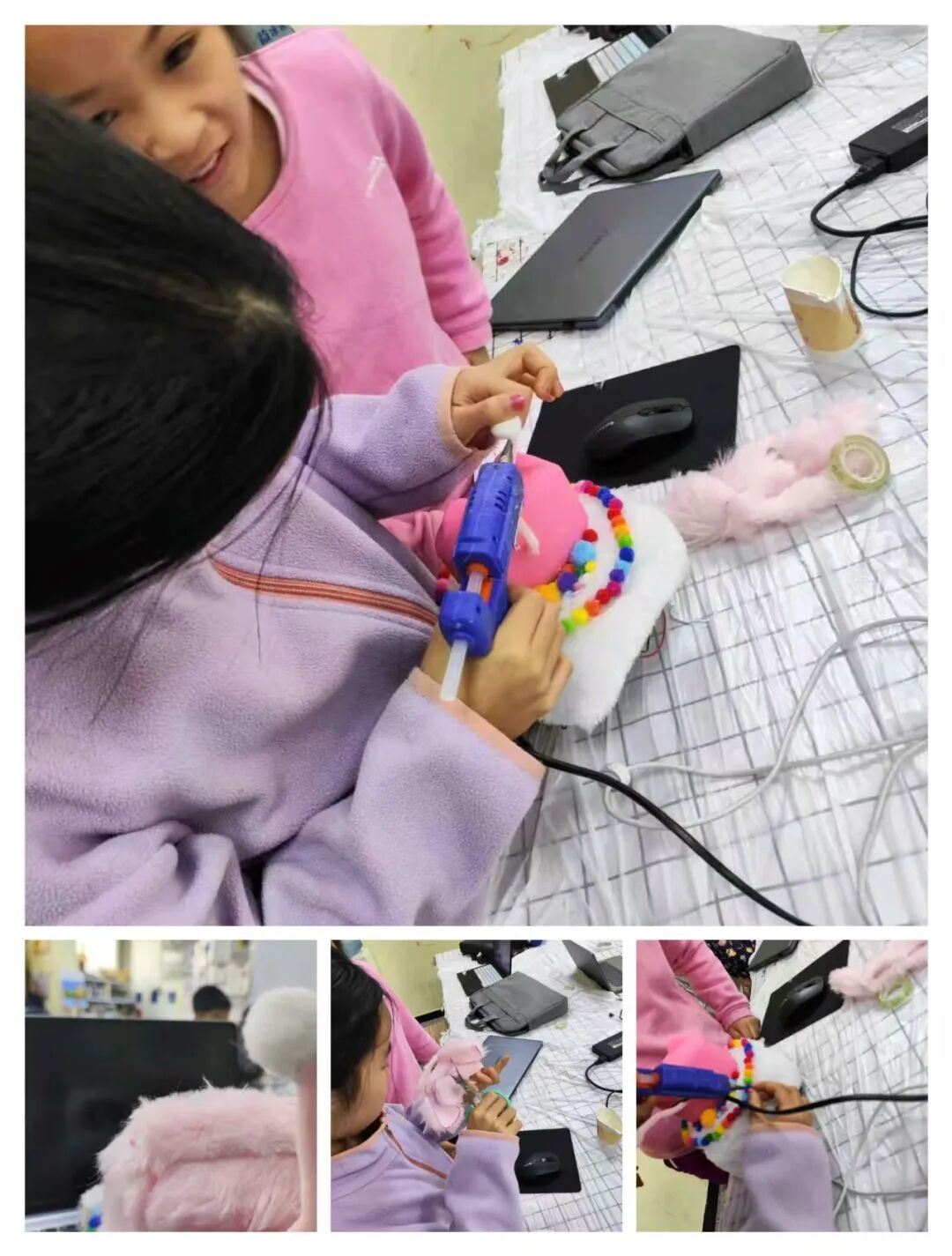
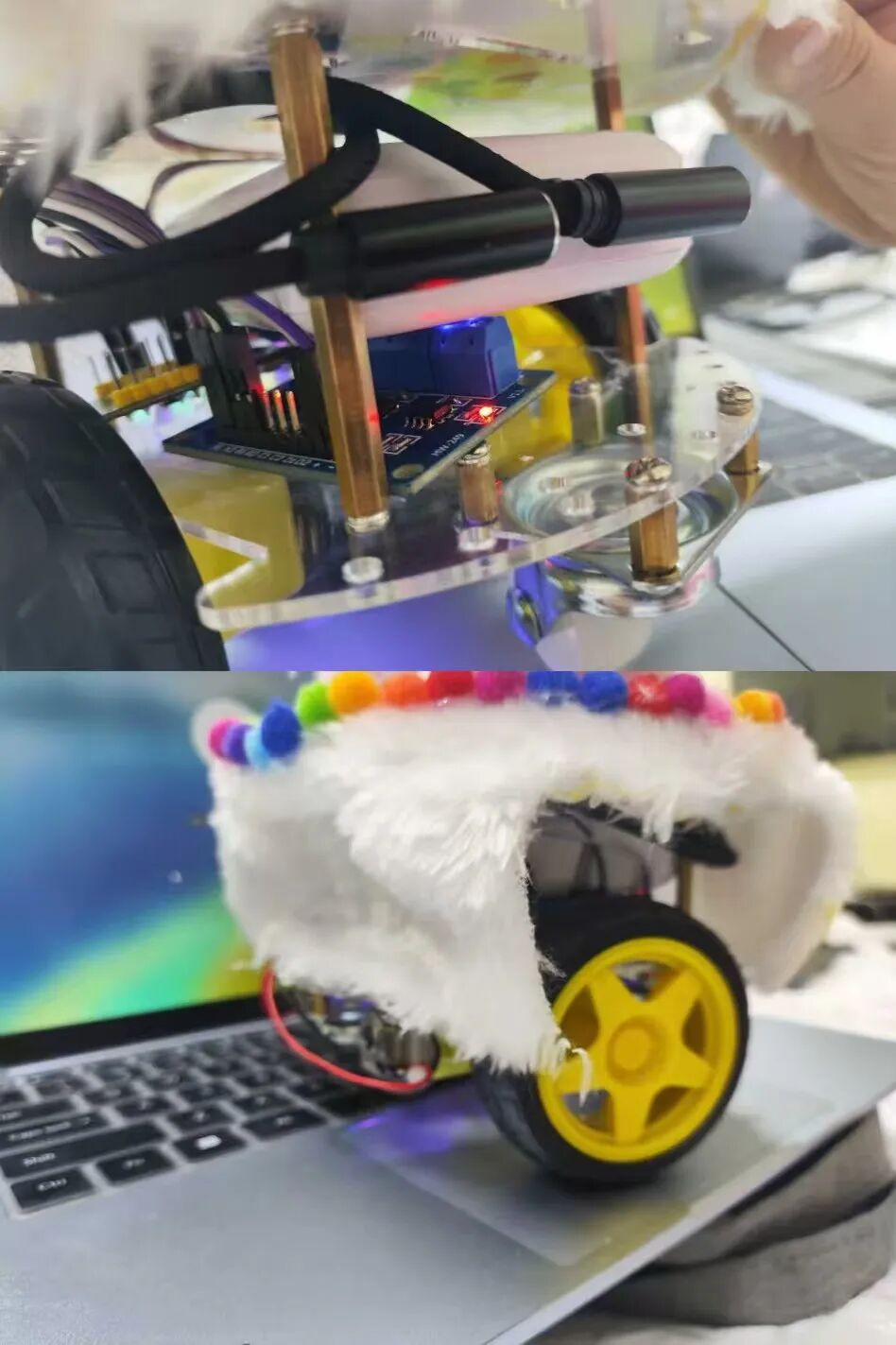
Assembly Division: Members are responsible for fixing components (mainboard and motor installed in the 3D printed bracket, using hot melt glue for assistance), shell decoration (cutting plush fabric to fit the shell, reserving screen and tail holes), and program debugging (testing voice command responses and motor speed control);
-
Problem Solving: During debugging, issues such as “blurry screen display” and “delayed voice command response” are addressed by adjusting the screen angle and optimizing the chip installation position (to avoid motor interference), forming a complete process of “identifying problems – analyzing causes – testing solutions.”
3. Core Gains for Children:Objective Improvement of Skills and Thinking
From project design to product realization, children achieve improvements in multiple dimensions, specifically manifested as:
-
Skill Level: First exposure to 3D modeling software, mastering basic shape drawing through repeated practice; participating in program debugging, enhancing typing efficiency and document organization skills (such as writing material lists and assembly steps);
-
Thinking Level: In the process of material cost accounting and functional adaptation to family scenarios, cultivating logical thinking of “demand-solution-implementation”; during team discussions on issues such as “number of wheels and stability” and “choice of plush material,” learning to listen to others’ opinions and forming a sense of collaboration;
-
Practical Level: Overcoming difficulties such as “modeling failures” and “program debugging issues,” gradually establishing a practical mindset of “trial and error-optimization,” reducing fear of “perfect products.”
4. Practical Suggestions for Parents:Four Key Points for Supporting Innovation in Ordinary Families
-
Focus on “Small Needs” to Lower the Entry Barrier: There is no need to pursue complex projects; start from small troubles children encounter daily (such as “lack of companion toys” or “forgetting knowledge points”) to ensure the solution is easy to implement;
-
Control the Budget, Prioritize Safe Materials: Referencing the 500 yuan budget framework in the case, materials should focus on “non-toxic, easy to operate”; professional steps like 3D printing can be commissioned to third parties to avoid high equipment investment;
-
Position as a “Facilitator” to Avoid Doing It for Them: When children assemble unevenly or debugging shows deviations, guide them with questions (such as “What do you think might be the reason for the blurry screen?”) instead of making direct modifications, encouraging them to solve problems independently;
-
Emphasize the Process, Downplay “Product Evaluation”: Even if the final desktop pet has issues like uneven movement speed or delayed command responses, focus on recognizing the child’s efforts in design and debugging, reinforcing the understanding that “practice is more important than results.”
The core value of this case lies in demonstrating that “innovation is not exclusive to top students”—ordinary families do not need professional resources; they only need to start from children’s life needs and accompany them through the process of “idea-design-implementation” to enable children to gain skills, thinking, and confidence through hands-on practice, which is also the essence of innovation education.