1. Network Coupler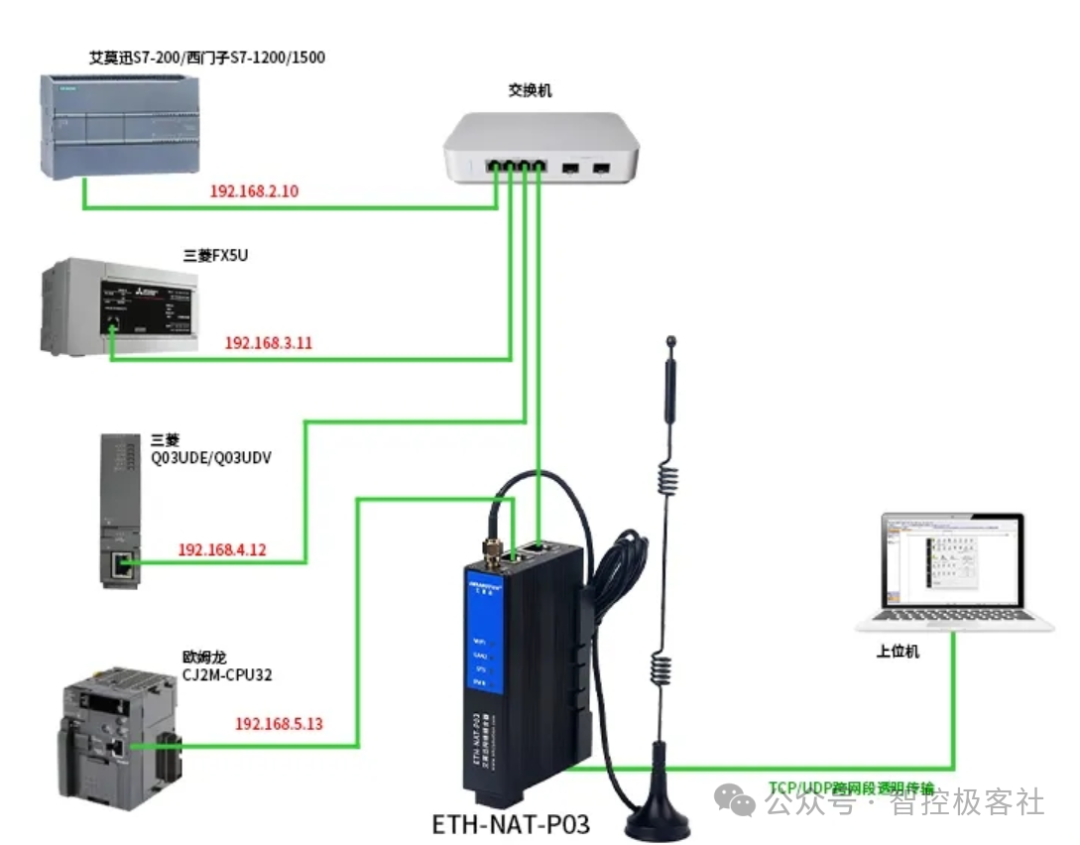 2. Layer 3 Switch – Set up VLAN Configure the Virtual Local Area Network (VLAN) functionality3. In TIA Portal, check the option to use a router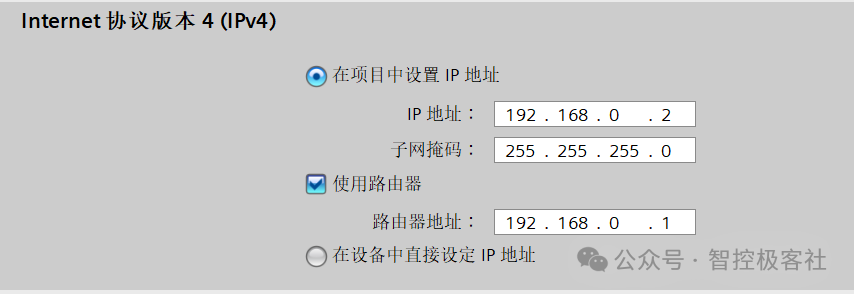
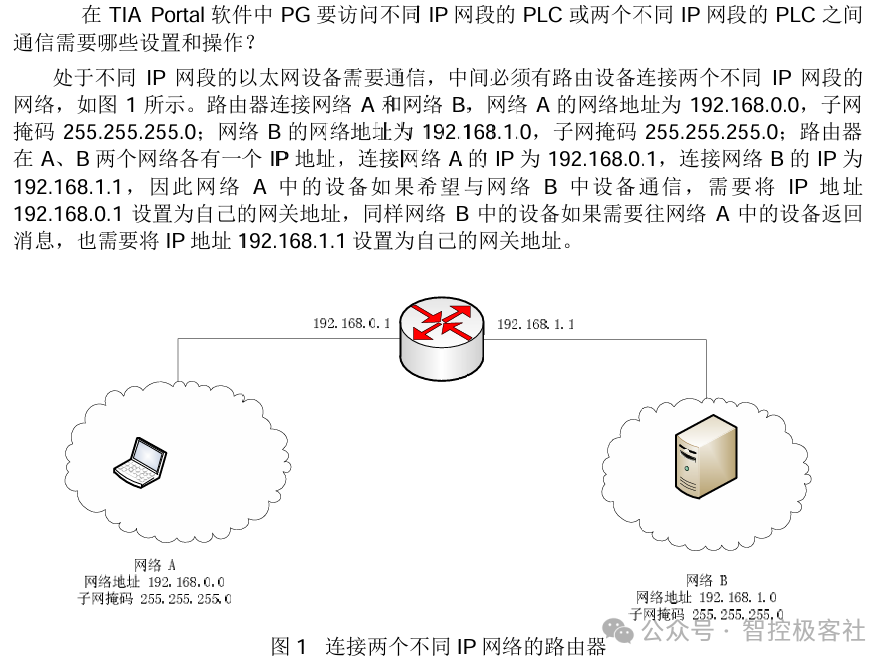 4. Extend Subnet Mask The table below shows the address range that can communicate after extending the subnet mask (having too many devices on the network may slow down overall network speed)
| Subnet Mask | IP Address Range | Available Hosts |
| 255.255.255.0 | 192.168.0.1~192.168.0.254 | 254 |
| 255.255.254.0 | 192.168.0.1~192.168.1.254 | 510 |
| 255.255.252.0 | 192.168.0.1~192.168.3.254 | 1022 |
| 255.255.248.0 | 192.168.0.1~192.168.7.254 | 2046 |
| 255.255.240.0 | 192.168.0.1~192.168.15.254 | 4094 |
| 255.255.224.0 | 192.168.0.1~192.168.31.254 | 8190 |
| 255.255.192.0 | 192.168.0.1~192.168.63.254 | 16382 |
| 255.255.128.0 | 192.168.0.1~192.168.127.254 | 32766 |
| 255.255.0.0 | 192.168.0.1~192.168.255.254 | 65534 |