1. Overview of PLC Socket TCP Client Communication:
In socket TCP client communication, the client first calls a system function to create a TCP socket, then initiates a connection request to the server at a specified IP address and port. A reliable connection is established through a three-way handshake. The communication protocol can be customized by the user, allowing developers to design data formats and interaction rules based on business needs, such as using specific headers to identify data types and lengths for efficient parsing. Once the connection is established, data transmission and reception between the client and server are carried out according to the custom protocol. After communication is complete, the client actively closes the socket connection to release resources. This model allows for flexible adjustments to protocol details based on technical requirements, but developers must handle data parsing and error handling logic themselves.
2. Implementing Socket TCP Client Communication in PLCs:
Different brands of PLCs have varying names for socket TCP client communication, connection commands, commands for sending data, and commands for receiving data, as detailed in the table below.
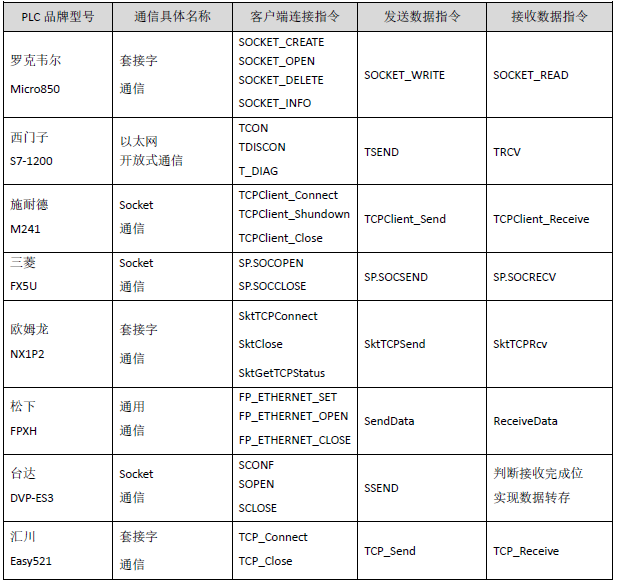
As can be seen, different brands of PLCs implement socket TCP client communication with different commands and programming. Therefore, it is necessary to standardize the programming of PLC socket TCP client communication, encapsulating the communication into function blocks, instruction libraries, or user libraries with the same input and output parameters for ease of use.
3. Standardization of PLC Socket TCP Client Communication:
Based on the actual situation of sending and receiving data in socket TCP client communication, we have defined the encapsulated function blocks, instruction libraries, or user libraries for various brands of PLC socket TCP client communication as shown in the figure below.
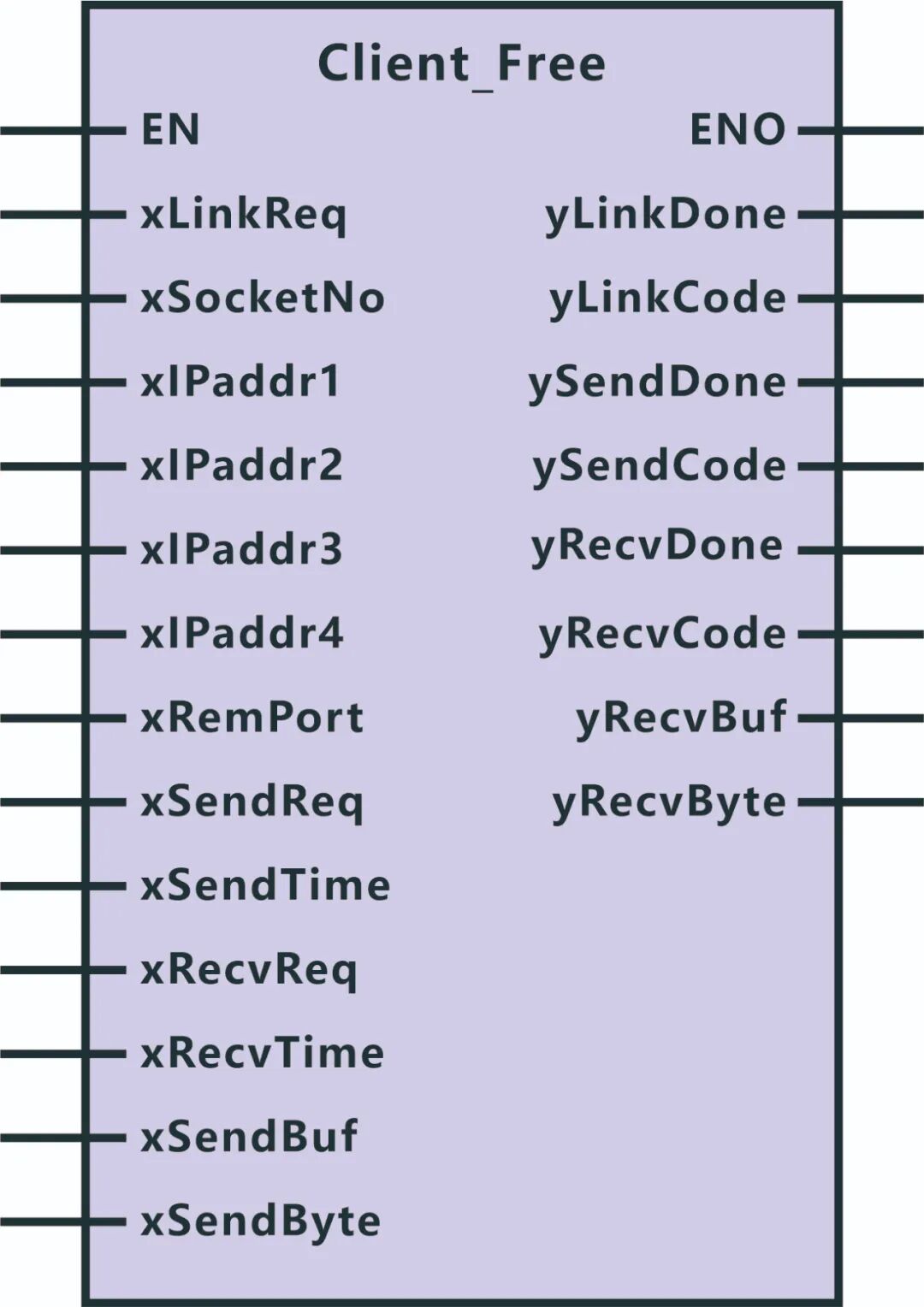
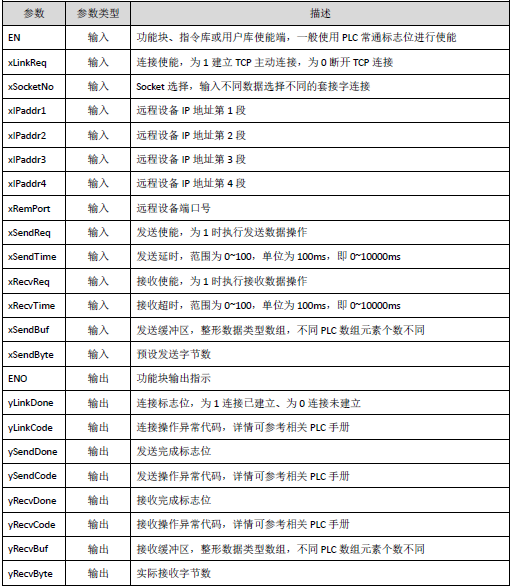
The meanings of the parameters in the function blocks, instruction libraries, or user libraries are shown in the table below.
4. Video Tutorials on Standardized Function Blocks for Mainstream PLC Socket TCP Client Communication:
1. Rockwell Micro850:
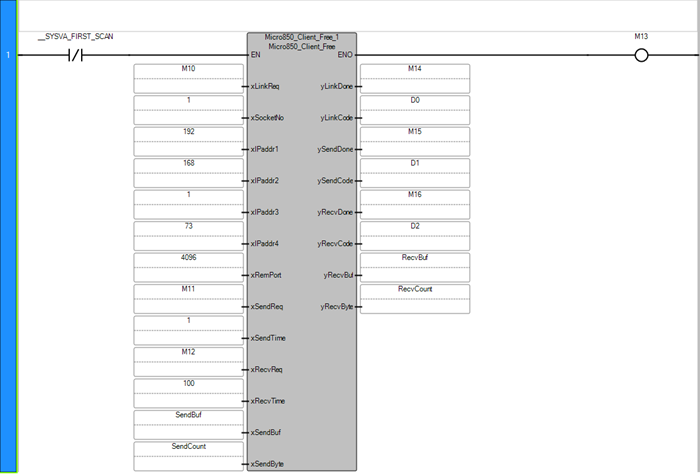 The following video is sourced from Serial Communication Home
2. Siemens S7-1200:
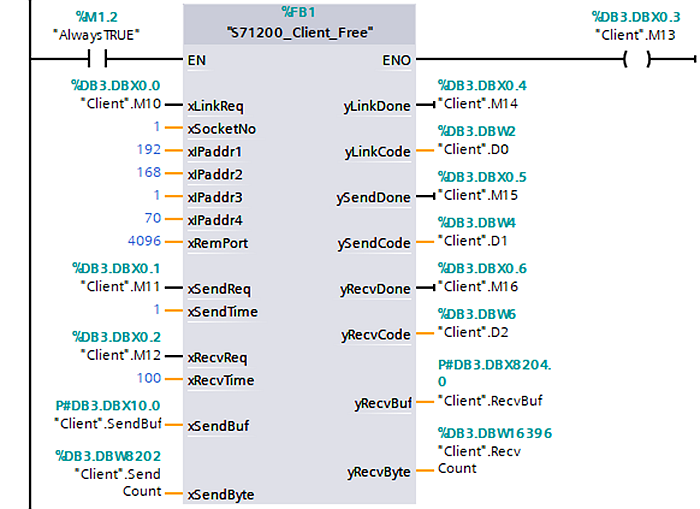 The following video is sourced from Serial Communication Home
3. Schneider M241:
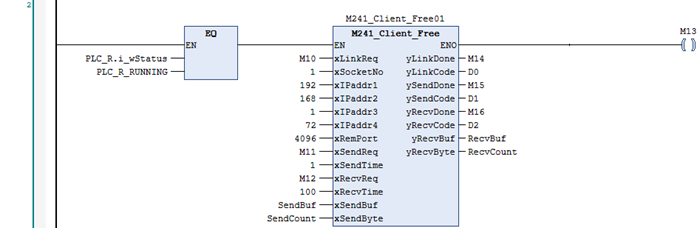 The following video is sourced from Serial Communication Home
4. Mitsubishi FX5U:
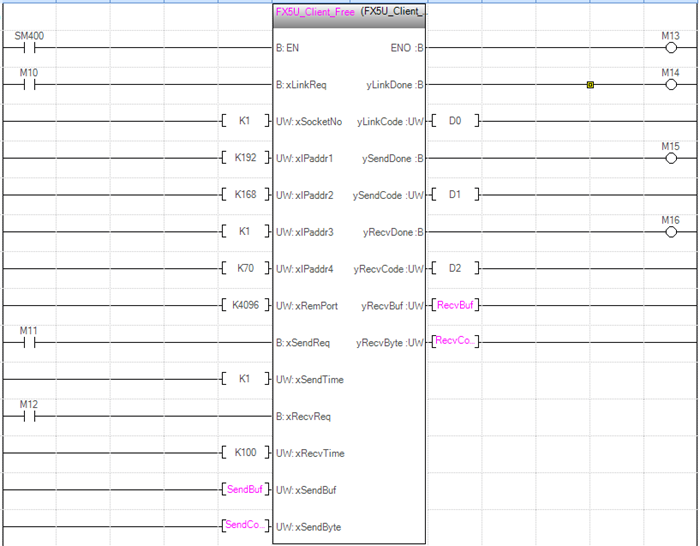 The following video is sourced from Serial Communication Home
5. Omron NX1P2:
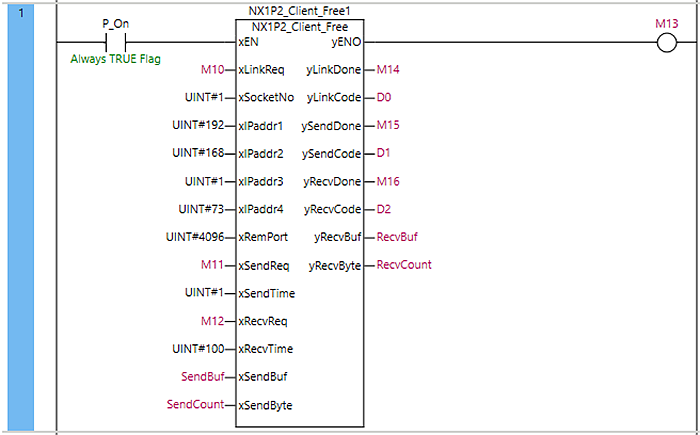 The following video is sourced from Serial Communication Home
6. Panasonic FPXH:
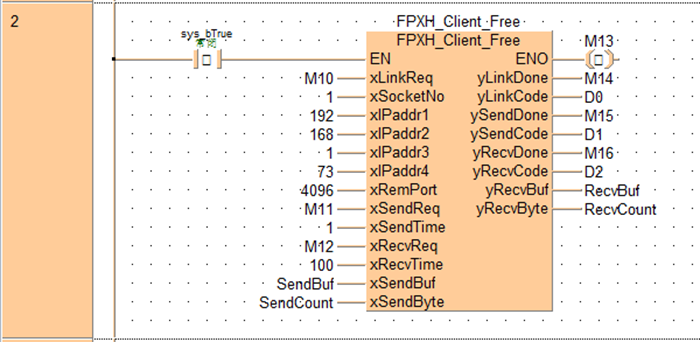 The following video is sourced from Serial Communication Home
7. Delta DVP-ES3:
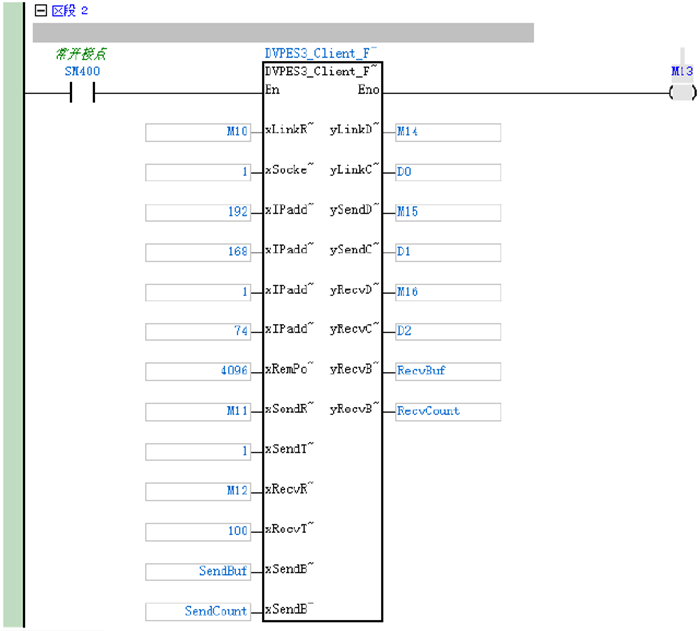 The following video is sourced from Serial Communication Home
8. Inovance Easy521:
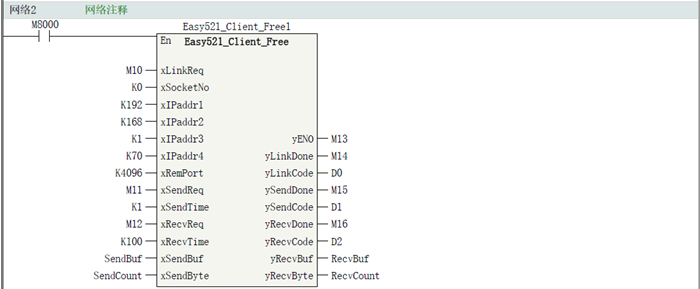 The following video is sourced from Serial Communication Home
Previous · Recommended


How to Understand Siemens' Latest PLC Architecture Program: Three Methods to Share with You


Troubleshooting EtherCAT Disconnection Issues in Controllers


This Cable Waterproofing Method is Claimed to be the Best by This "Electrician"!


Two Misdiagnosis Cases Leading to Experience in Variable Frequency Drive Maintenance!


Discussing PLC Program Architecture Design with an Engineer


Share, View, and Like, at least I want to have one!