Old readers should know that the Osprey has been using a homemade STlink in the lab. This time, the Osprey wants to make a J-LINK and found an article that everyone can learn from.
(If I have time, I can provide ST-link and J-link firmware; these can basically be found online.)
Source: https://www.jianshu.com/p/0cd3a513f1b1
The board I made, while ensuring complete functionality, is generally made as small as possible. Therefore, I can’t tolerate the size of the 2.54mm pin header or the standard JTAG. No matter what chip it is, I will use RT-Thread, and the RTT finsh debugging is very useful, but it must have a serial port.
So, probably during my sophomore year when I was doing flight control, I defined an 8-pin FPC for dedicated debugging, which includes SWD and UART. Moreover, SWD comes with SWO.
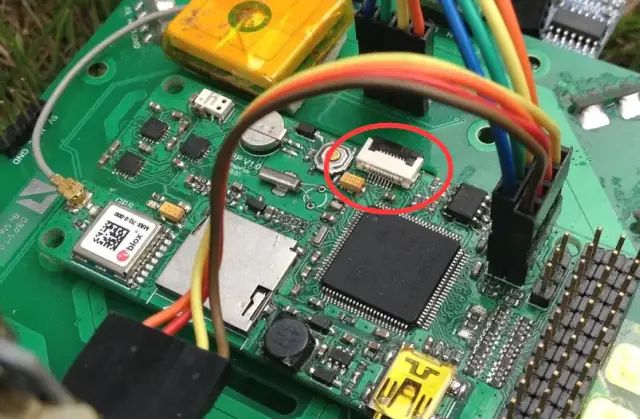
image
Over the years, I have only made one debugger, using a USB HUB chip, integrating Jlink OB and CP2102 on one board.
The board has quite a few errors, the most serious being that the CP2102 chip was completely wired with flying leads.
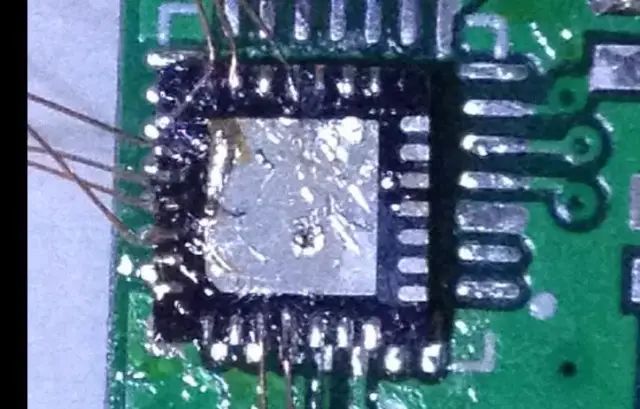
image
So, I have been using it unstably for many years. After learning that the Jlink OB of the STM32F072 also supports virtual UART, I decided I still need to make a new one.
Comparison of old and new. The board was quickly completed.
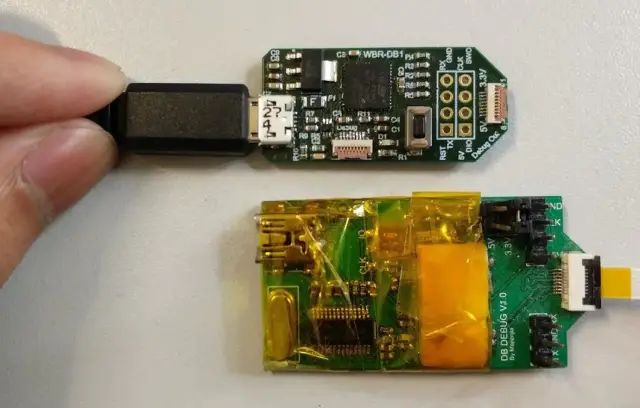
image
With the hardware ready, I started worrying about the firmware.
This expert (http://akb77.com/g/stm32/jlink-ob/) extracted the Jlink OB firmware for the STM32F072 from JlinkARM.dll.
Isn’t that impressive!
Unfortunately, the file provided in his post was extracted from version 5.12 of JlinkARM.dll, and now the latest version has reached at least 6.20. My Keil has 6.10j, and every time I link, it prompts for a firmware upgrade, which is quite annoying.
Moreover, on my board, after clicking cancel on the upgrade, the board disconnects.
Taking JlinkARM.dll to Task
So I decided to try extracting the firmware myself. The method is the same, starting with JlinkARM.dll.
He has already replied in the post with the firmware location for the latest 6.10n version of JlinkARM.dll.
Can’t say about 610i but for 610n start from 0x8C8054 and length 0x0B66C
However, I couldn’t find this version of JlinkARM.dll. I plan to use the 6.10j dll that comes with my Keil to try to locate the firmware position for the STM32.
Starting to Dig
The tool I need is WinHex.
First, I tried to open the firmware downloaded from his blog. My assumption was to see if there are at least the same initial bytes in my JlinkARM.dll. For example, these bytes: 0x38 1C 00 20.
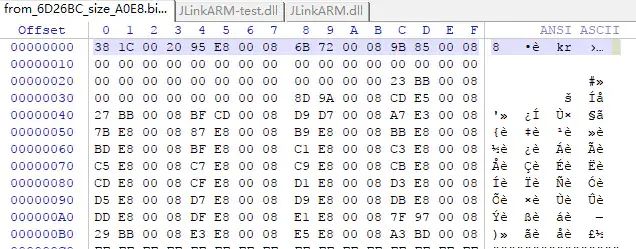
image
But I didn’t find them. I tried to look for other fields, but there were no clues.
I reflected that since the firmware might change, I should try to locate the firmware in the 5.12j JlinkARM.dll used by the blog owner first.
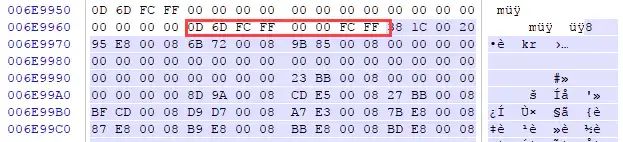
So I downloaded 5.12j, and after opening it, I indeed located the firmware position. The firmware for this version starts with 38 1C.
image
But how to locate it in other versions of JlinkARM.dll? I still tried the 6.10j version of JlinkARM.dll I have. I noticed the bytes before the firmware, which is 38 1C. I will search for them in the 6.10j.
image
Haha, I indeed found it! Could it be that the firmware starts with 4A 25 00 EA? It’s still uncertain. Let’s assume this is the starting position. Now, what is the length?
So I went back to 5.12j to refer to the original blog and look for length information.
The original blog described the 5.12j version:
Extract binary part from JLinkARM.dll (from JLink_V512) For example from offset 7153340 (0x6D26BC) and size 41192 (0x0A0E8). Use any binary extraction tool as you prefer.
Now I have two ideas,
-
Find the 0x0A0E8 in 5.12 and see if there are clues about the length information.
-
Find the end of the firmware and see if it has a fixed special format.
Stop! The above is wrong. If you look closely at the above image, you will find that the description on the right states that this firmware is for SAM7, not STM32!!! Moreover, the blogger did not use the 5.12j JlinkARM.dll for extraction! The offset address is completely wrong. Slowly digging into a pit.
Filling the Pit
Although the code found above is not suitable for STM32F072, I found clues and patterns.
The clue is to directly search for the microcontroller model!The pattern is that the firmware for different chips is continuously placed!
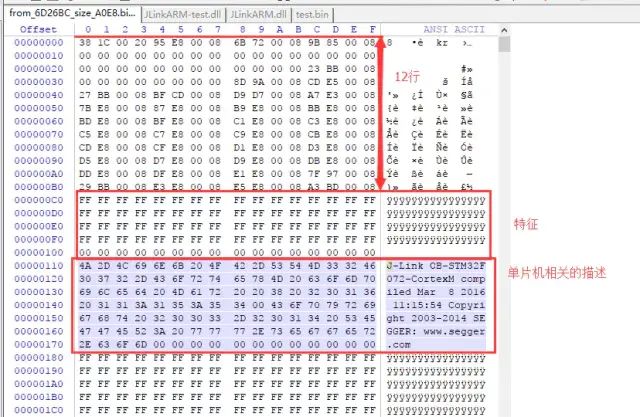
First, looking for clues, in the firmware extracted from version 5.12 provided by the blogger, there is such a pattern.
image
Before the description related to the microcontroller, there are some 64 bytes of FF and 16 bytes of 00, which are obviously reserved blocks. I don’t understand what they are for, and I don’t want to care. Then there are 12 * 16 bytes of data, which I remember should contain the function pointers for interrupt jumps, but I’m not sure.
However, their lengths are fixed, which means that finding the description of the microcontroller and then moving back a certain number of bytes will definitely lead to the start of the firmware!
How many bytes exactly? 17 lines * 16 = 0x1FA (506 bytes).
Alright, let’s search in other versions of JlinkARM.dll. Here, I will take the 6.10j version as an example.
image
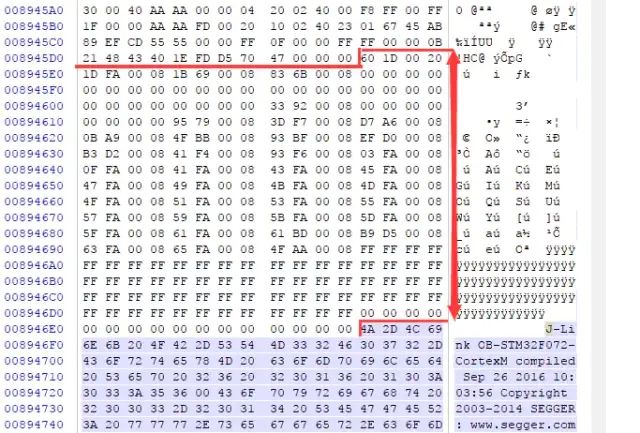
I easily found the description related to the STM32F072, and based on the reserved FF and 00, I moved back 12 lines and saw a field starting with “60 1D 00 20”. At first glance, I was pretty sure this is the beginning of the firmware!
Because this is too similar to the firmware of the 5.12 version provided by the blogger, which starts with “30 1C 00 20”. The last two bytes are identical. “30” and “60” are just shifted by 1 bit in binary, and “1D” is simply “1C + 1”.
I’ve found the start, congratulations! Now, what is the length of the firmware?
However, I don’t need to know the length of the firmware. Because the storage of the firmware is continuous, this is a pattern I discovered while browsing the context. I just need to know when the next firmware starts, and then I can roughly trim it. The principle is to trim more, not less.
Some may worry that if extra bytes are trimmed in, will it affect the program? The answer is no. Why? Think for yourself.
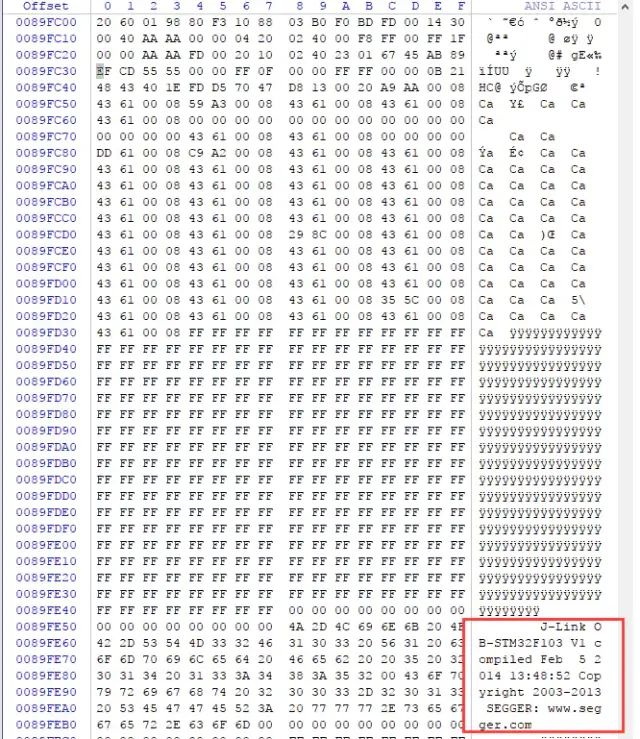
So I started looking for the position of the next firmware start. How to find? Just flip through it by hand. With a firmware size of about 40+k, flipping a few dozen pages is enough. A few clicks of the mouse is also very quick.
image
Hey, the next one happens to be the Jlink OB firmware for STM32F103.
At this point, I can actually finish. To save trouble, I can directly trim to any position in that pile of FFFF, because it is obvious that this is the starting point of another firmware. It complies with the principle of “only more trim, not less trim”. Of course, I trimmed it to 32-bit alignment. I created a new file, copied from the firmware start to the end position, and saved it as .bin.
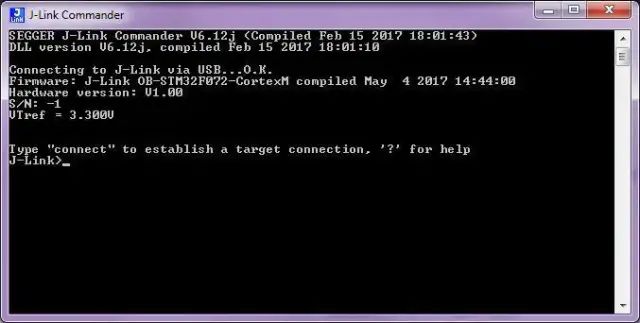
Download, test, bingo! The firmware shows that it is the firmware from May 2017, which is newer than my Jlink driver. This time, it won’t prompt for a firmware upgrade anymore.
image
But what if I want to know the exact end position of the firmware?
Digging Another Pit
Looking closely at the F103 firmware, the size of the reserved FF area is completely different from that of the F072 firmware, making it difficult to determine. Of course, Jlink OB firmware for F103 is everywhere; I can download one from the website and use the same method to check the offset of the F103 firmware to roughly know where it starts. However, knowing the start position doesn’t help much. Although the firmware in JlinkARM.dll seems to be stored continuously, there may be some other descriptors between the firmwares. To remove these, I must find the actual end position of the firmware.
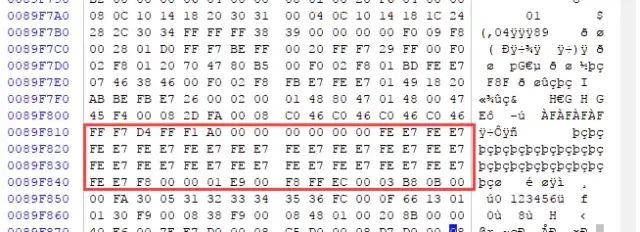
Then I continued to scroll up. After scrolling a few wheels, I immediately saw a familiar pattern. A bunch of “0xFE 0xE7”.
image
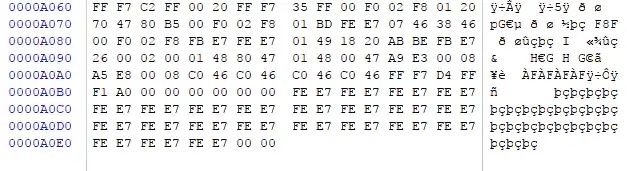
Comparing with the extracted firmware ending from the 5.12 JlinkARM.dll:
image
Very similar, so this should be the place.
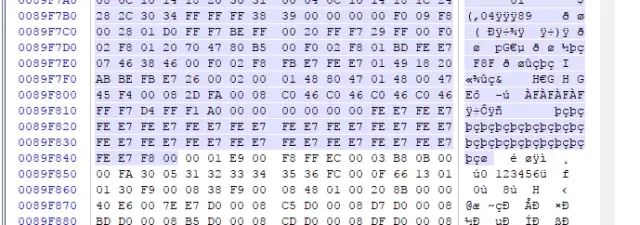
However, it didn’t work out this way… In any case, this place failed.
image
Save, test, failed.
Not Filling the Pit
Let’s just use it like this for now.
Because the firmware is not perfect, the latest Jlink OB STM32F072 bin file (from 6.20e) will not be provided. If there is a demand, please leave a message.
After reading the above, those who need it should be able to locate the firmware position and extract the latest version of the firmware by themselves. ST’s DFU software is also full of pits. Good luck.
About the Firmware Auto-Upgrade Issue
The answer is: No The above firmware starts in the flash of the microcontroller from 0x8004800, while the bootloader starts from 0x8000000.
The problem is that the bootloader provided in the blog is not the bootloader written by Jlink. I checked the bootloader available for download in the blog, and it is very short. I deduce that it only provides a simple function to jump to 0x8004800.
This leads to the Jlink driver being unable to upgrade the firmware. The possibility of obtaining the bootloader provided by Jlink without authorization is extremely low.