MCGS PRO and S7-200 SMART Ethernet Communication (Online Simulation)
MCGS PRO and S7-200 SMART Ethernet Communication (Online Simulation)

Search on WeChatIndustrial Control Learning Community MCGS, as the name suggests, refers to Kunlun Tongtai Touch Screen. The MCGS configuration software consists of three versions: embedded version, general version, and network version. The PRO version is currently mainstream, and here we will explain the online simulation Ethernet communication between MCGS PRO version and S7-200 SMART. … Read more
Detailed Guide on RS485 Communication between SMART and Siemens Touch Screen

Detailed Guide on RS485 Communication between SMART and Siemens Touch Screen

Overview of SMART Panels The SMART panels are divided into the first generation product SMART LINE and the second generation product SMART LINE IE. The first generation does not have an Ethernet port, including Smart 700 and Smart 1000; the second generation integrates an Ethernet port, including Smart 700 IE and Smart 1000 IE. Currently, … Read more

Configuring OPC UA Server Communication for Weicon Touch Screen

Configuring OPC UA Server Communication for Weicon Touch Screen

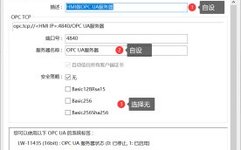
Search on WeChatTechnical Training OPC UA Client and Server is a software tool used for implementing data communication in industrial automation systems. By using the OPC UA communication protocol, real-time data exchange and logging can be achieved between different protocols. OPC UA (OPC Unified Architecture) is an open, cross-platform communication protocol that provides a standardized … Read more

How to Modify S7-200 SMART PLC Clock via Siemens Smart Touch Panel

How to Modify S7-200 SMART PLC Clock via Siemens Smart Touch Panel

If you need to use the panel to synchronize the PLC’s time, you will need to use the “Date/Time” and “Job Mailbox” in the area pointer. For detailed explanations of “Date/Time” and “Job Mailbox”, please refer to the documentation for previous versions of WinCC Flexible. Directory: 1 Introduction 2 Configuration Steps 2.1 Panel Program Configuration … Read more

How to Restore Siemens HMI Touch Screen to Factory Settings

Siemens All-in-One + TIA Portal + EPLAN Electrical Drawing Video Recordings for Sale at Low Prices! Chuangkong Education Siemens All-in-One Course Introduction Recently, when using the Siemens touch screen, I experienced screen lag. I consulted Siemens 400 technical support, and they suggested restoring the factory settings. Next, I will share with you the method to … Read more

Creating Ethernet Communication Between Siemens Touch Screen and S7-200 SMART CPU

Creating Ethernet Communication Between Siemens Touch Screen and S7-200 SMART CPU Configure Communication Connection Users can create Ethernet communication between the Siemens touch screen and the S7-200 SMART CPU through the following steps, taking the Smart 1000 IE device as an example. In the main workspace of WinCC flexible, add a connection to the CPU … Read more

Essential Knowledge for Learning Siemens PLC: Control via Touch Screen

Essential Knowledge for Learning Siemens PLC: Control via Touch Screen

Click↑↑Technical Training, follow and pinto subscribe for free long-term 200,000+Industrial control professionals follow our WeChat platform: technical sharing, learning exchange, industrial control videos The HMI of the THPSSM-1 system uses the Siemens SMART 700 touch screen. The HMI serves as a bridge for two-way communication between the operator and the machine, allowing users to freely … Read more

Practical Handbook on PLC, Inverters, and HMI (Siemens Edition)

Practical Handbook on PLC, Inverters, and HMI (Siemens Edition)

☞ This is the 13639th article published by Metal Processing (mw1950pub) Editor’s Note PLC, inverters, and human-machine interfaces are important devices in modern industrial automation control. The application of these devices makes the production and manufacturing processes in factories more automated, efficient, precise, and controllable, greatly promoting the automation process of China’s manufacturing industry and … Read more

Controlling Multiple Identical Devices with a Siemens Touch Screen Popup

Controlling Multiple Identical Devices with a Siemens Touch Screen Popup

In many situations, there are a large number of similar devices that need to display and control device parameters through sub-screens in the HMI. If a sub-screen is drawn for each device in the HMI, it will lead to a lot of repetitive work and make the HMI program lengthy. Therefore, drawing a panel for … Read more

Introduction to Siemens S7-1200 Modules

Introduction to Siemens S7-1200 Modules

S7-1200 is a compact, modular PLC that can perform various tasks such as logic control, HMI, and network communication. The S7-1200 features a compact design, low cost, and a powerful instruction set, making it the perfect solution for controlling various applications. The S7-1200 models and Windows-based programming tools provide the flexibility needed to solve automation … Read more